1
DigiTerra Explorer v5 ®
User Guide © Copyright 1996-2008, DigiTerra Ltd.
_____________________________________________________________________________________________________________________________________________________________________________________
1.6 Start DigiTerra Explorer on your Pocket PC
Start the program
1.
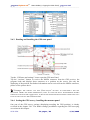
Tap „Start menu” and select „Programs” with the stylus.
2.
Tap the „DigiTerra Explorer v5”
icon.
On Windows CE (like MobileMapper CE) you can start the program directly on the Desktop
too. Double Tap the „DigiTerra Explorer v5”
icon.
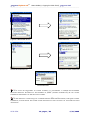
To send back the program
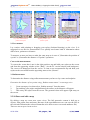
Tap the
at the upper-right corner of the handheld screen. The program will close and work
in the background.
Exit from the program
Select and tap the exit icon
from the first menu from the left.
On Windows CE (like MobileMapper CE) you can exit the program, when tap the “x” in
bottom right corner.
THE
APPLICATIONS WILL BE CLOSED AUTOMATICALLY DEPENDING ON THE AVAILALBLE
MEMORY. IF THE POCKET PC IS TOO SLOW, YOU CAN CLOSE THE APPLICATIONS BY ITASK OR
MANUALLY.
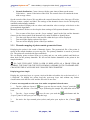
Closing by iTask
1.
2.
3.
Tap the „iTask” button („Start”Æ”Programs”Æ”iTask” )
Tap and hold your stylus on the application you want to close.
In the pop-up menu select „Close This Task” operation.
Closing manually
1.
2.
3.
Tap „Start” and select „Settings”ÆSystem and tap the Memory icon.
Tap „Running Programs”.
Tap „Stop all” or select an application and tap „Stop”.
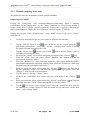
1.7 The program set up, and how to use it
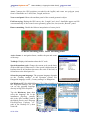
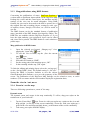
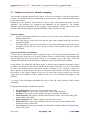
Our effort was during the set up of the program to reach all major function directly, by
tapping the screen without using the menu. The views are displayed on the screen of the
Pocket PC.
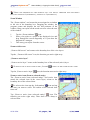
In the corners of the screen appear different information depending on which part of the
program is in use. In the upper-left corner you can see editable layers, in the lower-left corner
the measure scale, in the lower-right corner the measure rate by default. When connecting to
the GPS device, in the upper-right corner the status information will appear, or in move the
actual speed will be shown.
V5.8.3.20.
11. pages / 64
4/21/2008