1
Square TMD-Display
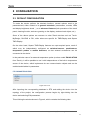
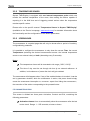
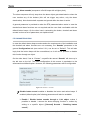
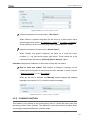
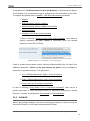
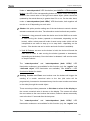
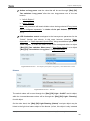
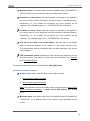
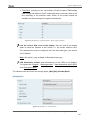
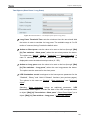
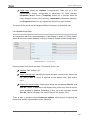
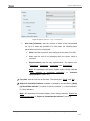
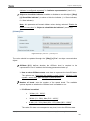
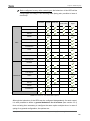
Figure 15 General - Touch Locking: Control.
Upon the reception of a one-bit value (“1 bit object”).
When marked, a specific drop-down list will show up to select which value
should trigger which action (“0 = Unlock; 1 = Lock” or “0 = Lock; 1 = Unlock”).
These values are to be received through object “[General] Lock Touch”.
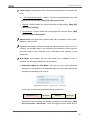
Upon the reception of a scene value (“Scene object”).
When marked, two specific textboxes will show up to enter the scene
numbers (1 - 64) that should trigger each action. These values are to be
received through the general “[General] Scene: Receive” object.
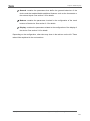
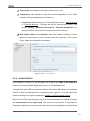
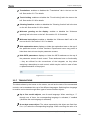
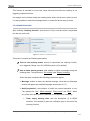
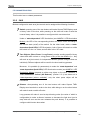
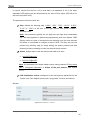
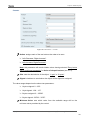
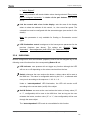
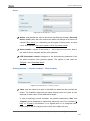
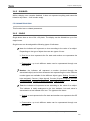
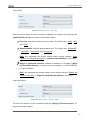
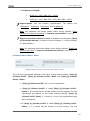
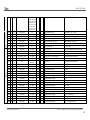
Indication comprises a parameter to select how to show the lock status:
How to show lock status? Sets whether to display a message on the
screen when the device is locked and the user attempts to touch a button
(“Display message”) or not (“Do nothing”).
When the first one is selected, one Message textbox appears per enabled
language (see section 2.2.7) to enter the desired message.
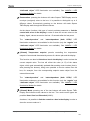
Figure 16 General - Touch Locking – Indication.
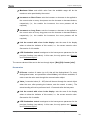
2.2.9 CLEANING FUNCTION
This feature is very similar to the touch locking, that is, it locks the touch area, thus
discarding further button touches. The difference is that this function remains active
only during a parameterisable time, and then stops.
http://www.zennio.com
Technical Support: http://zennioenglish.zendesk.com
23