1
C NAME
FmLoop
FACE NAME
none
SYNOPSIS
void FmLoop()
DESCRIPTION
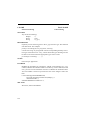
Pass control to the function XtAppMainLoop. This function must be called
after the initialization phase of your application to handle X events.
If you are generating standalone code and do not want to link with the Fm_c
library, call XtAppMainLoop (or XtMainLoop) instead.
SCOPE
Application only
EXAMPLE
SEE ALSO
307