1
Examples and Explanations
7.2.5 Further Configuration
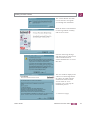
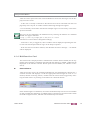
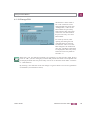
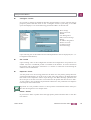
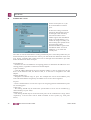
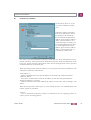
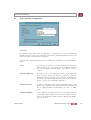
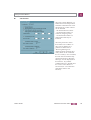
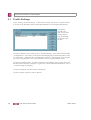
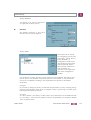
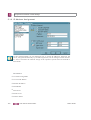
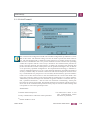
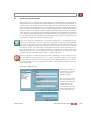
Pre-shared Key or RSA Signature: According to the defaults through the other side, the
automatic setting “Automatic Mode” can be changed as IKE policy to, “Preshared
Key” or “RSA Signature” (certificate). If the other side expects “Pre-shared key”, then
the key must be entered in the field. (The “Preshared Key” must be identical for all clients in this case.)
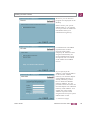
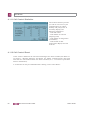
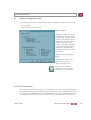
IP addresses and DNS server are assigned via the IKE Config Mode protocol (Draft 2)
(currently compatible only against Cisco). All previous WAN interfaces can be used
for the NAS dial-in.
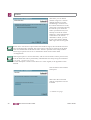
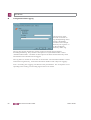
The authentication for IPSec Tunneling is handled via the XAUTH protocol (Draft 6).
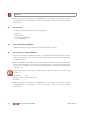
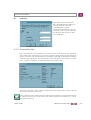
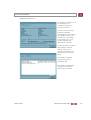
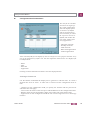
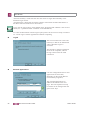
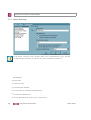
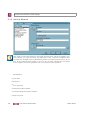
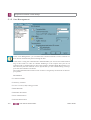
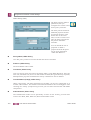
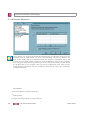
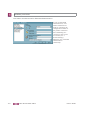
If “IPSec Tunneling” is used, then additionally the following parameters must still be
set in the “Identities" configuration field:
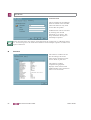
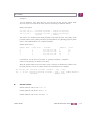
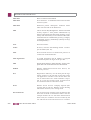
Username
Password
User access data
from configuration
=
=
User Name of the IPSec user
Password of the IPSec user
=
optional
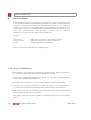
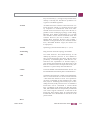
DPD (Dead Peer Detection) and NAT-T (NAT Traversal) are automatically executed in
the background for “IPSec Tunneling” when supported by the destination. The IPSec
client uses DPD to check, in regular intervals, whether the other side is still active. If
the other side is inactive, then an automatic connection-disconnect occurs. Using NAT
Traversal is automatic with the IPSec client and is always necessary if network address
translation is used on the side of the destination system device.
n
Basic configurations depending on the IPsec gateway
The configuration possibilities that you must be aware of depending on whether the Ipsec gateway supports Extended Authentication (XAUTH) and IKE config mode or not,
are listed below.
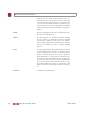
Gateway does not support XAUTH
As initiator, the IPSec Client always suggests Extended Authentication as standard.
This property cannot be configured. If the gateway does not support Extended Authentication, then it will not be executed.
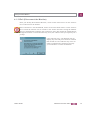
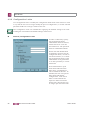
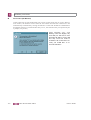
Gateway supports IKE config mode
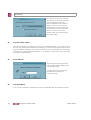
If the gateway supports the IKE config mode, the function “Use IKE Config Mode” in
the paramaeter field “IP Address Assignment” could be activated.
190
FEC Secure IPSec Client
User's Guide