1
<Toc>
5-2
<5. Parameters>
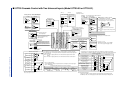
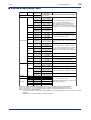
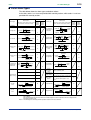
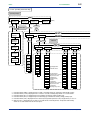
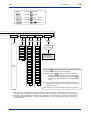
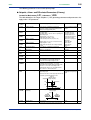
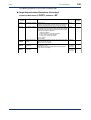
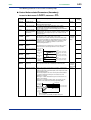
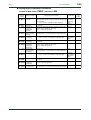
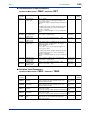
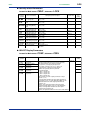
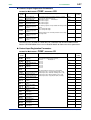
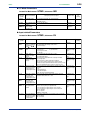
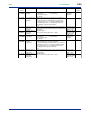
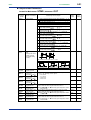
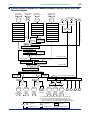
UT750 Operating Parameter Map
Operating Display
DISP
Operating
display 1
SET1S
Operating
display 2
Main menu
Operating
display 3
SET3S
DISP
Operating
display n
(Note)
SET3S
or
DISP
SELECT
display 1
MODE
SELECT
display 2
SET
SELECT
display 3
LP1
SET
submenu
DISP
PAR
1.PID
7.PID
8.PID
SET
SET
SET
SET
SET
SELECT
display 4
*1
SELECT
display 5
*2
*3
*4
*5
*1
*2
*3
*4
*5
*6
MODE
(A/M2)
MODE
(C.A.M)
MODE
(R/L1)
MODE
(R/L2)
MODE
(S/R)
SPNO
AT
SC
BS
FL
UPR
DNR
RT
RBS
RFL
ORB
ORH
ORL
1.SP
1.A1
1.A2
1.A3
1.A4
1.P
1.I
1.D
1.OH
1.OL
1.MR
1.H
1.DR
1.Pc
1.Ic
1.Dc
1.Hc
1.DB
1.PO
1.Oc
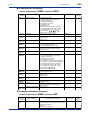
Not displayed for
ON/OFF control
Not displayed for
heating/cooling or position
proportional control
Displayed for
heating/cooling
control
Displayed for
heating/cooling or position
proportional control
Displayed for
heating/cooling control
7.SP
7.A1
7.A2
7.A3
7.A4
7.P
7.I
7.D
7.OH
7.OL
7.MR
7.H
7.DR
7.Pc
7.Ic
7.Dc
7.Hc
7.DB
7.PO
7.Oc
8.SP
8.A1
8.A2
8.A3
8.A4
8.P
8.I
8.D
8.OH
8.OL
8.MR
8.H
8.DR
8.Pc
8.Ic
8.Dc
8.Hc
8.DB
8.PO
8.Oc
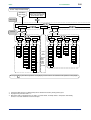
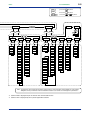
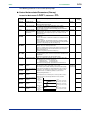
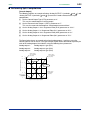
Parameter MODE (A/M2) is displayed when UT mode is “Dual-loop control” or “Temperature and humidity control.”
Parameter MODE (C.A.M) is displayed when UT mode is “Cascade secondary-loop control” or “Cascade control.”
Parameter MODE (R/L1) is displayed only for the controller with auxiliary analog (remote) input.
Parameter MODE (R/L2) is displayed only for the dual-loop type controller with auxiliary analog (remote) input.
Parameter MODE (S/R) is displayed when the contact input registration parameter S/R (setup parameter) is set to “0.”
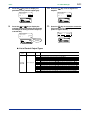
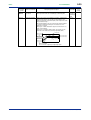
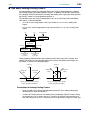
Main menu LP2 is displayed when UT mode is “Cascade control,” “Dual-loop control,” “Temperature and humidity
control” or “Cascade control with two universal inputs.”
IM 05D01B02-53E
1st Edition : May 31,2000-00