1
ServiceLab
Worksheet Window Menu
Copy: Choose the Edit/Copy menu command or the CTRL-INSERT or CTRL-C
key combinations. The selected modules will be inserted onto the worksheet with
their channel settings intact.
Paste: Paste the stored worksheet part by choosing the Edit/Paste menu command or by pressing SHIFT+INSERT or CTRL-V at any position on the worksheet. After activating the insert mode, the mouse cursor changes. Choose the position where the selection should appear. The entire worksheet can be used. The
window is scrolled automatically when the mouse cursor moves outside the window border. Once the mouse cursor is at the destination press the left mouse button to paste the cut chart modules into the worksheet, if there is enough room for
the operation. The paste operation can be repeated.
You can use the cut and paste function to integrate worksheet parts into a
black box, but references to those modules in Actions will need to be edited to
reflect the new name.
You cannot cut or copy hardware modules, including analog/digital inputs,
outputs, counter modules or black boxes.
1.2.8
Delete
Choose the Delete menu command or the Delete key to delete the selected modules.
1.2.9
Search for Module
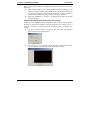
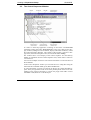
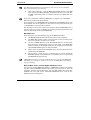
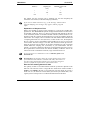
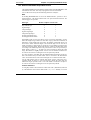
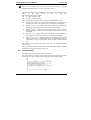
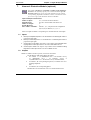
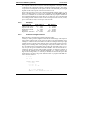
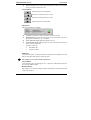
This function offers you an easy way to find each module used in complex worksheets. This menu item opens a list box, in which all used modules are listed (including their position in black boxes). Double mouse click on one of the listed
modules to move to the module and mark it. This function is also available in the
popup menu that will be open with a left mouse click on any empty area of the
worksheet.
The modules may be sorted by name, module type or by Black Box.
Double click on one of the listed modules to move to the module and mark it.
This function is also available in the popup menu that will be open with a left
mouse click on any empty area of the worksheet.
The Open Button at the bottom of the list window opens the Properties dialog
box for the selected module.
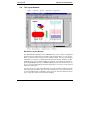
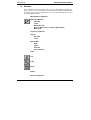
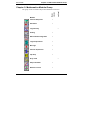
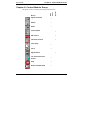
1.3. Module Menu
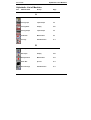
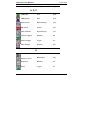
Full details for each module are in the ServiceLab Module Reference Guide,
published as a separate volume.
4-17