1
SIMATIC HMI
WinCC
Web Navigator V1.1
Manual
Order Number: 6AV6392-1DC01-1AB0
Edition April 2001
C79000-G8276-C522-01 (A5E00109903)
Web Navigator
1
Getting Started
2
이 기기는 업무용(A급) 전자파 적합기기로서 판매자 또는 사용자는 이 점을 주의하시기 바라며 가정 외의 지역에서 사용하는 것을 목적으로 합니다.
®
®
®
®
®
WinCC , SIMATIC , SIMATIC NET , SINEC and STEP are Siemens registered trademarks.
All other product and system names in this manual are (registered) trademarks of their respective owners and
must be treated accordingly.
(The reproduction, transmission or use of this document or its
contents is not permitted without express written authority.
Offenders will be liable for damages. All rights, including rights
created by patent grant or registration of a utility model or
design, are reserved.)
(We have checked the contents of this manual for agreement
with the hardware and software described. Since deviations
cannot be precluded entirely, we cannot guarantee full
agreement. However, the data in this manual are reviewed
regularly and any necessary corrections included in subsequent
editions. Suggestions for improvement are welcomed.)
Siemens AG 1994 - 2001 All rights reserved
Technical data subject to change
C79000-G8276-C522
Printed in the Federal Republic of Germany
Siemens Aktiengesellschaft
04.01
Preface
Preface
Purpose
The WinCC Web Navigator user manual describes:
•
the structure and operation of the WinCC Web Navigator
•
the WinCC Web Navigator Server
•
the WinCC Web Navigator Client
•
Getting Started
The User Guide is for WinCC Web Navigator V1.1
Position within the Information Environment
The User Guide is part of the documentation on SIMATIC HMI. All the documentation on
WinCC is listed below.
WinCC Web Navigator
C79000-G8276-C522-01
i
Preface
04.01
Documentation
Contents
Getting Started
Uses a configuration example to show beginners how to proceed step
by step through a project, and introduces WinCC’s overall
functionality.
WinCC V5
• Supplies information
Volume 1:
System Overview
Software Protection
ControlCenter
Server Data
Channels
Report Designer
User Administrator
• on interrelationships in WinCC
• on how software protection works
• on the structure, method of operation and use of WinCC Explorer
• on variables and variable groups
• on communication between WinCC and the process
• on creating and editing layouts for printing in Report Designer
Volume 2:
Graphics Designer
Alarm Logging
Tag Logging
Text Library
Global Scripts
CrossReference
• on assigning user rights in User Administrator
• on generating process maps in Graphics Designer
• on configuring, processing and archiving messages in Alarm
Logging
• on configuring, processing and archiving measured values in Tag
Logging
• on configuring multiple-language texts in Text Library
• on compiling C functions and actions in Global Script
• on generating lists of cross-references with Cross Reference
Configuration
Manual
Volumes 1, 2 and 3
•
Supplies information
• on configuring in WinCC, with examples for illustration
• on special aspects of configuring
• on the development environment for scripts, C functions and
actions (C course)
• on the graphics objects in Global Library
Communication
Manual
Volumes 1 and 2
Supplies information
• on links to SIMATIC via PROFIBUS, Industrial Ethernet and
OPC
• on communication drivers and how they are configured, using
examples for general links by way of illustration
• on special aspects of configuring
ii
WinCC Web Navigator
C79000-G8276-C522-01
04.01
Preface
Documentation
Contents
Channel
descriptions
Supply information for communication drivers
• on addressing variables in the automation system
• on parameterizing the communication partners
WinCC Options
Supplies information on the options
User Archives
• User Archives: creating and using user archives
Client Server
• Client-Server: structure and use of WinCC in a client/server
system
Redundancy
• Redundancy: structure and use of redundant systems
ProAgent
Supplies information on the ProAgent option (process diagnosis)
• How to configure system-specific process diagnosis
• How to trace process errors and identify their causes
WinCC
Web Navigator
It provides information about the WinCC Web Navigator option
• Mode of operation of the WinCC Web Navigator
• Structure, function and configuration of the WinCC Web
Navigator Server
• via the WinCC Web Navigator Client
Basic Process
Control
• Configuration of a WinCC Web project by means of the Getting
Started
Supplies information on the process-control options of WinCC
• Storage
• Picture Tree Manager
• Split Screen Manager
• Chipcard
• Lifebeat Monitoring
• Video
• Time Synchronization
Process Control
Runtime
WinCC Web Navigator
C79000-G8276-C522-01
Supplies information on the process-control options of WinCC
• Operation at runtime
iii
Preface
04.01
Documentation
Contents
Open Developers
Kit
Explains programmers how to use WinCC’s API functions and how
to access the data
Channel Developers Explains how to develop communication drivers for connecting
Kit
WinCC to any target system
iv
WinCC Web Navigator
C79000-G8276-C522-01
04.01
Preface
Additional Support
Please do not hesitate to contact use if you encounter problems in operation. Call + 49 911
895-7000 if you need assistance in solving problems. Remember to have the software ID
number at hand to streamline the process: this number is on the software product card.
Lost or defective authorization can be "repaired" on the phone by our Customer Support. The
number to dial is + 49 911 895-7200.
Information about SIMATIC Products
SIMATIC Customer Support offers you wide-ranging additional information on SIMATIC
products by way of its online services:
• You can obtain general up-to-date information
- on the Internet at http://www.ad.siemens.com/wincc
- from the fax polling no. + 49 8765 93 02 77 95 00
• Up-to-date product information and downloads which may be of assistance during
operation:
- on the Internet at http://www.ad.siemens.de/support/html-00/Index.shtml
- from the Bulletin Board System in Nuremberg (SIMATIC Customer Support
Mailbox): the number to dial is + 49 911 895-7100.
To dial into our mailbox, use a modem with a maximum baud rate that does not exceed
28,800 bps (i.e. up to V.34) and set its parameters to 8, N, 1, ANSI or dial yourself in
via ISDN (x.75, 64 Kbit).
WinCC Web Navigator
C79000-G8276-C522-01
v
Preface
vi
04.01
WinCC Web Navigator
C79000-G8276-C522-01
SIMATIC HMI
WinCC
Web Navigator V1.1
Manual
Order Number: 6AV6392-1DC01-1AB0
Edition April 2001
C79000-G8276-C522-01 (A5E00109903)
Web Navigator
1
Getting Started
2
®
®
®
®
®
WinCC , SIMATIC , SIMATIC NET , SINEC and STEP are Siemens registered trademarks.
All other product and system names in this manual are (registered) trademarks of their respective owners and
must be treated accordingly.
(The reproduction, transmission or use of this document or its
contents is not permitted without express written authority.
Offenders will be liable for damages. All rights, including rights
created by patent grant or registration of a utility model or
design, are reserved.)
(We have checked the contents of this manual for agreement
with the hardware and software described. Since deviations
cannot be precluded entirely, we cannot guarantee full
agreement. However, the data in this manual are reviewed
regularly and any necessary corrections included in subsequent
editions. Suggestions for improvement are welcomed.)
Siemens AG 1994 - 2001 All rights reserved
Technical data subject to change
C79000-G8276-C522
Printed in the Federal Republic of Germany
Siemens Aktiengesellschaft
Contents
1
Requirements ................................................................................................... 1
1.1
1.2
2
Installation of the WinCC Web Navigator Server ........................................... 5
2.1
2.2
2.3
2.4
3
Overview............................................................................................................. 25
SSL..................................................................................................................... 26
HTTPS................................................................................................................ 26
WinCC Web Administrator................................................................................... 27
Secure ID Card ................................................................................................... 27
Firewall ............................................................................................................... 28
General Information............................................................................................. 28
Principle of Operation .......................................................................................... 28
Firewall Types ..................................................................................................... 28
Establishing a Connection with the WinCC Web Navigator Server ........... 31
5.1
5.2
5.3
6
Use ..................................................................................................................... 15
Web Folder Setup ............................................................................................... 19
Creating a new Standard Web Site (stand-alone) ................................................ 19
Creating a virtual Folder ...................................................................................... 21
Checking the activated Web Site ......................................................................... 23
WinCC Web Navigator Security..................................................................... 25
4.1
4.2
4.3
4.4
4.5
4.6
4.6.1
4.6.2
4.6.3
5
Procedure .............................................................................................................5
Windows NT 4.0 Option Pack ................................................................................6
Installation of the Internet Information Server (IIS) with Windows 2000
Professional ........................................................................................................ 10
WinCC Web Navigator Server ............................................................................. 11
Wizard-supported Web setup: WinCC Web Configurator........................... 15
3.1
3.2
3.2.1
3.2.2
3.2.3
4
Hardware and Software .........................................................................................1
License .................................................................................................................3
Island solution ..................................................................................................... 31
Navigator Server on the WinCC Server ............................................................... 32
Separation of WinCC Server and WinCC Web Navigator Server.......................... 33
Installing the WinCC Web Navigator Client.................................................. 35
6.1
6.2
6.3
Installation from CD............................................................................................. 35
Installation over the Internet ................................................................................ 36
Internet Explorer Settings .................................................................................... 37
7
Deinstallation.................................................................................................. 41
8
Configuration of the User Administration .................................................... 43
8.1
8.2
8.3
8.3.1
8.3.1.1
8.3.1.2
WinCC Web Navigator
C79000-G8276-C522-01
WinCC Web Administrator................................................................................... 43
Structure ............................................................................................................. 45
Menu Bar ............................................................................................................ 47
"User" Menu ........................................................................................................ 47
Adding a User ..................................................................................................... 47
Copying a User ................................................................................................... 48
i
Contents
04.01
8.3.1.3
8.3.2
8.3.2.1
9
Configuration of a Web Project..................................................................... 51
9.1
9.2
9.3
9.4
9.5
9.6
9.6.1
9.6.2
9.6.3
9.6.4
9.6.5
9.6.6
Transfer of WinCC Pictures: Web View Publisher................................................ 51
Transfer, Adaptation of existing Projects.............................................................. 56
Limitations........................................................................................................... 57
Using Scripts....................................................................................................... 58
The "PdlPad" Tool............................................................................................... 59
Differences to the WinCC Base System .............................................................. 60
Script Execution .................................................................................................. 60
Opening a Picture ............................................................................................... 60
Scripting.............................................................................................................. 60
Addressing of Objects in other Pictures ............................................................... 61
Synchronous Script Functions ............................................................................. 62
Defining Script Tags local to a Picture ................................................................. 63
10
Using the WinCC Web Navigator Client ....................................................... 65
11
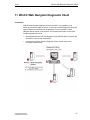
WinCC Web Navigator Diagnostic Client ..................................................... 67
11.1
11.2
11.3
Requirements ..................................................................................................... 68
License ............................................................................................................... 69
Installation of the WinCC Web Navigator Diagnostic Client.................................. 70
12
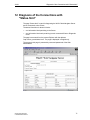
Diagnosis of the Connections with "Status.html"....................................... 71
13
WinCC Web Navigator and WinCC Guardian............................................... 73
14
Using the Terminal Services for the WinCC Web Navigator....................... 75
14.1
14.2
14.2.1
14.2.2
14.2.3
14.2.4
14.2.5
14.2.6
14.2.7
14.2.8
ii
Deleting a User ................................................................................................... 49
"Tools" Menu ...................................................................................................... 50
Languages .......................................................................................................... 50
Requirements for Using the Terminal Services .................................................... 77
Terminal Services Setup ..................................................................................... 78
Activation of the Terminal Services on Windows 2000 Server.............................. 79
Creation of the Client Data Carrier on the Windows 2000 Server ......................... 81
User Setup for the Access to the Terminal Services Server ................................. 82
Installation of a Terminal Services Client on the Client Computer ........................ 83
Configuration of the Connection .......................................................................... 84
Starting the Application of the Terminal Services Server on the Client Computer . 85
Configuring the "Auto Logon" Function for the Terminal Services Client............... 86
Starting Applications on the Terminal Services Client in Full Screen Mode .......... 90
WinCC Web Navigator
C79000-G8276-C522-01
04.01
Contents
15
Appendix ........................................................................................................ 91
15.1
15.1.1
15.1.2
15.1.3
15.1.4
15.1.4.1
15.1.4.2
15.1.5
15.1.6
15.1.7
15.1.8
15.2
15.3
WinCC Web Navigator
C79000-G8276-C522-01
Internet Information Server .................................................................................. 91
An overview of the highlights ............................................................................... 91
Reliability ............................................................................................................ 91
Settings on the Internet Information Server.......................................................... 92
Web Folder Setup ............................................................................................... 93
Creating a new Standard Web Site...................................................................... 93
Virtual Folder....................................................................................................... 95
Setting the Start Page ......................................................................................... 96
Adding an ISAPI Filter ......................................................................................... 97
Setting the Default Authentication........................................................................ 98
Application Settings............................................................................................. 99
Troubleshooting and Error Correction ................................................................ 100
Tested Components .......................................................................................... 103
iii
Contents
iv
04.01
WinCC Web Navigator
C79000-G8276-C522-01
04.01
Introduction
Introduction
Safety Warnings
This documentation contains safety instructions that must be followed to avoid
personal injury and damage to property. These instructions are highlighted by a
warning triangle - shown below - depending on the degree of danger:
Danger
Will cause death, serious bodily injury or considerable property damage, if the
proper precautionary measures are not taken.
Warning
Can cause death, serious bodily injury or considerable property damage, if the
proper precautionary measures are not taken.
Caution
Can cause slight bodily injury or minor property damage, if the proper
precautionary measures are not taken.
Caution
means that property damage may occur, if the proper precautionary measures are
not taken.
Warning
Important information about the product, the handling of the product or the
particular section in the documentation to which special attention should be paid.
Qualified Personnel
Startup and operation of this software must only be carried out by qualified
personnel. Qualified personnel as defined by the safety instructions of this
document are persons that have the qualification to apply safety standards to
systems employing this software.
WinCC Web Navigator
C79000-G8276-C522-01
v
Introduction
04.01
The names WinCC®, SIMATIC®, SIMATIC NET®, SINEC® and STEP® are
registered trademarks of the Siemens AG.
All other names mentioned in this document are registered trademarks of their
respective owners and must be treated accordingly.
vi
The reproduction, distribution or use of
this document or its contents is not
permitted without express written
consent. Violators will be liable for
damages. All rights reserved,
especially in the case of granting a
patent or registering a utility model.
We have thoroughly checked the contents
of this publication for agreement with the
described hardware and software.
However, since deviations cannot be
ruled out entirely, we cannot guarantee
full agreement. The information in this
description is reviewed regularly and any
necessary corrections are included in
future editions. We welcome any
suggestions for improvement.
Siemens AG
Automation & Drives
SIMATIC Human Machine Interface
P.O. Box 4848, D-90327 Nuremberg
© Siemens AG 1994 - 2001
Subject to Technical Change
WinCC Web Navigator
C79000-G8276-C522-01
04.01
Introduction
Function Overview
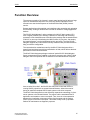
The enormous growth of the Internet in recent years has had and is having a large
impact on industrial development. One of the key factors responsible for the
Internet boom was the development of the World Wide Web (WWW) Internet
service.
Browser applications with graphical user interfaces make accessing and navigating
the Web easy: clicking a mouse button is all that is needed to cross geographical
borders.
The "WinCC Web Navigator" option package to the WinCC basic system (V5.0
SP2 or higher) enables you to develop a solution for controlling and monitoring
processes via the Intranet/Internet. With this option package and the standard tools
of WinCC, a new way of distributing the HMI functions of your plant - that employ
the Intranet/Internet - can be implemented quickly and easily. The WinCC Web
Navigator supports all current Internet security measures and provides Wizards to
help you with the configuration.
The communication mechanisms used by the WinCC Web Navigator utilize a
powerful and optimized event-driven transmission of data, which delivers the best
performance via the Intranet/Internet.
The WinCC Web Navigator package consists of special WinCC Web Navigator
Server components that are installed on the server computer, and of WinCC Web
Navigator Client components that are installed on the Intranet/Internet computer.
As a so-called "thin client", the WinCC Web Client can control and monitor a
running WinCC project from an opened Internet Browser, without the need of
having to install the complete WinCC basic system on the client computer.
The WinCC Web Navigator thus cost-effectively expands the networking of clientserver systems to the Intranet/Internet. The project and the associated WinCC
application are located on a server computer. Thus, there is a clear separation
between the visualization component on the client computer and the running
WinCC project on the server computer. This makes it easy to set up Operator
Stations for maintenance or diagnostic purposes.
WinCC Web Navigator
C79000-G8276-C522-01
vii
Introduction
04.01
The WinCC Web Navigator Client software runs under Windows 98, Windows ME,
Windows 2000 and Windows NT 4.0 or higher. The visualization takes place in any
Internet Browser that support the ActiveX technology by Microsoft such as the
Internet Explorer 5.01 or higher.
The WinCC Web Navigator Client software can be installed in various ways: as
usual via the CD-ROM or as a self-extracting file via the Intranet/Internet. In other
words, when accessing the WinCC Web Navigator Server, it will be checked
whether the client software has been installed. If the client software is missing, the
user will be asked to download the file to his computer and to perform the
installation. This scenario provides the WinCC Web Navigator user with a high
degree of flexibility and mobility.
Another interesting and valuable aspect is the user-specific assignment of start
pictures and languages. This assignment makes it possible to give different users
immediate access to different areas of a project.
The pictures displayed on the WinCC Web Navigator Client can be controlled just
like in a normal WinCC system. In this way, the project running on the server
computer can be influenced from any point on earth.
Security is an essential aspect when controlling and monitoring via the Internet.
Thus, the WinCC Web Navigator supports all currently known security standards
(used in the banking and insurance industry) ranging from user-specific logins and
passwords, firewalls, secure ID cards with PINs to RAS (Remote Access Service)
and the SSL technology.
For the communication to its clients, the WinCC Web Navigator Server requires the
Microsoft Internet Information Server or the Personal Web Server that is integrated
into Windows 2000 or has to be installed from the supplied CD-ROM for Windows
NT. For setting up the WinCC Web Navigator Server, the WinCC Web Configurator
is provided, which makes the configuration easy and convenient for the user.
The Wizard is ideal for users without Internet server knowledge - after only a few
inputs, the Web Server is correctly configured.
In order for a WinCC project to run on the WinCC Web Navigator, its WinCC
pictures have to be adapted and converted. As before, the WinCC pictures are
created and edited with the WinCC Graphics Designer.
The Web View Publisher automatically makes the necessary changes to the
project data (conversion of WinCC pictures, scripts) so that they can run on the
WinCC Web Navigator Client. In order to achieve the best possible performance,
the Wizard limits itself to information that is necessary for the Web.
In connection with the "WinCC Guardian" option package, live video images can be
shown via the Internet. The WinCC Guardian components are used to, among
other things, display live video images of your plant within WinCC pictures.
viii
WinCC Web Navigator
C79000-G8276-C522-01
04.01
Introduction
Upgrading of the WinCC Web Navigator V1.0 to
V1.1
Web Navigator Server
At the server, the deinstallation of Version 1.0 is necessary.
Following that, Version 1.1 of the Web Navigator Server can be installed.
Web Navigator Client
At the client, the so-called "Zero Administration" exists: the Web server checks the
version compatibility between server and client and downloads the client
component if necessary. This takes place when upgrading or downgrading.
•
If a Web Navigator Client V1.0 meets a Web Navigator Server V1.1, Version
1.1 will automatically be installed on the client.
•
If a "new" Web Navigator Client V1.1 meets an "old" Web Navigator Server
V1.0, the communication will only operate with the functionality of Version 1.0.
WinCC Web Navigator
C79000-G8276-C522-01
ix
Introduction
x
04.01
WinCC Web Navigator
C79000-G8276-C522-01
04.01
1
1.1
Requirements
Requirements
Hardware and Software
This chapter outlines the WinCC Web Navigator hardware, software and operating
system requirements.
WinCC Web Navigator Client
Operating System:
Windows 98 or higher, Windows ME, Windows NT 4.0
or higher, Windows 2000
Software:
Internet Explorer V5.01 or higher
Minimum Hardware
Requirements:
For the WinCC Web Navigator Client, no special
hardware is required, however, the IE V5.01 must be
able to run.
Other:
Access to Intranet/Internet
WinCC Web Navigator
C79000-G8276-C522-01
1
Requirements
04.01
WinCC Web Navigator Server
Operating System:
Windows NT 4.0 and Service Pack 6a or higher,
Windows 2000 SP1
Software:
Internet Explorer V5.01 or higher,
Windows NT 4.0 Option Pack (only under Windows NT)
WinCC Basic System V5.0 SP2 or higher
Minimum Hardware
Requirements:
INTEL Pentium II 266 MHz,
128 MB RAM,
500 MB available Hard Drive Space,
Network Interfaces
Other:
If you want to publish Intranet information, the following
is required:
A network-capable computer as well as a LAN
connection (LAN = Local Area Network).
A system that breaks up computer names into IP
addresses (IP = Internet Protocol). This is not a
mandatory step, but it allows users to use alias names
instead of IP addresses when connecting to the server.
If you want to publish Internet information, the following
is required:
An Internet connection and an IP address from an
Internet service provider (ISP). You can only publish
information on the Internet, if you possess a connection
to the Internet (provided by an ISP).
A network card that is suitable for connecting to the
Internet.
A DNS registration (DNS = Domain Name System) for
your IP address. This is not a mandatory step, but it
allows users to use alias names instead of IP addresses
when connecting to the server.
Note
In order to have more than three clients, the Server version of NT 4.0 or Windows
2000 must be installed, since the Workstation version is limited to three clients.
2
WinCC Web Navigator
C79000-G8276-C522-01
04.01
1.2
Requirements
License
WinCC Web Navigator Client
No license is required for the WinCC Web Navigator Client.
WinCC Web Navigator Server
As a prerequisite for the WinCC basic system, the WinCC RT basic license is
required. No WinCC server license is required, if no local WinCC clients are
operated.
Without a license, the WinCC Web Navigator Server will run in demo mode for 30
days. For the permanent use of the WinCC Web Navigator Server, a license is
required. Licenses are available for 3, 10, 25 or 50 clients that can simultaneously
access the Web Server.
A message box will be displayed, if the number of licensed clients is exceeded.
Note
There are different licenses neccessary for the functions of the Web Navigator
Diagnostic Client. For further information see "Web Navigator Diagnostic Client".
Overview of licenses of Web Navigator Server and Client
Server
Client
No License
WN Server license +
WinCC license
WN Client
Diagnostic Client
Number up to maximum of the Number unlimited
license (server)
WN Gatekeeper +
WinCC license
Demo Client
Number unlimited
WN Gatekeeper + WN
Server +
WinCC license
WN Client
Diagnostic Client
Number up to maximum of the Number unlimited
license (server)
no WN license or
no WinCC license
Demo Client
Number unlimited
WinCC Web Navigator
C79000-G8276-C522-01
Client with
Diagnostic Client License
Diagnostic Client
Number unlimited
Demo Client
Number unlimited
3
Requirements
4
04.01
WinCC Web Navigator
C79000-G8276-C522-01
04.01
2
2.1
Installation of the WinCC Web Navigator Server
Installation of the WinCC Web Navigator
Server
Procedure
The WinCC Web Navigator Server requires the Windows NT Service Pack 6a (or
higher) or Windows 2000 SP1 to be installed as well as WinCC V5.0 SP2 and the
Windows NT 4.0 Option Pack.
Please refer to the WinCC documentation for details regarding the WinCC
installation. The following description assumes that WinCC has already been
installed.
Installation of the WinCC Web Navigator Server under Windows NT 4.0:
1. Installation of the Windows NT 4.0 Option Pack
2. Do not restart computer
3. Installation of the Windows NT 4.0 Service Pack 6a or higher
4. Restart computer
5. Installation of the WinCC Web Navigator Server
Installation of the WinCC Web Navigator Server under Windows 2000:
1. Only with Windows 2000 Professional: Installation of the Internet Information
Server (IIS)
2. Installation of the WinCC Web Navigator Server
Note
In order to install the server component of the WinCC Web Navigator under
Windows NT, write permissions to the registry database are required, i.e. you must
possess administrator rights.
The Windows NT Option Pack has to be installed prior to the WinCC Web
Navigator Server. The Windows NT Option Pack replaces a number of files, which
could lead to problems.
Following the installation of the Windows NT Option Pack, the Windows NT Service
Pack has to be installed again to ensure proper communication to the Internet.
WinCC Web Navigator
C79000-G8276-C522-01
5
Installation of the WinCC Web Navigator Server
2.2
04.01
Windows NT 4.0 Option Pack
Software Requirements:
•
Windows NT 4.0 or higher
•
Internet Explorer 5.01
If one of these components is missing, the setup will not be carried out.
The Windows NT Option Pack offers expanded Web and application services for
Windows NT.
The Option Pack for NT Workstation comes with the Microsoft Personal Web
Server (PWS) as the Internet Server, the Option Pack for NT Server with the
Internet Information Server (IIS).
Note
Administrator rights are required to install the Internet Server under Windows NT.
You will be guided through the entire installation of the Windows NT Option Pack.
Please follow the on-screen instructions.
For the installation of the Windows NT Option Pack, a CD-ROM titled "Option
Pack" is supplied.
After inserting this CD-ROM into the CD-ROM drive, the installation will
automatically be started. The following dialog box will be displayed.
Select the "Install Software" menu command. The "Install Software" dialog will
open.
6
WinCC Web Navigator
C79000-G8276-C522-01
04.01
Installation of the WinCC Web Navigator Server
Select the Option Pack that you want to install. Via the "Question Mark" icon, the
corresponding help file can be accessed.
If the Windows NT Service Pack 4 or higher has been installed on the computer,
the following dialog box will be displayed.
Click on "Yes" to proceed with the installation.
If a newer version of the Option Pack has already been installed on the computer,
a dialog box will ask, whether the installed, newer version is to be overwritten.
Select "Do not overwrite".
Windows NT Server
In the "Windows NT 4.0 Option Pack Setup" dialog box, click on the "Standard"
button. The setup will install the necessary files and start the WWW (World Wide
Web) service. This concludes the installation of the IIS.
WinCC Web Navigator
C79000-G8276-C522-01
7
Installation of the WinCC Web Navigator Server
04.01
Windows NT Workstation
In the "Windows NT 4.0 Option Pack Setup" dialog box, click on the "User-defined"
button.
In the following dialog box, select the "Personal Web Server (PWS)" entry. Click on
the "Show Sub-Components" button.
In the "Personal Web Server (PWS)" dialog box, activate the "Internet Service
Manager" check-box. Confirm all dialog boxes. The setup will install the necessary
files and start the WWW (World Wide Web) service. This concludes the installation
of the PWS.
After installing the IIS/PWS, do not restart the computer.
Install the Service Pack 6a or higher without the deinstallation folder option.
8
WinCC Web Navigator
C79000-G8276-C522-01
04.01
Installation of the WinCC Web Navigator Server
Restart the computer.
Detailed help pertaining to the individual components of the Windows NT Option
Pack can be found in the accompanying documentation. In the appendix to the
Internet Information Server, you will find information about the Reliability and an
Overview of the Highlights.
WinCC Web Navigator
C79000-G8276-C522-01
9
Installation of the WinCC Web Navigator Server
2.3
04.01
Installation of the Internet Information Server (IIS) with
Windows 2000 Professional
When using Windows 2000 Professional, the Internet Information Server (IIS) must
be installed prior to the WinCC Web Navigator Server. When using Windows 2000
Server, this manual installation is not necessary.
Note
In order to install the Internet Information Server under Windows 2000
Professional, write permissions to the registry database are required, i.e. you must
possess administrator rights.
•
Insert the Windows 2000 CD-ROM into the CD-ROM drive.
•
From the Windows 2000 start menu, select the "Settings"
entries and then click on the "Add/Remove Programs" icon.
•
In the "Add/Remove Programs" dialog box, click on the "Add/Remove Windows
Components" icon. The following dialog box will open.
•
In the selection window, activate the check-box before the "Internet Information
Services (IIS)" entry.
•
Click on "Next".
"Control Panel"
Windows will then start with the transfer of the files and continue to guide you
through the installation.
10
WinCC Web Navigator
C79000-G8276-C522-01
04.01
2.4
Installation of the WinCC Web Navigator Server
WinCC Web Navigator Server
Note
In order to install the server component of the WinCC Web Navigator under
Windows NT, write permissions to the registry database are required, i.e. you must
possess administrator rights.
Prior to installing the WinCC Web Navigator Server, the Windows NT 4.0 Option
Pack has to be installed. Following the installation of the Windows NT Option Pack,
the Windows NT Service Pack has to be installed again to ensure proper
communication to the Internet.
•
Insert the WinCC Web Navigator CD-ROM into the CD-ROM drive.
•
The setup program will start automatically after a few seconds, provided that
the autorun functionality has not been deactivated.
•
The setup can also be started manually in case the CD-ROM has already been
inserted into the CD-ROM drive, the installation is performed from a network
drive or the autorun function has been deactivated. To do so, access the
"Control Panel"
Windows NT 4.0 start menu and select "Settings"
"Add/Remove Programs" and then click on the "Install" button in the
"Install/Uninstall" tab. Under Windows 2000, access the start menu and select
"Control Panel"
"Add/Remove Programs" and then click on
"Settings"
the "Add new Programs" button.
é
WinCC Web Navigator
C79000-G8276-C522-01
The following dialog box will be displayed.
11
Installation of the WinCC Web Navigator Server
04.01
To view additional information about the WinCC Web Navigator, click on the
"Welcome", "Read first", "Display CD-ROM Contents", "Install Software" and
"Language Selection" entries.
To install the WinCC Web Navigator, click on the "Install Software" entry.
In the following dialog box, select the "Server" component.
•
Click on the "Next" button.
•
Confirm your inputs in the next dialog box by clicking on the "Next" button.
•
The "Authorization" dialog box will display a list of the required authorizations
based on the components selected. Select the "Yes, the authorization should
be performed during the installation" radio-button and insert the authorization
floppy disk into drive "A:".
The WinCC Web Navigator Server will then begin with the transfer of the files.
Following the installation, you can read the "Setting up an IIS Example Web Site"
file.
If older versions of system files were located on your computer, the setup program
may ask you to restart your computer.
12
WinCC Web Navigator
C79000-G8276-C522-01
04.01
Installation of the WinCC Web Navigator Server
The WinCC Web Navigator Server icon will be added to the project navigation
window of the WinCC Explorer.
WinCC Web Navigator has already been installed:
The setup program will recognize, if a WinCC Web Navigator Server software has
already been installed. The following dialog box will be displayed.
Click on "Yes" to deinstall the existing version. Following that, the installation of the
WinCC Web Navigator Server will be carried out.
WinCC Web Navigator
C79000-G8276-C522-01
13
Installation of the WinCC Web Navigator Server
14
04.01
WinCC Web Navigator
C79000-G8276-C522-01
04.01
3
3.1
Wizard-supported Web setup: WinCC Web Configurator
Wizard-supported Web setup: WinCC Web
Configurator
Use
The WinCC Web Configurator guides you through the management and setup of
the Microsoft Internet Information Server/Personal Web Server in an
uncomplicated and easy-to-follow manner. The Configurator is, thus, ideal for all
users who have no knowledge of Web servers. This setup and configuration is
necessary in order to make the WinCC Server accessible over the intra-/Internet.
Additional information on the Microsoft Internet Information Server can be obtained
from Microsoft.
Notice
The Internet Information Server/Personal Web Server and the WinCC Web
Navigator Server must be installed. The wizard will otherwise not be executed.
WinCC Web Navigator
C79000-G8276-C522-01
15
Wizard-supported Web setup: WinCC Web Configurator
04.01
How to Start the WinCC Web Configurator
1. In the project navigation window of the WinCC Explorer, select the Web
Navigator and activate its pop-up menu
2. In the pop-up menu, select the menu item "Web Configurator".
Note
If you have questions or encounter difficulties with the following settings, contact
the intra-/Internet administrator in your department.
16
WinCC Web Navigator
C79000-G8276-C522-01
04.01
Wizard-supported Web setup: WinCC Web Configurator
Initial configuration of the WinCC Web Navigator Server
In the first dialog box of the WinCC Web Configurator, you can specify whether a
new standard Web site or a new virtual folder is to be created. The next step is
contingent on which option is selected.
•
If you only operate the WinCC Web Navigator Web on your server, activate the
option "Create a new standard Web site (stand alone)"
•
If the WinCC Web Navigator Web is to be added as a subfolder to your existing
Web, activate the option "Add to an existing Web (virtual folder)".
WinCC Web Navigator
C79000-G8276-C522-01
17
Wizard-supported Web setup: WinCC Web Configurator
04.01
Editing the configuration
If the IIS/PWS has already been configured, you can use the WinCC Web
Configurator to change the settings of the existing Web server or of the virtual
folder.
Option "Add to an existing Web (virtual folder)"
Note
Included in the Appendix are the settings which are performed by the WinCC Web
Configurator.
If you accidentally delete the Web for the Web Navigator, restart your computer
before creating a new Web with WinCC Web Configurator.
Please note, that when you perform manual changes to this Web and afterwards
you are unable to communicate with your Web, the Web Configurator will
automatically attempt to correctly reset these settings.
If this method does not succeed, delete the Web from the IIS, reboot your
computer and use the Web Configurator to again create a new Web.
While operating the WinCC Web Navigator Server, only one Web project can be
active per computer, since the Web filter is loaded to the storage of the active Web.
18
WinCC Web Navigator
C79000-G8276-C522-01
04.01
3.2
3.2.1
Wizard-supported Web setup: WinCC Web Configurator
Web Folder Setup
Creating a new Standard Web Site (stand-alone)
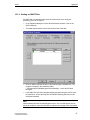
When selecting the "Create a new standard Web site (stand-alone)" radio-button,
the following dialog box will be displayed.
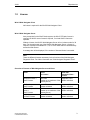
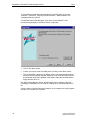
Name of the
Web Site
Here you can specify a name for the Web site, e.g.
WinCCWebSite.
Port
Here you can specify the port that will be used by the http
protocol for accessing the Internet.
Only numbers ranging from 1 to 65535 may be entered.
As a rule, the port numbers up to 1024 are reserved for the
system. In this field, the http default port of 80 is set.
IP Address
Each computer on the Internet possesses a unique address. The
address consists of a group of four numbers that are separated
by periods. The numbers can have values ranging from 0 to 255.
The address is defined in the Windows Control Panel. You can
only use addresses that are shown in the list-box.
Via the IP address, you can specify whether the computer is to
be accessible on the Intranet or Internet or on both networks.
For example, via the IP address x.x.x.x, the computer is known
to the Intranet, via the IP address y.y.y.y to the Internet. If you
want to make the computer only accessible on the Intranet or
Internet, only select the corresponding address, e.g. for the
Intranet, this would be x.x.x.x.
If the computer is to be accessible via the Intranet and the
Internet, select "All not assigned".
WinCC Web Navigator
C79000-G8276-C522-01
19
Wizard-supported Web setup: WinCC Web Configurator
04.01
Click on the "Finish" button to complete the configuration of the Server.
After finishing the configuration, the just created Web site (Web Navigator Web) is
active.
20
WinCC Web Navigator
C79000-G8276-C522-01
04.01
3.2.2
Wizard-supported Web setup: WinCC Web Configurator
Creating a virtual Folder
If you selected the "Add (virtual Folder) to an existing Web Site" radio-button, click
on the "Browse" button.
In the following dialog box, select the active Web site to which the virtual folder is
to be added.
After selecting the active Web site, click on the "OK" button, which will bring you
back to the previous dialog box. Click on the "Next" button to go to the next dialog
box.
WinCC Web Navigator
C79000-G8276-C522-01
21
Wizard-supported Web setup: WinCC Web Configurator
04.01
Name of the virtual
Folder
Here you can specify the name of your virtual folder,
which will be added to the active Web site.
Port and IP Address
The port and the IP address are predefined and cannot
be edited. The WinCC Web Configurator reads the data
of the active WinCC Web Navigator Server from the IIS.
Click on the "Finish" button to complete the configuration.
For access of the client to the Web Navigator, the name of the vitual Web
Navigator Web must be added to the URL . ( e.g. http::/
WebServer/WinCCWebsite)
No active Web Site
If no active Web site is found, the Wizard aborts with the following message.
Acknowledge the message by clicking on the "OK" button.
Before running the Wizard again, a Web site has to be activated first. The
procedure to do this is outlined in the "Checking the activated Web Site" chapter.
22
WinCC Web Navigator
C79000-G8276-C522-01
04.01
3.2.3
Wizard-supported Web setup: WinCC Web Configurator
Checking the activated Web Site
Activation of the Internet Information Server.
•
Under Windows NT 4.0, select "Programs", "Windows NT 4.0 Option Pack",
"Microsoft Internet Information Server", "Service Management Console".
•
Under Windows 2000, select "Programs", "Management", "Internet Service
Manager".
In the navigation window, select the computer and open the folder displayed below
it. The corresponding Web site will be displayed. Check the entry of the Web site. If
"Stopped" is displayed next to the desired Web site, e.g. the "WinCCWebSite", the
Web site needs to be started. To do so, right-click on the Web site and select
"Start" from the displayed pop-up menu.
Close the dialog box.
The Web site is now activated.
WinCC Web Navigator
C79000-G8276-C522-01
23
Wizard-supported Web setup: WinCC Web Configurator
24
04.01
WinCC Web Navigator
C79000-G8276-C522-01
04.01
4
4.1
WinCC Web Navigator Security
WinCC Web Navigator Security
Overview
At present, when you connect your WinCC Web Navigator Server to another
computer, you are exposing your data to certain risks.
How the connection was established plays no roll, e.g. a connection via a local
network (LAN) or a dial-up connection via an Internet provider. Unauthorized
persons could have access to your data. Your transmission could be intercepted,
manipulated and misdirected. By providing certain directories in your system with
special security layers, you can control the transmission of information.
There are several important concepts regarding a secure transaction:
Windows NT makes available powerful security functions which can be used to
check users, for access checks and for monitoring purposes. The WinCC Web
Navigator Server, which is based on the IIS, makes use of these Windows NT
capabilities to provide security for its Internet-based services. Windows NT uses a
security model which manages the security for all services through the use of a
single registration process.
By creating user accounts and by setting up access authorizations for these
accounts, the administrators can control which resources and services are
available to the users. The central administration for the WinCC Web Navigator
Server is performed via the WinCC Web Administrator.
In addition, the WinCC Web Navigator Server supports firewall technology. With
the help of a firewall, you can protect your system from unauthorized access.
Firewalls require that the user must constantly identify himself. This identification
can be performed with the aid of company-approved IP addresses, by using userIDs and passwords - even secure ID cards and encrypted access passwords which
are changed at set intervals.
The most important components for the security of the WinCC Web
Navigator Server are: Secure Socket Layer (SSL), secure HTTP (HTTPS),
WinCC Web Administrator, firewall, secure ID card.
WinCC Web Navigator
C79000-G8276-C522-01
25
WinCC Web Navigator Security
4.2
04.01
SSL
SSL is a protocol which guarantees the data security between HTTP and TCP/IP.
The standard for the security of WWW browsers and servers is defined by the W3C
(World Wide Web Consortium). The W3C was established to create standard
normatives for the WWW. Additional information can be found in the Internet under
http://www.w3c.org.
The SSL performs a security check before a TCP/IP connection is established.
This check determines the security level on which the client and the server agree
and over it, the necessary authenticity operations for the connection are performed.
SSL performs the encryption and decryption of the data stream of the used
protocol (e.g. HTTP = Hyper Text Transfer Protocol) as long as the connection
exists. All information, requests as well as responses, are encrypted. This includes
the information used for the authenticity check of the HTTP access (user
name/password) as well as all data transferred from the server to the client.
In order to use SSL, you require as system operator a certificate from a certification
provider, e.g. VeriSign
Requests for a VeriSign certificate for the Microsoft Server can be found at
http://www.verisign.com.
4.3
HTTPS
HTTPS is an extension of the HTTP protocol. The SSL protocol is used to establish
a secure connection between two computers, while HTTPS sends individual
messages securely. The communication between the WinCC Web Navigator
Server and Client is performed here using the HTTPS protocol.
26
WinCC Web Navigator
C79000-G8276-C522-01
04.01
4.4
WinCC Web Navigator Security
WinCC Web Administrator
The WinCC Web Administrator allocates and controls access privileges for the
users of the Web site. This is achieved by assigning access privileges during user
setup
When a user logs into the system, the WinCC Web Navigator Server checks
whether the user is registered and whether the maximum number of Web
Navigator Clients has been reached.
4.5
Secure ID Card
Remote Access Service (RAS) is a service which can be used, for example, to log
into a network directly from home. This is performed via the remote
communications network. You are prompted to enter your card ID and PIN number
by the RAS server. The RAS server checks the entries and, if necessary, calls you
back. This method ensures that only users with valid access information are able to
access the server.
WinCC Web Navigator
C79000-G8276-C522-01
27
WinCC Web Navigator Security
4.6
4.6.1
04.01
Firewall
General Information
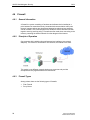
A firewall is a system consisting of hardware and software that is installed at a
point between two networks and only lets authorized communication traffic pass
through. Improper actions are rejected and detected unauthorized use attempts
can be recorded. Thus, firewall systems are suitable to enforce defined rules with
regard to security (security policy). Firewalls are often used when connecting to the
Internet, protecting the internal network from the dangers of the Internet.
4.6.2
Principle of Operation
One computer with installed routing software and two interfaces (two network
adapters). The Internet is connected to one interface, the Intranet to the other.
This results in two different networks sharing one computer and provides
exceptional security against attacks from the Internet.
4.6.3
Firewall Types
Among others, there are the following types of firewalls:
28
•
Filter Firewall
•
Proxy Server
WinCC Web Navigator
C79000-G8276-C522-01
04.01
WinCC Web Navigator Security
Filter Firewall
A filter firewall controls the data stream based on a data package’s origin,
destination, port and package type information. This information is contained in
every data package. Only selected network traffic can pass through the firewall.
Package filters are IT systems (Information Technology Systems) with special
software that filter the information (IP packages) on the transport layer, i.e. they
either let the information pass through or intercept it according to defined rules.
The rules can operate by means of the source or target address as well as the
source or destination port that is typical for the respective Internet service. Many
routers can also be employed as package filters. Unlike static package filters,
dynamic package filters do not possess a defined set of rules, instead, the firewall
modifies the filter in response to certain events.
Proxy Server
Proxy servers permit indirect access to the Internet through the firewall. A proxy is
an application for network services that is executed depending on the
communication of the service and from system to system. The service program of
the user does not communicate directly with the target system, but with the proxy
server of the firewall. The proxy evaluates the request and determines whether to
establish or deny the connection.
Proxy servers provide user authentication and integrity during the transfer of data
between client and server. The hypertext transfer protocol (http) proxy intercepts
connections from every Web Browser and directs the requests to the configured
Web Server.
Proxy servers support content filtering. With content filtering, only certain contents
of HTML pages are permitted. In this case, the communication is rerouted via a
defined port to an IP address such as the address of the WinCC server. If content
filtering is active, the Web Navigator communication will no longer function. In this
case, the use of SSL is recommended.
WinCC Web Navigator
C79000-G8276-C522-01
29
WinCC Web Navigator Security
30
04.01
WinCC Web Navigator
C79000-G8276-C522-01
04.01
5
Establishing a Connection with the WinCC Web Navigator Server
Establishing a Connection with the WinCC
Web Navigator Server
Before you connect your WinCC Web Server to the intranet or Internet, you must
establish a concept which takes into consideration relevant security and system
issues.
5.1
Island solution
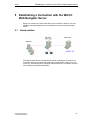
In the figure shown above, the Web Clients are not connected to the intranet, but
are rather used only to operate and observe the running WinCC project. You can,
in this way, economically set up computer stations which can, for example, be used
for monitoring or maintenance purposes.
WinCC Web Navigator
C79000-G8276-C522-01
31
Establishing a Connection with the WinCC Web Navigator Server
5.2
04.01
Navigator Server on the WinCC Server
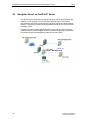
The WinCC Server and the server components of the WinCC Web Navigator are
installed on one computer. The WinCC Web Navigator client can be used to
operate and/or observe the running WinCC project over both the intranet and the
Internet. A client/server system can be expanded through the use of WinCC Web
Navigator Clients.
Firewalls are used to protect against attacks from the Internet. The first firewall
protects the WinCC Web Navigator Server from attacks originating in the Internet,
the second firewall provides additional protection for the intranet.
32
WinCC Web Navigator
C79000-G8276-C522-01
04.01
5.3
Establishing a Connection with the WinCC Web Navigator Server
Separation of WinCC Server and WinCC Web Navigator
Server
Communication via a channel
The WinCC Server is assigned a group of automation devices. The project is
composed of all data, including programs, configuration data and other settings.
The WinCC project is mirrored 1:1 on the computer with the WinCC Server and
WinCC Web Navigator Server and is not connected to the automation devices.
The data matching is performed via the OPC channel (OPC = OLE Process
Control). The WinCC Web Navigator Server requires for this purpose a license for
the number of OPC tags.
Two firewalls are used here as well to protect the system from unauthorized
access. The first firewall protects the WinCC Web Navigator server from attacks
originating in the Internet, the second firewall provides additional protection for the
intranet.
WinCC Web Navigator
C79000-G8276-C522-01
33
Establishing a Connection with the WinCC Web Navigator Server
04.01
Communication via the process bus
As illustrated in the above picture, two firewalls are used to protect the system from
unauthorized access. The WinCC project is mirrored 1:1 on the computer with the
WinCC Server and WinCC Web Navigator Server. The data matching is performed
via the process bus.
34
WinCC Web Navigator
C79000-G8276-C522-01
04.01
6
Installing the WinCC Web Navigator Client
Installing the WinCC Web Navigator Client
The WinCC Web Navigator Client software can be installed not only from CD, but it
can also be installed over the intra-/Internet. This allows you to flexibly and quickly
install any number of clients. In order to perform the installation over the intra/Internet, you must be registered as a user in the WinCC Web Administrator.
6.1
Installation from CD
Insert the CD-ROM with the WinCC Web Navigator in the CD-ROM drive.
The setup program automatically starts within a few seconds, provided that the
automatic execution of autorun file has not been disabled.
If a CD is already in your drive, you are installing from a network or autorun has
been disabled, you can also start the setup manually. To do this, select in the
"Control Panel"
"Add/Remove Programs"
Windows Start Menu, "Settings"
and in the tab "Add/Remove", click on "Install".
The program starts with the following dialog box:
To obtain additional information about WinCC Web Navigator, click the mouse on
the texts "Welcome", "Read First", "Display CD Contents", "Install Software" or
"Language Selection"
To install the WinCC Web Navigator, click the left mouse button on the text "Install
Software".
In the following dialog box, select the entry "WinCC Web Navigator Client"
WinCC Web Navigator
C79000-G8276-C522-01
35
Installing the WinCC Web Navigator Client
6.2
04.01
Installation over the Internet
1. Before you dial into the Internet, make the following settings in the Internet
Explorer.
2. Dial into the Internet via your Internet service provider.
3. Enter the address of the WinCC Web Navigator Server in the address bar, e.g.
"http://www.name_of_ server.de". If installing in a virtual folder, the address
may have the following form: "http://www.name_of_server.de/WinCCWebsite/"
4. Log into the WinCC Web Navigator Server with your user name and password.
5. If you are accessing the WinCC Web Navigator Server for the first time, you
will be prompted to install the WinCC Web Navigator Client. Follow the
instructions on the screen.
Note
If a version of the WinCC Web Navigator Client is already located on your system,
you can overwrite this software.
You are guided through the entire WinCC Web Navigator Client installation. Please
follow the instructions on the screen.
36
WinCC Web Navigator
C79000-G8276-C522-01
04.01
6.3
Installing the WinCC Web Navigator Client
Internet Explorer Settings
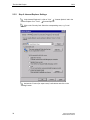
In the Internet Explorer 4.0, click on "View"
"Internet Options" and in the
Internet Explorer 5 on "Tools"
"Internet Options".
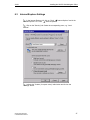
Click on the "Security" tab. Select the corresponding zone, e.g. "Local
Intranet".
Activate the "Custom (for expert users)" radio-button and click on the
"Settings" button.
WinCC Web Navigator
C79000-G8276-C522-01
37
Installing the WinCC Web Navigator Client
04.01
At "Script ActiveX Controls marked safe for scripting" and "Download signed
ActiveX Controls", activate the "Enable" radio-button.
Click on the "OK" button.
In the "Internet Options" dialog box, click on the "Apply" button.
Click on the "Advanced" tab and activate the "Browse in a new process"
(Internet Explorer 4.01 SP1) or "Open Browser window in a new process" (Internet
Explorer 5, provided the option exists) check-box.
38
WinCC Web Navigator
C79000-G8276-C522-01
04.01
Installing the WinCC Web Navigator Client
Click on the "OK" button.
This completes all the necessary settings in the Internet Explorer.
WinCC Web Navigator
C79000-G8276-C522-01
39
Installing the WinCC Web Navigator Client
40
04.01
WinCC Web Navigator
C79000-G8276-C522-01
04.01
7
Deinstallation
Deinstallation
The WinCC Web Navigator Server and the WinCC Web Navigator Client can be
deinstalled as usual from Windows. Access the Windows "Control Panel" and
double-click on the "Add/Remove Programs" icon.
•
Under Windows NT 4.0, highlight the "WinCC Web Navigator Server/Client"
entry in the "Install/Uninstall" tab and then click on the "Add/Remove" button.
Follow the displayed instructions.
•
Under Windows 2000, double-click on the "Add/Remove Programs" icon.
Follow the displayed instructions.
This will remove the WinCC Web Navigator Server/Client from your system.
Note
If you deinstall the WinCC Web Navigator Server, the corresponding authorization
should also be deinstalled using the "AuthorsW.exe" application. The authorization
can then be reused at a later time. Additional information about authorizations can
be found in the WinCC software protection documentation.
WinCC Web Navigator
C79000-G8276-C522-01
41
Deinstallation
42
04.01
WinCC Web Navigator
C79000-G8276-C522-01
04.01
8
8.1
Configuration of the User Administration
Configuration of the User Administration
WinCC Web Administrator
The WinCC Web Administrator is used to give your Intranet/Internet users access
to your WinCC project and to assign user-specific start pictures and languages. In
addition, user-specific rights for controlling and monitoring the process can be
assigned. The WinCC Web Administrator allows you to quickly and easily set up a
secure and clear Intranet/Internet user administration for WinCC.
If a user logs on to the system, the Web Navigator Server will check, whether the
user is registered and whether the maximum number of licensed Web Navigator
Clients has been reached.
The tasks of the Web Navigator Administrator include:
•
Creation and editing of users
•
Assignment and administration of access rights
•
Assignment and administration of start pictures and languages
The following access rights can be assigned to a Web Navigator Client:
None
The user rights assigned in the "User Administrator" editor will be evaluated for the
user. If no authorization has been assigned in the "User Administrator" editor, the
user will be able to perform this operation in runtime.
Unlimited Control and Monitoring (All)
The user is assigned the right to control and monitor the process in runtime.
How to start the WinCC Web Administrator:
1. In the project navigation window of the WinCC Explorer, right-click on the "Web
Navigator" entry.
2. In the pop-up menu displayed, click on the "Web Administrator" menu
command.
WinCC Web Navigator
C79000-G8276-C522-01
43
Configuration of the User Administration
04.01
Warning
If your computer is a primary domain controller (PDC), only administrators can log
on.
Thus, the user of the WinCC Web Navigator must receive administrator rights in
the NT domain administration.
Example of a user name: WNUSR_PCNAME, where PCNAME stands for the
respective PCNAME, e.g. with PC4000: WNUSR_PC4000. Due to security issues,
this entry must be made manually in the NT user administration.
44
WinCC Web Navigator
C79000-G8276-C522-01
04.01
8.2
Configuration of the User Administration
Structure
The user interface of the "WinCC Web Administrator" consists of:
•
Menu bar
•
Toolbar
•
Table window
Menu bar
All of the commands available in the WinCC Web Administrator are logically
divided into groups and assigned to different menus in the menu bar. In order to
execute a command, open the appropriate menu, click on the command, and set
the necessary parameters.
Menu
Menu Command
File
Exit
User
Create User
Copy User
Delete User
Tools
Languages...
Help
About WinCC Web Administrator
Note
In the following, only menu commands which vary from those found in standard
Windows applications or whose functionality exceeds that to which you may be
accustomed will be described in detail.
WinCC Web Navigator
C79000-G8276-C522-01
45
Configuration of the User Administration
04.01
Toolbar
These icons allow you to execute actions more rapidly. You do not have to make
several selections through the menus until you reach the required function.
"User" "Create User"
"User" "Copy User"
"User" "Delete User"
"Tools" "Languages"
Table window
The Table window contains information about user name, start picture, language
and access privileges for the WinCC Navigator clients.
46
WinCC Web Navigator
C79000-G8276-C522-01
04.01
8.3
8.3.1
8.3.1.1
Configuration of the User Administration
Menu Bar
"User" Menu
Adding a User
•
From the toolbar, select the
the "User" menu.
•
The "Edit User" dialog box will be displayed.
•
Enter the new user name.
•
Enter the new password and confirm the new password.
icon or the "Add User" menu command from
Important
The password has to follow the Windows NT guideline defining the use of
passwords for user accounts. This includes: the minimum length of the password,
how often a user has to change the password and when old passwords can be
reused.
•
Exit the dialog box via the "OK" or "Cancel" button.
WinCC Web Navigator
C79000-G8276-C522-01
47
Configuration of the User Administration
•
04.01
Specify the rights, the start picture and the language of the user in the table
window of the WinCC Web Administrator.
é
The entries can be made by double-clicking on the respective column field.
Name
User name of the client with a length between 4 and 24 characters
Start
Picture
Start picture that will be shown to the client when selecting the server.
Length max. 26 characters inclusive extension.
Language Language setting
Rights
Access rights:
All: Unlimited control and monitoring.
None: Operations for which an authorization level has been assigned in
WinCC are not permitted.
Note
A user name can only be assigned once.
Only pictures that have been assigned to the WinCC Web Navigator Server with
the Web View Publisher are available as start pictures.
Only languages selected via the "Tools/Languages" are available.
8.3.1.2
Copying a User
With the "Copy User" menu command, a selected user can be copied.
How to copy a user:
•
In the table window, select the user to be copied.
•
Select the "Copy User" menu command from the "User" menu or click on the
icon.
48
•
The "Edit User" dialog box will be displayed.
•
Enter the new user name.
•
Enter the new password and confirm the new password.
WinCC Web Navigator
C79000-G8276-C522-01
04.01
8.3.1.3
Configuration of the User Administration
•
Exit the dialog box via the "OK" or "Cancel" button.
•
The remaining settings such as start picture, rights and language will be taken
from the copied user.
Deleting a User
With the "Delete User" menu command, a selected user can be deleted.
•
In the table window, select the user to be deleted.
•
Select the "Delete User" menu command from the "User" menu or click on the
icon.
•
The selected user will be removed.
WinCC Web Navigator
C79000-G8276-C522-01
49
Configuration of the User Administration
8.3.2
8.3.2.1
04.01
"Tools" Menu
Languages
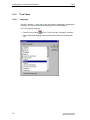
Use the "Language..." menu item to open the dialog for switching the configuration
language. You may select the desired language from the list displayed.
How to Change the Language:
50
•
Select from the toolbar
•
Select the desired language from those listed and confirm the selection with
OK.
or from "Tools" menu the "Language" command.
WinCC Web Navigator
C79000-G8276-C522-01
04.01
9
9.1
Configuration of a Web Project
Configuration of a Web Project
Transfer of WinCC Pictures: Web View Publisher
To run your WinCC project on the Intranet/Internet, you can create pictures with
standard WinCC tools or use already created ones.
Note
Only use the WinCC Web View Publisher for projects that have been created with
WinCC V 5.0 SP1 or higher.
Problems may occur with projects that have been converted from WinCC V4.02
and V4.02 SP1 to WinCC V5.0 SP1 / SP2.
Please read the corresponding chapters with regard to limitations, when using
complex functions or scripts. If the project and the pictures were created with the
WinCC Graphics Designer, a Wizard is available to make the pictures run on the
Internet.
The Web View Publisher automatically makes the necessary changes to the
project data (conversion of WinCC pictures, scripts) so that they can run on the
WinCC Web Navigator Client via the Intranet/Internet.
The following conversions will be performed:
•
Compression of the data to achieve the best possible performance on the
Internet
•
Removal of project-specific data that is unnecessary for the operation
•
Conversion of picture windows into ActiveX components
•
Conversion of scripts so that they can run on the WinCC Web Navigator Client
How to start the Web View Publisher:
1. In the project navigation window of the WinCC Explorer, right-click on the "Web
Navigator" entry.
2. In the pop-up menu displayed, click on the "Web View Publisher" menu
command.
WinCC Web Navigator
C79000-G8276-C522-01
51
Configuration of a Web Project
04.01
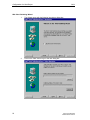
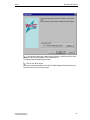
Web View Publishing Wizard
52
1.
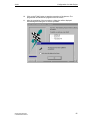
The Wizard opens with the following introductory dialog box.
2.
Click on the "Next" button to go to the next dialog box.
WinCC Web Navigator
C79000-G8276-C522-01
04.01
Configuration of a Web Project
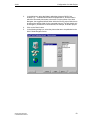
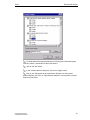
3.
In the dialog box, select the folder in which the pictures of WinCC are
located, e.g. "...\Siemens\WinCC\WinCCProjects\GraCS", and the folder in
which the converted pictures are to be stored. For the runtime of the Web
Navigator, the suggested default folder within the WinCC project folder has to
be kept as the storage folder for the converted pictures. The path should only
be changed, if pictures are to be transferred, for example, to another project.
4.
Click on the "Next" button.
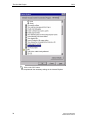
5.
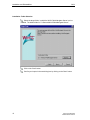
In the following dialog box, select the pictures that are to be published on the
WinCC Web Navigator Server.
WinCC Web Navigator
C79000-G8276-C522-01
53
Configuration of a Web Project
54
04.01
6.
Click on the "Next" button.
7.
Use the "" button to select the project functions that are to be published.
8.
Click on the "Next" button.
9.
Set the check-boxes. "Check Scripts" activates the conversion of scripts so
that they can run on the client. If "Referenced Graphics" is activated,
graphics (e.g. bitmaps) referenced in the pictures (*.PDL) will be transferred
as well.
WinCC Web Navigator
C79000-G8276-C522-01
04.01
Configuration of a Web Project
10.
Click on the "Finish" button to start the conversion of the pictures. The
progress bar will indicate the progress of the conversion.
11.
After the completion of the conversion, a dialog box will be displayed.
Acknowledge this dialog box to exit the operation.
WinCC Web Navigator
C79000-G8276-C522-01
55
Configuration of a Web Project
9.2
04.01
Transfer, Adaptation of existing Projects
You can use already existing projects that have been created with WinCC and
make the accessible via the Internet or Intranet.
Essentially, this requires the conversion of the already created WinCC pictures with
the WinCC Web View Publisher into the WinCC Web folder and the setup of the
Web users with the WinCC Web Administrator.
Note
Only use the WinCC Web View Publisher for projects that have been created with
WinCC V 5.0 SP1 or higher.
Problems may occur with projects that have been converted from WinCC V4.02
and V4.02 SP1 to WinCC V5.0 SP1 / SP2.
Version 1.1 of the WinCC Web Navigator has some functionality limitations and as
a "thin client" solution does not support all functions that are offered by the
standard WinCC basic system.
Thus, check your existing WinCC configuration with regard to the following points
and limitations, and adapt it if necessary.
If scripts are used in pictures, objects addressed by scripts must not contain blank
spaces or special characters in their names.
For example: The object named "Button 1" is to change its background color, if a
certain value changes. If this is implemented via a script, the object name must be
changed from "Button 1" to "Button1" (no blank space). The reason for this is that
the script interpreter software used by the Web Navigator Client does not support
blank spaces and special characters in object names.
Warning
In V1.1 of the WinCC Web Navigator, the available functions and standard
functions that can be used on the WinCC Web Navigator Client are limited to
approximately 600. A list of functions supported/not supported by the WinCC Web
Navigator Client can be found in the appendix.
56
WinCC Web Navigator
C79000-G8276-C522-01
04.01
9.3
Configuration of a Web Project
Limitations
When transferring the comprehensive WinCC runtime functionality to the minimal
runtime environment of the WinCC Web Navigator Client, limitations are
unavoidable.
Among others, the following WinCC options or functions are not available on the
WinCC Web Navigator V1.1 via the Intranet/Internet:
•
The WinCC Web Navigator Client only offers the view of a running WinCC
project. A configuration of the WinCC Server projects via the Web Client is not
possible.
•
Only those WinCC option packages/add-ons can run on the WinCC Web
Navigator, whose documentation expressly states that.
•
ODK functions are not supported on the WinCC Web Navigator Client. A list of
functions supported/not supported by the WinCC Web Navigator Client can be
found in the appendix.
•
The PCS7 options do not support the current version of the WinCC Web
Navigator Client.
•
The WinCC Report Designer is an integrated reporting system for the time- or
event-triggered documentation of alarm messages, operations and archive
contents. The reporting system is not supported via the Intranet/Internet. Thus,
the output of reports is not possible on the Web Client.
•
WinCC User Archives are not available via the Intranet/Internet.
•
Operator messages are not supported by the current version of the WinCC
Web Navigator Client.
•
No separate archive system is running on the WinCC Web Navigator Client.
The message archive or message system can only be controlled and
monitored.
•
If scripts are used in pictures, objects addressed by scripts must not contain
blank spaces or special characters in their names. This is especially important
for projects that have been converted from WinCC V4.02 and V4.02 SP1 to
WinCC V5.0 SP1 /SP2. The following special character in object names is
supported: "_". The object name "Tank 1" must be changed to "Tank_1"
("_Tank1" needs not to be changed, "Tank.1" is not supported).
•
The indirect addressing of tags is not supported.
•
Global Scripts running locally on the client are not supported. Global Scripts
running on the server are supported.
•
The redundancy switch is not supported.
When using functions that are not supported, the user will be informed about this in
runtime via clear text messages.
WinCC Web Navigator
C79000-G8276-C522-01
57
Configuration of a Web Project
9.4
04.01
Using Scripts
Global Script
The WinCC Web Navigator Client only provides a view to the project. The
configuration of scripts takes place in the server project of the WinCC server. For
this reason, the "Global Script" editor is not offered on the WinCC Web Navigator.
Unlike in WinCC, all scripts on the WinCC Web Navigator Client are integrated in
the same name space. This makes possible function calls between scripts that are
implemented in different objects. Global tags are known to all scripts. For this
reason, "defines" - such as "#define Motor 1 100" - that are stored in scripts of this
file may only occur once across all scripts.
If multiple occurrences are required due to configuration reasons, "define" needs to
be deactivated first by a "#undef".
Example:
#undef Motor1
#define Motor1 200
Actions
Actions are scripts that respond to operations and events. The appendix of the
Online Help contains the functions that are supported.
Warning
Since the CISS compiler used for the interpretation of scripts/functions in pictures
is conforming to ANSI-C, no anonymous structures and unions are used. In the
VARIANT2 structure compatible to VARIANT, the stored union is named "vdata".
VARIANT2 vTest;
VariantInit((VARIANT*) &vTest);
vTest.vt=VT_I4;
vTest.vdata.lVal=1024;
VariantClear((VARIANT*) &vTest);
The names of objects used in WinCC pictures and addressed by scripts must not
contain blank spaces or special characters. Also, object names are case-sensitive.
58
WinCC Web Navigator
C79000-G8276-C522-01
04.01
9.5
Configuration of a Web Project
The "PdlPad" Tool
Installing the WinCC Web Navigator Server will also install the "PdlPad" tool, which
can be accessed from the Windows start menu under
SIMATIC\WinCC\WebNavigator\Server\Bin.
The Web View Publisher automatically made the necessary changes to your
pictures so that they can run on the WinCC Web Navigator Client via the
Intranet/Internet. These pictures can be found in the WinCC project path under
...\WebNavigator\Pictures. Please also see the "WebNavigator.CHM" chapter of
the documentation under "Transfer of WinCC Pictures: Web View Publisher" .
With the help of the "PdlPad" tool, the scripts used in the pictures can be checked.
To do so, open the WinCC picture in the PdlPad and click on the "Check Scripts"
icon.
WinCC Web Navigator
C79000-G8276-C522-01
59
Configuration of a Web Project
9.6
9.6.1
04.01
Differences to the WinCC Base System
Script Execution
Contrary to the WinCC base system, event-triggered scripts (OnClick, etc.) are
executed in the same process space as the picture display, namely in the context
of the Internet Explorer.
Consider this, when working with delays in scripts (e.g. Sleep(3000)). In this case,
the displayed picture will not be operational for the time period set.
9.6.2
Opening a Picture
The Web Navigator downloads a WinCC picture from the Internet in an
asynchronous manner. Because of this, a picture change is not performed
synchronously as in the base system, but asynchronously. This fact has to be
considered in scripts that trigger a picture change.
The following applies:
If a picture window is selected within a script, then the same script will not be able
to access the objects of the new picture, since the picture is not yet loaded at the
time. In this case, a delay (e.g. Sleep(2000)) will not help either, since the script
and with it the Internet Explorer as well are waiting.
A better solution is to execute the subsequent script sections at the "OpenPicture"
event, which is triggered once the picture has been loaded.
9.6.3
Scripting
Preprocessor Definition:
Especially for the Web Navigator, the scripting possesses a preprocessor
definition:
RUN_ON_WEBNAVIGATOR
The code that follows this preprocessor definition will be executed by the Web
Navigator. Thus, it is possible to write scripts that behave differently under the Web
Navigator than under the base system.
60
WinCC Web Navigator
C79000-G8276-C522-01
04.01
Configuration of a Web Project
Example:
void OnOpenPicture (char* lpszPictureName, char*
lpszObjectName, char* lpszPropertyName)
{
#ifdef RUN_ON_WEBNAVIGATOR
// add the code applying to the Web Navigator only
}
#else
// add the code applying to the base system only
#endif
}
9.6.4
Addressing of Objects in other Pictures
If the objects of a picture are to be accessed from another picture via a script (e.g.
objects in a parent picture or a picture window), this can only be achieved by
employing relative addressing (unlike in the base system).
All C-script functions that access the objects of a picture, request the picture name
as the first parameter.
For example: SetPropChar ("Start Picture", "Text1", "Text",
"Hello, here is a text");
When accessing objects that are not located in the same picture, the Web
Navigator provides specially defined picture names that specify the addressing of
the pictures relative to the current picture.
Addressing of an Object in the Basic Picture
If there is no ambiguity, specifying the picture name suffices (just like in the base
system):
SetPropChar ("Start Picture", "Text1", "Text", "Hello, here
is a text");
Otherwise, the addressing can be performed independent of the picture name
either with an empty string or lpszPictureName = "/".
Example:
SetPropChar ("", "Text1", "Text", "Hello, here is a text");
or
SetPropChar ("/", "Text1", "Text", "Hello, here is a text");
WinCC Web Navigator
C79000-G8276-C522-01
61
Configuration of a Web Project
04.01
Addressing of an Object in the Parent Picture
If there is no ambiguity, specifying the parent picture name suffices (just like in the
base system):
SetPropChar ("Picture1", "Text1", "Text", "Hello, here is a
text");
Otherwise, the addressing can be performed independent of the picture name with
lpszPictureName = "../".
Example:
SetPropChar ("../", "Text1", "Text", "Hello, here is a
text");
Picture in a Picture Window
If the object to be addressed is located in the picture of a picture window ("Picture
Window1"), it can be addressed relative to the current picture as follows:
SetPropChar ("./Picture Window1", "Text1", "Text", "Hello,
here is a text");
or, if the Picture Window1 is located in the parent picture:
SetPropChar ("../Picture Window1", "Text1", "Text", "Hello,
here is a text");
or, if the Picture Window1 is located in the basic picture:
SetPropChar ("/Picture Window1", "Text1", "Text", "Hello,
here is a text");
9.6.5
Synchronous Script Functions
Exercise caution when dealing with synchronous script functions such as
"SetTagCharStateWait" that synchronously write a tag and then wait for the result.
Since these calls go to the server in a synchronous manner, frequently calling
these script functions negatively impacts the performance of the client. Through an
Internet connection, such a call may even take several seconds.
Script functions that manipulate objects in the displayed picture are safe, since a
round trip to the server does not take place.
62
WinCC Web Navigator
C79000-G8276-C522-01
04.01
9.6.6
Configuration of a Web Project
Defining Script Tags local to a Picture
To store picture-specific data in scripts, you should refrain from using data
manager tags in the Web Navigator. These tags - when read or written in scripts always cause a round trip to the server, which is costly in the Internet.
There are several ways to store picture-specific data:
Configuring "invisible" Graphic Objects
By creating invisible graphic objects, you will be able to use the properties of these
invisible objects as picture-specific tags.
An additional advantage is that actions can be performed upon the change of these
stored values.
Example:
Creation of an invisible Text Field
In this case, any text can be conveniently stored in the text property, which can
then be read or written to by any script handler.
In the color properties of the text field, for example, colors can be stored, which are
read or written to by scripts and thus can influence the status of the picture without
requiring a round trip to the server.
WinCC Web Navigator
C79000-G8276-C522-01
63
Configuration of a Web Project
64
04.01
WinCC Web Navigator
C79000-G8276-C522-01
04.01
Using the WinCC Web Navigator Client
10 Using the WinCC Web Navigator Client
With the WinCC Web Navigator Client, a WinCC project which is running on the
WinCC Server can be viewed, operated and observed. For this reason, it is not
possible to configure the server project
The following functions are available on the WinCC Web Navigator Client:
Displaying WinCC pictures over the intra-/Internet
The Graphics Designer is used to create process images in WinCC. The Web View
Publisher automatically performs the necessary adaptation of the project data
(conversion of WinCC pictures, scripts). The pictures are then capable of running
in the WinCC Web Navigator Client.
The communication between the WinCC Web Navigator Server and Client is
possible here using the HTTPS protocol. In order to protect the system from
unauthorized access, HTTPS should be used.
Accessing Process Tags
Process Tags can be read and written as in WinCC. The process image is supplied
with tag values via the WinCC Explorer. Depending on the user’s access privileges
in the WinCC Web Administrator, he can either observe or both operate and
observe.
Displaying messages
The existing WinCC message archive and/or message system of the WinCC
Server can be operated and observed on the WinCC Web Navigator Client via the
WinCC Alarm Control. It is not possible to execute the "Loop in Alarm" function.
Displaying process values in trends and tables
It is possible to display the process values in trends and tables via the WinCC
Online Trend Control and WinCC Online Table Control from the WinCC Web
Navigator Client. Changes, with regard to the Trend and Table windows, are
possible. It is, however, not possible to configure an individual archive on the Web
Navigator Client as the process value data come exclusively from the archive
system on the WinCC Server.
WinCC Web Navigator
C79000-G8276-C522-01
65
Using the WinCC Web Navigator Client
04.01
Language switch
It is possible to switch languages on the WinCC Web Navigator Client as well.
If a text from the text library is changed on the WinCC Server while in runtime, it
may, under certain circumstances, not automatically be detected by the WinCC
Web Navigator Client. The Internet Explorer stores the pictures in its cache. The
cache is a special memory area in which the contents of frequently used objects,
e.g. Internet pages, are stored. In order to update the displayed pictures, the
picture must be reloaded by using the Reload icon.
66
WinCC Web Navigator
C79000-G8276-C522-01
04.01
WinCC Web Navigator Diagnostic Client
11 WinCC Web Navigator Diagnostic Client
Introduction
With the Web Navigator Diagnosis Client from WinCC, it is possible to costeffectively access a number of servers. In this case, multiple Diagnosis Clients and
regular Clients can simultaneously be employed. For this operation, a Web
Navigator Server license is not required - the licensing takes place on the Client.
Possible applications include:
•
Remote Maintenance: With the Diagnostic Client, different WinCC systems are
accessed for service and maintenance.
•
Central Control Room: With the Diagnostic Client, multiple servers are
accessed simultaneously.
WinCC Web Navigator
C79000-G8276-C522-01
67
WinCC Web Navigator Diagnostic Client
04.01
11.1 Requirements
This chapter outlines the hardware, software and operating system requirements
for the application of the Web Navigator Diagnostic Client.
68
Operating System:
Windows NT 4.0 or higher, Windows 2000
Software:
Internet Explorer 5.01 or higher
Other:
Access to Intranet/Internet
WinCC Web Navigator
C79000-G8276-C522-01
04.01
WinCC Web Navigator Diagnostic Client
11.2 License
WinCC Web Navigator Diagnostic Client
For the Diagnostic Client, a license on the client computer is required.
If a Web Navigator Server or Web Navigator Diagnostic Server license is installed
on the server computer, the Diagnostic Client will have access even if the
maximum number of clients has been exceeded (guaranteed access).
WinCC Web Navigator Diagnostic Server
This license gives Web Navigator Diagnostic Clients access to the server.
WinCC Web Navigator
C79000-G8276-C522-01
69
WinCC Web Navigator Diagnostic Client
04.01
11.3 Installation of the WinCC Web Navigator Diagnostic Client
The Web Navigator Diagnostic Client software is installed on the client computer of
a CD-ROM.
•
Insert the WinCC Web Navigator CD-ROM into the CD-ROM drive.
•
The setup program will start automatically after a few seconds, provided that
the autorun functionality has not been deactivated.
•
The setup can also be started manually in case the CD-ROM has already been
inserted into the CD-ROM drive, the installation is performed from a network
drive or the autorun function has been deactivated. To do so, access the
"Control Panel"
Windows NT 4.0 start menu and select "Settings"
"Add/Remove Programs" and then click on the "Install" button in the
"Install/Uninstall" tab. Under Windows 2000, access the start menu and select
"Control Panel"
"Add/Remove Programs" and then click on
"Settings"
the "Add new Programs" button.
é
The following dialog box will be displayed.
To view additional information about the WinCC Web Navigator, click on the
"Welcome", "Read first", "Display CD-ROM Contents", "Install Software" and
"Language Selection" entries.
70
•
To install the WinCC Web Navigator Diagnostic Client, click on the "Install
Software" entry.
•
In the following dialog box, select the "WinCC Web Navigator Diagnostic
Client" component.
•
Follow the instructions of the setup program.
WinCC Web Navigator
C79000-G8276-C522-01
04.01
Diagnosis of the Connections with "Status.html"
12 Diagnosis of the Connections with
"Status.html"
The page "Status.html" is used for diagnosing the WinCC Web Navigator Server
and its connected, active Clients.
The status information is shown in blocks:
•
one information block pertaining to the Server
•
one information block each pertaining to each connected Client or Diagnostic
Client
The page is accessed from the Internet Explorer with the address
"http://server_name/status.html". The page is displayed in English only.
The access to this page is protected by users and passwords of the Web
Administrator.
WinCC Web Navigator
C79000-G8276-C522-01
71
Diagnosis of the Connections with "Status.html"
04.01
Structure of the Information Block pertaining to the Web Navigator Server
Field
Description
Server Version
Displays the Web Navigator Server Version (Build No.)
Server File Date
reserved
Last Update
Date and time of the page’s last update
Connected Clients
Quantity of connected Clients
Connected Diagnostic
Clients
Quantity of connected Diagnostic Clients
Structure of the Information Blocks pertaining to the Web Navigator Clients
Below the caption "Logged on Users:", the information blocks of the connected
Clients are listed. The title of each block contains the IP address of the client.
72
Field
Description
Login Name
Login name of the current user
Time
Login time of the current user
Connection Identifier
Identification of the connection (for internal diagnostic
purposes)
Requests Count
Quantity of requests made to the Server
Last
Time of the last request made to the Server
Packages Received
Quantity of the received packages
Sent
Quantity of the sent packages
Total Bytes Sent
Total amount of data transmitted
Last Sent
Time of the last data transmission
Queue Current
Current quantity of entries ( = shows the load level of the
connection)
Maximum
Maximum quantity of entries
Synchronous
Request
Last State
Shows the status of the synchronous requests
Last Duration
Server processing time for the last request
Synchronous
Request
Last Identification
Identification number of the last request
WinCC Web Navigator
C79000-G8276-C522-01
04.01
WinCC Web Navigator and WinCC Guardian
13 WinCC Web Navigator and WinCC Guardian
The "WinCC Guardian" option package is used, among other things, to show live
video images of your automation system within WinCC pictures.
These live video images can also be shown on remote computer stations by
employing streaming technology. When combining both option packages, it is
possible to show streaming images via the Intranet/Internet.
For configuration details, please refer to the WinCC Guardian documentation.
Important for the WinCC Web Navigator Server is the creation of a Web folder
named "WinCCMediaShare". In this folder, the Guardian media files (bitmaps,
AVIs) are stored.
During the installation of the WinCC Guardian Network Edition, this folder is
created automatically. When running the WinCC Web Navigator, make sure that
this virtual folder is set up in the Web folder of the WinCC Web Navigator and is
activated.
In order to show streaming video images, the WinCC Web Navigator Client
requires the Camera Viewer setup of the WinCC Guardian to be run.
WinCC Web Navigator
C79000-G8276-C522-01
73
WinCC Web Navigator and WinCC Guardian
74
04.01
WinCC Web Navigator
C79000-G8276-C522-01
04.01
Using the Terminal Services for the WinCC Web Navigator
14 Using the Terminal Services for the WinCC
Web Navigator
Introduction
The terminal services of Windows 2000 Server give multiple thin clients access to
the desktop of a Windows 2000 server. On the server, various applications such as
WinCC are run. With the terminal services, only the user interface of the application
is transmitted to the clients. Each client’s keyboard inputs and mouse operations
are returned back to the server.
The advantages of this method include:
•
Using a robust hardware for the clients, without fan or harddisk, e.g. in dusty
environment.
•
Using mobile clients with limited power supply (Handhelds, Palmtops).
•
All applications are running on the server in a save environment.
•
Easier and more centralized administration and system maintenance.
•
Support of different operating systems (e.g. Windows CE, Linux, Windows 3.1
).
Web Navigator Client V1.1 is released for Windows 2000 Terminal Services with a
maximum of 25 sessions each terminal server.
The Web Navigator Client is build in a "THIN²"-structure. That means, that the
application, which is multiple executed on the terminal server (e.g. Web Navigator)
is "thin" with respect to demands for the hardware.
WinCC Web Navigator
C79000-G8276-C522-01
75
Using the Terminal Services for the WinCC Web Navigator
04.01
Terminal services are performed on the server in two modes:
76
•
In the application server mode, the terminal services are used to forward
Windows programs and the desktop to a network server. In this case, the
terminal services can also transmit desktop applications to computers that
normally do not run Windows.
•
In the remote administration mode, the terminal services allow a server to be
managed from any location on the network.
WinCC Web Navigator
C79000-G8276-C522-01
04.01
Using the Terminal Services for the WinCC Web Navigator
14.1 Requirements for Using the Terminal Services
This chapter outlines the hardware, software and operating system requirements
for using the terminal services and the WinCC Web Navigator.
Terminal Server
Operating
System/Software:
Windows 2000 Server
Applications that are to be carried out on the clients
have to be callable and executable in multiple instances.
Minimum Hardware
Requirements:
min. 700 Mhz Pentium III
256 MB RAM plus additional RAM for each client
The processor and memory requirements grow linearly,
i.e. when using twice the number of clients, the number
of processors (max. 4) and the amount of memory
(approx. 40 MB per client) need to be doubled as well.
Other:
If many users access the server, a high-performance
network card should be employed.
ISA bus systems should not be used, but instead EIDE
or PCI.
Terminal Services Clients
Client minimum
Requirements:
Network Card with TCP/IP
Terminal Client RDP 5.0
Display/Monitor
Pointing Device
Recommended for use as clients are MOBIC T8 (Industrial Handheld) or MP370
Thin Client (12" TFT Touch Panel).
Note
For clients not running on Windows 2000 computers, the Terminal Client Access
licenses by Microsoft are required. Additional information pertaining to terminal
client licensing can be found under:
//www.microsoft.com/GERMANY/ms/serversuiten/lizenzierung/w2k_tsfaq.htm
WinCC Web Navigator
C79000-G8276-C522-01
77
Using the Terminal Services for the WinCC Web Navigator
04.01
14.2 Terminal Services Setup
In the following chapters, the setup of the terminal services for a simple example in
connection with the WinCC Web Navigator Client is shown.
1. Activation of the terminal services (terminal services server).
2. Installation of the application, e.g. WinCC Web Navigator Client (terminal
services server). This point will not be described. Information pertaining to the
installation can be found in the corresponding documentation and the Online
Help.
3. Creation of the client data carrier (terminal services server).
4. User setup for the access via the terminal services (terminal services server).
5. Installation of a client (client computer).
6. Configuration of the terminal services connections (client computer).
7. Start of the application on the client.
Additional information can be found under "Terminal Services" in the Online Help of
Windows 2000 Server.
78
WinCC Web Navigator
C79000-G8276-C522-01
04.01
Using the Terminal Services for the WinCC Web Navigator
14.2.1 Activation of the Terminal Services on Windows 2000 Server
The terminal services can be activated in two different modes.
1. Remote Administration Mode: In this mode, the terminal services allow a
remote access to a server from any location on the network. In this mode, the
programs to be used can be installed before or after activating the terminal
services. The terminal services licensing needs not to be activated.
2. Application Server Mode: In this mode, Windows programs can be distributed
safely and effectively using a network server. The programs to be used with
the terminal services should be installed after activating the terminal services,
since the terminal services register these programs for multi-user access and
provide improved management.
For this example, the application server mode is required, which is activated as
follows:
•
Insert the "Windows 2000 Server" CD-ROM into the CD-ROM drive of the
server.
•
From the Windows 2000 start menu, select the "Settings"
entries and then click on the "Add/Remove Programs" icon.
•
In the "Add/Remove Programs" dialog box, click on the "Add/Remove Windows
Components" icon. The "Windows Components Wizard" dialog box will open.
•
In the components selection window, activate the check-boxes of the "Terminal
Services" and "Terminal Services Licensing" options and then click on the
"Next" button.
•
Select the "Application Server Mode" option.
•
Click on the "Next" button.
•
In the "Setup of the Terminal Services" dialog box, activate the "With Windows
2000 users compatible rights" check-box and then click on the "Next" button.
•
In the dialog box showing the applications, click on the "Next" button.
"Control Panel"
Note
This dialog box may show applications that cannot be executed properly upon the
activation of the terminal services. These applications have to be reinstalled via the
Control Panel’s "Add/Remove Programs" dialog box after activating the terminal
services.
•
In the "Terminal Services Licensing - Setup" dialog box, select the "Your
domain or workgroup" option and specify the folder for the licensing database
of the server.
•
Click on the "Next" button and then on "Finish".
The files will then be copied. After a restart of the computer, the copied server
software will become available.
WinCC Web Navigator
C79000-G8276-C522-01
79
Using the Terminal Services for the WinCC Web Navigator
04.01
Note
The terminal services have to be installed on the server before the installation of
the actual applications. The installation of the applications on the server has to be
performed via the "Add/Remove Programs" dialog box of the Control Panel. Since
this dialog box uses the server installation mode, the configuration of the
applications is later possible for all users and not just for the user, who installed the
application.
80
WinCC Web Navigator
C79000-G8276-C522-01
04.01
Using the Terminal Services for the WinCC Web Navigator
14.2.2 Creation of the Client Data Carrier on the Windows 2000 Server
To set up a terminal services client, a client data carrier is first created on the
Windows 2000 Server. With the help of this data carrier, the terminal services client
is then installed on the computer intended as the client.
•
"Administration"
From the Windows start menu, select the "Programs"
entries and then click on the "Terminal Services - Client Installation" icon.
•
In the "Create Installation Disks" dialog box, select the 32-Bit version as the
terminal services client type to be created. Check the target drive setting and
correct it if necessary.
•
The dialog will indicate the number of needed data carriers. Keep this number
at hand. Insert one data carrier and then click on the "OK" button .
•
Follow the displayed instructions.
•
Close the dialog box after the copy process has completed.
Note
The "16-Bit" client data carrier type is needed for client computers running 16-Bit
operating systems.
WinCC Web Navigator
C79000-G8276-C522-01
81
Using the Terminal Services for the WinCC Web Navigator
04.01
14.2.3 User Setup for the Access to the Terminal Services Server
For the access to the terminal services server, a user has to be created on the
server. The user administration and the settings of Windows 2000 also apply to the
terminal services.
•
"Control Panel"
From the Windows 2000 start menu, select the "Settings"
entries and then click on the "Administrative Tools" icon. Click on the
"Computer Management" icon.
•
In the "Computer Management" dialog box, click on the "System Tools"
"Local Users and Groups" folders.
•
Right-click on the "Users" folder and select the "New User" menu command
from the displayed pop-up menu.
•
In the "New User" dialog box, enter a user name and a password.
•
Activate the "Password never expires" check-box.
•
Click on the "Create" button.
•
Close the dialog box.
Note
The user created here on the terminal services server is also needed for the
configuration of the connection on the terminal services client. Additional
information can be found under "Configuration of the Connection".
82
WinCC Web Navigator
C79000-G8276-C522-01
04.01
Using the Terminal Services for the WinCC Web Navigator
14.2.4 Installation of a Terminal Services Client on the Client Computer
After creating a client data carrier on the Windows 2000 Server, the data carrier will
be used to install the terminal services client on the computer intended as the
client.
•
Insert the client data carrier into the drive and enter "[Drive Name]:SETUP" in
the input dialog box. Start the setup program by hitting the "Enter" key.
•
In the "Welcome" dialog box, click on the "Next" button.
•
Fill in the "Name" and "Organization" fields. Click on the "OK" button.
•
In the "License Agreement" dialog box, read the displayed agreement and click
on the "I agree" button.
•
In the "Terminal Services Client - Setup" dialog box, start the installation by
clicking on the application button.
•
In the "Select Program Group" dialog box, click on the "Next" button.
•
Follow the displayed instructions.
•
Click on the "OK" button to finish the installation.
WinCC Web Navigator
C79000-G8276-C522-01
83
Using the Terminal Services for the WinCC Web Navigator
04.01
14.2.5 Configuration of the Connection
After installing the terminal services client on the client computer, the properties of
the connection need to be configured.
84
•
From the Windows 2000 start menu, select the "Programs"
"Client Connection Manager" entries.
Services Client"
•
In the "Client Connection Manager" dialog box, select the "New Connection"
menu command from the "File" menu. This will start the Connection Wizard.
•
In the "Welcome" dialog box, click on the "Next" button.
•
In the "Create a Connection" dialog box, enter a connection name and the
name of the terminal services server. Click on the "Next" button.
•
In the "Activate automatically" dialog box, activate the "Log on automatically
with this Information" check-box.
•
Enter the user name and the corresponding password that has been assigned
on the terminal services server.
•
In the "Domain" field, enter the name of the terminal services server, if the
terminal services server and the terminal services client are located in the
same domain. If they are not located in the same domain, enter the domain
name of the terminal services servers.
•
Click on the "Next" button.
•
In the "Display Options" dialog box, set the resolution for the client, e.g. "800 x
600", and then click on the "Next" button.
•
In the "Connection Properties" dialog box, click on the "Next" button.
•
In the "Start Program" dialog box, click on the "Next" button.
•
In the "Icon and Program Group" dialog box, click on the "Next" button.
•
In the final dialog box, click on the "Finish" button.
•
Close the "Client Connection Manager".
"Terminal
WinCC Web Navigator
C79000-G8276-C522-01
04.01
Using the Terminal Services for the WinCC Web Navigator
14.2.6 Starting the Application of the Terminal Services Server on the
Client Computer
After installing the terminal services client on the client computer and creating a
connection file, an application of the terminal services server can be started on the
terminal services client.
•
From the Windows 2000 start menu, select the "Programs"
"Client Connection Manager" entries.
Services Client"
•
Click on the connection that has been assigned to the terminal services server.
•
In the "Log On" dialog box, enter the password and confirm it by clicking on the
"OK" button.
•
The connection will then be established. Following the display of the terminal
services server’s desktop, its applications can be started, e.g. the Web
Navigator Client via the Internet Explorer.
WinCC Web Navigator
C79000-G8276-C522-01
"Terminal
85
Using the Terminal Services for the WinCC Web Navigator
04.01
14.2.7 Configuring the "Auto Logon" Function for the Terminal Services
Client
With the terminal services it is possible to automatically establish the connection
and start the Web Navigator Client when starting up the client. This requires the
following configurations on the terminal services server and client.
Note
The following description of the configurations on the client computer applies to a
Windows 2000 system.
The language setting in the dialog boxes is "English". Thus, the names of menu
commands, dialogs, etc. used in this description may differ, depending on the
language used by the actual computer.
86
•
From the Windows 2000 "Start" menu of the terminal services server, select
"Administrative Tools"
"Terminal Services
the menu entries "Programs"
Configuration".
•
In the navigation window, select the folder "Connections". The data window to
the right will display all associated connections. Select the entry "RDP-TCP".
From its pop-up menu, select the menu command "Properties".
WinCC Web Navigator
C79000-G8276-C522-01
04.01
Using the Terminal Services for the WinCC Web Navigator
•
In the dialog "RDP-TCP Properties", select the tab "Logon Settings".
Deactivate the check-box "Always prompt for password". Close the dialog by
clicking on "OK".
•
In the autostart folder of the desired user, specify the link to the Internet
Explorer. To do so, select the menu entry "Programs" from the Windows "Start"
menu. Access the pop-up menu of the entry "Internet Explorer" and select the
menu command "Copy".
•
In the Windows Explorer, select the folder "Documents and Settings" located in
the Windows installation drive and open it with a double-click. Select the folder
with the desired user name and access the folder "Start Menu"
"Programs"
"Startup". From the pop-up menu of the folder, select the
command "Paste". A link to the Internet Explorer will be inserted.
•
Under Windows, log on as this user. This will automatically start the Internet
Explorer.
WinCC Web Navigator
C79000-G8276-C522-01
87
Using the Terminal Services for the WinCC Web Navigator
88
04.01
•
Specify the start page for the Internet Explorer. From the menu "Tools", select
the entry "Internet Options". In the field "Address" of the tab "General", enter
the desired start page. Close the dialog.
•
From the Windows 2000 "Start" menu of the terminal services client, select the
"Terminal Services Client"
"Client Connection
menu entries "Programs"
Manager".
•
Select an existing connection to the above configured server or create a new
one. Additional information can be found under "Configuring the Connection".
When using an existing connection, select the menu command "Properties"
from the pop-up menu.
•
In the tab "General", check the name of the user. This name has to be identical
to the user name assigned on the terminal services server. If necessary,
change the name and enter the associated password.
•
In the field "Domain", enter the name of the terminal services server, if the
terminal services server and client are located in the same domain. If they are
not located in the same domain, enter the domain name of the terminal
services server.
•
In the tab "Connection Options", select the resolution for the client (e.g. "1024 x
768"). Activate the radio-button "Full Screen". Close the dialog by clicking on
"OK".
WinCC Web Navigator
C79000-G8276-C522-01
04.01
Using the Terminal Services for the WinCC Web Navigator
•
In the autostart folder of the client, specify the link to the desired connection.
To do so, select the desired connection from the Client Connection Manager.
Access the pop-up menu and select the menu command "Copy".
•
In the Windows Explorer, select the folder "Documents and Settings" located in
the Windows installation drive and open it with a double-click. Select the folder
with the desired user name and access the folder "Start Menu"
"Programs"
"Startup". From the pop-up menu of the folder, select the
command "Paste". A link to the connection will be inserted.
The next time the user logs on at the client, the connection is automatically
established and the Internet Explorer opened with the set start page.
WinCC Web Navigator
C79000-G8276-C522-01
89
Using the Terminal Services for the WinCC Web Navigator
04.01
14.2.8 Starting Applications on the Terminal Services Client in Full
Screen Mode
When selecting the terminal services client on the server, the client can be started
in full screen mode if a page with the following HTML lines is selected or specified
as the default page in the IIS.
<html>
<head>
<title></title>
<SCRIPT LANGUAGE="JavaScript">
win = window.open("webclient.asp", "", "fullscreen=1");
win.focus();
</SCRIPT>
</head>
<body>
</body>
</html>
90
WinCC Web Navigator
C79000-G8276-C522-01
04.01
Appendix
15 Appendix
15.1 Internet Information Server
15.1.1 An overview of the highlights
•
Optimized system availability through failure safety (24/7/365)
•
Transacted Active Server Pages (ASP) ensure that processes running in
parallel do not mutually interfere with one another. Script debugging simplifies
the development of such applications
•
Flexible configuration
•
Low operating costs through optimized administration tools
•
Ensured compatibility through strict adherence to common Internet standards
•
Secure information exchange through effective encryption mechanisms
•
Individually configurable search functionality
15.1.2 Reliability
Reliability is a key term in modern IT management. It is one of the fundamental
requirements for successful implementation of IT technologies. The possibility to
integrate the Microsoft Transaction Servers into the Microsoft Internet Information
Server 4.0 makes the Windows NT Server the most comprehensive platform for the
development and expansion of dependable and simultaneously scalable Web
applications. The Transaction Server ensures very efficient processing of all data
streams between server and back-end system in a client/server environment.
The Microsoft Internet Information Server guarantees stability through 3 key points:
•
System security: Various applications can run simultaneously on the Web
Server. If applications from third parties (or even "homemade" applications) are
being run, they may cause problems through incompatibility and may even
result in a system crash. The Internet Information Server makes certain that
such events affect neither other applications nor the system as a whole. If one
of the described applications should crash, it is exited and, if necessary,
restarted.
•
Transacted Active Server Pages: This new development allows the
developer to design applications which can simultaneously perform multiple
actions. These actions can work towards a common cause or run entirely
independently from one another. In any event, it is ensured that they do not
interfere with one another and cause instability in the system operation. In
particular, this can play a role in database applications.
•
Script debugging: A special function which makes the programming of
applications using Active Server Pages easier for the developer.
WinCC Web Navigator
C79000-G8276-C522-01
91
Appendix
04.01
15.1.3 Settings on the Internet Information Server
The WinCC Web Configurator made the following settings:
•
Setting up the Web folder
•
Creating a new standard Web site
•
Creating a virtual folder
•
Setting the start page
•
ISAPI filter added
•
Setting the basic authentication and folder privileges
•
Creating an application
Note
If you have questions or encounter difficulties with the following settings, contact
the intra-/Internet administrator in your department.
92
WinCC Web Navigator
C79000-G8276-C522-01
04.01
Appendix
15.1.4 Web Folder Setup
15.1.4.1 Creating a new Standard Web Site
In Windows NT 4.0, activate the IIS via "Programs"
"Windows NT 4.0 Option
"Microsoft Internet Information Server"
"Internet Service Manager".
Pack"
"Administration"
"Internet
In Windows 2000, this is done via "Programs"
Service Manager".
In the "Internet Service Manager" dialog box, right-click on the computer or Web
"Web Site" menu commands from the displayed popsite and select the "New"
up menu.
This will start the Web Site Wizard.
Click on the "Next" button and select the IP address and the TCP connection.
In the following dialog box, the path of the home folder is specified. Since the
information concerned is sensitive, no anonymous Web site access should be
allowed.
WinCC Web Navigator
C79000-G8276-C522-01
93
Appendix
04.01
In the next dialog box, only activate the "Allow Read Access" and "Allow Script
Access" check-boxes and exit the Wizard by clicking on the "Finish" button.
94
WinCC Web Navigator
C79000-G8276-C522-01
04.01
Appendix
15.1.4.2 Virtual Folder
If your Web site includes files which are either not on the same drive as the root
directory or are not on the same computer and are to be executed on the Internet
Information Server, you must create a virtual folder to accommodate these files in
your Web site. Such a folder can be located on a local drive or on another
computer in the network. If you would like to use a folder on another computer, you
need to specify the UNC name (UNC = Universal Naming Convention) of the folder
and provide a user name and password for access authorization. An overview of all
virtual folders can be found under Virtual Folders.
How to Create a Virtual Folder
1. In the Internet Services Manager, select the Web site which you would like to
add to the folder.
2. Click on the Action button, point to New and then select Virtual Folder.
3. Make the actual settings for new virtual folders with the help of the wizard.
WinCC Web Navigator
C79000-G8276-C522-01
95
Appendix
04.01
15.1.5 Setting the Start Page
The start page is the document which is opened on a browser request for data.
The default page names are "index.html, index.htm, default.html, default.htm"
96
•
In the Internet Services Manager, click the right mouse button on the name of
the Web site, e.g. WinCCWebsite, and in the pop-up menu click on the
"Properties" entry
•
Click on the "Documents" tab and insert "webclient.asp" as the default
document. In this case, Webclient.asp is called up on a browser request and
the respective start picture displayed in the browser.
WinCC Web Navigator
C79000-G8276-C522-01
04.01
Appendix
15.1.6 Adding an ISAPI Filter
An ISAPI filter is a program which reacts to events which occur during the
processing of an HTTP request.
•
In the Properties dialog box of the "WinCCWebsite" Web site, click on the
ISAPI Filters tab.
•
This table lists the states, names and priority levels of the filter.
•
Click on "Add" to activate the filter of the Web Navigator (Webfilter.dll). The
program is located in the installation folder
(..\Siemens\WinCC\WebNavigator\Server\Web\bin\..) of the WinCC Web
Navigator.
•
If the ISAPI filter has been changed (deleted and then relinked), the PC must
be restarted or, as the case may be, the WWW Publishing Service must be
exited and restarted.
Note
While operating the WinCC Web Navigator Server, only one Web project can be
active per computer, since the Web filter is loaded to the storage of the active Web.
WinCC Web Navigator
C79000-G8276-C522-01
97
Appendix
04.01
15.1.7 Setting the Default Authentication
•
In the Properties dialog box of the "WinCCWebsite", click on the "Directory
Security" tab. The security functions of the Web Server are set in this tab.
•
In the "Enable anonymous access and edit the authentication methods for this
resource" entry, click on the "Edit" button.
Activate "Basic Authentication (Password is Sent in Clear Text)". This is a
commonly used method for identifying and authenticating the user in accordance
with the industry standard.
During the course of the non-encrypted authenticity confirmation, the Web browser
prompts the user to enter a valid user account name and the corresponding
password.
Note
When SSL is used, all information, including both the request and the response,
are encrypted. This includes the information for the authenticity confirmation of the
HTTP access (user name/password) as well as all data which are transferred by
the server to the client.
98
WinCC Web Navigator
C79000-G8276-C522-01
04.01
Appendix
15.1.8 Application Settings
An application is defined as all folders and data contained in a folder which is
defined as the starting point of the application until another starting point of an
application is found. When you make the root directory of the site the starting point
of an application, each virtual folder and each physical folder contained in the site
can share the directory. Click on Create to make this directory a starting point of an
application (thereby creating an application). To cancel a root directory’s
assignment to an application, click on the Remove button.
Enter the name of the application in the Name text field. This name is displayed in
the Properties windows of all folders which are located within the set boundaries of
the given application. Click on the Configure button to define the properties of the
application.
WinCC Web Navigator
C79000-G8276-C522-01
99
Appendix
04.01
15.2 Troubleshooting and Error Correction
No Communication between the WinCC Web Navigator Server and the Client
If "Content Filtering" is set for an Internet connection from a provider (participating
proxy, firewall), the Web Navigator communication will no longer function. With
content filtering, only certain contents of HTML pages can be displayed. In this
case, the communication is routed via a defined port to an IP address such as the
address of the WinCC server.
•
At the WinCC Web Navigator Server, its IP address must deactivate the "Smart
Filtering". Filtering also makes no sense, since no viruses or HTML contents
are present on the WinCC server.
•
The WinCC Web Navigator Server changes the principle of the communication
- the client calls in a defined interval via the registered tags.
•
If the customer uses the SSL technology, the "Content Smart Filtering" is not
possible, since the data is transmitted encrypted.
Connection Termination
In the case of connection terminations, delays or communication fluctuations which occur intermittently in the Internet environment - it may happen that the
connection to the WinCC Web Server gets severed. In that case, the following
dialog box would be displayed.
Click on the "Yes" button to reestablish the connection and to update the picture.
100
WinCC Web Navigator
C79000-G8276-C522-01
04.01
Appendix
No pictures are being displayed
In the Internet Explorer, check whether the following setting has been activated:
•
Internet Explorer 4.0: Menu commands "View"/"Internet Options", tab:
"Advanced"/"Browse in a new process"
•
Internet Explorer 5: Menu commands "Tools"/"Internet Options", tab:
"Advanced"/"Open Browser window in a new process" (provided that the option
is available)
On the WinCC Web Navigator Server computer, check whether the correct Web
site has been activated. Additional information can be found in the "Checking the
activated Web Site" chapter.
Incorrect Start Picture
The start picture displayed by the Internet Explorer does not match the picture you
have just edited.
•
Start the Web View Publisher to make the new picture available to the Internet.
•
Delete the temporary Internet files. Internet Explorer 4.0: under "View"/"Internet
Options"; Internet Explorer 5.0: under "Tools"/"Internet Options".
WinCC Web Navigator
C79000-G8276-C522-01
101
Appendix
04.01
Used Abbreviations
102
Abbreviation
Description
DNS
Domain Name System
HTTP
Hyper Text Transfer Protocol
HTTPS
HTTPS is an extension of the HTTP protocol
IE
Internet Explorer
IIS
Internet Information Server
IP
Internet Protocol
ISP
Internet Service Provider
IT
Information Technology
LAN
Local Area Network
OPC
OLE Process Control
PIN
Personal Identification Number
PWS
Personal Web Server
SP
Service Pack
SSL
Secure Socket Layer
TCP
Transmisson Control Protocol
TCP/IP
Transmisson Control Protocol/Internet Protocol
UNC - Name
A name which meets the requirements of the Universal
Naming Convention
WWW
World Wide Web
WinCC Web Navigator
C79000-G8276-C522-01
04.01
Appendix
15.3 Tested Components
The WinCC Web Navigator has been tested with the following software
components:
•
Microsoft Visual Studio 6
•
Microsoft Office 97
•
Microsoft Office 2000
•
Visio 4
•
Migrografix Publisher
WinCC Web Navigator
C79000-G8276-C522-01
103
Appendix
104
04.01
WinCC Web Navigator
C79000-G8276-C522-01
04.01
Index
Index
A
Activating the Web Site
23
C
Configuration
15, 51, 56
Adaptation of Projects
56
Internet Explorer
37
Internet Information Server
92
Limitations
56, 57
Transfer of WinCC Pictures
51
Transferring Projects
56
WinCC Web Navigator Server
15
Creating
19
Creating a virtual Folder with the Web
Configurator
21
Standard Web Site
15, 19
Virtual Folder
15
D
Deinstallation
WinCC Web Navigator Client
WinCC Web Navigator Server
41
41
41
F
Firewall
Filter Firewall
Principle of Operation
Proxy Server
Adding an ISAPI Filter
Application Settings
Creating a Standard Web Site
Creating a virtual Folder
Defining a Start Page
Defining the Folder Security
Defining the Standard Authentication
Installation
Overview
Reliability
IP Address
Standard Web Site
Virtual Folder
97
99
93
95
96
98
98
10
91
91
19
19
21
L
License
WinCC Web Navigator Client
WinCC Web Navigator Diagnostic
Client
WinCC Web Navigator Server
Limitations
Actions
Global Script
PCS7 Options
Report Designer
User Archives
Using Scripts
3
3
69
3
57
58
58
57
57
57
58
M
28
28
28
28
Menu Bar
Adding a User
Copying a User
Deleting a User
Tools
47
47
47
47
50
I
Installation
Installation of the WinCC
Web Navigator Diagnostic Client
from CD-ROM
Procedure
via the Internet
WinCC Web Navigator Client
WinCC Web Navigator Server
Windows NT 4.0 Option Pack
Internet Information Server
Internet Information Server (IIS)
WinCC Web Navigator
C79000-G8276-C522-01
5, 35
70
35
5
35
35
5
6
91
10
P
Port
Standard Web Site
Virtual Folder
19
19
21
R
Requirements
Hardware
License
1, 3
1
3
Index-1
Index
Software
WinCC Web Navigator Client
WinCC Web Navigator Diagnostic
Client
WinCC Web Navigator Server
Windows NT 4.0 Option Pack
04.01
1
1
68
1
6
S
Security
Filter Firewall
Firewall
HTTPS
Secure ID Card
SSL
WinCC Web Administrator
Standard Web Site
Activating the Web Site
Creation in the IIS
Creation via the Web Configurator
IP Address
Name of the Web Site
Port
Structure
Island Solution
Separation of WinCC and Web
Server
WinCC Server on the Web Server
25
28
28
25
25
25
25
19
19
93
19
19
19
19
31
31
31
31
T
Terminal Services
75
"Auto Logon" Function for the Terminal
Services Client
86
Activation
79
Adding a User
82
Configuration of the Connection
84
Creation of a Client Data Carrier
81
Installation of a Client
83
Requirements
77
Starting Applications in Full Screen
Mode
90
Starting the Application on the Client
Computer
85
Terminal Services Setup for a WinCC
Web Navigator Example
78
Using the Terminal Services for the
WinCC Web Navigator
75
Tools
50
Languages
50
Index-2
U
User Administration
Adding a User
Copying a User
Deleting a User
WinCC Web Administrator
Users
Copying
Creating
Deleting
43
47
47
47
43
47
47
47
47
V
Virtual Folder
Activating the Web Site
Creation in the IIS
Creation with the Web Configurator
IP Address
Name of the Web Site
Port
21
21
95
21
21
21
21
W
Web Configurator
Creating a Standard Web Site
Creating a virtual Folder
IP Address
Name of the Web Site
Port
Web View Publisher
Adaptation of Project Data
Distributing Pictures
Selecting Pictures
Selecting the Target Path
Starting
WinCC Web Administrator
Access Rights
Adding a User
Copying a User
Deleting a User
Menu Bar
Starting
Structure
Table Window
Toolbar
User Administration
WinCC Web Navigator Client
Accessing Process Tags
Deinstallation
Displaying Messages
Displaying Process Values
Displaying Trends
Displaying WinCC Pictures
15
19
21
19
19
19
51
51
51
51
51
51
45
43
47
47
47
45
43
45
45
45
43
35
65
41
65
65
65
65
WinCC Web Navigator
C79000-G8276-C522-01
04.01
Hardware Requirements
Installation
Internet Explorer Settings
Language Switch
License Requirements
Software Requirements
Upgrading
WinCC Guardian
WinCC Web Navigator Diagnostic
Client
Installation
License
Requirements
WinCC Web Navigator Server
Configuration
Deinstallation
Diagnosis of the Connections
Hardware Requirements
Installation
Installation of the Internet Information
Server (IIS)
License Requirements
Software Requirements
Upgrading
WinCC Guardian
Windows NT 4.0 Option Pack
Installation
WinCC Web Navigator
C79000-G8276-C522-01
Index
1
35
37
65
3
1
ix
73
67
70
69
68
11
15
41
71
1
11
10
3
1
ix
73
6
6
Index-3
Index
Index-4
04.01
WinCC Web Navigator
C79000-G8276-C522-01
SIMATIC HMI
WinCC
Web Navigator V1.1
Manual
Order Number: 6AV6392-1DC01-1AB0
Edition April 2001
C79000-G8276-C522-01 (A5E00109903)
Web Navigator
1
Getting Started
2
®
®
®
®
®
WinCC , SIMATIC , SIMATIC NET , SINEC and STEP are Siemens registered trademarks.
All other product and system names in this manual are (registered) trademarks of their respective owners and
must be treated accordingly.
(The reproduction, transmission or use of this document or its
contents is not permitted without express written authority.
Offenders will be liable for damages. All rights, including rights
created by patent grant or registration of a utility model or
design, are reserved.)
(We have checked the contents of this manual for agreement
with the hardware and software described. Since deviations
cannot be precluded entirely, we cannot guarantee full
agreement. However, the data in this manual are reviewed
regularly and any necessary corrections included in subsequent
editions. Suggestions for improvement are welcomed.)
Siemens AG 1994 - 2001 All rights reserved
Technical data subject to change
C79000-G8276-C522
Printed in the Federal Republic of Germany
Siemens Aktiengesellschaft
Contents
1
Installation and Deinstallation......................................................................... 1
1.1
1.1.1
1.1.2
1.1.3
1.1.4
1.2
2
Installation.............................................................................................................3
Procedure .............................................................................................................3
Installation of the Windows NT 4.0 Option Pack.....................................................4
Installation of the Internet Information Server (IIS) with Windows 2000
Professional ..........................................................................................................8
Installation of the WinCC Web Navigator Server ....................................................9
Deinstallation ...................................................................................................... 14
The first Web Project ..................................................................................... 15
2.1
2.1.1
2.1.2
2.1.3
2.1.4
2.2
2.2.1
2.2.2
2.2.3
2.3
2.3.1
2.3.2
2.3.3
2.4
2.4.1
2.4.2
2.4.3
2.5
WinCC Web Navigator
C79000-G8276-C522-01
Configuration of the WinCC Web Navigator Server .............................................. 16
Step 1: Starting the "Qckstart" Project ................................................................. 16
Step 2: WinCC Web Configurator ........................................................................ 18
Step 3: Defining the Standard Web Site............................................................... 19
Step 4: Checking the activated Web Site (Web)................................................... 21
Conversion of Process Pictures........................................................................... 22
Step 5: Starting the Web View Publisher.............................................................. 22
Step 6: Publishing Pictures.................................................................................. 23
Step 7: WinCC Web Administrator....................................................................... 27
Client Access to the Web Project......................................................................... 29
Step 8: Installation of the WinCC Web Navigator Client ....................................... 29
Step 9: Internet Explorer Settings ........................................................................ 32
Step 10: The Web Project.................................................................................... 35
New Process Picture ........................................................................................... 36
Step 11: Creating a new Process Picture............................................................. 36
Step 12: Publishing a Process Picture ................................................................. 38
Step 13: Process Picture on the Web Client......................................................... 39
Troubleshooting and Error Correction .................................................................. 41
i
Contents
ii
04.01
WinCC Web Navigator
C79000-G8276-C522-01
04.01
Introduction
Introduction
Welcome to the WinCC Web Navigator.
WinCC is the first HMI (Integrated Human Machine Interface) software on the
market that truly integrates your system control software with your automation
process. The user-friendly components of WinCC make the integration to new or
existing applications trouble-free.
The Web Navigator package consists of special WinCC Web Navigator Server
components that are installed on the server computer, and of WinCC Web
Navigator Client components that run on the Internet computer.
The pictures displayed on the WinCC Web Navigator Client can be controlled just
like in a normal WinCC system. This makes it possible to control and monitor the
project running on the server computer from any location on earth.
WinCC Web Navigator
C79000-G8276-C522-01
iii
Introduction
04.01
Notation
This document uses the following notation:
Symbol
Description
indicates a left mouse-button click
indicates a right mouse-button click
indicates a double-click with the left mouse-button
indicates an input while keeping the left mouse-button
pressed
indicates an inputs via the keyboard
"File"
#1
iv
"New"
all menus and input fields that have to be selected are
enclosed in quotation marks
In the texts accompanying the screenshots, the number
"#n" determines the order in which the operating steps
are to be performed.
WinCC Web Navigator
C79000-G8276-C522-01
04.01
1
Installation and Deinstallation
Installation and Deinstallation
This chapter outlines the WinCC Web Navigator hardware and operating system
requirements, the installation procedure of the CD-ROM and the setup of the work
environment.
WinCC Web Navigator Client
Operating System:
Windows 98 or higher, Windows ME, Windows NT
4.0 or higher, Windows 2000
Software:
Internet Explorer V5.01 or higher
Minimum Hardware
Requirements:
For the WinCC Web Navigator Client, no special
hardware is required, however, the IE V5.01
must be able to run.
Other:
Access to Intranet/Internet
WinCC Web Navigator Server
Operating
System:
Windows NT 4.0 and Service Pack 6a or higher,
Windows 2000 SP1
Software:
Internet Explorer V5.01 or higher,
Windows NT 4.0 Service Pack 6a,
Windows NT 4.0 Option Pack,
WinCC Basic System V5.0 SP2 or higher
Minimum
Hardware
Requirements:
Pentium II 266 MHz,
128 MB RAM,
500 MB available Hard Drive Space,
Network Interfaces
Other:
If you want to publish Intranet information, the following is
required:
A network-capable computer as well as a LAN connection (LAN =
Local Area Network).
WinCC Web Navigator
C79000-G8276-C522-01
1
Installation and Deinstallation
04.01
A system that breaks up computer names into IP addresses (IP =
Internet Protocol). This is not a mandatory step, but it allows
users to use alias names instead of IP addresses when
connecting to the server.
If you want to publish Internet information, the following is
required:
An Internet connection and an IP address from an Internet
service provider (ISP). You can only publish information on the
Internet, if you possess a connection to the Internet (provided by
an ISP).
A network card that is suitable for connecting to the Internet.
A DNS registration (DNS = Domain Name System) for your IP
address. This is not a mandatory step, but it allows users to use
alias names instead of IP addresses when connecting to the
server.
Note
In order to have more than three clients, the Server version of NT 4.0 or Windows
2000 must be installed, since the Workstation version is limited to three clients.
2
WinCC Web Navigator
C79000-G8276-C522-01
04.01
1.1
1.1.1
Installation and Deinstallation
Installation
Procedure
The WinCC Web Navigator Server requires the Windows NT Service Pack 6a (or
higher) or Windows 2000 SP1 to be installed as well as WinCC V5.0 SP2 and the
Windows NT 4.0 Option Pack.
Please refer to the WinCC documentation for details regarding the WinCC
installation. The following description assumes that WinCC has already been
installed.
Installation of the WinCC Web Navigator Server under Windows NT 4.0:
1. Installation of the Windows NT 4.0 Option Pack
2. Do not restart computer
3. Installation of the Windows NT 4.0 Service Pack 6a or higher
4. Restart computer
5. Installation of the WinCC Web Navigator Server
Installation of the WinCC Web Navigator Server under Windows 2000:
1. Only with Windows 2000 Professional: Installation of the Internet Information
Server (IIS)
2. Installation of the WinCC Web Navigator Server
WinCC Web Navigator
C79000-G8276-C522-01
3
Installation and Deinstallation
1.1.2
04.01
Installation of the Windows NT 4.0 Option Pack
Software Requirements:
•
Windows NT 4.0 or higher
•
Internet Explorer 5.01
If one of these components is missing, the setup will not be carried out.
The Windows NT Option Pack offers expanded Web and application services for
Windows NT.
The Option Pack for NT Workstation comes with the Microsoft Personal Web
Server (PWS) as the Internet Server, the Option Pack for NT Server with the
Internet Information Server (IIS).
Note
Administrator rights are required to install the Internet Server under Windows NT.
You will be guided through the entire installation of the Windows NT Option Pack.
Please follow the on-screen instructions.
For the installation of the Windows NT Option Pack, a CD-ROM titled "Option
Pack" is supplied.
After inserting this CD-ROM into the CD-ROM drive, the installation will
automatically be started. The following dialog box will be displayed.
Select the "Install Software" menu command. The "Install Software" dialog will
open.
4
WinCC Web Navigator
C79000-G8276-C522-01
04.01
Installation and Deinstallation
Select the Option Pack that you want to install. Via the "Question Mark" icon,
the corresponding help file can be accessed.
If the Windows NT Service Pack 4 or higher has been installed on the
computer, the following dialog box will be displayed.
Click on "Yes" to proceed with the installation.
If a newer version of the Option Pack has already been installed on the
computer, a dialog box will ask, whether the installed, newer version is to be
overwritten. Select "Do not overwrite".
Windows NT Server
In the "Windows NT 4.0 Option Pack Setup" dialog box, click on the
"Standard" button. The setup will install the necessary files and start the WWW
(World Wide Web) service. This concludes the installation of the IIS.
WinCC Web Navigator
C79000-G8276-C522-01
5
Installation and Deinstallation
04.01
Windows NT Workstation
In the "Windows NT 4.0 Option Pack Setup" dialog box, click on the "Userdefined" button.
In the following dialog box, select the "Personal Web Server (PWS)" entry.
Click on "Show Sub-Components" button.
In the "Personal Web Server (PWS)" dialog box, activate the "Internet Service
Manager" check-box. Confirm all dialog boxes. The setup will install the necessary
files and start the WWW (World Wide Web) service. This concludes the installation
of the PWS.
After installing the IIS/PWS, do not restart the computer.
6
WinCC Web Navigator
C79000-G8276-C522-01
04.01
Installation and Deinstallation
Install the Service Pack 6a or higher without the deinstallation folder option.
Restart the computer.
Detailed help pertaining to the individual components of the Windows NT Option
Pack can be found in the accompanying documentation.
WinCC Web Navigator
C79000-G8276-C522-01
7
Installation and Deinstallation
1.1.3
04.01
Installation of the Internet Information Server (IIS) with Windows
2000 Professional
When using Windows 2000 Professional, the Internet Information Server (IIS) must
be installed prior to the WinCC Web Navigator Server. When using Windows 2000
Server, this manual installation is not necessary.
Note
In order to install the Internet Information Server under Windows 2000
Professional, write permissions to the registry database are required, i.e. you must
possess administrator rights.
•
Insert the Windows 2000 CD-ROM into the CD-ROM drive.
•
From the Windows 2000 start menu, select the "Settings"
entries and then click on the "Add/Remove Programs" icon.
•
In the "Add/Remove Programs" dialog box, click on the "Add/Remove Windows
Components" icon. The following dialog box will open.
•
In the selection window, activate the check-box before the "Internet Information
Services (IIS)" entry.
•
Click on "Next".
"Control Panel"
Windows will then start with the transfer of the files and continue to guide you
through the installation.
8
WinCC Web Navigator
C79000-G8276-C522-01
04.01
1.1.4
Installation and Deinstallation
Installation of the WinCC Web Navigator Server
Note
In order to install the server component of the WinCC Web Navigator under
Windows NT, write permissions to the registry database are required, i.e. you must
possess administrator rights.
Prior to installing the WinCC Web Navigator Server, the Windows NT 4.0 Option
Pack has to be installed. Following the installation of the Windows NT Option
Pack, the Windows NT Service Pack has to be installed again to ensure proper
communication to the Internet.
•
Insert the WinCC Web Navigator CD-ROM into the CD-ROM drive.
•
The setup program will start automatically after a few seconds, provided that
the autorun functionality has not been deactivated.
•
The setup can also be started manually in case the CD-ROM has already been
inserted into the CD-ROM drive, the installation is performed from a network
drive or the autorun function has been deactivated. To do so, access the
"Control Panel"
Windows NT 4.0 start menu and select "Settings"
"Add/Remove Programs" and then click on the "Install" button in the
"Install/Uninstall" tab. Under Windows 2000, access the start menu and select
"Control Panel"
"Add/Remove Programs".
"Settings"
•
The following installation dialog box will be displayed.
To view additional information about the WinCC Web Navigator, click on the
"Welcome", "Read first", "Display CD-ROM Contents", "Install Software" and
"Language Selection" entries.
WinCC Web Navigator
C79000-G8276-C522-01
9
Installation and Deinstallation
04.01
To install the WinCC Web Navigator Server, click on the "Install Software"
entry. You will be guided step-by-step through the installation.
10
WinCC Web Navigator
C79000-G8276-C522-01
04.01
Installation and Deinstallation
Installation: User Registration
Read and accept the license conditions by clicking on the "Yes" button.
In the "User Information" dialog window, enter the required data.
Click on the "Next" button.
Confirm your inputs in the "Registration Confirmation" dialog by clicking on the
"Yes" button.
WinCC Web Navigator
C79000-G8276-C522-01
11
Installation and Deinstallation
04.01
Installation: Folder Selection
Select the target folder, in which the WinCC Web Navigator Server is to be
installed. The default folder is "C:\Siemens\WinCC\WebNavigator\Server".
Click on the "Next" button.
Confirm your inputs in the next dialog box by clicking on the "Next" button.
12
WinCC Web Navigator
C79000-G8276-C522-01
04.01
Installation and Deinstallation
Installation: Authorization
The "Authorization" dialog box will display a list of the required authorizations
based on the components selected. Select the "Yes, the authorization should be
performed during the installation" radio-button and insert the authorization floppy
disk into drive "A:".
Click on the "Next" button.
The following dialog box will display the selected settings. If you want to make
changes to the settings, click on the "Back" button, otherwise click on "Next".
The WinCC Web Navigator Server will then start with the transfer of the files. At the
conclusion of the installation, you have the option to open the "README.TXT" file.
To complete the installation, click on "Yes, restart computer now" in the final
dialog box.
WinCC Web Navigator
C79000-G8276-C522-01
13
Installation and Deinstallation
1.2
04.01
Deinstallation
The WinCC Web Navigator Server and the WinCC Web Navigator Client can be
deinstalled as usual from Windows. Access the Windows "Control Panel" and
double-click on the "Add/Remove Programs" icon.
•
Under Windows NT 4.0, highlight the "WinCC Web Navigator Server/Client"
entry in the "Install/Uninstall" tab and then click on the "Add/Remove" button.
Follow the displayed instructions.
•
Under Windows 2000, double-click on the "Add/Remove Programs" icon.
Follow the displayed instructions.
This will remove the WinCC Web Navigator Server/Client from your system.
Note
If you deinstall the WinCC Web Navigator Server, the corresponding authorization
should also be deinstalled using the "AuthorsW.exe" application. The authorization
can then be reused at a later time. Additional information about authorizations can
be found in the WinCC software protection documentation.
14
WinCC Web Navigator
C79000-G8276-C522-01
04.01
2
The first Web Project
The first Web Project
This chapter is based on the "Qckstart" project that was outlined in the "Getting
Started" manual of the WinCC basic system.
For this example project, the WinCC Web Navigator Server, WinCC and WinCC
Web Navigator Client are installed on the same computer. When making changes
to the WinCC project, you will work with the server components (WinCC and
WinCC Web Navigator Server). The client component (WinCC Web Navigator
Client) access the project via the Internet Explorer.
The following steps will be described:
•
Configuration of the Web Navigator Server
•
Conversion of Process Pictures so that they can run on the WinCC Web
Navigator Client
•
Web Site Administration
•
Installation of the WinCC Web Navigator Client
•
Internet Explorer Settings
•
Creation of a new Process Picture
WinCC Web Navigator
C79000-G8276-C522-01
15
The first Web Project
2.1
2.1.1
04.01
Configuration of the WinCC Web Navigator Server
Step 1: Starting the "Qckstart" Project
Click on this icon
and then select the "Execute the program from this
location" entry to copy the project to the hard drive of your computer.
Follow the displayed instructions.
Activate WinCC via "SIMATIC"
"WinCC"
"Windows Control Center".
Open the "Qckstart" project.
Click on the "Start server locally" button in the following dialog.
The project can only be activated, if your computer has been entered as an
available server in the computer list.
In the project navigation window of the WinCC Explorer, right-click on the
"Computer" entry and then select the "Properties" menu command from the
displayed pop-up menu.
Click on the "Properties" button to edit the properties of the selected
computer.
In the "Computer Name" field, enter the name of your computer.
Click on the "OK" button.
The changes will become effective after a restart of the project.
Close the "Qckstart" project via the "File/Exit" menu commands on the menu bar of
the WinCC Explorer.
Open the "Qckstart" project again.
16
WinCC Web Navigator
C79000-G8276-C522-01
04.01
The first Web Project
To start the runtime module, click on the "File/Activate" menu commands on the
menu bar of the WinCC Explorer. A check-mark next to "Activate" indicates that
runtime is active.
As an alternative, you can also use the "Activate"
WinCC Explorer.
WinCC Web Navigator
C79000-G8276-C522-01
button on the toolbar of the
17
The first Web Project
2.1.2
04.01
Step 2: WinCC Web Configurator
In the project navigation window of the WinCC Explorer, right-click on the
"Web Navigator" entry.
In the pop-up menu displayed, click on the "Web Configurator" menu
command.
Click on the "Next" button.
18
WinCC Web Navigator
C79000-G8276-C522-01
04.01
2.1.3
The first Web Project
Step 3: Defining the Standard Web Site
When starting the WinCC Web Configurator for the first time, a dialog window will
open that gives you two choices.
Select "Create a new standard Web site (stand-alone)" and click on the "Next"
button.
WinCC Web Navigator
C79000-G8276-C522-01
19
The first Web Project
04.01
As the name of the Web site, enter "WinCCWebSite". Select an IP address
from the selection field.
Click on the "Finish" button to complete the configuration of the server.
20
WinCC Web Navigator
C79000-G8276-C522-01
04.01
2.1.4
The first Web Project
Step 4: Checking the activated Web Site (Web)
Activate the Internet Information Server.
•
"Windows NT 4.0 Option Pack"
Under Windows NT 4.0, select "Programs"
"Microsoft Internet Information Server"
"Internet Service
Management Console".
•
Under Windows 2000, select "Programs"
Service Manager".
"Management"
"Internet
In the navigation window, select the computer and open the folder displayed
below it. The corresponding Web site will be displayed. Check the entry of the Web
site. If "Stopped" is displayed next to the desired Web site, e.g. the
"WinCCWebSite", the Web site needs to be started. To do so, right-click on the
Web site and select "Start" from the displayed pop-up menu.
Close the dialog box.
The Web site is now activated.
WinCC Web Navigator
C79000-G8276-C522-01
21
The first Web Project
2.2
2.2.1
04.01
Conversion of Process Pictures
Step 5: Starting the Web View Publisher
In the project navigation window of the WinCC Explorer, right-click on the
"Web Navigator" entry.
In the pop-up menu displayed, click on the "Web View Publisher" menu
command.
Click on the "Next" button.
22
WinCC Web Navigator
C79000-G8276-C522-01
04.01
2.2.2
The first Web Project
Step 6: Publishing Pictures
The picture folder in the WinCC project and the folder for the Web access are
generally set correctly.
Picture Folder in the WinCC ...ProjectPath\ProjectName\GraCs
Project:
Folder for the Web Access:
...ProjectPath\ProjectName\WebNavigator
Click on the "Next" button.
WinCC Web Navigator
C79000-G8276-C522-01
23
The first Web Project
04.01
Click on the ">>" button to select all files.
Click on the "Next" button to go to the next dialog box.
Use the ">" button to select the project functions to be published.
24
WinCC Web Navigator
C79000-G8276-C522-01
04.01
The first Web Project
Click on the "Next" button to go to the next dialog box.
Set the check-boxes. "Check Scripts" activates the conversion of scripts so
that they can run on the client. If "Referenced Graphics" is activated, graphics (e.g.
bitmaps) referenced in the pictures (*.PDL) will be transferred as well.
Click on the "Finish" button to publish the pictures on the Web site.
WinCC Web Navigator
C79000-G8276-C522-01
25
The first Web Project
04.01
After the completion of the conversion, a dialog box will be displayed.
Acknowledge this dialog box to exit the operation.
26
WinCC Web Navigator
C79000-G8276-C522-01
04.01
2.2.3
The first Web Project
Step 7: WinCC Web Administrator
In the project navigation window of the WinCC Explorer, right-click on the
"Web Navigator" entry.
In the pop-up menu displayed, click on the "Web Administrator" menu
command.
Click on the
button to create a new user.
Under "Edit User", enter the necessary data.
Confirm the inputs by clicking on the "OK" button.
Defining the Start Picture
In the line of the desired user, double-click on the "Start Picture" field.
In the following dialog box, select the corresponding start picture and click on
the "OK" button.
WinCC Web Navigator
C79000-G8276-C522-01
27
The first Web Project
04.01
Defining the Language
In the line of the desired user, double-click on the "Language" field.
Select the corresponding language, e.g. English (United States).
Note
Only languages installed via "Options/Languages" will be available for selection.
Defining Rights
In the line of the desired user, double-click on the "Rights" field.
Select the corresponding rights.
Repeat these steps and assign a different start picture for each user.
28
WinCC Web Navigator
C79000-G8276-C522-01
04.01
2.3
2.3.1
The first Web Project
Client Access to the Web Project
Step 8: Installation of the WinCC Web Navigator Client
In the address field of the Internet Explorer, enter the address of the Web
Navigator Server, e.g. http://Name_of_Server, and then hit the "Enter" key.
You will be asked to input your user name and password, e.g. Snoopy.
Confirm your inputs by clicking on the "OK" button.
When accessing the WinCC Web Navigator Server for the first time, the following
page will be displayed.
WinCC Web Navigator
C79000-G8276-C522-01
29
The first Web Project
04.01
Click on the link "Click here to install" to copy the program to your client
computer.
Activate the "Run this program from its current location" radio-button and
confirm the selection by clicking on the "OK" button.
The downloaded file will be unzipped and the setup of the WinCC Web Navigator
Client be started.
30
WinCC Web Navigator
C79000-G8276-C522-01
04.01
The first Web Project
In the following dialog box, select the target folder, in which the WinCC Web
Navigator Client is to be installed. The default folder is
"C:\Siemens\WinCC\WebNavigator\Client".
Click on the "Next" button.
After the successful installation of the WinCC Web Navigator Client software, the
client will connect to the runtime project.
WinCC Web Navigator
C79000-G8276-C522-01
31
The first Web Project
2.3.2
04.01
Step 9: Internet Explorer Settings
In the Internet Explorer 4.0, click on "View"
"Internet Options" and in the
Internet Explorer 5 on "Tools"
"Internet Options".
Click on the "Security" tab. Select the corresponding zone, e.g. "Local
Intranet".
Activate the "Custom (for expert users)" radio-button and click on the
"Settings" button.
32
WinCC Web Navigator
C79000-G8276-C522-01
04.01
The first Web Project
At "Script ActiveX Controls marked safe for scripting" and "Download signed
ActiveX Controls", activate the "Enable" radio-button.
Click on the "OK" button.
In the "Internet Options" dialog box, click on the "Apply" button.
Click on the "Advanced" tab and activate the "Browse in a new process"
(Internet Explorer 4.01 SP1) or "Open Browser window in a new process" (Internet
Explorer 5) check-box.
WinCC Web Navigator
C79000-G8276-C522-01
33
The first Web Project
04.01
Click on the "OK" button.
This completes all the necessary settings in the Internet Explorer.
34
WinCC Web Navigator
C79000-G8276-C522-01
04.01
2.3.3
The first Web Project
Step 10: The Web Project
The start picture corresponding to the user identified will be displayed.
In the case of the user "Snoopy", the picture "Start.pdl" was defined as the start
picture.
Confirm the dialog box by clicking on the "OK" button.
If, for example, the value 50 is entered in the input field, the fill level of the
tank in the "Qckstart" project will change accordingly.
To view the "TagLogging.pdl" and "AlarmLogging.pdl" pictures, log onto the WinCC
Web Navigator Server.
WinCC Web Navigator
C79000-G8276-C522-01
35
The first Web Project
2.4
2.4.1
04.01
New Process Picture
Step 11: Creating a new Process Picture
On the right side of the WinCC Explorer window, right-click on "Start.pdl".
In the pop-up menu displayed, click on the "Open Picture" menu command.
36
WinCC Web Navigator
C79000-G8276-C522-01
04.01
The first Web Project
Creating a Trend Window
From the object palette, select the "Controls" tab and from it the "WinCC
Online Trend Control" entry.
In the "General" tab of the quick configuration dialog box, enter "Tank Level Trend" as the title of the trend window.
Select the "Trends" tab.
Enter "Tank Level" as the name of the trend.
Click on the "Selection" button.
On the right side of the "Selection of Archives/Tags" dialog box, double-click
on the "TankLevelArchive" archive.
On the left side of the "Selection of Archives/Tags" dialog box, click on the
"TankLevelArchive" tag.
Confirm your inputs by clicking on the "OK" button.
Creating a Table Window
From the object palette, select the "Controls" tab and from it the "WinCC
Online Table Control" entry.
Enter "Tank Level -Table" as the title of the table window.
Repeat the steps carried out for the "Trends" tab in the "Columns" tab of the
WinCC Online Table Control.
Confirm your inputs by clicking on the "OK" button.
Creating an Alarm Message Window
From the object palette, select the "Controls" tab and from it the "WinCC
Alarm Control" entry.
In the "Display" tab of the quick configuration dialog box, enter "Water Supply
Atlanta" as the title of the message window.
Activate the "Display" check-box.
Confirm your inputs by clicking on the "OK" button.
Save the picture under the name "Start1.pdl" and exit the Graphics Designer.
WinCC Web Navigator
C79000-G8276-C522-01
37
The first Web Project
2.4.2
04.01
Step 12: Publishing a Process Picture
In the project navigation window of the WinCC Explorer, right-click on the
"Web Navigator" entry.
In the pop-up menu displayed, click on the "Web View Publisher" menu
command.
In the "Select Pictures" dialog box, select the "Start1.pdl" file.
Click on the "Finish" button to complete the operation.
Note
Each picture changed must again be converted using the "Web View Publisher".
Open the "WinCC Web Administrator" and - for example - set the picture
"Start1.pdl" as the new start picture for the user "Snoopy".
Via the "View"
"Refresh" menu commands on the menu bar of the WinCC
Explorer, the project window can be refreshed.
38
WinCC Web Navigator
C79000-G8276-C522-01
04.01
2.4.3
The first Web Project
Step 13: Process Picture on the Web Client
Start the Internet Explorer.
Log in - for example - using the user name "Snoopy" and its password.
Confirm the inputs by clicking on the "OK" button.
If everything has been configured correctly, you should see the following picture:
Enter a new value in the input field.
The displays of the WinCC Online Trend and Table Controls will change
accordingly, as will the displays in the "Qckstart" project.
WinCC Web Navigator
C79000-G8276-C522-01
39
The first Web Project
04.01
Note
When using more complex functions or scripts in your project, please keep in mind
the limitations outlined in the corresponding chapters of the WinCC Web Navigator
documentation.
40
WinCC Web Navigator
C79000-G8276-C522-01
04.01
2.5
The first Web Project
Troubleshooting and Error Correction
No pictures are being displayed
In the Internet Explorer, check whether the following setting has been activated:
•
Internet Explorer 4.0: Menu commands "View"
"Browse in a new process"
"Advanced"
•
"Internet Options", tab:
Internet Explorer 5.0: Menu commands "Tools"
"Open Browser window in a new process" (provided that the
"Advanced"
option is available)
"Internet Options", tab:
On the WinCC Web Navigator Server computer, check whether the
"WinCCWebSite" has been activated:
•
"Windows NT 4.0
Activate the Internet Information Server via "Programs"
"Microsoft Internet Information Server"
"Internet Service
Option Pack"
Management Console". Check the entry at "WinCCWebSite". If "Stopped" is
displayed, the Web site needs to be started. To do so, right-click on
"WinCCWebSite" and select "Start" from the displayed pop-up menu.
Start picture is not being updated
The start picture displayed by the Internet Explorer does not match the picture you
have just edited, since the Internet Explorer has saved the previous start picture in
its temporary storage.
•
Start the Web View Publisher to make the new picture available to the Internet.
•
Delete the temporary Internet files. Internet Explorer 4.0: under "View"
"Internet Options"; Internet Explorer 5.0: under "Tools"
"Internet Options".
WinCC Web Navigator
C79000-G8276-C522-01
41
The first Web Project
42
04.01
WinCC Web Navigator
C79000-G8276-C522-01
04.01
Index
Index
A
Activating the Web Site
Internet Service Management
Console
Authorization
P
21
21
13
Process Picture
Creating
On the WinCC Web Navigator Client
Publishing
Publishing Pictures
Web View Publisher
36
36
39
38
23
23
C
Configuration of the WinCC Web
Server
Defining the Standard Web Site
Web Configurator
Creating a User
WinCC Web Administrator
18
19
18
27
27
R
Requirements
WinCC Web Navigator Client
WinCC Web Navigator Server
1
1
1
S
D
Defining the Standard Web Site
WinCC Web Configurator
Deinstallation
WinCC Web Navigator Client
WinCC Web Navigator Server
Starting a Project
19
19
14
14
14
12
12
WinCC Web Navigator
C79000-G8276-C522-01
Troubleshooting
41
User Registration
Installation
11
11
W
I
Installation
Authorization
Folder Selection
Internet Information Server (IIS) with
Windows 2000 Professional
Procedure
User Registration
WinCC Web Navigator Client
WinCC Web Navigator Server
Windows NT Option Pack
Internet Explorer
Settings
Internet Service Management Console
Activating the Web Site
T
U
F
Folder Selection
Installation
16
9
13
12
8
3
11
29
9
4
32
32
21
21
Web View Publisher
WinCC Web Administrator
Creating a User
Password
WinCC Web Configurator
Defining the Standard Web Site
Starting
WinCC Web Navigator Client
Deinstallation
Installation
WinCC Web Navigator Server
Deinstallation
Installation
Windows NT Option Pack
Windows NT Server
22, 23
27
27
27
18, 19
19
18
29
14
29
9
14
9
4
4
Index-1
Index
Windows NT Workstation
Index-2
04.01
4
WinCC Web Navigator
C79000-G8276-C522-01