1
Table of Contents
Read this first ...........................................................................................2
Getting Started
Table of Contents
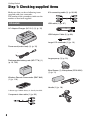
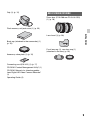
Step 1: Checking supplied items ..............................................................8
Step 2: Attaching the supplied accessories ............................................10
Step 3: Charging the battery pack ..........................................................15
Step 4: Attaching the lens ......................................................................18
Step 5: Turning on the camcorder and setting the date and time ..........21
Changing the language setting .......................................................... 22
Step 6: Inserting a memory card/Attaching a flash memory unit ............23
Recording/Playback
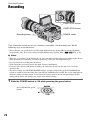
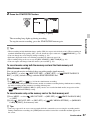
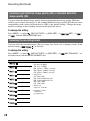
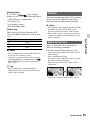
Recording ...............................................................................................26
Selecting high definition image quality (HD) or standard definition
image quality (SD) .............................................................................. 28
Selecting the recording format ........................................................... 28
Zooming .............................................................................................. 29
Adjusting the focus ............................................................................. 29
Adjusting manually .................................................................................31
Adjusting the iris ................................................................................. 31
Adjusting the gain ............................................................................... 31
Adjusting the shutter speed................................................................ 32
Adjusting the white balance................................................................ 33
Adjusting the black balance ............................................................... 34
Audio setup ............................................................................................35
Recording sound via the supplied microphone.................................. 36
Recording sound from an external audio device................................ 36
Adjusting the volume .......................................................................... 37
Setting the headphone sound............................................................. 37
Useful functions ......................................................................................38
Customizing the picture quality (Picture profile) ................................. 38
Acquiring location information (GPS).................................................. 43
Setting time data ................................................................................. 44
Recording with the SMOOTH SLOW REC function............................. 45
Recording with the Slow & Quick Motion function .............................. 46
Reviewing the most recently recorded scene (Last Scene Review)... 47
Assigning the functions to the ASSIGN buttons .....................................48
Continued ,
5