1
SICLOCK Application Note AN-0006
Titel
Y Kabel
Aufgabenstellung
Wie können zwei PCs an einer DCF77- oder GPS-Funkuhr betrieben werden?
Schlüsselwörter
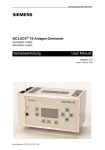
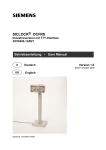
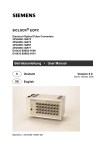
SICLOCK DCFRS, WinGPS, GPS1000, DCF77-Empfangsdienst
Version
Textseiten
1.0
3
Ort und Datum
Email
Hotline
Erlangen, 20.09.2004
siclock@ siemens.com
++49 (9131) 7-28866
Inhalt
1
ANWENDUNGSGEBIET................................................................................................................. 2
2
AUFBAU ......................................................................................................................................... 2
2.1
2.2
2.3
Y-KABEL FÜR DCFRS FÜR WINDOWS / DCFRS-INDUSTRIEVERSION ................................................... 2
Y-KABEL FÜR WINGPS / GPSDEC.................................................................................................... 3
Y-KABEL FÜR GPS1000 PS .............................................................................................................. 3
Literaturverzeichnis
1)
2XV9450-1AR34 Betriebsanleitung SICLOCK DCFRS Standard Version RS232
2)
2XV9450-1AR48 Betriebsanleitung SICLOCK DCFRS Industrieversion TTY 20mA
3)
2XV9450-1AR17 Betriebsanleitung SICLOCK DCFRS für Windows
4)
2XV9450-1AR18 Betriebsanleitung SICLOCK WinGPS für Windows
5)
2XV9450-1AR08 Betriebsanleitung SICLOCK GPSDEC
6)
2XV9450-1AR82-BA Betriebsanleitung SICLOCK GPS1000
Abbildungsverzeichnis
Abbildung 2-1 Y-Kabel DCFRS-Funkuhr .............................................................................................................................2
Abbildung 2-2 Y-Kabel für WinGPS / GPSDEC ..................................................................................................................3
Abbildung 2-3 Y-Kabel GPS1000 PS ..................................................................................................................................3
SICLOCK Application Note: Y Kabel
1 Anwendungsgebiet
Sollen von einer DCF77- oder GPS-Funkuhr aus zwei PCs über die serielle Schnittstelle (RS232)
synchronisiert werden, wird je nach Funkuhr ein spezielles Y-Kabel benötigt. Nachfolgend ist der Aufbau
dieser Y-Kabel beschrieben. Über die RxD-Leitung wird das demodulierte DCF77-Signal zu den PCs
gesendet, der Ruhepegel beträgt –10V. Auf beiden PCs muss der DCF77-Empfangsdienst (2XV94501AR28) installiert und entsprechend konfiguriert werden. Ein störungsfreier Betrieb kann nur
gewährleistet werden wenn die Gesamtlänge der RS232-Vebindungsstrecke 20m nicht übersteigt und
eine geschirmte Leitung mit einem Querschnitt von 0,5mm² pro Ader verwendet wird.
Hinweis:
Dieses Verfahren ist nur bis maximal zwei PCs zulässig, sollen mehr als zwei PCs synchronisiert werden
empfiehlt sich der Einsatz der Anlagen-Zentraluhr SICLOCK TM mit bis zu 6 RS232-Ausgängen.
2 Aufbau
2.1 Y-Kabel für DCFRS für Windows / DCFRS-Industrieversion
Die Spannungsversorgung der DCF77-Funkuhr erfolgt über PC 1, um einen störungsfreien Betrieb der
DCF77-Funkuhr zu gewährleisten muss PC 1 immer eingeschaltet sein.
DCFRS-Funkuhr
SUB-D 9polig (Stift)
V5
1
9
6
GND
RxD
5
1
9
5
6
1
9
6
V+
PC 1
SUB-D 9polig (Buchse)
PC 2
SUB-D 9polig (Buchse)
Abbildung 2-1 Y-Kabel DCFRS-Funkuhr
AN-0006
Seite 2/3
Stand: September
04
SICLOCK Application Note: Y Kabel
2.2 Y-Kabel für WinGPS / GPSDEC
WinGPS / GPSDEC
SUB-D 9polig (Stift)
5
1
9
6
GND
RxD
5
1
9
5
6
1
9
PC 1
SUB-D 9polig (Buchse)
6
PC 2
SUB-D 9polig (Buchse)
Abbildung 2-2 Y-Kabel für WinGPS / GPSDEC
2.3 Y-Kabel für GPS1000 PS
GPS1000
SUB-D 9polig (Stift)
5
1
9
6
GND
RxD
5
1
9
5
6
1
9
PC 1
SUB-D 9polig (Buchse)
6
PC 2
SUB-D 9polig (Buchse)
Abbildung 2-3 Y-Kabel GPS1000 PS
AN-0006
Seite 3/3
Stand: September
04
SICLOCK Application Note AN-0006
Title
Y Cable
Task
How can two PCs be operated with a DCF77 or GPS radio clock?
Key words
SICLOCK DCFRS, WinGPS, GPS1000, DCF77 Reception Service
Version
Text page
1.0
3
Place and date
Email
Hotline
Erlangen, 20.09.2004
siclock@ siemens.com
++49 (9131) 7-28866
Index
1
APPLICATION FIELD..................................................................................................................... 2
2
STRUCTURE .................................................................................................................................. 2
2.1
2.2
2.3
Y CABLE FOR DCFRS FOR WINDOWS / DCFRS INDUSTRIAL VERSION .................................................. 2
Y CABLE FOR WINGPS / GPSDEC .................................................................................................... 3
Y CABLE FOR GPS1000 PS ............................................................................................................... 3
Literature
1)
2XV9450-1AR34 User Manual SICLOCK DCFRS standard version RS232
2)
2XV9450-1AR48 User Manual SICLOCK DCFRS industrial version TTY 20mA
3)
2XV9450-1AR17 User Manual SICLOCK DCFRS for Windows
4)
2XV9450-1AR18 User Manual SICLOCK WinGPS for Windows
5)
2XV9450-1AR08 User Manual SICLOCK GPSDEC
6)
2XV9450-1AR82-BA User Manual SICLOCK GPS1000
List of illustrations
Figure 2-1 Y-Cable DCFRS radio clock...............................................................................................................................2
Figure 2-2 Y-Cable for WinGPS / GPSDEC ........................................................................................................................3
Figure 2-3 Y-Cable GPS1000 PS ........................................................................................................................................3
SICLOCK Application Note: Y Cable
1 Application field
If two PCs are to be synchronized from a DCF77 or GPS radio clock via the serial interface (RS232), then
a special Y-cable is necessary according to the radio clock. There now follows a description of the
structure of this Y-cable. Via the RxD lead, the demodulated DCF77-signal is sent to the PCs, the
standby level is –10V. On both PCs the DCF77 reception service (2XV9450-1AR28) must be installed
and appropriately configured. Interference-free operation can only be guaranteed if the total length of the
RS232 connection cable does not exceed 20m and a screened cable with a cross section of 0.5mm² per
lead is used.
Note:
This method is permissible for up to a maximum of two PCs. If more than two PCs are to by
synchronized, the use of the plant central clock SICLOCK TM with up to 6 RS232 outputs is
recommended.
2 Structure
2.1 Y cable for DCFRS for Windows / DCFRS industrial version
The power supply for the DCF77 radio clock is via PC 1 and therefore PC 1 must always be switched on.
DCFRS radio clock
SUB-D 9pol (male)
V5
1
9
6
GND
RxD
5
1
9
5
6
1
9
6
V+
PC 1
SUB-D 9pol (female)
PC 2
SUB-D 9pol (female)
Figure 2-1 Y-Cable DCFRS radio clock
AN-0006
Page 2/3
Status: September
04
SICLOCK Application Note: Y Cable
2.2 Y cable for WinGPS / GPSDEC
WinGPS / GPSDEC
SUB-D 9pol (male)
5
1
9
6
GND
RxD
5
1
9
5
6
1
9
PC 1
SUB-D 9pol (female)
6
PC 2
SUB-D 9pol (female)
Figure 2-2 Y-Cable for WinGPS / GPSDEC
2.3 Y cable for GPS1000 PS
GPS1000
SUB-D 9pol (male)
5
1
9
6
GND
RxD
5
1
9
5
6
1
9
PC 1
SUB-D 9pol (female)
6
PC 2
SUB-D 9pol (female)
Figure 2-3 Y-Cable GPS1000 PS
AN-0006
Page 3/3
Status: September
04