1
RNetCall
SINGLE APP FOR ALL YOUR CALLING NEEDS & MORE
Troubleshooting
Q.
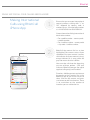
Can I block users from whom I do
not wish to receive calls?
Q.
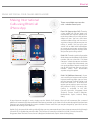
Can I use the App while roaming
and make calls?
A.
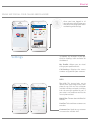
Yes, go to your RNetCall contact list,
click on the contact you wish to block.
Block button will be displayed in the
detailed contact profile. You will not
receive calls or messages from the
blocked contact via RNetCall. To
unblock a contact, simply click on the
contact from Contact list and press
unblock.
A.
Yes. The app can be used for making
international calls on roaming too if
data connectivity is available.
Q.
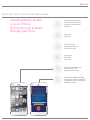
What is the ‘Switch Call’ feature in
RNetCall iOS App?
Q.
I have changed my PIN from the
website. Will this get reflected
automatically in RNetCall iOS App?
A.
Switch Call allows you to continue
your call even when the internet
connectivity is poor or inconsistent.
You can click on “Switch Call” to
continue the call through Access
Number-based calling. You need not
dial the destination number again.
A.
No. Please logout of the application
and login using the new PIN.
Note: While roaming on a 3G/4G
network you might incur operator
data charges, please check with
your service provider before
making a call.