1
Tebis application software
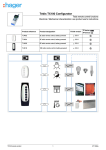
Dimmer KNX
STXA210AN + STXA213N
Electrical / Mechanical characteristics: see product user manual
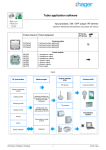
Product reference
Product designation
TXA210AN
TXA210N
TXA213N
Dimmer 1 x 600W
Dimmer 1 x 300W
Dimmer 3 x 300W
Input modules KNX / EIB
TXA210AN
TXA210N
TXA213N
Load connected
ON / OFF
Dimming
Brightness value
Timer
Time limited toggle switch
Priority
Jamming
Scene
Visualisation system
Automatic control
Metering
Status indication
Brightness value indication
Summary
1. Description of the Dimming functions of STXA210AN-STXA213N applications............................................................... 2
2.1 Common settings......................................................................................................................................................... 3
2.2 Objects List.................................................................................................................................................................. 5
2.3 Function Description.................................................................................................................................................... 5
2. Dimming functions configuration and setting .................................................................................................................... 3
3. Main characteristics ........................................................................................................................................................ 23
4. Physical addressing ........................................................................................................................................................ 23
STXA210AN / STXA213N
1
6T 8082-02a
1. Description of the Dimming functions of STXA210AN-STXA213N
applications
The STXA210AN and STXA213N application software is used to individually configure each output for the Dimming applications.
The main functions are the following:
■ ON / OFF
The ON / OFF function is used to switch a lighting circuit ON or OFF.
• ON: switching ON at the lighting level defined by parameters. Switching ON can be gradual or instantaneous,
• OFF: switching OFF. Switching off can be progressive or instantaneous.
The control can come from push buttons.
■ Relative or absolute dimming (Brightness value)
The relative dimming allows increasing or decreasing the lighting level as long as a push button is pressed down. The speed of
dimming is configurable. The absolute dimming allows defining in % the lighting level to reach by means of the Lighting level
object.
■ Timer
The Timer function is used to switch a lighting circuit ON or OFF for an adjustable time. Depending on the operation mode
selected, the output may be delayed for ON or OFF switching. An adjustable cut-OFF pre-warning indicates the end of the delay
time by dividing the lighting level by two. The timer can be interrupted before the end of the time delay.
■ Time limited toggle switch
The Time delayed switch function combines a toggle function and a cut-OFF delay. Pressing briefly a push button inverts the
output. If the output is at ON, it switches automatically to OFF after a programmable time delay (to prevent it being forgotten).
Application: Lighting for attics, cellars, store rooms, etc..
■ Priority
The Priority function allows overriding an output to an adjustable lighting level. This command has the highest priority. No other
command is taken into account if a priority is active. Only a priority end command re-enables the other commands.
Application: maintaining lighting ON for safety reasons.
■ Scene
The Scene function groups a set of outputs. These outputs can be set to an adjustable predefined status. Pressing a push button
activates a scene. The dimming speeds to achieve these levels of lighting are configurable.
■ Metering
The Metering function is used to measure the total duration at ON or at OFF for an output. A set-point triggering an alarm may be
programmed.
■ Adjustment of the minimum and maximum limits of the dimming range
This function is used to set the minimum and maximum dimming limits for each output. These limits can be adjusted by ETS
configuration or locally on the front face of the product.
■ Selection of the number of outputs used*
The product allows 1, 2 or 3 lighting circuits to be controlled. The maximum available power per output depends on the number of
outputs used. The total power is limited to 900W:
• 1 output used: 900W
• 2 outputs used: one 600W output and one 300W output
• 3 outputs used: 300W per output
■ Manu Mode
Manu Mode is used to isolate the product from the bus. In this mode it is possible to force the level of lighting of the lighting
circuits locally. These parameters can also be adjusted in ETS. A local adjustment on the product overrides the last values
downloaded.
* only reference TXA213N.
STXA210AN / STXA213N
2
6T 8082-02a
■ Expert mode
Expert mode is used to force dimming mode manually. It is possible to carry out this adjustment locally on the front face of the
product or via an ETS parameter.
2. Dimming functions configuration and setting
2.1 Common settings
■ Selection of the number of outputs*
This parameter is used to select the number of outputs used.
➜ Parameter Setting screen
Screen 1
Designation
Number of outputs used*
Activation of manual
mode**
Description
Values
This parameter is used to select the number of
outputs used.
This parameter enables or disables the 2
position switch located on the front side of the
product.
This switch is used to select Manu or Auto
mode.
In Manu mode, the outputs can be controlled
using the push buttons on the front of the
product.
In Auto mode, the orders from the bus control
the outputs.
1, 2, 3
Default value: 3
Manual mode authorised, Manual mode
inhibited, Time limited manual mode.
• Manual mode authorised: Manual mode
can be activated at any time,
• Manual mode inhibited: The switch is
permanently inhibited. It is impossible to
switch to manual mode.
• Time limited manual mode: Manual mode
can be activated for a configurable
duration.
Default value: Manual mode authorised
Duration of manual mode
activation***
STXA210AN / STXA213N
This parameters defines the duration of
activation of the manual mode.
3
15 min, 30 min, 60 min
Default value: 15 min
6T 8082-02a
Designation
Description
Values
Scenes restore object
(See also Scene function)
If the value is Active, the values associated with
the scenes during the last download are
restored during the receipt of thei object.
Not active, Active
Default value: Not active
* only reference TXA213N.
** If the position of the switch is not consistant with the status of the product, the indicators associated with the outputs light up in
sequence.
*** This parameter is only visible if the Activation of manual mode parameter has the value: Time limited manual mode.
■ Adjustment of the minimum and maximum dimming values
The relative dimming range is adjustable on the product or by ETS configuration.
A. Local adjustment
A 4 position switch on the front of the product is used to select the following modes:
TXA210N-210AN
Auto
Min
Max
Manu
TXA213N
Auto
Min
Max
Manu
The Min and Max positions are used to adjust the minimum and maximum lighting levels for the outputs. This adjustment is
performed by storing the current value of the output by a long press on the push button corresponding to the output on the front of
the product.
B. Parameters ETS
In case of ETS downloading, it is possible to:
• Not modify the limits set locally,
• Replace the limits set locally by the configured values,
• Replace the dimming mode selected locally by the configured values.
Designation
Local min / max dimmer
settings autorisation
Description
Values
This parameter is used to authorise or prohibit the
taking into account of the Min and Max positions of the
switch.
This parameter authorises or prohibits the taking into
Relative dimming min /
account of the limit values for the dimming range
max values after download
configured with the ETS.
Dimming mode after
download
STXA210AN / STXA213N
This parameter is used to define which setting is taken
into account after downloading.
4
Forbidden, Authorized
Default value: Authorized
Values adjusted on the product,
Values settings in ETS
Default value: Values adjusted on the
product
Values adjusted on the product,
Values settings in ETS
Default value: Values adjusted on the
product
6T 8082-02a
2.2 Objects List
2.3 Function Description
Dimmers KNX TXA210N, TXA210AN and TXA213N have a load memorisation function in order to control dimmable fluocompact
lamps and LED lamps more effectively. These products also have a priority function for the dimming mode which allows the
desired dimming modes to be selected.
The Memorisation object is used to launch the memorisation procedure. Memorisation of the load can also be launched thanks
to a specific sequence of presses on a KNX push button:
• With a KNX push button configured for dimming, give 5 short presses (5 ON; 5 OFF or 5 ON / OFF) followed by a long
press until the load switches off,
• Give a brief press on the push button to launch memorisation (two presses to return to factory dimming mode).
This operation lasts approximately 30 s and varies the level of lighting.
After this memorisation, the load lights at the maximum level and flashes once to indicate that memorisation is terminated.
Depending on the load connected, the minimum lighting level can be modified.
This memorisation can be authorised or not authorised thanks to the memorisation authorisation parameter.
Dimming mode can be configured to a fixed value using the Selection of the dimmig mode parameter.
Designation
Dimming mode selection*
Description
This parameter is used to define the
dimming mode applied.
Values
Fluocompact, Capacitive load, Induction load,
LED load, Load memorisation, Factory mode
Default value: Factory mode
Authorisation of the expert
button
STXA210AN / STXA213N
This parameter is used to define if it is
Used, Not used
possible to modify the dimming mode using
the expert button on the front of the product. Default value: Used
5
6T 8082-02a
Designation
Load memorisation
Description
Values
This parameter defines if the load
memorisation function can be used or not.
Used, Not used
Default value: Not used
This parameter is only available when the Dimming mode after download parameter is defined as the value configured in ETS.
■ ON / OFF, Status indication and Brightness value indication functions
The ON/OFF function enables switching the output to ON or to OFF using the ON/OFF object.
• ON: switching ON at the lighting level defined by parameters. Switching ON can be gradual or instantaneous.
• OFF: switching OFF. Switching off can be progressive or instantaneous.
The speed of dimming is configurable.
The speed at which the lighting switches on and off are configured for the ON / OFF function, the values of these parameters are
re-used by the Absolute dimming, Timer and Priority functions.
The output status and the lighting level are indicated on the bus by the Status indication object and Brightness value
indication object.
Object
ON / OFF
Function ON / OFF
Output
Parameters:
- Switch-ON speed
- Duration
- Cut-OFF speed
- Duration
- Lighting level on switching on
- Value (0%...100%)
- Last value (101)
- Minimum dimming value*
- Value (1%...50%)
- Maximum dimming value*
- Value (51%...100%)
Object
Status indication
Object
Brightness value indication
* These parameters are only visible if the Relative dimming limits parameter during downloading has the value: Values settings
in ETS.
■ Operating principle
Max
Min
Bus
ON
STXA210AN / STXA213N
Dim
Dim
6
OFF
6T 8082-02a
Switch-ON speed
Relative dimming speed
Cut-OFF speed
Lighting level on switching on
Min and max lighting level
➜ Parameter Setting screen
Screen 2
Designation
Switch-ON speed
Description
Values
This parameter defines the dimming speed to
achieve the lighting level when switching on.
0 s, 1 s, 2 s, 3 s, 4 s, 5 s, 6 s, 9 s, 15 s, 30 s, 60
s, 2 min, 5 min, 10 min, 20 min, 30 min
Default value: 0 s
Cut-OFF speed
This parameter defines the dimming speed for
switching off the light.
0 s, 1 s, 2 s, 3 s, 4 s, 5 s, 6 s, 9 s, 15 s, 30 s, 60
s, 2 min, 5 min, 10 min, 20 min, 30 min
Default value: 0 s
Lighting level on switching This parameter defines the lighting level when
on
switching on.
From 0% to 100% in intervals of 1%, 101 (Last
value)
Default value: 101 (Last value)
Minimum dimming value*
Maximum dimming value*
This parameter defines the minimum value for
the lighting level during dimming.
This parameter defines the maximum value of
the lighting level during dimming.
From 1% to 50% in intervals of 1%
Default value: 1%
From 51% to 100% in intervals of 1%
Default value: 100%
* These parameters are only visible if the Relative dimming limits parameter during downloading has the value: Values settings
in ETS.
STXA210AN / STXA213N
7
6T 8082-02a
■ Dimming function
The dimming can be relative or absolute.
A. Relative dimming
The relative dimming allows increasing or decreasing the lighting level of the lighting circuit as long as a push button is pressed
down.
The relative dimming function is started by the Dimming object.
The speed of dimming is configurable.
Object
Dimming
Output
Function
Relative dimming
Parameter:
- Relative dimming speed
- Duration
Object
Status indication
Object
Brightness value indication
Parameter Setting screen: See Screen
Designation
Relative dimming speed
STXA210AN / STXA213N
Description
Values
This parameter defines the dimming speed to go
from level 0% to level 100%.
8
1 s, 2 s, 3 s, 4 s, 5 s, 6 s, 9 s, 15 s, 30 s, 60 s
Default value: 4 s
6T 8082-02a
B. Absolute dimming
The parameters set in the ON/OFF function are also applied to the Absolute dimming function. No specific adjustment needs to
be performed.
The Absolute dimming function allows applying a brightness level to the lighting circuit when switching it ON or OFF.
The absolute dimming function is started by the Brightness value object.
The dimming speed is configurable (same values as for the ON/OFF function.
Object
Brightness value
Output
Function
Absolute dimming
Parameters:
- Switch-ON speed
- Duration
- Cut-OFF speed
- Duration
Object
Status indication
Object
Brightness value indication
Parameter Setting screen: See Screen
Designation
Switch-ON speed (As for
the ON/OFF function)
Description
Values
This parameter defines the dimming speed to
achieve the lighting level when switching on.
0 s, 1 s, 2 s, 3 s, 4 s, 5 s, 6 s, 9 s, 15 s, 30 s, 60
s, 2 min, 5 min, 10 min, 20 min, 30 min
Default value: 0 s
Cut-OFF speed (As for the This parameter defines the dimming speed for
ON/OFF function)
switching off the light.
0 s, 1 s, 2 s, 3 s, 4 s, 5 s, 6 s, 9 s, 15 s, 30 s, 60
s, 2 min, 5 min, 10 min, 20 min, 30 min
Default value: 0 s
STXA210AN / STXA213N
9
6T 8082-02a
■ Timer function
The Timer function is used to switch a lighting circuit ON or OFF for an adjustable time. The function is started by the Timer
object. The dimming speed is configurable (same values as for the ON/OFF function.
Cut-off pre-warning (in ON operation):
An adjustable cut-OFF pre-warning indicates the end of the delay time by dividing the lighting level by two. The Cut-OFF prewarning parameter value defines the time before the end of the delay time, when the pre-warning will be applied.
Object
Timer
Timer function
Output
Parameters:
- Timer
- Not active
- Duration
- Cut-OFF pre-warning
- No pre-warning
- Duration
- Timer operation
- ON
- OFF
- Switch-ON speed
- Duration
- Cut-OFF speed
- Duration
Object
Status indication
Object
Brightness value indication
Parameter Setting screen: See Screen
Designation
Timer
Description
Values
This parameter defines the length of the delay
time.
Not active, Range [1 s - 24 h]*
Default value: 3 min
Cut-OFF pre-warning
The parameter value defines the time before the No pre-warning, 15 s, 30 s, 1 min
end of the delay time, when the pre-warning will
be applied.
Default value: No pre-warning
Timer operation
This parameter defines whether the delay time
triggers an ON or an OFF status.
Switch-ON speed (As for
the ON/OFF function)
This parameter defines the dimming speed to
achieve the lighting level when switching on.
ON, OFF
Default value: ON
0 s, 1 s, 2 s, 3 s, 4 s, 5 s, 6 s, 9 s, 15 s, 30 s, 60
s, 2 min, 5 min, 10 min, 20 min, 30 min
Default value: 0 s
Cut-OFF speed (As for the This parameter defines the dimming speed for
ON/OFF function)
switching off the light.
0 s, 1 s, 2 s, 3 s, 4 s, 5 s, 6 s, 9 s, 15 s, 30 s, 60
s, 2 min, 5 min, 10 min, 20 min, 30 min
Default value: 0 s
Timer interruption
STXA210AN / STXA213N
This parameter allows or not the interruption of
the timer when the associated push button is
pressed for a long time.
10
Interruptible timer, Non-interruptible timer
Default value: Interruptible timer
6T 8082-02a
* Setting range [1 s - 24 h]
1 s, 2 s, 3 s, 5 s, 10 s, 15 s, 20 s, 30 s, 40 s, 45 s, 50 s, 1 min, 1 min 15 s, 1 min 30 s, 2 min, 2 min 30 s, 3 min, 4 min, 5 min,
6 min, 7 min, 8 min, 9 min, 10 min, 11 min, 12 min, 13 min, 14 min, 15 min, 20 min, 30 min, 40 min, 50 min, 1 h, 1 h 30 min, 2 h,
2 h 30 min, 3 h, 3 h 30 min, 4 h, 5 h, 6 h, 12 h, 24 h.
Remark:
• Timer commands repeated n times during the first ten seconds after the beginning of the time delay multiply the duration
of the time delay by n times the value of the Timer parameter,
• Timer commands repeated n times within 10 seconds after the beginning of the delay time restart the timer only once.
■ Time limited toggle switch function
The Time limited toggle switch function is used to create a toggle switch with a configurable cut-off time delay. This function is
started by the Time limited toggle switch object.
Object
Time limited toggle switch
Output
Function
Time limited toggle switch
Parameters:
- Time limited toggle switch
- Not active
- Duration
Object
Status indication
Object
Brightness value indication
Parameter Setting screen: See Screen
Designation
Time limited toggle switch
Description
Value
This parameter defines the duration of the
switch-OFF delay time.
Not active, Range [0.5 s - 24 h]*
Default value: 1 h
* Setting range [0.5 s - 24 h]
0.5 s, 1 s, 2 s, 3 s, 5 s, 10 s, 15 s, 20 s, 30 s, 40 s, 45 s, 50 s, 1 min, 1 min 15 s, 1 min 30 s, 2 min, 2 min 30 s, 3 min, 4 min,
5 min, 6 min, 7 min, 8 min, 9 min, 10 min, 11 min, 12 min, 13 min, 14 min, 15 min, 20 min, 30 min, 40 min, 50 min, 1 h, 1 h 30 min,
2 h, 2 h 30 min, 3 h, 3 h 30 min, 4 h, 5 h, 6 h, 12 h, 24 h.
STXA210AN / STXA213N
11
6T 8082-02a
■ Priority function
The Priority function allows the outputs to be forced and maintained at a definite ON or OFF status imposed by the input. This
function is started by the Priority object. The lighting level for the Priority ON is configurable.
The dimming speed is configurable (same values as for the ON/OFF function.
Priority is the function with the highest priority. Only a cancellation command for the priority can end the priority and authorise the
bus commands to be to be followed again.
Object
Priority
Priority function
Output
Parameters:
- Lighting level on Priority ON
- Value (1%...100%)
- Maintain / Restore (101)
- Status after priority
- Maintain
- Inversion
- ON
- OFF
- Status before priority
- Theoretical status at the end of the priority
- Switch-ON speed
- Duration
- Cut-OFF speed
- Duration
Object
Status indication
Object
Brightness value indication
Parameter Setting screen: See Screen
➜ Description of the Priority object
Bit 1
Bit 0
Output behaviour
Output behaviour
STXA210AN / STXA213N
00 = Priority end
01 = Priority end
10 = Priority OFF
11 = Priority ON
12
6T 8082-02a
➜ Parameter Setting screen
Screen 3
Designation
Lighting level on
Priority ON
Description
Values
From 1% to 100% in intervals of 1%, 101
101:
• If the output is off: Re-establishment of the level defined by
This parameter defines the lighting
the Lighting level when lighting is switched on parameter,
level for the priority.
• If the output is on: Maintains the level before the priority.
Default value: 100%
Status after priority
Maintain, Inversion, Status before priority
• Maintain: Maintains the output at the status active during
Priority,
• Inversion: Inversion of the output's status with regards to
the status active during Priority (ON to OFF and OFF to
ON),
• ON: Switch the output to ON,
This parameter defines the level of
lighting applied at the end of the
• OFF: Switch the output to OFF,
priority.
• Status before priority: Switch the output to the status in
place before the Priority control,
• Theoretical status at the end of the priority: Switch the
output to the status which would be in place if no priority
control had taken place.
Default value: Maintain
Switch-ON speed (As This parameter defines the
for the ON/OFF
dimming speed to achieve the
function)
lighting level when switching on.
Cut-OFF speed (As
for the ON/OFF
function)
STXA210AN / STXA213N
This parameter defines the
dimming speed for switching off
the light.
0 s, 1 s, 2 s, 3 s, 4 s, 5 s, 6 s, 9 s, 15 s, 30 s, 60 s, 2 min, 5 min, 10
min, 20 min, 30 min
Default value: 0 s
0 s, 1 s, 2 s, 3 s, 4 s, 5 s, 6 s, 9 s, 15 s, 30 s, 60 s, 2 min, 5 min, 10
min, 20 min, 30 min
Default value: 0 s
13
6T 8082-02a
■ Jamming function
The Jamming function allows the outputs to be locked in their current status.
This function is started by the Jamming object. The Jamming function is the function with the second highest priority after
Priority. A Jamming end command ends the jamming and allows again taking the commands from the bus into consideration.
A Priority command ends the Jamming.
Object
Jamming
Jamming function
Output
Parameters:
- Status after jamming
- Maintain
- Inversion
- ON
- OFF
- Theoretical status at the end of
jamming
- Jamming type
- Permanently
- Time limited
- Jamming duration**
- Duration
Object
Status indication
Parameter Setting screen: See Screen
Designation
Status after jamming
Description
Value
Maintain, Inversion, ON, OFF,
Theoretical status at the end of jamming
• Maintain: Maintains the output at the status
active during Jamming.
• Inversion: Inversion of the output status with
regards to the status active during Jamming
(ON to OFF and OFF to ON).
This parameter defines the output status to
be applied at the end of the Jamming.
• ON: Switch the output to ON,
• OFF: Switch the output to OFF,
• Theoretical status at the end of jamming:
Switch the output to the status which would be
in place if no jamming control had taken place.
Default value: Maintain
Jamming type
This parameter defines whether Jamming
is permanent or time limited.
Permanently, Time limited
• Time limited: Jamming is active for a
parameterisable limited duration.
Default value: Permanently
Jamming duration**
This parameter defines the Jamming
duration.
Not active, Range [0 s - 24 h]*
Default value: 1 h
* Setting range [0 s - 24 h]
0 s, 1 s, 2 s, 3 s, 5 s, 10 s, 15 s, 20 s, 30 s, 40 s, 45 s, 50 s, 1 min, 1 min 15 s, 1 min 30 s, 2 min, 2 min 30 s, 3 min, 4 min,
5 min, 6 min, 7 min, 8 min, 9 min, 10 min, 11 min, 12 min, 13 min, 14 min, 15 min, 20 min, 30 min, 40 min, 50 min, 1 h, 1 h 30 min,
2 h, 2 h 30 min, 3 h, 3 h 30 min, 4 h, 5 h, 6 h, 12 h, 24 h.
** This parameter is only visible if the Jamming type parameter has following value: Time limited.
STXA210AN / STXA213N
14
6T 8082-02a
■ Scene function
A scene is used to control a group of outputs. Each of the outputs in the group will be set to a status pre-defined for the scene.
A scene has been initiated by the object Scene.
For each scene, it is possible to configure the lighting level and the dimming speed to achieve this level.
The group of outputs is created in advance by establishing the link between the outputs that are to be part of the scene and the
push button which initiates the scene. Each output can be integrated in 32 different scenes.
The status of each output may be defined by parameterising, by learning in the room using the push buttons of the installation or
on the product.
A. Configuration and storing by parameterisation
Object
Scene
Output
Scene function
Object
Scene 1 bit
Parameters (32 Scenes):
- Lighting value of the scene X
- Value (0%...100%)
- Do nothing (101)
- Dimming speed to scene X
- Duration
Object
Status indication
Object
Brightness value indication
7
6
Learn
x
5
4
3
2
1
0
Scene number
Description of the Scene object (1 byte)
Operating principle
Bus
Scene 1
STXA210AN / STXA213N
Scene 2
Scene 1
15
6T 8082-02a
➜ Parameter Setting screen
Screen 4
Designation
Scene storing
Scene memorisation
acknowledge*
Description
Values
This parameter authorizes or forbids scene
storing.
Used, Not used
This parameter activates or deactivates
inversion of the status of the output indicating
memorisation.
Used, Not used
Lighting value of the scene This parameter defines the status of the output
X
associated to scene X.
Default value: Used
Default value: Used
From 0% to 100% in intervals of 1%, 101 (Do
nothing)
Default value: 101 (Do nothing)
Dimming speed to scene X
This parameter defines the dimming speed to
achieve the lighting level applied for scene X.
0 s, 1 s, 2 s, 3 s, 4 s, 5 s, 10 s, 15 s, 20 s, 30 s,
45 s, 1 min, 2 min, 3 min, 4 min, 5 min, 10 min,
15 min, 20 min, 30 min, 45 min, 1 h, 1 h 30 min,
2 h, 2 h 30 min, 3 h, 3 h 30 min, 4 h
Default value: 0 s
Scene activation 1 bit
Scene A activation** (0)
Scene B activation** (1)
This parameter allows 2 of the 32 possible
scenes to be activated, with the help of the
Scene 1 bit object.
When the parameter Scene activation 1 bit has
the value Active, the parameters Scene
activation A and Scene activation B must be
set. These parameters define the scenes to be
activated for the two values of the Scene 1 bit
object.
Not active, Active
Default value: Not active
No active scene, Scene 1 to Scene 32
Default value: No active scene
* This parameter is only visible if the Scenes memorisation parameter is activated.
** These parameters are only visible if the Activation scene 1 bit parameter has the value: Active.
B. Learning and storing in the room
This procedure modifies and stores a scene by local action on the push buttons located in the room:
• Activate the scene by pressing briefly on the room push button that triggers the scene,
• Set the outputs to the desired status using the push buttons that control them individually,
• Store the output statuses by pressing the room push button that triggers the scene for longer than 5 s.
Storage is indicated by the inversion of the status of the outputs concerned for 3s.
STXA210AN / STXA213N
16
6T 8082-02a
C. Learning and storing on the product
This procedure allows modifying and storing a scene by means of local action on the push buttons located on the front side of the
products. This procedure also allows an output to be removed from a scene (Not involved).
• Activate the scene by pressing briefly on the room push button that triggers the scene,
• Store the output statuses by pressing the room push button that triggers the scene for longer than 5 s,
The storage is indicated by the status inversion of the involved outputs for 3 sec.
• As soon as the indicators associated with the outputs blink slowly, press briefly and repeatedly the push buttons linked
with the outputs to set the outputs to the desired status. The indicators associated with the outputs show the status
chosen:
• Off if the value selected for the scene is 0%,
• Permanent red if the value selected for the scene is greater than or equal to 1%,
• Red and quickly blinking if the value selected for the scene is Not involved.
• Store the status selected for this scene pressing for a time longer than 3 sec the push button associated with the output.
The storage is indicated by the return of the slow blinking of the indicators associated with the outputs.
• Repeat the previous step for each of the outputs of the scene.
■ Timer and Automatic controls functions
The Timer and Automatic controls function allow the outputs to be controlled by:
• The time delay functions: Timer / toggle switch change over, Timer, Switching delay, Tripping delay, Switching and
tripping delay,
• The automatic controls functions: Authorization, AND or OR logical combinations,
• Parameters: The status of the output depends on the combination of the parameters Type of automatic control and
Control type.
Object
ON / OFF
Function
Not used
Output
Parameters:
- ON / OFF
- Switching delay
- Tripping delay
- Switching and tripping delay
- Timer
Parameter Setting screen: See Screen
STXA210AN / STXA213N
17
6T 8082-02a
Automatism type
Control type
Operation
ON / OFF (Default
value)
The output is controlled directly.
The Automatic control object is ignored.
Switching delay
The output is delayed when switching.
The Automatic control object is ignored.
Parameter
Switching delay:
[0.5 s - 24 h]*
Default value: 3 min
The output is delayed when tripping.
The Automatic control object is ignored.
Tripping delay
Tripping delay:
[0.5 s - 24 h]*
Default value: 3 min
Switching delay:
[0.5 s - 24 h]*
Not used
(Default value)
Switching and tripping
delay
The output is delayed when switching and when
tripping.
Default value: 3 min
The Automatic control object is ignored.
The switching and tripping delay times may be Tripping delay:
[0.5 s - 24 h]*
different.
Default value: 3 min
Time switch delay:
[0.5 s - 24 h]*
Timer
The output is delayed at ON or at OFF.
The Automatic control object is ignored.
Default value: 3 min
Timer operation:
ON, OFF
Default value: ON
Object
ON / OFF
Function
Timer / toggle switch change
over
Output
Object
Automatic control
Alternating time switch delay
- Duration 0 s to 24 hrs
Alternating timer operation
- ON
- OFF
Parameter Setting screen: See Screen
STXA210AN / STXA213N
18
6T 8082-02a
Object
ON / OFF
Function
Authorization
Object
Automatic control
Automatism type
Output
Parameters:
- Timer / toggle switch change over
- Switching delay
- Tripping delay
- Switching and tripping delay
- Timer
Control type
Operation
Parameter
Time switch delay:
[0 s - 24 h]*
Timer / toggle switch
change over
The output is controlled directly by the ON / OFF
object if the value of the Automatic control
Default value: 3 min
object is 1.
Time switch delay:
The output is delayed at ON or at OFF if the
ON, OFF
value of the Automatic control object is 0.
Default value: ON
Switching delay
The output is delayed when switching if the
Switching delay:
[0.5 s - 24 h]*
value of the Automatic control object is 1.
The commands are not taken into consideration
if the value of the Automatic control object is 0. Default value: 3 min
Tripping delay
The output is delayed when tripping of the value Tripping delay:
of the Automatic control object is 1.
[0.5 s - 24 h]*
The commands are not taken into consideration
if the value of the Automatic control object is 0. Default value: 3 min
Authorization
Switching delay:
[0.5 s - 24 h]*
Switching and tripping
delay
The output is delayed when switching and when
tripping if the value of the Automatic control
Default value: 3 min
object is 1.
The commands are not taken into consideration Tripping delay:
if the value of the Automatic control object is 0. [0.5 s - 24 h]*
Default value: 3 min
Time switch delay:
[0 s - 24 h]**
Timer
The output is delayed if the value of the
Default value: 3 min
Automatic control object is 1.
The commands are not taken into consideration Timer operation:
if the value of the Automatic control object is 0. ON, OFF
Default value: ON
STXA210AN / STXA213N
19
6T 8082-02a
Object
ON / OFF
Function
AND logic / OR logic
Output
Object
Automatic control
Parameters:
- ON / OFF
- Switching delay
- Tripping delay
- Switching and tripping delay
- Timer
Automatis
m type
Control type
Operation
ON / OFF
The output is the result of the AND logic between the
value of the ON / OFF object and the value of the
Automatic control object.
Switching delay
The output is the result of the AND logic between the
value of the ON / OFF object delayed when switching
and the value of the Automatic control object.
Tripping delay
The output is the result of the AND logic between the
value of the ON / OFF logic delayed when switching
and the value of the Automatic control object.
Parameter
Switching delay:
[0.5 s - 24 h]*
Default value: 3 min
Tripping delay:
[0.5 s - 24 h]*
Default value: 3 min
Switching delay:
[0.5 s - 24 h]*
AND logic
Switching and tripping
delay
The output is the result of the logical AND between the
value of the ON / OFF object delayed when switching Default value: 3 min
and when tripping, and the value of the Automatic
Tripping delay:
control object.
[0.5 s - 24 h]*
Default value: 3 min
Time switch delay:
[0 s - 24 h]**
Timer
The output is the result of the AND logic between the Default value: 3 min
value of the ON / OFF delayed object and the value of
Timer operation:
the Automatic control object.
ON, OFF
Default value: ON
STXA210AN / STXA213N
20
6T 8082-02a
Automatis
m type
Control type
Operation
ON / OFF
The output is the result of the OR logic between the
value of the ON / OFF object and the value of the
Automatic control object.
Switching delay
The output is the result of the OR logic between the
value of the ON / OFF object delayed when switching
and the value of the Automatic control object.
The output is the result of the OR logic between the
value of the ON / OFF object delayed when trippign
and the value of the Automatic control object.
Tripping delay
OR
logicOR
Parameter
Switching delay:
[0.5 s - 24 h]*
Default value: 3 min
Tripping delay:
[0.5 s - 24 h]*
Default value: 3 min
Switching delay:
[0.5 s - 24 h]*
The output is the result of the OR logic between the
ON / OFF object delayed when switching and tripping
and the value of the Automatic control object.
Switching and tripping
delay
Default value: 3 min
Tripping delay:
[0.5 s - 24 h]*
Default value: 3 min
Time switch delay:
[0 s - 24 h]**
The output is the result of the OR logic between the
Default value: 3 min
value of the ON / OFF delayed object and the value of
Timer operation:
the Automatic control object.
ON, OFF
Timer
Default value: ON
* Setting range [0.5 s - 24 h]
0.5 s, 1 s, 2 s, 3 s, 5 s, 10 s, 15 s, 20 s, 30 s, 40 s, 45 s, 50 s, 1 min, 1 min 15 s, 1 min 30 s, 2 min, 2 min 30 s, 3 min, 4 min,
5 min, 6 min, 7 min, 8 min, 9 min, 10 min, 11 min, 12 min, 13 min, 14 min, 15 min, 20 min, 30 min, 40 min, 50 min, 1 h,
1 h 30 min, 2 h, 2 h 30 min, 3 h, 3 h 30 min, 4 h, 5 h, 6 h, 12 h, 24 h.
** Setting range [0 s - 24 h]
0 s, 0.5 s, 1 s, 2 s, 3 s, 5 s, 10 s, 15 s, 20 s, 30 s, 40 s, 45 s, 50 s, 1 min, 1 min 15 s, 1 min 30 s, 2 min, 2 min 30 s, 3 min, 4 min,
5 min, 6 min, 7 min, 8 min, 9 min, 10 min, 11 min, 12 min, 13 min, 14 min, 15 min, 20 min, 30 min, 40 min, 50 min, 1 h, 1 h 30 min,
2 h, 2 h 30 min, 3 h, 3 h 30 min, 4 h, 5 h, 6 h, 12 h, 24 h.
■ Special status
The settings covered in this section make it possible to define the behaviour of the outputs in certain specific cases.
Function
Bus cut-off
Function
Return 230 V
Parameter:
- Lighting level on Bus cutoff
- Value (0%...100%)
- Maintain (101)
Parameter:
- Lighting level when 230 V
is restored
- Value (0%...100%)
- Status before cut-off (101)
Function
Status after download
Output
Parameter:
- Status after download
- OFF
- Maintain
Parameter Setting screen: See Screen
STXA210AN / STXA213N
21
6T 8082-02a
Designation
Description
Values
From 0% to 100% in intervals of 1%, 101 (Maintain)
Lighting level on Bus cutoff
This parameter defines the lighting level
applied when the bus is restored.
Lighting level when 230 V
is restored
From 1% to 100% in intervals of 1%, 101 (Status before
This parameter defines the lighting level cut-off)
applied when the 230 V is restored.
Default value: 101 (Status before cut-off)
Status after download
This parameter defines the status of the
output applied after a download.
Default value: 101 (Maintain)
OFF, Maintain
Default value: Maintain
■ Metering function
The Metering function is used to measure the total duration of an output at ON or at OFF. The duration is transmitted by the
Metering object. A set-point triggering an alarm may be programmed. The alarm is transmitted by the Counter set point
reached object. The current measurement can be consulted at any time using the Meter object.
Object
Meter
Function
Metering
Output
Parameters:
- Metering function
- Not active
- Active
- Output status for hours counter
- OFF
- ON
- Hours counter mode
- Increment
- Countdown
- Set point for sending alert (hour)
- Duration
- Periodic sending of counter value
- Duration
Object
Counter set point reached
Parameter Setting screen:
Designation
Description
Values
Metering function
This parameter allows activating the Counter function. Not active, Active
The value of the counter can be read through the
Default value: Not active
Hours counter object.
Output status for
hours counter*
This parameter allows choosing the status of which
the cumulated time is measured.
OFF, ON
This parameter is used to define the Hours counter
mode.
Increment, Countdown
Hours counter mode*
Default value: ON
Default value: Increment
From 0 to 50000 hours with 1-hour steps
Set point for sending This parameter defines an alarm set-point for which
alert (hour)*
the Counter set-point reached object will be sent.
Remark: The Counter set-point reached
object may be reset either by a new download
or by means of a display tool.
Default value: 1000
* This parameter is only visible if the Counter function parameter has following value: Active.
STXA210AN / STXA213N
22
6T 8082-02a
3. Main characteristics
Product
TXA210N
TXA210AN
TXA213N
Max. number of group addresses
254
254
Max. number of links
255
255
Objects
19
17
53
17
4. Physical addressing
To perform physical addressing or check the presence of the bus, press the lighted push button located above the label holder on
the right of the product.
Programming LED ON = Bus present and the product is in programming mode.
The product remains in programming mode until the physical address has been transmitted by ETS. Press again to exit
programming mode.
Physical addressing can be performed in Auto or Manu mode
.
STXA210AN / STXA213N
23
6T 8082-02a
STXA210AN / STXA213N
24
6T 8082-02a