1
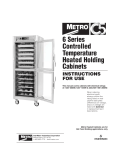
® TM 6 Series Controlled Temperature Heated Holding Cabinets User Manual Metro Heated Cabinets are for Hot Food Holding applications only ® InterMetro Industries Corporation Wilkes-Barre, PA 18705 570-825-2741 www.metro.com Table of Contents Section Page I. Basic Operating Guidelines.......Inside Front Cover II. Safety Instructions............................................... 1 III. Identifying Your Cabinet..................................... 2 IV. Installation & Set-up............................................ 3 V. Product Features................................................ 7 VI. Operating Instructions........................................ 8 VII. Care & Maintenance........................................... 9 VIII. Basic Troubleshooting........................................ 10 IX. Service & Replacement Parts............................. 11 X. Warranty.................................... Inside Back Cover SAFETY INFORMATION WARNING: Follow all food safety guidelines. Pre-heat the cabinet to the desired temperature before placing cooked, hot food into the cabinet. This is not a re-thermalizing cabinet. Food must be at the appropriate temperature before being placed into this cabinet. Use a food probe to check internal food temperature — the cabinet temperature is not necessarily the internal food temperature. WARNING: Only factory approved service agents should attempt to service, repair or replace electrical components, wiring or power cord. WARNING: Unplug the cabinet before cleaning or servicing. Do not wash the cabinet with a water jet or high pressure water. WARNING: This cabinet is for hot food holding applications only. CAUTION: Do not spray or pour water into the top of the cabinet (control enclosure). To clean the cabinet, wipe with a damp cloth and dry with a towel. Use only cleaning agents approved for stainless steel or aluminum (depending on your cabinet construction). CAUTION: Water dripping onto the floor from open doors can be a slip hazard. IDENTIFYING YOUR CABINET For future reference, note the serial and model number, found on the data plate of the cabinet, here. Serial number Model number Date the cabinet was put into service Fill out and return the warranty card located at the back of this manual. Part Numbering INSTALLATION AND SET-UP 1. Check for Shipping Damage: Check the packaging and cabinet for shipping damage before and after unloading the unit, and after removing all the packaging. 2. The receiver of this product is responsible for filing freight damage claims. This equipment must be opened immediately for inspection. All visible damage must be reported to the freight company within 48 hours and must be noted on freight bill at the time of delivery. 3. Concealed damage is your responsibility — you must advise the carrier of any loss or damage within 15 days after receipt of the cabinet. If there is damage, retain the original packaging for inspectors. 4. After unpacking the cabinet, remove all tape and packing material from the inside as well as outside of the unit. 5. Any protective covers (plastic or paper sheet) on the sheet metal or clear door(s), if applicable, must also be removed before turning the cabinet on. WARNING: Only factory approved service agents should attempt to service, repair or replace electrical components, wiring or the power cord. 6. The power cord can be installed to exit the back of the cabinet for wall outlets or out the top of the cabinet for ceiling power drops. To change the position of the power cord, first make sure the cabinet power switch is off and the power cord is unplugged from any electrical outlet. Remove the (7) screws holding the cabinet top in place. Lift the rear portion of the cabinet top and slide it Cord out of the top Cord out of the back away from under the front control bezel, removing it from the cabinet. Remove the (2) screws on the rear of the cabinet that hold the cord bracket in place. Rotate the power cord bracket 90° to the desired position and reattach it with the (2) screws to the back of the cabinet. Make sure the green ground wire connection and the wire nuts on the black and white wires are not loosened. Do not alter Wrong Correct the wiring of the power cord to the cabinet. Replace the 15 Amp Outlet 20 Amp Outlet cabinet top and the (7) screws holding it in place. 7. Plug the power cord into a grounded outlet with a minimum of 20 amp electrical service. The required electrical service is 120 VAC, 60 cycle, single phase. Make sure all applicable local electrical codes are met. 8. Your C5 cabinet is designed to operate next to walls and other kitchen equipment. However, the greater the clearance around the sides and the top of the cabinet, the cooler the electrical components will operate. This may result in a longer life expectancy for the electrical components. Warning: Do not allow combustible materials to be stored or accumulate on, under or next to the cabinet. Do not block any ventilation louvers or slots. INSTALLATION AND SET-UP (continued) SLIDE INSTALLATION The rack uprights have been installed at the factory. If removed for cleaning, reinstall by hanging them on the shoulder rivets on the side walls of the cabinet. TOP VIEW SLIDE POSITION to MAXIMIZE 3" PAN CAPACITY OF UNIVERSAL SLIDES Full Height Single Door 18 Levels (Position 2nd from Bottom) Part No. C5-U-9 Full Height Dutch Doors 17 Levels (Position Bottom) Part No. C5-U-9 /4 Height Cabinet 14 Levels (Position 2nd from Bottom) Part No. C5-U-7 3 /2 Height Under Counter Cabinet Cabinet 8 Levels 5 Levels (Position 3rd from Bottom) (Position Bottom) Part No. C5-U-5 Part No. C5-U-3 1 Slides sold in pairs. For additional pair of wire slides, order C5-USLIDECPR. SiteSelect™ features make slide installation easier. INSTALLATION AND SET-UP (continued) CORRECT ORIENTATION OF LIP LOADED SLIDE RACKS Full Height Single Door 2-piece Construction Part No. C5-L-9 3 Full Height /4 Height Dutch Doors Cabinet 2-piece Construction 1-piece Construction Part No. C5-L-9 Part No. C5-L-7 Slides sold in pairs. /2 Height Cabinet 1-piece Construction Part No. C5-L-5 1 Under Counter Cabinet 1-piece Construction Part No. C5-L-3 REVERSING THE DOORS Warning • Tip Hazard Tip Hazard: On Pass-Thru cabinets that include any clear doors, when field reversing, the front and back doors must be hinged from opposite sides of the cabinet. See illustration below. Clear Doors Hinged on opposite sides of the cabinet Clear Doors Hinged on same side of the cabinet After reversing the door hinging direction, labels are now upside down. You may contact InterMetro for a new set of labels, part number RPC5-DRLBL, at no charge, to be placed in the proper orientation. C5 doors are normally hinged on the right hand side at the factory. If the cabinet has been in operation, allow the door to cool before reversing the door hinging direction. Note: When finished, all holes must have screws in them and there will be no exposed holes left in the cabinet. 1. If the cabinet has Dutch Doors, note which is the top and which is the bottom door. Open the door, lift it off the cabinet hinges and set it aside noting which is the top and bottom of the door. 2. On the cabinet, remove the latch strike plate and hinges and install them on the other side of the cabinet. On the door, remove the hinge covers to access the mounting screws. Remove the hinges. 3. Rotate the door so the previous bottom is now the top and install the hinges. On Dutch Doors, do not remove the handles, the top door becomes the bottom and the bottom door the top. On single door units, rotate the handles 180° and reinstall. 4. On the cabinet mounted hinges, lift the white bushing and rotate it 180° and push it down to reseat it on the hinge pin. 5. Install the door onto the cabinet hinges and check to make sure the door latches properly and the gaskets are in compression. 6. Fill hinge holes with loose screws. PRODUCT FEATURES Control Panel Tray Slides Field Reversible Doors Be careful when opening the doors as hot, humid air will escape from cabinet. Air Duct Flush Pull Handles Water Pan Fill with water. Capacity is (1) quart (1 liter). Floor Duct Holds water pan and evenly distributes air flow. Red Power Indicator Light Power Switch Dial Thermometer Thermostat Control Knob Red Light Heat Element On OPERATING INSTRUCTIONS Power-Up & Pre-Heat • A red indicator next to the on/off switch indicates when the power switch is on and the cabinet has power. It will stay lit until the cabinet is turned off. Turn the cabinet on and adjust the thermostat to the desired setting. The thermometer indicates the internal cabinet temperature. A second red indicator light is located between the thermostat and the thermometer and indicates when the thermostat cycles on to energize the air element (to increase the cabinet temperature). When this light is not illuminated, it means the cabinet has reached the preset temperature level. It is normal for the thermostat to cycle on and off as the cabinet is operating. 1. Set the temperature control to a 6 or 7 setting. This should produce a cabinet temperature of 150° F (66° C) to 170° F (77° C) after allowing the cabinet to preheat for 45‑60 minutes. Allow the cabinet to pre‑heat without food. The time required to reach the desired temperature is dependent on the set point, the size of the cabinet, the door type (solid or clear) and the temperature of the room the cabinet is in. To change the temperature, turn the temperature control knob. About a half hour after adjusting the temperature control knob, the thermometer should indicate the new cabinet temperature. • At the end of the operating day, it is not necessary to disrupt the temperature setting to turn the cabinet off. By switching the power switch off, the cabinet is no longer operating. When resuming operations, switch the power on and the cabinet will attain the preset temperature level. Warning: Follow all food safety guidelines. Pre‑heat the cabinet to the desired temperature before putting cooked, hot food into the cabinet. This is not a re‑thermalization cabinet. Food must be at the appropriate temperature before being placed into this cabinet. 2. Your C5 6 Series cabinet is capable of creating some humid air. As you operate the cabinet and open and close the door(s), condensation may form on the inside surfaces of the cabinet. Some dripping of water may occur to the outside of the cabinet particularly at the door seals. Water may also drip off opened doors onto the floor. Caution: Water dripping onto the floor from open doors can be a slip hazard. Warning: Some surfaces, water and escaping vapor can be hot enough to burn. Use caution when opening doors and working in and around this cabinet. 3. The cabinet control will “remember” its setting when the cabinet is turned off. Therefore, when the unit is turned on the setting will be the same as it was during the previous use. 4. A red indicator light next to the temperature control indicates when the temperature heater element is energized. As the control setting is adjusted, it may take a few moments for the status of the indicator light to reflect the new control setting and cabinet condition depending on when in the control cycle the setting is changed. Red Light Indicates when heat element is on. 5. If humidity is required, fill the water pan in the bottom of the cabinet. Potable (suitable for drinking) water should be used. Water Pan Fill with water. Capacity is about 1 quart (1 liter). 6. To remove the water from the water pan, allow the cabinet and water to cool and remove the water pan. Note: When turning the cabinet off at the end of the work day, it is recommended to leave the door(s) open to prevent heat and condensation build up within the cabinet. CARE & MAINTENANCE Cleaning The Cabinet Warning: Unplug the cabinet before cleaning or servicing. Do not wash the cabinet with a water jet or high pressure water. Caution: Do not spray or pour water into the control enclosure. To clean the cabinet, wipe with a damp cloth and dry with a towel. Use only cleaning agents approved for stainless steel or aluminum (depending on your cabinet construction). Caution: Do not use cleaners with chlorides or phosphates as they may cause damage to stainless steel. Do not use strong alkalis on aluminum as they may discolor it. 1. Use cleaners in the proper concentrations. Follow the manufacturer’s directions for the cleaning product used. After using any cleaning products, thoroughly rinse all surfaces to remove all residue. 2. Use a damp cloth or sponge. Mild soap suitable for stainless steel and aluminum is acceptable. Dry with a clean towel. Wipe up spills as soon as possible and regularly clean the cabinet to avoid staining and difficult to clean conditions. If the control knob needs to be removed for cleaning, use a 1/16" Allen key to loosen the set screw on the control knob. Remove the knob, clean the control face and/or knob and replace the knob and tighten the set screw. BASIC TROUBLESHOOTING Warning: Only factory approved service agents should attempt to service, repair or replace electrical components, wiring or power cord. 1. Controls do not work (indicator lights): a. Check that the cabinet is plugged in. b. Check that the outlet has power. c. Check that the power switch is in the “On” position. d. Check the cabinet wiring from the power cord to the power switch and to the terminal block. 2. Temperature too hot: a. Temperature set point is too high. Turn control knob down to a lower setting. b. If displayed temperature exceeds 220°F (104°C): i. Blower wiring is faulty or disconnected. ii. Blower needs replacing. iii. The thermostat may have failed and the thermal overload device is controlling the temperature. Stop using the cabinet immediately and contact a factory approved service agent. 3. Temperature too low: a. The cabinet may still be in pre-heat or recovering from a door being opened. b. Temperature set point is too low. Turn temperature control knob to a higher setting. c. A door is not closed or sealing properly. d. Blower is not circulating air: i. Blower wiring is faulty or disconnected. ii. Blower needs replacing. 4. No heat generated a. If the heat indicator light is on but the cabinet does not draw approximately 16 amps: i. Air heater element may be faulty. ii. The wiring to the air heater element may be faulty or disconnected. iii. The thermostat may be faulty. 5. Cabinet trips GFCI (ground fault circuit interrupter): A GFCI receptacle protects against “ground faults” whenever an electrical product is plugged into the GFCI outlet by constantly monitoring the electricity for any loss of current. If the current flowing out of the receptacle differs by a small amount from that returning, the GFCI quickly switches off power to that circuit. The GFCI interrupts power extremely fast to minimize the possibility of an electric shock. a. The heater element may absorb some moisture into its casing and insulation during shipment or during long periods of not being used (such as during the summer in a closed school kitchen). Plug the cabinet (without water in the water pan) into a non-GFCI outlet, set the temperature to “10” and let it run for 30-60 minutes to dry out any moisture the element may have absorbed. (If it trips the standard circuit breaker call factory approved service agent.) After drying the element, plug the cabinet into the GFCI outlet; the cabinet should run without tripping the GFCI. b. If the cabinet still trips the GFCI, call a factory approved service agent. 10 SERVICE and REPLACEMENT PARTS C5 6 SERIES REPLACEMENT PARTS ITEM # Replacement Part No. Description ITEM # Replacement Part No. ELECTRICAL 1 RPC13-129 2 RPC06-476 3 RPC13-127 4 RPC13-218 5 RPC5-REDLT CABINET BODY (continued) RPC5-S3CDRW STAINLESS STEEL UNDER COUNTER CLEAR DOOR RPC5-N9CDR ALUMINUM FULL HEIGHT CLEAR DOOR RPC5-N7CDR ALUMINUM 3/4 HEIGHT CLEAR DOOR RPC5-N5CDR ALUMINUM 1/2 HEIGHT & BOT D CLEAR DOOR RPC5-N9CTDDR ALUMINUM TOP DUTCH CLEAR DOOR RPC5-N3CDR ALUMINUM UNDER COUNTER CLEAR DOOR 17 RPC11-274 DOOR LATCH — 1 PIECE RPC14-118A FLUSH HANDLE DOOR LATCH — 1 PIECE RPC5-LTHTWST DOOR LATCH WITH TWIST LOCK — 1 PIECE 18 RPC14-042 DOOR HINGE — 1 PIECE 19 B5DNB 5" BRAKE CASTER B3B 3" BRAKE CASTER 20 B5DN 5" SWIVEL CASTER B3 3" SWIVEL CASTER 21 RPC06-872 POCKET HANDLE 22 RPC11-481 WATER PAN *23 C5-L-9 TALL CABINET LIP LOADED SLIDE ASSEMBLY 3 C5-L-7 /4 HEIGHT CABINET LIP LOADED SLIDE ASSEMBLY 1 C5-L-5 /2 HEIGHT CABINET LIP LOADED SLIDE ASSEMBLY C5-L-3 UNDER COUNTER CABINET LIP LOADED SLIDE ASSEMBLY *24 C5-U-9 TALL CABINET UNIVERSAL SLIDE ASSEMBLY (INCLUDES WIRE SLIDES & UPRIGHTS) 3 C5-U-7 /4 HEIGHT CABINET UNIVERSAL SLIDE ASSEMBLY (INCLUDES WIRE SLIDES & UPRIGHTS) 1 C5-U-5 /2 HEIGHT CABINET UNIVERSAL SLIDE ASSEMBLY (INCLUDES WIRE SLIDES & UPRIGHTS) C5-U-3 UNDER COUNTER CABINET UNIVERSAL SLIDE ASSEMBLY (INCLUDES WIRE SLIDES & UPRIGHTS) 25 C5-USLIDECPR UNIVERSAL WIRE SLIDES — 1 PAIR 26 RPC5-SSLEG-1 EQUIPMENT LEG — QTY 1 27 RPC5-DRLBL DOOR LABELS 1 DOOR (USED WHEN REVERSING DOORS) 6 7 8 9 10 11 12 13 14 THERMOSTAT KNOB MASTER SWITCH THERMOMETER RED INDICATOR LIGHT, QTY. 1 RPC11-191 INTAKE COLLAR RPHM20-2103 BLOWER RPC13-093 AIR DUCT ELEMENT RPC13-198 THERMAL CUT-OUT RPC13-099 POWER CORD, STR PLUG RPC5-RTWSTPLG POWER CORD WITH TWIST LOCK PLUG RPQC13-001 POWER CORD WITH RIGHT ANGLE PLUG RPC13-098 POWER CORD STRAIN RELIEF RPC13-096 TERMINAL BLOCK RPC07-055 GROMMET RPC56-SCLP SENSOR CLAMPS & SCREW CABINET BODY 15 RPC06-836B RPC06-836C RPC06-836A 16 FULL HEIGHT DOOR GASKET /4 HEIGHT DOOR GASKET 1 /2 HEIGHT & DUTCH DOOR GASKET RPC06-836D UNDER COUNTER DOOR GASKET RPC5-S9DR STAINLESS STEEL FULL HEIGHT SOLID DOOR RPC5-S7DR STAINLESS STEEL 3/4 HEIGHT SOLID DOOR RPC5-S5DR STAINLESS STEEL 1/2 HEIGHT & BOT D SOLID DOOR RPC5-S9TDDR STAINLESS STEEL TOP DUTCH SOLID DOOR RPC5-S3DR STAINLESS STEEL UNDER COUNTER SOLID DOOR RPC5-N9DR ALUMINUM FULL HEIGHT SOLID DOOR RPC5-N7DR ALUMINUM 3/4 HEIGHT SOLID DOOR RPC5-N5DR ALUMINUM 1/2 HEIGHT & BOT D SOLID DOOR RPC5-N9TDDR ALUMINUM TOP DUTCH SOLID DOOR RPC5-N3DR ALUMINUM UNDER COUNTER SOLID DOOR RPC5-S9CDR STAINLESS STEEL FULL HEIGHT CLEAR DOOR RPC5-S7CDR STAINLESS STEEL 3/4 HEIGHT CLEAR DOOR RPC5-S5CDR STAINLESS STEEL 1/2 HEIGHT & BOTTOM D CLEAR DOOR RPC5-S9CTDDR STAINLESS STEEL TOP DUTCH CLEAR DOOR 3 Description *See pages 4 and 5 for slide identification. All slides sold as pairs. 11 SERVICE and REPLACEMENT PARTS (continued) Replacement Parts Diagram AIR DUCT See page 13. 11 12 10 13 CABINET BODY CONTROL PANEL See page 13. 23 SLIDE UPRIGHT USED WITH ITEM #25 * 15 21 24 25 * 22 17 FLOOR DUCT 20 3" or 5" 27 19 3" or 5" 16 18 26 *For slide identification, see pages 4 and 5. 12 SERVICE and REPLACEMENT PARTS (continued) Warning: Only factory approved service agents should attempt to service, repair or replace electrical components, wiring or power cord. To access the electrical control area, remove the (7) screws holding the cabinet top in place. Lift the rear portion of the cabinet top and slide it away from under the front control bezel, removing it from the cabinet. After servicing, replace the cabinet top and the (7) screws holding it in place. SET SCREW ATTACHMENT 14 THERMOSTAT BULB 1 THERMOMETER BULB 3 4 5 2 x2 REMOVE (4) NUTS CONTROL PANEL PLATE FACE PLATE CONTROL PANEL 6 SERIES BEZEL AIR DUCT COvER 9 8 7 AIR DUCT AIR DUCT 6 13 12 23 24 14 THERMOMETER 6" 6" THERMOMETER BULB 2 6" 6" HEAT THERMOSTAT 8 MASTER SWITCH ON RED LIGHT 22 OFF YELLOW LIGHT 6 20 Wiring Diagram 6 8 11 10 9 3 1 2 4 6 5 14 13 8 7 18 17 16 15 12 11 10 9 7 19 20 19 2 20 24 23 22 21 24 23 22 THERMOSTAT BULB BLACK X 15" BLACK X 15" BLACK X 15" 21 7 T.O.D. A 21 A 11 WHITE X 30" BLACK X 30" BLOWER MOTOR 10 AIR ELEMENT 30" 30" WHITE X 18" BLACK X 15" POWER CORD GROUND STUD G STRAIN RELIEF SERVICE and REPLACEMENT PARTS (continued) Warning: Only factory approved service agents should attempt to service, repair or replace electrical components, wiring or power cord. Thank you for purchasing a Metro C5 Controlled Temperature Cabinet. We are certain you will be more than satisfied with its quality and performance. Please fill in the warranty information space below so we may register your warranty. Also, so that we may learn more about our customers and hopefully be of continued service in the future, please take a moment to fill in the customer information space below. Thank You Cut along dotted line WARRANTY INFORMATION: Cut along dotted line CUSTOMER INFORMATION 1. Which one of the following best describes your establishment? a.❑ Full-Service Restaurant b.❑ Banquet Hall c.❑ Hotel/ Motel d.❑ Hospital/ Nursing Home e.❑ College/University f. ❑ School g.❑ Employee Feeding h.❑ Other Cabinet Model No. Cabinet Serial No. Date Purchased Customer Name Address Phone No. For warranty coverage, this card must be returned to Metro. Fold Here — Do not detach 2. Please indicate the two product benefits that were of major interest to you. 3. Main factor that led to your decision to purchase this product? a.❑ Product operating and functional features b.❑ Overall quality c. ❑ Price d.❑ Availability e.❑ Other a.❑ Easy-to-use controls b.❑ Door selection c.❑ Size Selection d.❑ Cabinet capacity e.❑ Slide selection f. ❑ Easy-to-clean design g.❑ Other 4. Three sources that led to the purchase of his product — in the order of their impact (1 — being most impact; 3 — being least impact). a.❑ Trade Journal Ad b ❑ Trade Show c.❑ Sales Call d.❑ Direct Mail e.❑ Previous Purchase f. ❑ Other 15 Staple Here Staple Here 16 Staple Here Fold Here — Do not detach No postage necessary if mailed in the United States Business Reply Mail First-ClaSTAINLESS STEEL Permit No. 121 wilkes-barre, PA Postage Will Be Paid By INTERMETRO INDUSTRIES CORPORATION Attn: Customer Service P O Box A WILKES-Barre PA 18705-9968 InterMetro Industries Corporation (hereinafter referred to as “Seller”) warrants to the ® ® InterMetro Industries Corporation North Washington Street, Wilkes-Barre, PA 18705 For Product Information Call: 1-800-433-2232 Visit Our Web Site: www.metro.com L01-427 07/06 Information and specifications are subject to change without notice. Please confirm at time of order.