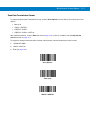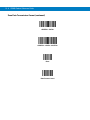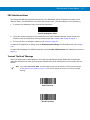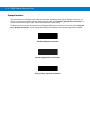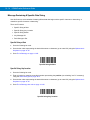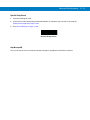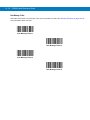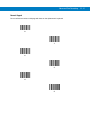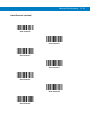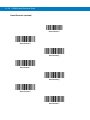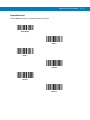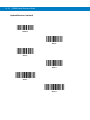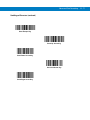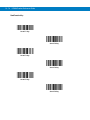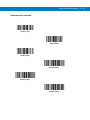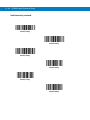
1
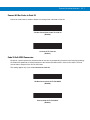
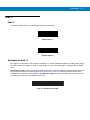
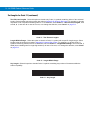
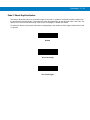
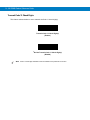
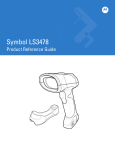
LS3408
Product Reference Guide
LS3408
Product Reference Guide
72E-67133-05
Revision A
December 2014
ii
LS3408 Product Reference Guide
© 2014 Symbol Technologies, Inc.
No part of this publication may be reproduced or used in any form, or by any electrical or mechanical means,
without permission in writing from Zebra. This includes electronic or mechanical means, such as photocopying,
recording, or information storage and retrieval systems. The material in this manual is subject to change
without notice.
The software is provided strictly on an “as is” basis. All software, including firmware, furnished to the user is on
a licensed basis. Zebra grants to the user a non-transferable and non-exclusive license to use each software
or firmware program delivered hereunder (licensed program). Except as noted below, such license may not be
assigned, sublicensed, or otherwise transferred by the user without prior written consent of Zebra. No right to
copy a licensed program in whole or in part is granted, except as permitted under copyright law. The user shall
not modify, merge, or incorporate any form or portion of a licensed program with other program material, create
a derivative work from a licensed program, or use a licensed program in a network without written permission
from Zebra. The user agrees to maintain Zebra’s copyright notice on the licensed programs delivered
hereunder, and to include the same on any authorized copies it makes, in whole or in part. The user agrees not
to decompile, disassemble, decode, or reverse engineer any licensed program delivered to the user or any
portion thereof.
Zebra reserves the right to make changes to any software or product to improve reliability, function, or design.
Zebra does not assume any product liability arising out of, or in connection with, the application or use of any
product, circuit, or application described herein.
No license is granted, either expressly or by implication, estoppel, or otherwise under any Zebra Technologies
Corporation, intellectual property rights. An implied license only exists for equipment, circuits, and subsystems
contained in Zebra products.
Zebra and the Zebra head graphic are registered trademarks of ZIH Corp. The Symbol logo is a registered
trademark of Symbol Technologies, Inc., a Zebra Technologies company. All other trademarks are the property
of their respective owners.
Zebra Technologies Corporation
Lincolnshire, IL U.S.A.
http://www.zebra.com
Warranty
For the complete Zebra hardware product warranty statement, go to:
http://www.motorolasolutions.com/warranty
iii
Revision History
Changes to the original manual are listed below:
Change
Date
Description
-01 Rev A
2/2004
Initial release.
-02 Rev A
10/2007
Rebranding; add new UPC/EAN Supplemental options, User-Programmable
Supplementals option, and Bookland ISBN format.
-03 Rev A
10/2008
Add custom defaults option, add parameter scanning option, remove IBM XT bar
code and keyboard from Keyboard Wedge section, add French Belgian country
codes, change UCC/EAN-128 code type to GS1-128, add specific string search and
new move cursor options in ADF chapter.
-04 Rev A
10/2012
Update URLs; remove patents; update ambient light tolerance.
-05 Rev A
12/2014
Zebra Rebranding
iv
LS3408 Product Reference Guide
Table of Contents
Warranty ........................................................................................................................ ii
Revision History............................................................................................................. iii
About This Guide
Introduction .................................................................................................................... xiii
Chapter Descriptions ..................................................................................................... xiii
Service Information........................................................................................................ xv
Chapter 1: Getting Started
Introduction ...................................................................................................................
Unpacking the Scanner ................................................................................................
Setting Up the Scanner .................................................................................................
Installing the Interface Cable ..................................................................................
Connecting Power (if required) ...............................................................................
Connecting a Synapse Cable Interface ..................................................................
Removing the Interface Cable ................................................................................
Configuring the Scanner .........................................................................................
1-1
1-2
1-3
1-3
1-4
1-5
1-5
1-5
Chapter 2: Scanning
Introduction ...................................................................................................................
Beeper Definitions ........................................................................................................
LED Definitions .............................................................................................................
Scanning in Hand-Held Mode .......................................................................................
Aiming .....................................................................................................................
Scanning in Presentation Mode ....................................................................................
Decode Zone ................................................................................................................
2-1
2-2
2-3
2-3
2-4
2-5
2-6
Chapter 3: Maintenance and Technical Specifications
Introduction ................................................................................................................... 3-1
Maintenance ................................................................................................................. 3-1
vi
LS3408 Product Reference Guide
Troubleshooting ............................................................................................................ 3-2
Technical Specifications ............................................................................................... 3-4
Scanner Signal Descriptions ......................................................................................... 3-6
Chapter 4: User Preferences
Introduction ...................................................................................................................
Scanning Sequence Examples .....................................................................................
Errors While Scanning ..................................................................................................
User Preferences Default Parameters ..........................................................................
User Preferences ..........................................................................................................
Set Default Parameter ............................................................................................
Parameter Scanning ...............................................................................................
Beeper Tone ...........................................................................................................
Beeper Volume .......................................................................................................
Power Mode ............................................................................................................
Laser On Time ........................................................................................................
Beep After Good Decode ........................................................................................
Trigger Mode ...........................................................................................................
Aim Duration ...........................................................................................................
4-1
4-1
4-2
4-2
4-3
4-3
4-4
4-4
4-5
4-5
4-6
4-6
4-7
4-8
Chapter 5: Keyboard Wedge Interface
Introduction ...................................................................................................................
Connecting a Keyboard Wedge Interface .....................................................................
Keyboard Wedge Default Parameters ..........................................................................
Keyboard Wedge Host Types .......................................................................................
Keyboard Wedge Host Types .................................................................................
Keyboard Wedge Country Types (Country Codes) ................................................
Ignore Unknown Characters ...................................................................................
Keystroke Delay ......................................................................................................
Intra-Keystroke Delay .............................................................................................
Alternate Numeric Keypad Emulation .....................................................................
Caps Lock On .........................................................................................................
Caps Lock Override ................................................................................................
Convert Wedge Data ..............................................................................................
Function Key Mapping ............................................................................................
FN1 Substitution .....................................................................................................
Send Make and Break ............................................................................................
Keyboard Maps .......................................................................................................
ASCII Character Set .....................................................................................................
5-1
5-2
5-3
5-4
5-4
5-5
5-7
5-7
5-8
5-8
5-8
5-9
5-9
5-10
5-10
5-10
5-11
5-13
Chapter 6: RS-232 Interface
Introduction ...................................................................................................................
Connecting an RS-232 Interface ..................................................................................
RS-232 Default Parameters ..........................................................................................
RS-232 Host Parameters ..............................................................................................
RS-232 Host Types .................................................................................................
Baud Rate ...............................................................................................................
6-1
6-2
6-3
6-4
6-6
6-7
Table of Contents
Parity .......................................................................................................................
Check Receive Errors .............................................................................................
Stop Bit Select ........................................................................................................
Data Bits .................................................................................................................
Hardware Handshaking ..........................................................................................
Software Handshaking ............................................................................................
Host Serial Response Time-out ..............................................................................
RTS Line State ........................................................................................................
Beep on <BEL> .......................................................................................................
Intercharacter Delay ................................................................................................
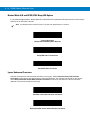
Nixdorf Mode A/B and OPOS/JPOS Beep/LED Options ........................................
Ignore Unknown Characters ...................................................................................
ASCII / Character Set ...................................................................................................
6-8
6-9
6-10
6-10
6-11
6-13
6-15
6-16
6-16
6-17
6-18
6-18
6-19
Chapter 7: USB Interface
Introduction ...................................................................................................................
Connecting a USB Interface .........................................................................................
USB Default Parameters ..............................................................................................
USB Host Parameters ..................................................................................................
USB Device Type ....................................................................................................
USB Country Keyboard Types (Country Codes) ....................................................
USB Keystroke Delay .............................................................................................
USB CAPS Lock Override ......................................................................................
USB Ignore Unknown Characters ...........................................................................
Emulate Keypad ......................................................................................................
USB Keyboard FN 1 Substitution ............................................................................
Function Key Mapping ............................................................................................
Simulated Caps Lock ..............................................................................................
Convert Case ..........................................................................................................
ASCII Character Set .....................................................................................................
7-1
7-2
7-3
7-4
7-4
7-5
7-7
7-8
7-8
7-9
7-9
7-10
7-10
7-11
7-12
Chapter 8: IBM 468X/469X Interface
Introduction ...................................................................................................................
Connecting to an IBM 468X/469X Host ........................................................................
IBM Default Parameters ...............................................................................................
IBM 468X/469X Host Parameters .................................................................................
Port Address ...........................................................................................................
Convert Unknown to Code 39 .................................................................................
8-1
8-2
8-3
8-4
8-4
8-4
Chapter 9: Wand Emulation Interface
Introduction ...................................................................................................................
Connecting a Wand Emulation Interface ......................................................................
Wand Emulation Default Parameters ...........................................................................
Wand Emulation Host Parameters ...............................................................................
Wand Emulation Host Types ..................................................................................
Leading Margin (Quiet Zone) ..................................................................................
Polarity ....................................................................................................................
9-1
9-2
9-3
9-4
9-4
9-5
9-5
vii
viii
LS3408 Product Reference Guide
Ignore Unknown Characters ................................................................................... 9-6
Convert All Bar Codes to Code 39 .......................................................................... 9-7
Convert Code 39 to Full ASCII ............................................................................... 9-8
Chapter 10: Scanner Emulation Interface
Introduction ...................................................................................................................
Connecting Using Scanner Emulation ..........................................................................
Scanner Emulation Default Parameters .......................................................................
Scanner Emulation Host ...............................................................................................
Scanner Emulation Host Parameters ...........................................................................
Beep Style ...............................................................................................................
Parameter Pass-Through ........................................................................................
Convert Newer Code Types ....................................................................................
Module Width ..........................................................................................................
Convert All Bar Codes to Code 39 ..........................................................................
Code 39 Full ASCII Conversion ..............................................................................
Transmission Timeout .............................................................................................
Ignore Unknown Characters ...................................................................................
Leading Margin .......................................................................................................
Check For Decode LED ..........................................................................................
10-1
10-2
10-3
10-4
10-4
10-4
10-5
10-6
10-6
10-7
10-7
10-8
10-9
10-10
10-11
Chapter 11: 123Scan
Introduction ................................................................................................................... 11-1
Communication with 123Scan ...................................................................................... 11-1
123Scan Parameter ...................................................................................................... 11-2
Chapter 12: Symbologies
Introduction ...................................................................................................................
Scanning Sequence Examples .....................................................................................
Errors While Scanning ..................................................................................................
Symbology Default Parameters ....................................................................................
UPC/EAN ......................................................................................................................
Enable/Disable UPC-A ............................................................................................
Enable/Disable UPC-E ............................................................................................
Enable/Disable UPC-E1 ..........................................................................................
Enable/Disable EAN-13 ..........................................................................................
Enable/Disable EAN-8 ............................................................................................
Enable/Disable Bookland EAN ...............................................................................
Decode UPC/EAN/JAN Supplementals ..................................................................
User-Programmable Supplementals .......................................................................
UPC/EAN/JAN Supplemental Redundancy ............................................................
Transmit UPC-A/UPC-E/UPC-E1 Check Digit ........................................................
UPC-A Preamble ....................................................................................................
UPC-E Preamble ....................................................................................................
UPC-E1 Preamble ..................................................................................................
Convert UPC-E to UPC-A .......................................................................................
Convert UPC-E1 to UPC-A .....................................................................................
12-1
12-1
12-1
12-2
12-5
12-5
12-5
12-6
12-6
12-7
12-7
12-8
12-11
12-11
12-12
12-13
12-14
12-15
12-16
12-16
Table of Contents
EAN-8/JAN-8 Extend ..............................................................................................
Bookland ISBN Format ...........................................................................................
Code 128 ......................................................................................................................
Enable/Disable Code 128 .......................................................................................
Enable/Disable GS1-128 (formerly UCC/EAN-128) ................................................
Enable/Disable ISBT 128 ........................................................................................
Code 39 ........................................................................................................................
Enable/Disable Code 39 .........................................................................................
Enable/Disable Trioptic Code 39 ............................................................................
Convert Code 39 to Code 32 ..................................................................................
Code 32 Prefix ........................................................................................................
Set Lengths for Code 39 .........................................................................................
Code 39 Check Digit Verification ............................................................................
Transmit Code 39 Check Digit ................................................................................
Code 39 Full ASCII Conversion ..............................................................................
Code 93 ........................................................................................................................
Enable/Disable Code 93 .........................................................................................
Set Lengths for Code 93 .........................................................................................
Code 11 ........................................................................................................................
Code 11 ..................................................................................................................
Set Lengths for Code 11 .........................................................................................
Code 11 Check Digit Verification ............................................................................
Transmit Code 11 Check Digits ..............................................................................
Interleaved 2 of 5 (I 2 of 5) ............................................................................................
Enable/Disable Interleaved 2 of 5 ...........................................................................
Set Lengths for Interleaved 2 of 5 ...........................................................................
I 2 of 5 Check Digit Verification ...............................................................................
Transmit I 2 of 5 Check Digit ...................................................................................
Convert I 2 of 5 to EAN-13 ......................................................................................
Discrete 2 of 5 (D 2 of 5) ...............................................................................................
Enable/Disable Discrete 2 of 5 ................................................................................
Set Lengths for Discrete 2 of 5 ...............................................................................
Codabar (NW - 7) .........................................................................................................
Enable/Disable Codabar .........................................................................................
Set Lengths for Codabar .........................................................................................
CLSI Editing ............................................................................................................
NOTIS Editing .........................................................................................................
MSI ...............................................................................................................................
Enable/Disable MSI ................................................................................................
Set Lengths for MSI ................................................................................................
MSI Check Digits ....................................................................................................
Transmit MSI Check Digit(s) ...................................................................................
MSI Check Digit Algorithm ......................................................................................
GS1 DataBar (formerly Reduced Space Symbology) ...................................................
GS1 DataBar ...........................................................................................................
GS1 DataBar Limited ..............................................................................................
Convert GS1 DataBar to UPC/EAN ........................................................................
Redundancy Level ........................................................................................................
Redundancy Level 1 ...............................................................................................
Redundancy Level 2 ...............................................................................................
12-17
12-17
12-18
12-18
12-18
12-19
12-20
12-20
12-20
12-21
12-21
12-22
12-23
12-23
12-24
12-25
12-25
12-25
12-27
12-27
12-27
12-29
12-30
12-31
12-31
12-31
12-33
12-33
12-34
12-35
12-35
12-35
12-37
12-37
12-37
12-39
12-39
12-40
12-40
12-40
12-42
12-42
12-43
12-44
12-44
12-44
12-45
12-46
12-46
12-46
ix
x
LS3408 Product Reference Guide
Redundancy Level 3 ...............................................................................................
Redundancy Level 4 ...............................................................................................
Security Level ...............................................................................................................
Security Level 0 ......................................................................................................
Security Level 1 ......................................................................................................
Security Level 2 ......................................................................................................
Security Level 3 ......................................................................................................
Bi-directional Redundancy ............................................................................................
12-47
12-47
12-48
12-48
12-48
12-49
12-49
12-49
Chapter 13: Miscellaneous Scanner Options
Introduction ...................................................................................................................
Scanning Sequence Examples .....................................................................................
Errors While Scanning ..................................................................................................
Miscellaneous Default Parameters ...............................................................................
Miscellaneous Scanner Parameters .............................................................................
Transmit Code ID Character ...................................................................................
Scan Angle ..............................................................................................................
Prefix/Suffix Values .................................................................................................
Scan Data Transmission Format ............................................................................
FN1 Substitution Values .........................................................................................
Transmit “No Read” Message .................................................................................
Synapse Interface ...................................................................................................
13-1
13-1
13-1
13-2
13-3
13-3
13-4
13-4
13-5
13-7
13-7
13-8
Chapter 14: Advanced Data Formatting
Introduction ...................................................................................................................
Rules: Criteria Linked to Actions ...................................................................................
Using ADF Bar Codes ..................................................................................................
ADF Bar Code Menu Example .....................................................................................
Rule 1: The Code 128 Scanning Rule ....................................................................
Rule 2: The UPC Scanning Rule ............................................................................
Alternate Rule Sets .................................................................................................
Rules Hierarchy (in Bar Codes) ..............................................................................
Default Rules ..........................................................................................................
Special Commands .......................................................................................................
Pause Duration .......................................................................................................
Begin New Rule ......................................................................................................
Save Rule ...............................................................................................................
Erase .......................................................................................................................
Quit Entering Rules .................................................................................................
Disable Rule Set .....................................................................................................
Criteria ..........................................................................................................................
Code Types .............................................................................................................
Code Lengths ..........................................................................................................
Message Containing A Specific Data String ...........................................................
Actions ..........................................................................................................................
Send Data ...............................................................................................................
Setup Field(s) ..........................................................................................................
Modify Data .............................................................................................................
14-1
14-1
14-2
14-2
14-3
14-3
14-3
14-5
14-5
14-6
14-6
14-6
14-6
14-7
14-7
14-8
14-9
14-9
14-13
14-18
14-23
14-23
14-27
14-34
Table of Contents
Pad Data with Spaces .............................................................................................
Pad Data with Zeros ...............................................................................................
Beeps ......................................................................................................................
Send Keystroke (Control Characters and Keyboard Characters) ...........................
Send Right Control Key ..........................................................................................
Send Graphic User Interface (GUI) Characters ......................................................
Turn On/Off Rule Sets ............................................................................................
Alphanumeric Keyboard ...............................................................................................
14-35
14-40
14-45
14-46
14-86
14-87
14-93
14-95
Appendix A: Standard Default Parameters
Appendix B: Programming Reference
Symbol Code Identifiers ................................................................................................ B-1
AIM Code Identifiers ..................................................................................................... B-2
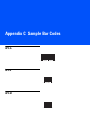
Appendix C: Sample Bar Codes
UPC-A ...........................................................................................................................
UPC-E ...........................................................................................................................
UPC-E1 .........................................................................................................................
EAN-13 .........................................................................................................................
EAN-8 ...........................................................................................................................
Code 39 ........................................................................................................................
Trioptic Code 39 ...........................................................................................................
Code 93 ........................................................................................................................
Code 11 ........................................................................................................................
Codabar ........................................................................................................................
MSI ...............................................................................................................................
Interleaved 2 of 5 ..........................................................................................................
C-1
C-1
C-1
C-2
C-2
C-2
C-3
C-3
C-3
C-4
C-4
C-4
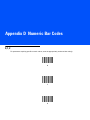
Appendix D: Numeric Bar Codes
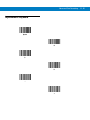
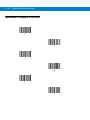
0, 1, 2 ............................................................................................................................
3, 4, 5, 6 ........................................................................................................................
7, 8, 9 ............................................................................................................................
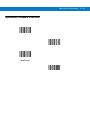
Cancel ...........................................................................................................................
D-1
D-2
D-3
D-3
Glossary
Index
Tell Us What You Think... 5
xi
xii
LS3408 Product Reference Guide
About This Guide
Introduction
The LS3408 Product Reference Guide provides general instructions for setting up, operating, maintaining, and
troubleshooting the scanner. The LS3408 includes the following variations of the scanner:
• LS3408-FZ20005: 1-D scanning
• LS3408-ER20005: extended range 1-D scanning.
Chapter Descriptions
• Chapter 1, Getting Started provides a product overview and unpacking instructions.
• Chapter 2, Scanning describes parts of the scanner, beeper and LED definitions, and how to use the scanner
in hand-held and hands-free modes.
• Chapter 3, Maintenance and Technical Specifications provides information on how to care for the scanner,
troubleshooting, and technical specifications.
• Chapter 4, User Preferences provides programming bar codes for selecting user preference features for the
scanner.
• Chapter 5, Keyboard Wedge Interface provides information for setting up the scanner for Keyboard Wedge
operation.
• Chapter 6, RS-232 Interface provides information for setting up the scanner for RS-232 operation.
• Chapter 7, USB Interface provides information for setting up the scanner for USB operation.
• Chapter 8, IBM 468X/469X Interface provides information for setting up the scanner with IBM 468X/469X
POS systems.
• Chapter 9, Wand Emulation Interface provides information for setting up the scanner for Wand Emulation
operation.
• Chapter 10, Scanner Emulation Interface provides information for setting up the scanner for Scanner
Emulation operation.
xiv
LS3408 Product Reference Guide
• Chapter 11, 123Scan (PC based scanner configuration tool) provides the bar code to scan to communicate
with the 123Scan program.
• Chapter 12, Symbologies describes all symbology features and provides programming bar codes for
selecting these features for the scanner.
• Chapter 13, Miscellaneous Scanner Options includes frequently used features to customize how data
transmits to the host device.
• Chapter 14, Advanced Data Formatting (ADF) describes how to customize scanned data before transmitting
to the host.
• Appendix A, Standard Default Parameters provides a table of all host devices and miscellaneous scanner
defaults.
• Appendix B, Programming Reference provides a table of AIM code identifiers, ASCII character conversions,
and keyboard maps.
• Appendix C, Sample Bar Codes includes sample bar codes of various code types.
• Appendix D, Numeric Bar Codes includes the numeric bar codes to scan for parameters requiring specific
numeric values.
Notational Conventions
The following conventions are used in this document:
• Italics are used to highlight chapters and sections in this and related documents
• Bullets (•) indicate:
• action items
• lists of alternatives
• lists of required steps that are not necessarily sequential.
• Sequential lists (e.g., those that describe step-by-step procedures) appear as numbered lists.
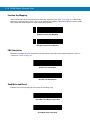
• Throughout the programming bar code menus, asterisks (*) are used to denote default parameter settings.
* Indicates Default
*Baud Rate 9600
Feature/Option
Related Publications
The LS/DS3408 Quick Start Guide (p/n 72-67131-xx) provides general information to help you get started with the
scanner. It includes basic setup and operation instructions.
For the latest versions of the LS/DS3408 Quick Start Guide and the LS3408 Product Reference Guide go to:
http://www.motorolasolutions.com/support.
About This Guide xv
Service Information
If you have a problem using the equipment, contact your facility's technical or systems support. If there is a
problem with the equipment, they will contact the Zebra Global Customer Support Center at:
http://www.motorolasolutions.com/support.
When contacting Zebra support, please have the following information available:
• Serial number of the unit
• Model number or product name
• Software type and version number
Zebra responds to calls by e-mail, telephone or fax within the time limits set forth in service agreements. If your
problem cannot be solved by Zebra support, you may need to return your equipment for servicing and will be given
specific directions. Zebra is not responsible for any damages incurred during shipment if the approved shipping
container is not used. Shipping the units improperly can possibly void the warranty.
If you purchased your business product from a Zebra business partner, please contact that business partner for
support.
xvi
LS3408 Product Reference Guide
Chapter 1 Getting Started
Introduction
The scanner combines excellent scanning performance and advanced ergonomics to provide the best value in a
lightweight laser scanner. Whether using it as a hand-held scanner or in presentation (hands-free) mode in a stand,
the scanner ensures comfort and ease of use for extended periods of time.
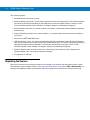
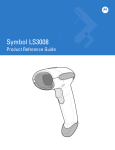
Figure 1-1 LS3408 Scanner
1-2
LS3408 Product Reference Guide
This scanner supports:
• Standard RS-232 connection to a host.
• Keyboard Wedge connection to a host, which interprets scanned data as keystrokes. This interface supports
the following international keyboards (for the WindowsTM environment): North America, German, French,
French Canadian, Spanish, Italian, Swedish, UK English, Japanese, and Brazilian-Portuguese.
• Wand Emulation connection to a mobile computer, a controller, or host which collects the data as wand data
and decodes it.
• Scanner Emulation connection to a mobile computer or a controller which collects the data and interprets it
for the host.
• Connection to IBM® 468X/469X hosts.
• USB connection to a host. The scanner autodetects a USB host and defaults to the HID keyboard interface
type. Scan programming bar codes to select other USB interface types. This interface supports the following
international keyboards (for the Windows™ environment): North America, German, French, French
Canadian, Spanish, Italian, Swedish, UK English, Japanese, and Brazilian-Portuguese.
• Synapse capability which enables connection to a wide variety of host systems using a Synapse and
Synapse adapter cable. The scanner autodetects Synapse.
• Configuration via 123Scan.
Unpacking the Scanner
Remove the scanner from its packing and inspect it for damage. If the scanner was damaged in transit, contact
Zebra Global Customer Support Center at: http://www.motorolasolutions.com/support. KEEP THE PACKING. It is
the approved shipping container and should be used if the equipment ever needs to be returned for servicing.
Getting Started
1-3
Setting Up the Scanner
Installing the Interface Cable
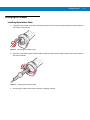
1.
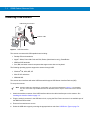
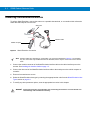
Loosen the two screws on the cable clamp at the bottom of the scanner and gently pull the clamp away from
the bottom of the scanner.
Figure 1-2 Removing the Cable Clamp
2.
Open the clamp and plug the interface cable modular connector into the cable interface port on the bottom of
the scanner handle.
Figure 1-3 Inserting the Interface Cable
3.
Gently tug the cable to ensure the connector is properly secured.
1-4
LS3408 Product Reference Guide
4.
Close the clamp, push it back into place and tighten the screws on the clamp to secure the cable into the
bottom of the scanner.
Figure 1-4 Closing the Cable Clamp
5.
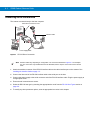
Connect the other end of the interface cable to the host (see the specific host chapter for information on host
connections).
NOTE
Different hosts require different cables. The connectors illustrated in each host chapter are examples only.
The connectors may be different than those illustrated, but the steps to connect the scanner are the same.
Connecting Power (if required)
If the host does not provide power to the scanner, connect external power to power the scanner:
1.
Connect the interface cable to the bottom of the scanner, as described in Installing the Interface Cable on page
1-3.
2.
Connect the other end of the interface cable to the host (refer to the host manual to locate the correct port).
3.
Plug the power supply into the power jack on the interface cable. Plug the other end of the power supply into
an AC outlet.
Getting Started
1-5
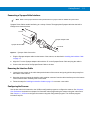
Connecting a Synapse Cable Interface
NOTE
Refer to the Synapse Interface Guide provided with the Synapse cable for detailed setup instructions.
Synapse Smart Cables enable interfacing to a variety of hosts. The appropriate Synapse cable has the built-in
intelligence to detect that host.
To host
Synapse adapter cable
Synapse Smart Cable
To scanner
Figure 1-5 Synapse Cable Connection
1.
Plug the Synapse adapter cable into the bottom of the scanner, as described in Installing the Interface Cable
on page 1-3.
2.
Align the ‘S’ on the Synapse adapter cable with the ‘S’ on the Synapse Smart Cable and plug the cable in.
3.
Connect the other end of the Synapse Smart Cable to the host.
Removing the Interface Cable
1.
Loosen the two screws on the cable clamp at the bottom of the scanner and gently pull the clamp away from
the bottom of the scanner.
2.
Open the clamp and unplug the interface cable modular connector from the cable interface port on the bottom
of the scanner handle. Carefully slide out the cable.
3.
Follow the steps for Installing the Interface Cable on page 1-3 to connect a new cable.
Configuring the Scanner
Use the bar codes in this manual or the 123Scan configuration program to configure the scanner. See Chapter 4,
User Preferences and each host chapter for information about programming the scanner using bar code menus.
See Chapter 11, 123Scan to configure the scanner using this configuration program. The 123Scan program
includes a help file.
1-6
LS3408 Product Reference Guide
Chapter 2 Scanning
Introduction
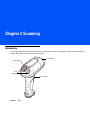
This chapter provides beeper and LED definitions, techniques involved in scanning bar codes, general instructions
and tips about scanning, and decode zone diagrams.
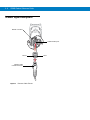
Scan Window
Tether Plate
LED
Indicators
Scan Trigger
Figure 2-1 Parts
2-2
LS3408 Product Reference Guide
Beeper Definitions
The scanner emits different beeper sequences and patterns to indicate its status. Table 2-1 defines beep
sequences that occur during both normal scanning and while programming the scanner.
Table 2-1 Standard Beeper Definitions
Beeper Sequence
Indication
Standard Use
Short low/short medium/short high beep
sequence
Power up.
1 short high beep
A bar code symbol was decoded (if decode beeper is enabled).
4 long low beeps
A transmission error was detected in a scanned symbol. The data is
ignored.
5 long low beeps
Conversion or format error.
Short high/short high/short high/long low
beep sequence
RS-232 receive error.
Parameter Menu Scanning
Long low/long high beep sequence
Incorrect programming sequence or Cancel bar code scanned.
Scanner remains in program mode.
Short high/short low beep sequence
Keyboard parameter selected. Enter value using bar code keypad.
Short high/short low/short high/short low
beep sequence
Successful program exit with change in the parameter setting.
Short low/short high/short low/short high
beep sequence
Out of host parameter storage space. Scan Set Default Parameter on
page 4-3.
USB only
4 short high beeps
Scanner did not complete initialization. Wait several seconds and scan
again.
Short low/short medium/short high beep
sequence after scanning a USB Device
Type.
Communication with the bus must be established before the scanner
can operate at the highest power level.
Short low/short medium/short high beep
sequence occurs more than once.
The USB bus may put the scanner in a state where power to the
scanner is cycled on and off more than once. This is normal and
usually happens when the PC cold boots.
RS-232 only
1 short high beep
A <BEL> character is received and Beep on <BEL> is enabled.
Scanning
2-3
LED Definitions
In addition to beeper sequences, the scanner uses the two-color LED to indicate its status. Table 2-2 defines LED
colors that display during scanning.
Table 2-2 Standard LED Definitions
LED
Indication
Off
The scanner is on and ready to scan, or no power is applied to the scanner.
Green
A bar code was successfully decoded.
Red
A data transmission error occurred.
Scanning in Hand-Held Mode
Install and program the scanner (see Setting Up the Scanner on page 1-3). For assistance, contact the local
supplier or Zebra Global Customer Support Center at: http://www.motorolasolutions.com/support.
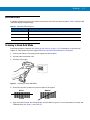
1.
Connect the scanner to the host (see the appropriate host chapter).
2.
Aim the scanner at the bar code.
3.
Press the scan trigger.
Figure 2-2 Scanning in Hand-Held Mode
4.
5.
Ensure the scan line crosses every bar and space of the symbol.
RIGHT
WRONG
012345
012345
Upon successful decode, the scanner beeps, and the LED turns green. For more information on beeper and
LED definitions, see Table 2-1 and Table 2-2.
2-4
LS3408 Product Reference Guide
Aiming
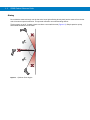
Do not hold the scanner directly over the bar code. Laser light reflecting directly back into the scanner from the bar
code is known as specular reflection. This specular reflection can make decoding difficult.
Tilt the scanner up to 65° forward or back to achieve a successful decode (Figure 2-3). Simple practice quickly
shows what tolerances to work within.
65°
65°
Figure 2-3 Optimum Scan Angles
Scanning
2-5
Scanning in Presentation Mode
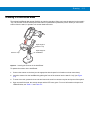
The optional IntelliStand adds greater flexibility to scanning operation. When you insert the scanner into the stand’s
“cup,” the scanner’s built-in sensor places the scanner in presentation (hands-free) mode. When you remove the
scanner from the stand, it operates in its normal hand-held mode.
Adjust angle of
scanner “cup”
Scanner “Cup”
Adjust height of
IntelliStand
Figure 2-4 Inserting the Scanner in the IntelliStand
To operate the scanner in the IntelliStand:
1.
Connect the scanner to the host (see the appropriate host chapter for information on host connections).
2.
Insert the scanner into the IntelliStand by placing the front of the scanner into the stand’s “cup” (see Figure
2-4).
3.
To scan a bar code, present the bar code and ensure the scan line crosses every bar and space of the symbol.
4.
Upon successful decode, the scanner beeps and the LED turns green. For more information on beeper and
LED definitions, see Table 2-1 and Table 2-2.
2-6
LS3408 Product Reference Guide
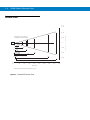
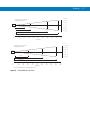
Decode Zone
in. cm
30 76.2
20 50.8
Note: Typical performance at 68˚F (20˚C)
on high quality Code 39 and UPC symbols.
10 25.4
LS 3408
FZ
0
0
2.5" 5 mil 7.25"
2.0" 7.5 mil
1.0"
10 25.4
15.75"
13 mil
100% UPC
24"
20 mil (80%MRD)
0"* 20 mil (31%MRD)
20 50.8
39.5"
26.5"
2.0"* 40 mil
67.0"
30 76.2
55 mil
4.0"*
in. 0
cm 0
84.0"
10
25.4
20
50.8
30
76.2
40
101.6
Depth of Field
*Minimum distance determined by symbol length and scan angle
Figure 2-5 LS3408-FZ Decode Zone
50
127.0
60
152.4
70
177.8
80
203.2
90
228.6
W
i
d
t
h
o
f
F
i
e
l
d
Scanning
in. cm
12 30.5
Note: Typical performance at 73.4˚F (23˚C)
on high quality Code 39 symbols.
LS 3408
ER
7.5 mil
0.25"
2"
in. 0
cm 0
15 mil
3"
20 mil
20.3
4
10.2
0
0
4
10.2
8
20.3
W
i
d
t
h
o
f
20"
10 mil
3"
8
32"
12 30.5
69"
F
i
e
l
d
94"
10
25.4
20
50.8
30
76.2
40
101.6
50
127.0
60
152.4
70
177.8
80
203.2
90
228.6
100
254.0
Depth of Field
in. cm
72 182.9
Note: Typical performance at 73.4˚F (23˚C)
on high quality Code 39 symbols.
48 121.9
24 61.0
LS 3408
ER
0
0
W
i
d
t
h
o
f
24 61.0
48 121.9
55 mil
15"
180"
72 182.9
70 mil reflective
*
365"
100 mil reflective
in. 0
cm 0
60
152.4
120
304.8
540"
180
457.2
240
609.6
300
762.0
Depth of Field
*Near range determined by degree of reflectivity and width of bar code.
Figure 2-6 LS3408-ER Decode Zone
360
914.4
420
1066.8
480
1219.2
540
1371.6
600
1524.0
F
i
e
l
d
2-7
2-8
LS3408 Product Reference Guide
Chapter 3 Maintenance and Technical
Specifications
Introduction
This chapter provides suggested scanner maintenance, troubleshooting, technical specifications, and signal
descriptions (pinouts).
Maintenance
Cleaning the scan window is the only maintenance required. A dirty window can affect scanning accuracy.
• Do not allow any abrasive material to touch the window.
• Remove any dirt particles with a damp cloth.
• Wipe the window using a tissue moistened with ammonia/water.
• Do not spray water or other cleaning liquids directly onto the window.
3-2
LS3408 Product Reference Guide
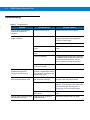
Troubleshooting
Table 3-1 Troubleshooting
Problem
Possible Causes
Possible Solutions
Scanner emits short low/short
medium/short high beep
sequence.
Scanner is powering up.
Normal when scanner is plugged in.
Nothing happens when scan
trigger is pressed.
No power to the scanner.
Check the system power. Ensure the power
supply is connected if the configuration
requires a power supply.
Power supply is not plugged in.
Incorrect host interface cable is
used.
Ensure that correct host interface cable is
used.
Interface/power cables are
loose.
Ensure all cable connections are secure.
Scanner is disabled.
For Simple Serial Interface (SSI), Synapse,
or IBM 468x mode, enable the scanner via
the host interface. Otherwise, see the
technical person in charge of scanning.
If using RS-232 Nixdorf B mode,
CTS is not asserted.
Assert CTS line.
Scanner emits short low/short
medium/short high beep
sequence more than once.
The USB bus may put the
scanner in a state where power
to the scanner is cycled on and
off more than once.
Normal during host reset.
Laser comes on, but scanner
does not decode the bar code.
Scanner is not programmed for
the correct bar code type.
Ensure the scanner is programmed to read
the type of bar code being scanned.
Bar code symbol is unreadable.
Check the symbol to ensure it is not
defaced. Try scanning test bar codes of the
same bar code type. See Appendix C,
Sample Bar Codes for test bar codes.
Bar code is out of range from
the scanner.
Move scanner closer to or further from bar
code.
Scanner has not completed
USB initialization.
Wait several seconds and scan again.
Scanner emits 4 short high beeps
while attempting to scan.
Maintenance and Technical Specifications
3-3
Table 3-1 Troubleshooting (Continued)
Problem
Bar code is decoded, but data is
not transmitted to the host.
Scanned data is incorrectly
displayed on the host.
Possible Causes
Possible Solutions
Scanner is not programmed for
the correct host type.
Scan the appropriate host parameter bar
codes.
Interface cable is loose.
Ensure all cable connections are secure.
If 4 long low beeps are heard, a
transmission error was
detected.
Ensure the scanner's communication
parameters match the host's setting.
If 5 long low beeps are heard, a
conversion or format error was
detected.
Ensure the scanner's conversion
parameters are properly configured.
Scanner is not programmed to
work with the host.
Ensure proper host is selected.
For RS-232, ensure the scanner's
communication parameters match the host's
settings.
For a Keyboard Wedge configuration,
ensure the system is programmed for the
correct keyboard type, and the CAPS LOCK
key is off.
Ensure editing options (e.g., UPC-E to
UPC-A conversion) are properly
programmed.
Scanner emits short high/short
high/short high/long low beep
sequence when it is not in use.
RS-232 receive error.
Normal during host reset. Otherwise, ensure
the scanner's RS-232 parity setting matches
the host setting.
Scanner emits long low/long high
beep sequence while it is being
programming.
Input error or Cancel bar code
scanned.
Ensure the correct numeric bar codes, that
are within range for the parameter that is
being programmed, are being scanned.
Scanner emits short low/short
high/short low/short high beep
sequence while it is being
programming.
Out of ADF parameter storage
space.
Erase all rules and re-program with shorter
rules.
Out of Synapse parameter
storage space.
Scan Set Synapse Defaults bar code from
the appropriate Synapse Interface Guide for
cables no longer in use and re-program the
scanner for the current host interface.
Scanner emits a short low/short
medium/short high beep
sequence after changing USB
host type.
The USB bus re-establishes
power to the scanner.
Normal when the USB host type is changed.
Scanner emits 1 short high beep
when it is not in use.
In RS-232 mode, a <BEL>
character is received and Beep
on <BEL> option is enabled.
Normal when Beep on <BEL> is enabled
and the scanner is in RS-232 mode.
3-4
LS3408 Product Reference Guide
NOTE
If after performing these checks the symbol still does not decode, contact the distributor or the Zebra
Global Customer Support Center at: http://www.motorolasolutions.com/support.
Technical Specifications
Table 3-2 Technical Specifications
Description
Item
LS3408-FZ
Power Requirements
4.5 - 14VDC
Stand-By Current
50mA (max)
Power Source
Depending on host:
LS3408-ER
• host powered
• external power supply
Decode Capability
UPC/EAN, Bookland EAN, UPC/EAN with supplementals, Code 128, GS1-128, ISBT
128, Code 39, Trioptic Code 39, Code 93, Code 11, Interleaved 2 of 5, Discrete 2 of 5,
Codabar (NW-7), MSI, GS1 DataBar.
Beeper Operation
User-selectable: Enable, Disable
Beeper Volume
User-selectable: Three levels
Beeper Tone
User-selectable: Three tones
Scan Repetition Rate
36 scans/second
Yaw Tolerance
± 50° from nominal
± 60° from nominal
Pitch Tolerance
± 65° from nominal
± 65° from nominal
Roll Tolerance
± 20° from nominal
± 10° from nominal
Print Contrast Minimum
25% minimum reflectance differential, measured at 650 nm.
Ambient Light Tolerance
Tolerant to typical artificial indoor and natural outdoor (direct sunlight) lighting
conditions. Fluorescent, Incandescent, Mercury Vapor, Sodium Vapor, LED: 450 Ft
Candles (4,844 Lux) Sunlight: 8000 Ft Candles (86,111 Lux)
Note: LED lighting with high AC ripple content can impact scanning performance.
Durability
6.5 ft (2.0 m) drops to concrete
Operating Temperature
-22° to 122° F (-30° to 50° C)
Storage Temperature
-40° to 158° F (-40° to 70° C)
Humidity
5% to 95% (non-condensing)
Weight (without cable)
12.35 oz. (350 g)
12.56 oz. (356 g)
Maintenance and Technical Specifications
3-5
Table 3-2 Technical Specifications (Continued)
Description
Item
LS3408-FZ
LS3408-ER
Dimensions:
Height
Width
Depth
7.34 in. (18.65 cm)
4.82 in. (12.25 cm)
2.93 in. (7.43 cm)
Laser
650nm laser diode
Laser Classifications
IEC 825-1 Class 2
ESD
20 kV area discharge
8 kV contact discharge
Minimum Element Width
5 mil (0.127 mm)
Interfaces Supported
Keyboard Wedge, RS-232, USB, IBM 468X/469X, Wand Emulation, Scanner
Emulation, Synapse
Electrical Safety
Certified Pending to UL1950, CSA C22.2 No.950. EN60950/IC950
Input Transient Protection
IEC 1000-4-(2,3,4,5,6,11)
EMI
FCC Part 15 Class B, ICES-003 Class B European Union EMC Directive, Australian
SMA, Taiwan EMC, Japan VCCI/MITI/Dentori
7.5 mil (0.191 mm)
3-6
LS3408 Product Reference Guide
Scanner Signal Descriptions
Bottom of scanner
Cable interface port
PIN 10
Interface cable
modular connector
Figure 3-1 Scanner Cable Pinouts
PIN 1
Maintenance and Technical Specifications
The signal descriptions in Table 3-3 apply to the connector on the scanner and are for reference only.
Table 3-3 Scanner Signal Pin-outs
Pin
IBM
Synapse
RS-232
Keyboard
Wedge
Wand
USB
Scanner
Emulation
1
Reserved
SynClock
Reserved
Reserved
Reserved
Jump to Pin 6
DBP
2
Power
Power
Power
Power
Power
Power
Power
3
Ground
Ground
Ground
Ground
Ground
Ground
Ground
4
IBM_A(+)
Reserved
TxD
KeyClock
DBP
Reserved
SOS
5
Reserved
Reserved
RxD
TermData
CTS
D+
Decode
6
IBM_B(-)
SynData
RTS
KeyData
RTS
Jump to Pin 1
Trigger
7
Reserved
Reserved
CTS
TermClock
Reserved
D-
Enable
8
Reserved
Reserved
Reserved
Reserved
Reserved
Reserved
Reserved
9
Reserved
Reserved
Reserved
Reserved
Reserved
Reserved
Reserved
10
Reserved
Reserved
Reserved
Reserved
Reserved
Reserved
Reserved
3-7
3-8
LS3408 Product Reference Guide
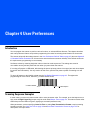
Chapter 4 User Preferences
Introduction
You can program the scanner to perform various functions, or activate different features. This chapter describes
each user preference feature and provides programming bar codes for selecting these features for the scanner.
The scanner ships with the settings shown in the User Preferences Default Table on page 4-2 (also see Appendix
A, Standard Default Parameters for all host device and miscellaneous scanner defaults). If the default values suit
the requirements, programming is not necessary.
Set feature values by scanning single bar codes or short bar code sequences. The settings are stored in
non-volatile memory and are preserved even when you power down the scanner.
If not using a Synapse or USB cable, after hearing the power-up beeps, select a host type (see each host chapter
for specific host information). You only need to do this once, upon the first power-up when connecting to a new
host.
To return all features to their default values, see the Set Default Parameter on page 4-3. Throughout the
programming bar code menus, asterisks (*) indicate default values.
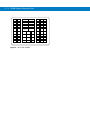
* Indicates Default
*High Frequency
Feature/Option
Scanning Sequence Examples
In most cases, you must only scan one bar code to set a parameter value. For example, to set the beeper tone to
high, scan the High Frequency (beeper tone) bar code under Beeper Tone on page 4-4. The scanner issues a fast
warble beep and the LED turns green, signifying a successful parameter entry.
Other parameters, such as specifying Laser On Time or setting Data Transmission Formats, require scanning
several bar codes. See Laser On Time on page 4-6 and Scan Data Transmission Format on page 13-5 for
descriptions of this procedure.
4-2
LS3408 Product Reference Guide
Errors While Scanning
Unless otherwise specified, to correct an error during a scanning sequence, just re-scan the correct parameter.
User Preferences Default Parameters
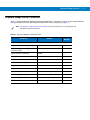
Table 4-1 lists the defaults for user preferences parameters. To change any option, scan the appropriate bar
code(s) provided in the User Preferences section beginning on page 4-3.
NOTE
Table 4-1
See Appendix A, Standard Default Parameters for all user preferences, hosts, symbologies, and
miscellaneous default parameters.
User Preferences Default Table
Parameter
Default
Page
Number
User Preferences
Set Default Parameter
Restore Defaults
4-3
Parameter Scanning
Enable
4-4
Beeper Tone
High
4-4
Beeper Volume
High
4-5
Power Mode
Continuous On
4-5
Laser On Time
3.0 sec
4-6
Beep After Good Decode
Enable
4-6
Trigger Mode
Level
4-7
Aim Duration
0.0 sec
4-8
User Preferences
4-3
User Preferences
Set Default Parameter
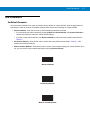
You can reset the LS3408 to two types of defaults: factory defaults or custom defaults. Scan the appropriate bar
code below to reset the scanner to its default settings and/or set its current settings as custom defaults.
• Restore Defaults - Scan this bar code to reset all default parameters as follows.
• If you previously set custom defaults by scanning Write to Custom Defaults, scan Restore Defaults to
retrieve and restore the scanner’s custom default settings.
• If you did not set custom defaults, scan Restore Defaults to restore the factory default values listed in
Table A-1.
• Set Factory Defaults - Scan this bar code to restore the factory default values listed in Table A-1. This
deletes any custom defaults set.
• Write to Custom Defaults - Scan this bar code to set the current scanner settings as custom defaults. Once
set, you can recover custom default settings by scanning Restore Defaults.
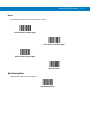
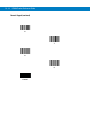
*Restore Defaults
Set Factory Defaults
Write to Custom Defaults
4-4
LS3408 Product Reference Guide
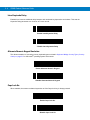
Parameter Scanning
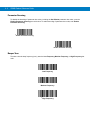
To disable the decoding of parameter bar codes, including the Set Defaults parameter bar codes, scan the
Disable Parameter Scanning bar code below. To enable decoding of parameter bar codes, scan Enable
Parameter Scanning.
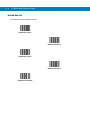
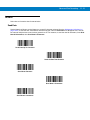
*Enable Parameter Scanning
Disable Parameter Scanning
Beeper Tone
To select a decode beep frequency (tone), scan the Low Frequency, Medium Frequency, or High Frequency bar
code.
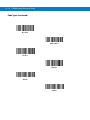
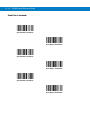
Low Frequency
Medium Frequency
*High Frequency
User Preferences
4-5
Beeper Volume
To select a beeper volume, scan the Low Volume, Medium Volume, or High Volume bar code.
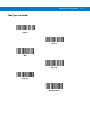
Low Volume
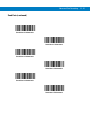
Medium Volume
*High Volume
Power Mode
This parameter determines whether or not the scanner enters reduced power mode after a decode attempt. When
in reduced power mode, the scanner draws less current from its power source.
*Continuous On
Reduced Power Mode
4-6
LS3408 Product Reference Guide
Laser On Time
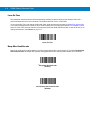
This parameter sets the maximum time that decode processing continues during a scan attempt. Select a 0.1
second increments from 0.5 to 9.9 seconds. The default Laser On Time is 3.0 seconds.
To set a Laser On Time, scan the bar code below. Next, scan two numeric bar codes in Appendix D, Numeric Bar
Codes that correspond to the desired on time. Enter a leading zero for single digit numbers. For example, to set a
Laser On Time of 0.5 seconds, scan the bar code below, then scan the 0 and 5 bar codes. In case of an error, or to
change the selection, scan Cancel on page D-3.
Laser On Time
Beep After Good Decode
Scan a bar code below to select whether or not the scanner beeps after a good decode. If you select Do Not Beep
After Good Decode, the beeper still operates during parameter menu scanning and indicates error conditions.
*Beep After Good Decode
(Enable)
Do Not Beep After Good Decode
(Disable)
User Preferences
4-7
Trigger Mode
Set the trigger mode using the bar codes below.
Level Trigger
Upon a trigger pull, an aiming dot appears for a programmable duration of time. After this time, the aiming dot turns
into a standard laser scanning beam for a full decode session. The laser scanning beam stays on until the laser-on
timeout occurs, a decode occurs, or you release the trigger. If you release the trigger before the aiming duration
expires, the laser shuts off and no decode occurs.
*Level
Two Stage - Option 1
Upon a trigger pull, an aiming dot appears. This aiming dot remains while the trigger is pulled. Releasing the trigger
turns the aiming dot into a standard laser scanning beam for a full decode session. The laser scanning beam stays
on until the laser-on timeout occurs or a decode occurs. If you pull the trigger again while in a decode session, the
scanner beam returns to an aiming dot.
Two Stage - Option 1
Two Stage - Option 2
Upon a trigger pull, an aiming dot appears. Releasing the trigger turns off the aiming dot. Pulling the trigger twice in
rapid succession turns on the standard laser scanning beam for a full decode session. The laser scanning beam
stays on until the laser-on timeout occurs, a decode occurs, or you release the trigger.
Two Stage - Option 2
4-8
LS3408 Product Reference Guide
Aim Duration
When the scanner is in Level trigger mode (default mode), Aim Duration sets the amount of time the aiming dot
displays before turning into a scanning beam. This parameter has no affect when the scanner is in either of the
Two Stage trigger modes. See Trigger Mode on page 4-7 for a description of each of the trigger modes.
The aim duration is programmable in 0.1 second increments, from 0.0 to 9.9 seconds. The default Aim Duration is
0.0 seconds. When set to 0.0 seconds, no aiming pattern appears before a decode session.
To set an aim duration, scan the bar code below. Then scan two numeric bar codes in Appendix D, Numeric Bar
Codes that correspond to the desired aim duration. Enter a leading zero for durations less than 1.0 seconds. For
example, to set an aim duration of 0.5 seconds, scan the bar code below, followed by the 0 and 5 bar codes. In
case of an error, or to change the selection, scan the Cancel bar code on page D-3.
Aim Duration
Chapter 5 Keyboard Wedge Interface
Introduction
This chapter provides Keyboard Wedge interface information for setting up the scanner. Use this interface type to
connect the scanner between the keyboard and host computer. The scanner translates the bar code data into
keystrokes. The host computer accepts the keystrokes as if they originate from the keyboard.
This mode of operation adds bar code reading functionality to a system designed for manual keyboard input. In this
mode the keyboard keystrokes are simply passed through.
Throughout the programming bar code menus, asterisks (*) indicate default values.
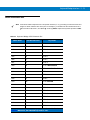
* Indicates Default
*North American
Feature/Option
5-2
LS3408 Product Reference Guide
Connecting a Keyboard Wedge Interface
Male DIN Host Connector
Y-cable
Keyboard Connector
Female DIN Keyboard Connector
Figure 5-1 Keyboard Wedge Interface Connection with Y-cable
To connect the keyboard wedge interface Y-cable:
NOTE
Interface cables vary depending on configuration. The connectors illustrated in Figure 5-1 are examples
only. The connectors may be different than those illustrated, but the steps to connect the scanner are the
same.
1.
Turn off the host and unplug the keyboard connector.
2.
Attach the modular connector of the Y-cable to the cable interface port on the scanner. (See Installing the
Interface Cable on page 1-3.)
3.
Connect the round male DIN host connector of the Y-cable to the keyboard port on the host.
4.
Connect the round female DIN keyboard connector of the Y-cable to the keyboard connector.
5.
If required, attach the optional power supply to the connector in the middle of the Y-cable.
6.
Ensure that all connections are secure.
7.
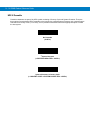
Turn on the host system.
8.
Select the Keyboard Wedge host type by scanning the appropriate bar code from the Keyboard Wedge Host
Types section onpage 5-4.
9.
To modify any other parameter options, scan the appropriate bar codes in this chapter.
Keyboard Wedge Interface
5-3
Keyboard Wedge Default Parameters
Table 5-1 lists the defaults for Keyboard Wedge host parameters. To change any option, scan the appropriate bar
code(s) provided in the Keyboard Wedge Host Parameters section beginning on page 5-4.
NOTE
See Appendix A, Standard Default Parameters for all user preferences, hosts, symbologies, and
miscellaneous default parameters.
Table 5-1 Keyboard Wedge Host Default Table
Parameter
Default
Page
Number
Keyboard Wedge Host Parameters
Keyboard Wedge Host Type
IBM PC/AT& IBM PC Compatibles
5-4
Keyboard Wedge Country Types
(Country Codes)
North American
5-5
Ignore Unknown Characters
Enable
5-7
Keystroke Delay
0 msec (No Delay)
5-7
Intra-Keystroke Delay
Disable
5-8
Alternate Numeric Keypad Emulation
Disable
5-8
Caps Lock On
Disable
5-8
Caps Lock Override
Disable
5-9
Convert Wedge Data
Do Not Convert Wedge Data
5-9
Function Key Mapping
Disable
5-10
FN1 Substitution
Disable
5-10
Send Make and Break
Send Make and Break Scan Codes
5-10
5-4
LS3408 Product Reference Guide
Keyboard Wedge Host Types
Keyboard Wedge Host Types
Scan a bar codes below to select the keyboard wedge host.
*IBM PC/AT & IBM PC Compatibles
IBM PS/2 (Model 30)
IBM AT NOTEBOOK
NCR 7052
Keyboard Wedge Interface
Keyboard Wedge Country Types (Country Codes)
Scan the bar code corresponding to the keyboard type. If your keyboard type does not appear, see Alternate
Numeric Keypad Emulation on page 5-8.
*North American
German Windows
French Windows
French Canadian Windows 95/98
French Canadian Windows XP/2000
French Belgian Windows
5-5
5-6
LS3408 Product Reference Guide
Keyboard Wedge Country Types (Country Codes) (continued)
Spanish Windows
Italian Windows
Swedish Windows
UK English Windows
Japanese Windows
Brazilian-Portuguese Windows
Keyboard Wedge Interface
5-7
Ignore Unknown Characters
Unknown characters are characters the host does not recognize. Select Send Bar Codes With Unknown
Characters to send all bar code data except for unknown characters. The scanner sounds no error beeps.
Select Do Not Send Bar Codes With Unknown Characters to send bar code data up to the first unknown
character. The scanner sounds an error beep.
*Send Bar Codes with Unknown Characters
(Enable)
Do Not Send Bar Codes with Unknown Characters
(Disable)
Keystroke Delay
This is the delay in milliseconds between emulated keystrokes. Scan a bar code below to increase the delay when
hosts require slower data transmission.
*0 msec (No Delay)
20 msec (Medium Delay)
40 msec (Long Delay)
5-8
LS3408 Product Reference Guide
Intra-Keystroke Delay
Enable this to insert an additional delay between each emulated key depression and release. This sets the
Keystroke Delay parameter to a minimum of 5 msec as well.
Enable Intra-Keystroke Delay
*Disable Intra-Keystroke Delay
Alternate Numeric Keypad Emulation
This allows emulation of most other country keyboard types not listed in Keyboard Wedge Country Types (Country
Codes) on page 5-5 in a Microsoft® operating system environment.
Enable Alternate Numeric Keypad
*Disable Alternate Numeric Keypad
Caps Lock On
When enabled, the scanner emulates keystrokes as if the Caps Lock key is always pressed.
Enable Caps Lock On
*Disable Caps Lock On
Keyboard Wedge Interface
5-9
Caps Lock Override
When enabled, on AT or AT Notebook hosts, the keyboard ignores the state of the Caps Lock key. Therefore, an ‘A’
in the bar code is sent as an ‘A’ no matter what the state of the keyboard’s Caps Lock key.
Enable Caps Lock Override
*Disable Caps Lock Override
NOTE
If both Caps Lock On and Caps Lock Override are enabled, Caps Lock Override takes precedence.
Convert Wedge Data
Enable this to convert all bar code data to the selected case.
Convert Wedge Data to Upper Case
Convert Wedge Data to Lower Case
*Do Not Convert Wedge Data
5 - 10 LS3408 Product Reference Guide
Function Key Mapping
ASCII values under 32 are normally sent as control key sequences (see Table 5-2 on page 5-13). Enable this
parameter to send the keys in bold in place of the standard key mapping. Table entries that do not have a bold
entry remain the same whether or not you enable this parameter.
Enable Function Key Mapping
*Disable Function Key Mapping
FN1 Substitution
Enable this to replace any FN1 characters in an EAN128 bar code with a user-selected keystroke. See FN1
Substitution Values on page 13-7.
Enable FN1 Substitution
*Disable FN1 Substitution
Send Make and Break
Enable this to prevent sending the scan codes for releasing a key.
*Send Make and Break Scan Codes
Send Make Scan Code Only
Keyboard Wedge Interface 5 - 11
Keyboard Maps
Use the following keyboard maps for reference for prefix/suffix keystroke parameters. To program the prefix/suffix
values, see the bar codes on page 13-4.
7014
5001
5002
5003
5004
5005
5006
5007
5008
5009
5010
5012
5011
7008
7009
7010
7007
7006
7001
7011
7012
7003
7002
7004
7005
7013
7015
7017
7016
7018
Figure 5-2 IBM PS2 Type Keyboard
5001
5002
5003
5004
7008
7009
7014
7012
7003
7013
5005
5006
5007
5008
5009
5010
7004
7011
Figure 5-3 IBM PC/AT
5001
5002
1045
5013
5003
5004
5014
5015
5005
5006
1043
5016
5007
5008
5017
5018
5009
5010
7013
5019
5011
1048
5012
(1048 if double key)
Figure 5-4 NCR 7052 32-KEY
1046
(7013 if double key)
7002
5 - 12 LS3408 Product Reference Guide
1065
1066
1067
1068
1072
1073
1074
1079
1080
1081
5001
5002
5011
5003
1069
1070
1071
1075
1076
1077
1078
1082
1083
1084
1085
1045
5013
1086
5004
5014
5015
1087
5005
5006
1043
5016
1088
5007
5008
5017
5018
1089
5009
5010
7013
5019
1090
1048
5012
(1048 if double key)
Figure 5-5 NCR 7052 58-KEY
1046
(1043 if double key)
Keyboard Wedge Interface 5 - 13
ASCII Character Set
NOTE
Code 39 Full ASCII interprets the bar code special character ($ + % /) preceding a Code 39 character and
assigns an ASCII character value to the pair. For example, if you enable Code 39 Full ASCII and scan a
+B, it transmits as b, %J as ?, and %V as @. Scanning ABC%I outputs the keystroke equivalent of ABC
>.
Table 5-2 Keyboard Wedge ASCII Character Set
Full ASCII Code 39
Encode Character
ASCII Value
Keystroke
1001
$A
CTRL A
1002
$B
CTRL B
1003
$C
CTRL C
1004
$D
CTRL D
1005
$E
CTRL E
1006
$F
CTRL F
1007
$G
CTRL G
1008
$H
CTRL H/BACKSPACE1
1009
$I
CTRL I/HORIZONTAL TAB1
1010
$J
CTRL J
1011
$K
CTRL K
1012
$L
CTRL L
1013
$M
CTRL M/ENTER1
1014
$N
CTRL N
1015
$O
CTRL O
1016
$P
CTRL P
1017
$Q
CTRL Q
1018
$R
CTRL R
1019
$S
CTRL S
1020
$T
CTRL T
1021
$U
CTRL U
1The
keystroke in bold is sent only if you enable Function Key Mapping on
page 5-10. Otherwise, the unbolded keystroke is sent.
5 - 14 LS3408 Product Reference Guide
Table 5-2 Keyboard Wedge ASCII Character Set (Continued)
Full ASCII Code 39
Encode Character
ASCII Value
Keystroke
1022
$V
CTRL V
1023
$W
CTRL W
1024
$X
CTRL X
1025
$Y
CTRL Y
1026
$Z
CTRL Z
1027
%A
CTRL [ /ESC1
1028
%B
CTRL \
1029
%C
CTRL ]
1030
%D
CTRL 6
1031
%E
CTRL -
1032
Space
Space
1033
/A
!
1034
/B
“
1035
/C
#
1036
/D
$
1037
/E
%
1038
/F
&
1039
/G
‘
1040
/H
(
1041
/I
)
1042
/J
*
1043
/K
+
1044
/L
,
1045
-
-
1046
.
.
1047
/O
/
1048
0
0
1049
1
1
1
The keystroke in bold is sent only if you enable Function Key Mapping on
page 5-10. Otherwise, the unbolded keystroke is sent.
Keyboard Wedge Interface 5 - 15
Table 5-2 Keyboard Wedge ASCII Character Set (Continued)
Full ASCII Code 39
Encode Character
ASCII Value
Keystroke
1050
2
2
1051
3
3
1052
4
4
1053
5
5
1054
6
6
1055
7
7
1056
8
8
1057
9
9
1058
/Z
:
1059
%F
;
1060
%G
<
1061
%H
=
1062
%I
>
1063
%J
?
1064
%V
@
1065
A
A
1066
B
B
1067
C
C
1068
D
D
1069
E
E
1070
F
F
1071
G
G
1072
H
H
1073
I
I
1074
J
J
1075
K
K
1076
L
L
1077
M
M
1The
keystroke in bold is sent only if you enable Function Key Mapping on
page 5-10. Otherwise, the unbolded keystroke is sent.
5 - 16 LS3408 Product Reference Guide
Table 5-2 Keyboard Wedge ASCII Character Set (Continued)
Full ASCII Code 39
Encode Character
ASCII Value
Keystroke
1078
N
N
1079
O
O
1080
P
P
1081
Q
Q
1082
R
R
1083
S
S
1084
T
T
1085
U
U
1086
V
V
1087
W
W
1088
X
X
1089
Y
Y
1090
Z
Z
1091
%K
[
1092
%L
\
1093
%M
]
1094
%N
^
1095
%O
_
1096
%W
‘
1097
+A
a
1098
+B
b
1099
+C
c
1100
+D
d
1101
+E
e
1102
+F
f
1103
+G
g
1104
+H
h
1105
+I
i
1The
keystroke in bold is sent only if you enable Function Key Mapping on
page 5-10. Otherwise, the unbolded keystroke is sent.
Keyboard Wedge Interface 5 - 17
Table 5-2 Keyboard Wedge ASCII Character Set (Continued)
ASCII Value
Full ASCII Code 39
Encode Character
Keystroke
1106
+J
j
1107
+K
k
1108
+L
l
1109
+M
m
1110
+N
n
1111
+O
o
1112
+P
p
1113
+Q
q
1114
+R
r
1115
+S
s
1116
+T
t
1117
+U
u
1118
+V
v
1119
+W
w
1120
+X
x
1121
+Y
y
1122
+Z
z
1123
%P
{
1124
%Q
|
1125
%R
}
1126
%S
~
1
The keystroke in bold is sent only if you enable Function Key Mapping on
page 5-10. Otherwise, the unbolded keystroke is sent.
Table 5-3 Keyboard Wedge ALT Key Character Set
ALT Keys
Keystroke
2065
ALT A
2066
ALT B
2067
ALT C
2068
ALT D
2069
ALT E
5 - 18 LS3408 Product Reference Guide
Table 5-3 Keyboard Wedge ALT Key Character Set (Continued)
ALT Keys
Keystroke
2070
ALT F
2071
ALT G
2072
ALT H
2073
ALT I
2074
ALT J
2075
ALT K
2076
ALT L
2077
ALT M
2078
ALT N
2079
ALT O
2080
ALT P
2081
ALT Q
2082
ALT R
2083
ALT S
2084
ALT T
2085
ALT U
2086
ALT V
2087
ALT W
2088
ALT X
2089
ALT Y
2090
ALT Z
Table 5-4 Keyboard Wedge GIU Key Character Set
GUI Keys
Keystrokes
3000
Right Control Key
3048
GUI 0
3049
GUI 1
3050
GUI 2
3051
GUI 3
3052
GUI 4
3053
GUI 5
Keyboard Wedge Interface 5 - 19
Table 5-4 Keyboard Wedge GIU Key Character Set (Continued)
GUI Keys
Keystrokes
3054
GUI 6
3055
GUI 7
3056
GUI 8
3057
GUI 9
3065
GUI A
3066
GUI B
3067
GUI C
3068
GUI D
3069
GUI E
3070
GUI F
3071
GUI G
3072
GUI H
3073
GUI I
3074
GUI J
3075
GUI K
3076
GUI L
3077
GUI M
3078
GUI N
3079
GUI O
3080
GUI P
3081
GUI Q
3082
GUI R
3083
GUI S
3084
GUI T
3085
GUI U
3086
GUI V
3087
GUI W
3088
GUI X
3089
GUI Y
3090
GUI Z
5 - 20 LS3408 Product Reference Guide
Table 5-5 Keyboard Wedge F Key Character Set
F Keys
Keystroke
5001
F1
5002
F2
5003
F3
5004
F4
5005
F5
5006
F6
5007
F7
5008
F8
5009
F9
5010
F10
5011
F11
5012
F12
5013
F13
5014
F14
5015
F15
5016
F16
5017
F17
5018
F18
5019
F19
5020
F20
5021
F21
5022
F22
5023
F23
5024
F24
Keyboard Wedge Interface 5 - 21
Table 5-6 Keyboard Wedge Numeric Keypad Character Set
Numeric Keypad
Keystroke
6042
*
6043
+
6044
undefined
6045
-
6046
.
6047
/
6048
0
6049
1
6050
2
6051
3
6052
4
6053
5
6054
6
6055
7
6056
8
6057
9
6058
Enter
6059
Num Lock
5 - 22 LS3408 Product Reference Guide
Table 5-7 Keyboard Wedge Extended Keypad Character Set
Extended Keypad
Keystroke
7001
Break
7002
Delete
7003
Pg Up
7004
End
7005
Pg Dn
7006
Pause
7007
Scroll Lock
7008
Backspace
7009
Tab
7010
Print Screen
7011
Insert
7012
Home
7013
Enter
7014
Escape
7015
Up Arrow
7016
Dn Arrow
7017
Left Arrow
7018
Right Arrow
Chapter 6 RS-232 Interface
Introduction
This chapter provides RS-232 host information for setting up the scanner. Use the RS-232 interfaced to attach the
scanner to point-of-sale devices, host computers, or other devices with an available RS-232 port (i.e., com port).
If your host does not appear in Table 6-2, set the communication parameters to match the host device. Refer to the
documentation for the host device.
NOTE
This scanner uses TTL RS-232 signal levels, which interface with most system architectures. For system
architectures requiring RS-232C signal levels, Zebra offers different cables providing the TTL to RS-232C
conversion. Contact the Zebra Global Customer Support Center for more information.
Throughout the programming bar code menus, asterisks (*) indicate default values.
* Indicates Default
*Baud Rate 9600
Feature/Option
6-2
LS3408 Product Reference Guide
Connecting an RS-232 Interface
The scanner connects directly to the host computer.
Serial Port Connector to Host
Interface cable
Power supply cable
Figure 6-1 RS-232 Direct Connection
NOTE
Interface cables vary depending on configuration. The connectors illustrated in Figure 6-1 are examples
only. The connectors may be different than those illustrated, but the steps to connect the scanner are the
same.
1.
Attach the modular connector of the RS-232 interface cable to the cable interface port on the scanner. See
Installing the Interface Cable on page 1-3.
2.
Connect the other end of the RS-232 interface cable to the serial port on the host.
3.
Connect the power supply to the serial connector end of the RS-232 interface cable. Plug the power supply to
an appropriate outlet.
4.
Ensure that all connections are secure.
5.
Select the RS-232 host type by scanning the appropriate bar code from the RS-232 Host Types section on
page 6-6.
6.
To modify any other parameter options, scan the appropriate bar codes in this chapter.
RS-232 Interface
6-3
RS-232 Default Parameters
Table 6-1 lists the defaults for RS-232 host parameters. To change any option, scan the appropriate bar code(s)
provided in the Parameter Descriptions section beginning on page 6-4.
NOTE
See Appendix A, Standard Default Parameters for all user preferences, hosts, symbologies, and
miscellaneous default parameters.
Table 6-1 RS-232 Host Default Table
Parameter
Default
Page
Number
RS-232 Host Parameters
RS-232 Host Types
Standard RS-232
6-6
Baud Rate
9600
6-7
Parity
None
6-8
Check Receive Errors
Enable
6-9
Stop Bit Select
1 Stop Bit
6-10
Data Bits
8-Bit
6-10
Hardware Handshaking
None
6-11
Software Handshaking
None
6-13
Host Serial Response Time-out
Minimum: 2 sec
6-15
RTS Line State
Host: Low RTS
6-16
Beep on <BEL>
Disable
6-16
Intercharacter Delay
Minimum: 0 msec
6-17
Nixdorf Beep/LED Options
Normal Operation
6-18
Ignore Unknown Characters
Send Bar Code
6-18
6-4
LS3408 Product Reference Guide
RS-232 Host Parameters
Various RS-232 host types use their own parameter default settings. Selecting the host type sets the parameter
defaults listed in Table 6-2.
Table 6-2
Terminal Specific RS-232
Parameter
Standard
RS-232
(Default)
ICL
WincorNixdorf
Mode A
WincorNixdorf
Mode B
Olivetti
Omron
OPOS/
JPOS
Fujitsu
Transmit Code
ID
No
Yes
Yes
Yes
Yes
Yes
Yes
Yes
Data Transmission Format
Data as is
Data/
Suffix
Data/Suffix
Data/
Suffix
Prefix/
Data/
Suffix
Data/
Suffix
Data/
Suffix
Data/
Suffix
Suffix
CR/LF
(7013)
CR
(1013)
CR (1013)
CR (1013)
ETX
(1002)
CR
(1013)
CR
(1013)
CR
(1013)
Baud Rate
9600
9600
9600
9600
9600
9600
9600
9600
Parity
None
Even
Odd
Odd
Even
None
Odd
None
Hardware
Handshaking
None
RTS/CTS
Option 3
RTS/CTS
Option 3
RTS/CTS
Option 3
None
None
RTS/CT
S
Option 3
None
Software
Handshaking
None
None
None
None
Ack/Nak
None
None
None
Serial
Response
Time-out
2 Sec.
9.9 Sec.
30.0 Sec.
30.0 Sec.
9.9 Sec.
9.9 Sec.
30.0
Sec.
2 Sec.
Stop Bit Select
One
One
One
One
One
One
One
One
ASCII Format
8-Bit
8-Bit
8-Bit
8-Bit
7-Bit
8-Bit
8-Bit
8-Bit
Beep On <BEL>
Disable
Disable
Disable
Disable
Disable
Disable
Disable
Disable
RTS Line State
Low
High
Low
Low = No
data to
send
Low
High
Low =
No data
to send
Low
Prefix
None
None
None
None
STX
(1003)
None
None
None
*In the Nixdorf Mode B or OPOS/JPOS, if CTS is low, scanning is disabled. When CTS is high,
scanning is enabled.
**If you scan Nixdorf Mode B or OPOS/JPOS without connecting the scanner to the proper host, it
may appear unable to scan. If this happens, scan a different RS-232 host type within 5 seconds of
cycling power to the scanner.
RS-232 Interface
6-5
RS-232 Host Parameters (continued)
Selecting the ICL, Wincor-Nixdorf Mode A, Wincor-Nixdorf Mode B, Olivetti, Omron, OPOS/JPOS or Fujitsu host
type enables the transmission of code ID characters listed in Table 6-3 below. These code ID characters are not
programmable and are separate from the Transmit Code ID feature. Do not enable the Transmit Code ID feature
for these terminals.
Table 6-3
Terminal Specific Code ID Characters
Code Type
WincorNixdorf
Mode A
ICL
WincorNixdorf
Mode B
Olivetti
OPOS/
JPOS
Omron
Fujitsu
UPC-A
A
A
A
A
A
A
A
UPC-E
E
C
C
C
E
C
E
EAN-8/JAN-8
FF
B
B
B
FF
B
FF
EAN-13/JAN-13
F
A
A
A
F
A
F
Code 39
C <len>
M
M
M <len>
C <len>
M
None
Codabar
N <len>
N
N
N <len>
N <len>
N
None
Code 128
L <len>
K
K
K <len>
L <len>
K
None
I 2 of 5
I <len>
I
I
I <len>
I <len>
I
None
Code 93
None
L
L
L <len>
None
L
None
D 2 of 5
H <len>
H
H
H <len>
H <len>
H
None
GS1-128
L <len>
P
P
P <len>
L <len>
P
None
MSI
None
O
O
O <len>
None
O
None
Bookland EAN
F
A
A
A
F
A
F
Trioptic
None
None
None
None
None
None
None
Code 11
None
None
None
None
None
None
None
IATA
H<len>
H
H
None
None
H
None
Code 32
None
None
None
None
None
None
None
6-6
LS3408 Product Reference Guide
RS-232 Host Types
To select an RS-232 host type, scan one of the following bar codes.
*Standard RS-232
ICL RS-232
Wincor-Nixdorf RS-232 Mode A
Wincor-Nixdorf RS-232 Mode B
Olivetti ORS4500
Omron
OPOS/JPOS
Fujitsu RS-232
RS-232 Interface
6-7
Baud Rate
Baud rate is the number of bits of data transmitted per second. Set the scanner's baud rate to match the baud rate
setting of the host, or data may not reach the host device or may reach it in distorted form.
Baud Rate 600
Baud Rate 1200
Baud Rate 2400
Baud Rate 4800
*Baud Rate 9600
Baud Rate 19,200
Baud Rate 38,400
6-8
LS3408 Product Reference Guide
Parity
A parity check bit is the most significant bit of each ASCII coded character. Select the parity type according to host
device requirements.
Select Odd parity to set the parity bit value to 0 or 1, based on data, to ensure that the coded character contains an
odd number of 1 bits.
Odd
Select Even parity to set the parity bit value to 0 or 1, based on data, to ensure that the coded character contains
an even number of 1 bits.
Even
Select Mark parity and the parity bit is always 1.
Mark
RS-232 Interface
6-9
Parity (continued)
Select Space parity and the parity bit is always 0.
Space
Select None when no parity bit is required.
*None
Check Receive Errors
Select whether or not to check the parity, framing, and overrun of received characters. The parity value of received
characters is verified against the parity parameter selected above.
*Check For Received Errors (Enable)
Do Not Check For Received Errors (Disable)
6 - 10 LS3408 Product Reference Guide
Stop Bit Select
The stop bit(s) at the end of each transmitted character marks the end of transmission of one character and
prepares the receiving device for the next character in the serial data stream. Select the number of stop bits (one or
two) to match the number the receiving terminal is programmed to accommodate. Set the number of stop bits to
match host device requirements.
*1 Stop Bit
2 Stop Bits
Data Bits
This parameter allows the scanner to interface with devices requiring a 7-bit or 8-bit ASCII protocol.
7-Bit
*8-Bit
RS-232 Interface 6 - 11
Hardware Handshaking
The data interface consists of an RS-232 port designed to operate either with or without the hardware handshaking
lines, Request to Send (RTS) and Clear to Send (CTS).
Disable Standard RTS/CTS handshaking to transmit scan data as it becomes available. Select Standard RTS/CTS
handshaking to transmit scan data according to the following sequence:
• The scanner reads the CTS line for activity. If CTS is de-asserted, the scanner waits up to the Host Serial
Response Time-out for the host to de-assert the CTS line. If, after Host Serial Response Time-out (default),
the CTS line is still asserted, the scanner sounds a transmit error and discards any scanned data.
• When the CTS line is de-asserted, the scanner asserts the RTS line and waits up to the Host Serial
Response Time-out for the host to assert CTS. When the host asserts CTS, the data transmits. If, after Host
Serial Response Time-out (default), the CTS line is still de-asserted, the scanner sounds a transmit error,
and discards the data.
• When data transmission completes, the scanner de-asserts RTS 10 msec after sending the last character.
• The host should respond by de-asserting CTS. The scanner checks for a de-asserted CTS upon the next
transmission of data.
During data transmission, the CTS line should be asserted. If CTS is de-asserted for more than 50 ms between
characters, the scanner aborts transmission, sounds a transmission error, and discards the data.
If this communications sequence fails, the scanner issues an error indication. In this case, the data is lost and must
be rescanned.
If hardware handshaking and software handshaking are both enabled, hardware handshaking takes precedence.
NOTE
The DTR signal is jumped to the active state.
None
Scan the bar code below if no hardware handshaking is desired.
*None
Standard RTS/CTS
Scan the bar code below to select Standard RTS/CTS hardware handshaking.
Standard RTS/CTS
6 - 12 LS3408 Product Reference Guide
Hardware Handshaking (continued)
RTS/CTS Option 1
When RTS/CTS Option 1 is selected, the scanner asserts RTS before transmitting and ignores the state of CTS.
The scanner de-asserts RTS when the transmission completes.
RTS/CTS Option 1
RTS/CTS Option 2
When Option 2 is selected, RTS is always high or low (user-programmed logic level). However, the scanner waits
for CTS to be asserted before transmitting data. If CTS is not asserted within Host Serial Response Time-out
(default), the scanner issues an error indication and discards the data.
RTS/CTS Option 2
RTS/CTS Option 3
When Option 3 is selected, the scanner asserts RTS prior to any data transmission, regardless of the state of CTS.
The scanner waits up to Host Serial Response Time-out (default) for CTS to be asserted. If CTS is not asserted
during this time, the scanner issues an error indication and discards the data. The scanner de-asserts RTS when
transmission is complete.
RTS/CTS Option 3
RS-232 Interface 6 - 13
Software Handshaking
This parameter offers control of the data transmission process in addition to, or instead of, that offered by hardware
handshaking. There are five options.
If software handshaking and hardware handshaking are both enabled, hardware handshaking takes precedence.
None
Select this option to transmit data immediately. No response is expected from host.
*None
ACK/NAK
If you select this option, after transmitting data, the scanner expects either an ACK or NAK response from the host.
When it receives a NAK, the scanner transmits the same data again and waits for either an ACK or NAK. After
three unsuccessful attempts to send data after receiving NAKs, the scanner issues an error indication and discards
the data.
The scanner waits up to the programmable Host Serial Response Time-out to receive an ACK or NAK. If the
scanner does not get a response in this time, it issues an error indication and discards the data. There are no
retries when a time-out occurs.
ACK/NAK
ENQ
If you select this option, the scanner waits for an ENQ character from the host before transmitting data. If the
scanner does not receive an ENQ within the Host Serial Response Time-out, the scanner issues an error indication
and discards the data. The host must transmit an ENQ character at least every Host Serial Response Time-out to
prevent transmission errors.
ENQ
6 - 14 LS3408 Product Reference Guide
Software Handshaking (continued)
ACK/NAK with ENQ
This combines the two previous options. For re-transmissions of data, due to a NAK from the host, an additional
ENQ is not required.
ACK/NAK with ENQ
XON/XOFF
An XOFF character turns the scanner transmission off until the scanner receives an XON character. There are two
situations for XON/XOFF:
• The scanner receives an XOFF before it has data to send. When the scanner has data to send, it waits up to
Host Serial Response Time-out for an XON character before transmission. If it does not receive the XON
within this time, the scanner issues an error indication and discards the data.
• The scanner receives an XOFF during a transmission. Data transmission then stops after sending the current
byte. When the scanner receives an XON character, it sends the rest of the data message. The scanner
waits up to 30 seconds for the XON.
XON/XOFF
RS-232 Interface 6 - 15
Host Serial Response Time-out
This parameter specifies how long the scanner waits for an ACK, NAK, or CTS before determining that a
transmission error occurred. This only applies when in one of the ACK/NAK software handshaking modes, or
RTS/CTS hardware handshaking mode.
NOTE
This parameter does not apply to the Wincor-Nixdorf RS-232 Mode A/B and the OPOS/JPOS host types.
*Minimum: 2 sec
Low: 2.5 Sec
Medium: 5 Sec
High: 7.5 Sec
Maximum: 9.9 Sec
6 - 16 LS3408 Product Reference Guide
RTS Line State
This parameter sets the idle state of the Serial Host RTS line. Scan a bar code below to select Low RTS or High
RTS line state.
*Host: Low RTS
Host: High RTS
Beep on <BEL>
If you enable this parameter, the scanner issues a beep when it detects a <BEL> character on the RS-232 serial
line. <BEL> gains a user's attention to an illegal entry or other important event.
Beep On <BEL> Character
(Enable)
*Do Not Beep On <BEL> Character
(Disable)
RS-232 Interface 6 - 17
Intercharacter Delay
This parameter specifies the intercharacter delay inserted between character transmissions.
*Minimum: 0 msec
Low: 25 msec
Medium: 50 msec
High: 75 msec
Maximum: 99 msec
6 - 18 LS3408 Product Reference Guide
Nixdorf Mode A/B and OPOS/JPOS Beep/LED Options
If you selected Nixdorf Mode A, Nixdorf Mode B or OPOS/JPOS, this parameter indicates when the scanner beeps
and turns on its LED after a decode.
NOTE
The Beep/LED After CTS Pulse option is not valid when Nixdorf Mode A is selected.
*Normal Operation
(Beep/LED Immediately After Decode)
Beep/LED After Transmission
Beep/LED After CTS Pulse
Ignore Unknown Characters
Unknown characters are characters the host does not recognize. Select Send Bar Codes with Unknown
Characters to send all bar code data except for unknown characters. The scanner sounds and no error beeps.
Select Do Not Send Bar Codes With Unknown Characters to send bar code data up to the first unknown
character. The scanner sounds an error beep.
*Send Bar Code with Unknown Characters
Do Not Send Bar Codes with Unknown Characters
RS-232 Interface 6 - 19
ASCII / Character Set
Assign the values in Table 6-4 as prefixes or suffixes for ASCII character data transmission.
Table 6-4 RS-232 Prefix/Suffix Values
Prefix/Suffix
Value
Full ASCII Code 39
Encode Character
ASCII Character
1000
%U
NUL
1001
$A
SOH
1002
$B
STX
1003
$C
ETX
1004
$D
EOT
1005
$E
ENQ
1006
$F
ACK
1007
$G
BELL
1008
$H
BCKSPC
1009
$I
HORIZ TAB
1010
$J
LF/NW LN
1011
$K
VT
1012
$L
FF
1013
$M
CR/ENTER
1014
$N
SO
1015
$O
SI
1016
$P
DLE
1017
$Q
DC1/XON
1018
$R
DC2
1019
$S
DC3/XOFF
1020
$T
DC4
1021
$U
NAK
1022
$V
SYN
1023
$W
ETB
1024
$X
CAN
1025
$Y
EM
1026
$Z
SUB
6 - 20 LS3408 Product Reference Guide
Table 6-4 RS-232 Prefix/Suffix Values (Continued)
Prefix/Suffix
Value
Full ASCII Code 39
Encode Character
ASCII Character
1027
%A
ESC
1028
%B
FS
1029
%C
GS
1030
%D
RS
1031
%E
US
1032
Space
Space
1033
/A
!
1034
/B
"
1035
/C
#
1036
/D
$
1037
/E
%
1038
/F
&
1039
/G
‘
1040
/H
(
1041
/I
)
1042
/J
*
1043
/K
+
1044
/L
,
1045
-
-
1046
.
.
1047
/O
/
1048
0
0
1049
1
1
1050
2
2
1051
3
3
1052
4
4
1053
5
5
1054
6
6
1057
7
7
1056
8
8
RS-232 Interface 6 - 21
Table 6-4 RS-232 Prefix/Suffix Values (Continued)
Prefix/Suffix
Value
Full ASCII Code 39
Encode Character
ASCII Character
1057
9
9
1058
/Z
:
1059
%F
;
1060
%G
<
1061
%H
=
1062
%I
>
1063
%J
?
1064
%V
@
1065
A
A
1066
B
B
1067
C
C
1068
D
D
1069
E
E
1070
F
F
1071
G
G
1072
H
H
1073
I
I
1074
J
J
1075
K
K
1076
L
L
1077
M
M
1078
N
N
1079
O
O
1080
P
P
1081
Q
Q
1082
R
R
1083
S
S
1084
T
T
1085
U
U
1086
V
V
6 - 22 LS3408 Product Reference Guide
Table 6-4 RS-232 Prefix/Suffix Values (Continued)
Prefix/Suffix
Value
Full ASCII Code 39
Encode Character
ASCII Character
1087
W
W
1088
X
X
1089
Y
Y
1090
Z
Z
1091
%K
[
1092
%L
\
1093
%M
]
1094
%N
^
1095
%O
_
1096
%W
`
1097
+A
a
1098
+B
b
1099
+C
c
1100
+D
d
1101
+E
e
1102
+F
f
1103
+G
g
1104
+H
h
1105
+I
i
1106
+J
j
1107
+K
k
1108
+L
l
1109
+M
m
1110
+N
n
1111
+O
o
1112
+P
p
1113
+Q
q
1114
+R
r
1115
+S
s
1116
+T
t
RS-232 Interface 6 - 23
Table 6-4 RS-232 Prefix/Suffix Values (Continued)
Prefix/Suffix
Value
Full ASCII Code 39
Encode Character
ASCII Character
1117
+U
u
1118
+V
v
1119
+W
w
1120
+X
x
1121
+Y
y
1122
+Z
z
1123
%P
{
1124
%Q
|
1125
%R
}
1126
%S
~
1127
Undefined
7013
ENTER
6 - 24 LS3408 Product Reference Guide
Chapter 7 USB Interface
Introduction
This chapter provides information for setting up the scanner with a USB host. The scanner connects directly to a
USB host, or a powered USB hub, which powers it. No additional power supply is required.
Throughout the programming bar code menus, asterisks (*) indicate default values.
* Indicates Default
*North American Standard USB Keyboard
Feature/Option
7-2
LS3408 Product Reference Guide
Connecting a USB Interface
USB Series A Connector
Interface cable
Figure 7-1 USB Connection
The scanner connects with USB capable hosts including:
• Desktop PCs and notebooks
• Apple™ iMacs, Power Mac G4s and G5s, iBooks (North America only), PowerBooks
• IBM SurePOS terminals
• Sun, IBM, and other network computers that support more than one keyboard.
The following operating systems support the scanner through USB:
• Windows® 98, 2000, ME, XP
• Mac OS 8.5 and above
• IBM 4690 OS.
The scanner also interfaces with other USB hosts which support USB Human Interface Devices (HID).
To set up the scanner:
NOTE
Interface cables vary depending on configuration. The connectors illustrated in Figure 7-1 are examples
only. The connectors may be different than those illustrated, but the steps to connect the scanner are the
same.
1.
Attach the modular connector of the USB interface cable to the cable interface port on the scanner. See
Installing the Interface Cable on page 1-3.
2.
Plug the series A connector in the USB host or hub, or plug the Plus Power connector in an available port of
the IBM SurePOS terminal.
3.
Ensure all connections are secure.
4.
Select the USB device type by scanning the appropriate bar code from USB Device Type on page 7-4.
USB Interface
7-3
5.
On first installation when using Windows, the software displays a prompt to select or install the Human
Interface Device driver. To install this driver, provided by Windows, click Next through all the choices and click
Finished on the last choice. The scanner powers up during this installation.
6.
To modify any other parameter options, scan the appropriate bar codes in this chapter.
If there are any problems with the system, see Troubleshooting on page 3-2.
USB Default Parameters
Table 7-1 lists the defaults for USB host parameters. To change any option, scan the appropriate bar code(s)
provided in the Parameter Descriptions section beginning on page 7-4.
NOTE
See Appendix A, Standard Default Parameters for all user preferences, hosts, symbologies, and
miscellaneous default parameters.
Table 7-1 USB Host Default Table
Parameter
Default
Page
Number
USB Host Parameters
USB Device Type
HID Keyboard Emulation
7-4
USB Country Keyboard Types (Country Codes)
North American
7-5
USB Keystroke Delay
No Delay (0 msec)
7-7
USB CAPS Lock Override
Disable
7-8
USB Ignore Unknown Characters
Enable
7-8
Emulate Keypad
Disable
7-9
USB Keyboard FN1 Substitution
Disable
7-9
Function Key Mapping
Disable
7-10
Simulated Caps Lock
Disable
7-10
Convert Case
No Case Conversion
7-11
7-4
LS3408 Product Reference Guide
USB Host Parameters
USB Device Type
Select the desired USB device type.
NOTE
When changing USB Device Types, the scanner automatically resets and issues the standard startup
beep sequences.
*HID Keyboard Emulation
IBM Table Top USB
IBM Hand-Held USB
USB Interface
USB Country Keyboard Types (Country Codes)
Scan the bar code corresponding to the keyboard type. This setting applies only to the USB HID Keyboard
Emulation device.
NOTE
When changing USB Country Keyboard Types, the scanner automatically resets and issues the standard
startup beep sequences.
*North American Standard USB Keyboard
German Windows
French Windows
French Canadian Windows 95/98
French Canadian Windows 2000/XP
7-5
7-6
LS3408 Product Reference Guide
USB Country Keyboard Types (Country Codes) (continued)
French Belgian Windows
Spanish Windows
Italian Windows
Swedish Windows
UK English Windows
USB Interface
7-7
USB Country Keyboard Types (Country Codes) (continued)
Japanese Windows (ASCII)
Brazilian-Portuguese Windows
USB Keystroke Delay
This parameter sets the delay, in milliseconds, between emulated keystrokes. Scan a bar code below to increase
the delay when hosts require a slower transmission of data.
*No Delay (0 msec)
Medium Delay (20 msec)
Long Delay (40 msec)
7-8
LS3408 Product Reference Guide
USB CAPS Lock Override
This option applies only to the HID Keyboard Emulation device. Enable this to preserve the case of the data
regardless of the state of the caps lock key. This setting is always enabled for the Japanese, Windows (ASCII)
keyboard type and can not be disabled.
Override Caps Lock Key
(Enable)
*Do Not Override Caps Lock Key
(Disable)
USB Ignore Unknown Characters
This option applies only to the HID Keyboard Emulation device and IBM device. Unknown characters are
characters the host does not recognize. Enable Send Bar Codes With Unknown Characters to send all bar code
data except for unknown characters. The scanner sounds no error beeps.
Select Do Not Send Bar Codes With Unknown Characters to prevent sending bar codes containing at least one
unknown character to the host. The scanner sounds an error beep.
*Send Bar Codes with Unknown Characters
(Enable)
Do Not Send Bar Codes with Unknown Characters
(Disable)
USB Interface
7-9
Emulate Keypad
Enable this to send all characters as ASCII sequences over the numeric keypad. For example ASCII A transmits as
“ALT make” 0 6 5 “ALT Break”.
*Disable Keypad Emulation
Enable Keypad Emulation
USB Keyboard FN 1 Substitution
This option applies only to the USB HID Keyboard Emulation device. Enable this to replace any FN 1 characters in
an EAN 128 bar code with a user-selected Key Category and value. See FN1 Substitution Values on page 13-7 to
set the Key Category and Key Value.
Enable USB Keyboard FN 1 Substitution
*Disable USB Keyboard FN 1 Substitution
7 - 10 LS3408 Product Reference Guide
Function Key Mapping
ASCII values under 32 are normally sent as a control-key sequences (see Table 7-2 on page 7-12). Enable this
parameter to send the keys in bold in place of the standard key mapping. Table entries that do not have a bold
entry remain the same whether or not this parameter is enabled.
*Disable Function Key Mapping
Enable Function Key Mapping
Simulated Caps Lock
Enable this to invert upper and lower case characters on the scanned bar code as if the Caps Lock state is enabled
on the keyboard. This inversion occurs regardless of the state of the keyboard’s Caps Lock.
*Disable Simulated Caps Lock
Enable Simulated Caps Lock
USB Interface 7 - 11
Convert Case
Enable this to convert all bar code data to the selected case.
*No Case Conversion
Convert All to Upper Case
Convert All to Lower Case
7 - 12 LS3408 Product Reference Guide
ASCII Character Set
Table 7-2 USB Prefix/Suffix Values
Prefix/ Suffix
Value
Full ASCII Code 39
Encode Char.acter
Keystroke
1000
%U
CTRL 2
1001
$A
CTRL A
1002
$B
CTRL B
1003
$C
CTRL C
1004
$D
CTRL D
1005
$E
CTRL E
1006
$F
CTRL F
1007
$G
CTRL G
1008
$H
CTRL H/BACKSPACE1
1009
$I
CTRL I/HORIZONTAL TAB1
1010
$J
CTRL J
1011
$K
CTRL K
1012
$L
CTRL L
1013
$M
CTRL M/ENTER1
1014
$N
CTRL N
1015
$O
CTRL O
1016
$P
CTRL P
1017
$Q
CTRL Q
1018
$R
CTRL R
1019
$S
CTRL S
1020
$T
CTRL T
1021
$U
CTRL U
1022
$V
CTRL V
1023
$W
CTRL W
1024
$X
CTRL X
1
The keystroke in bold transmits only if you enableFunction Key Mapping on
page 7-10. Otherwise, the unbolded keystroke transmits.
USB Interface 7 - 13
Table 7-2 USB Prefix/Suffix Values (Continued)
Prefix/ Suffix
Value
Full ASCII Code 39
Encode Char.acter
Keystroke
1025
$Y
CTRL Y
1026
$Z
CTRL Z
1027
%A
CTRL [/ESC1
1028
%B
CTRL \
1029
%C
CTRL ]
1030
%D
CTRL 6
1031
%E
CTRL -
1032
Space
Space
1033
/A
!
1034
/B
“
1035
/C
#
1036
/D
$
1037
/E
%
1038
/F
&
1039
/G
‘
1040
/H
(
1041
/I
)
1042
/J
*
1043
/K
+
1044
/L
,
1045
-
-
1046
.
.
1047
/O
/
1048
0
0
1049
1
1
1050
2
2
1051
3
3
1052
4
4
1
The keystroke in bold transmits only if you enableFunction Key Mapping on
page 7-10. Otherwise, the unbolded keystroke transmits.
7 - 14 LS3408 Product Reference Guide
Table 7-2 USB Prefix/Suffix Values (Continued)
Prefix/ Suffix
Value
Full ASCII Code 39
Encode Char.acter
Keystroke
1053
5
5
1054
6
6
1055
7
7
1056
8
8
1057
9
9
1058
/Z
:
1059
%F
;
1060
%G
<
1061
%H
=
1062
%I
>
1063
%J
?
1064
%V
@
1065
A
A
1066
B
B
1067
C
C
1068
D
D
1069
E
E
1070
F
F
1071
G
G
1072
H
H
1073
I
I
1074
J
J
1075
K
K
1076
L
L
1077
M
M
1078
N
N
1079
O
O
1080
P
P
1The
keystroke in bold transmits only if you enableFunction Key Mapping on
page 7-10. Otherwise, the unbolded keystroke transmits.
USB Interface 7 - 15
Table 7-2 USB Prefix/Suffix Values (Continued)
Prefix/ Suffix
Value
Full ASCII Code 39
Encode Char.acter
Keystroke
1081
Q
Q
1082
R
R
1083
S
S
1084
T
T
1085
U
U
1086
V
V
1087
W
W
1088
X
X
1089
Y
Y
1090
Z
Z
1091
%K
[
1092
%L
\
1093
%M
]
1094
%N
^
1095
%O
_
1096
%W
`
1097
+A
a
1098
+B
b
1099
+C
c
1100
+D
d
1101
+E
e
1102
+F
f
1103
+G
g
1104
+H
h
1105
+I
i
1106
+J
j
1107
+K
k
1108
+L
l
1The
keystroke in bold transmits only if you enableFunction Key Mapping on
page 7-10. Otherwise, the unbolded keystroke transmits.
7 - 16 LS3408 Product Reference Guide
Table 7-2 USB Prefix/Suffix Values (Continued)
Prefix/ Suffix
Value
Full ASCII Code 39
Encode Char.acter
Keystroke
1109
+M
m
1110
+N
n
1111
+O
o
1112
+P
p
1113
+Q
q
1114
+R
r
1115
+S
s
1116
+T
t
1117
+U
u
1118
+V
v
1119
+W
w
1120
+X
x
1121
+Y
y
1122
+Z
z
1123
%P
{
1124
%Q
|
1125
%R
}
1126
%S
~
1
The keystroke in bold transmits only if you enableFunction Key Mapping on
page 7-10. Otherwise, the unbolded keystroke transmits.
USB Interface 7 - 17
Table 7-3 USB ALT Key Character Set
ALT Keys
Keystroke
2064
ALT 2
2065
ALT A
2066
ALT B
2067
ALT C
2068
ALT D
2069
ALT E
2070
ALT F
2071
ALT G
2072
ALT H
2073
ALT I
2074
ALT J
2075
ALT K
2076
ALT L
2077
ALT M
2078
ALT N
2079
ALT O
2080
ALT P
2081
ALT Q
2082
ALT R
2083
ALT S
2084
ALT T
2085
ALT U
2086
ALT V
2087
ALT W
2088
ALT X
2089
ALT Y
2090
ALT Z
7 - 18 LS3408 Product Reference Guide
Table 7-4 USB GUI Key Character Set
GUI Key
Keystroke
3000
Right Control Key
3048
GUI 0
3049
GUI 1
3050
GUI 2
3051
GUI 3
3052
GUI 4
3053
GUI 5
3054
GUI 6
3055
GUI 7
3056
GUI 8
3057
GUI 9
3065
GUI A
3066
GUI B
3067
GUI C
3068
GUI D
3069
GUI E
3070
GUI F
3071
GUI G
3072
GUI H
3073
GUI I
3074
GUI J
3075
GUI K
3076
GUI L
3077
GUI M
3078
GUI N
3079
GUI O
3080
GUI P
Note: GUI Shift Keys - The Apple™ iMac keyboard has an apple key
on either side of the space bar. Windows-based systems have a GUI key
to the left of the left ALT key, and to the right of the right ALT key.
USB Interface 7 - 19
Table 7-4 USB GUI Key Character Set (Continued)
GUI Key
Keystroke
3081
GUI Q
3082
GUI R
3083
GUI S
3084
GUI T
3085
GUI U
3086
GUI V
3087
GUI W
3088
GUI X
3089
GUI Y
3090
GUI Z
Note: GUI Shift Keys - The Apple™ iMac keyboard has an apple key
on either side of the space bar. Windows-based systems have a GUI key
to the left of the left ALT key, and to the right of the right ALT key.
Table 7-5 USB F Key Character Set
F Keys
Keystroke
5001
F1
5002
F2
5003
F3
5004
F4
5005
F5
5006
F6
5007
F7
5008
F8
5009
F9
5010
F10
5011
F11
5012
F 12
5013
F 13
5014
F 14
5015
F 15
7 - 20 LS3408 Product Reference Guide
Table 7-5 USB F Key Character Set (Continued)
F Keys
Keystroke
5016
F16
5017
F 17
5018
F 18
5019
F 19
5020
F 20
5021
F 21
5022
F 22
5023
F 23
5024
F 24
Table 7-6 USB Numeric Keypad Character Set
Numeric Keypad
Keystroke
6042
*
6043
+
6044
undefined
6045
-
6046
.
6047
/
6048
0
6049
1
6050
2
6051
3
6052
4
6053
5
6054
6
6055
7
6056
8
6057
9
6058
Enter
6059
Num Lock
USB Interface 7 - 21
Table 7-7 USB Extended Keypad Character Set
Extended Keypad
Keystroke
7001
Break
7002
Delete
7003
PgUp
7004
End
7005
Pg Dn
7006
Pause
7007
Scroll Lock
7008
Backspace
7009
Tab
7010
Print Screen
7011
Insert
7012
Home
7013
Enter
7014
Escape
7015
Up Arrow
7016
Down Arrow
7017
Left Arrow
7018
Right Arrow
7 - 22 LS3408 Product Reference Guide
Chapter 8 IBM 468X/469X Interface
Introduction
This chapter provides information for setting up the scanner with an IBM 468X/469X host.
Throughout the programming bar code menus, asterisks (*). indicate default values
* Indicates Default
*Disable Convert to Code 39
Feature/Option
8-2
LS3408 Product Reference Guide
Connecting to an IBM 468X/469X Host
The scanner connects directly the host.
Host Port Connector
Interface cable
Figure 8-1 IBM Direct Connection
NOTE
Interface cables vary depending on configuration. The connectors illustrated in Figure 8-1 are examples
only. The connectors may be different than those illustrated, but the steps to connect the scanner are the
same.
1.
Connect the modular connector of the IBM 46XX interface cable to the cable interface port on the scanner.
(See Installing the Interface Cable on page 1-3.)
2.
Connect the other end of the IBM 46XX interface cable to the appropriate port on the host (typically Port 9).
3.
Ensure all connections are secure.
4.
Select the port address by scanning the appropriate bar code from the Port Address section on page 8-4.
5.
To modify any other parameter options, scan the appropriate bar codes in this chapter.
NOTE
The only required configuration is the port address. The IBM system controls most other scanner
parameters.
IBM 468X/469X Interface
IBM Default Parameters
Table 8-1 lists the defaults for IBM host parameters. To change any option, scan the appropriate bar code(s)
provided in the Parameter Descriptions section beginning on page 8-4.
NOTE
See Appendix A, Standard Default Parameters for all user preferences, hosts, symbologies, and
miscellaneous default parameters.
Table 8-1 IBM Host Default Table
Parameter
Default
Page
Number
IBM 468X/469X Host Parameters
Port Address
None Selected
8-4
Convert Unknown to Code 39
Disable
8-4
8-3
8-4
LS3408 Product Reference Guide
IBM 468X/469X Host Parameters
Port Address
This parameter sets the IBM 468X/469X port used.
NOTE
Scanning one of these bar codes enables the RS-485 interface on the scanner.
Hand-held Scanner Emulation (Port 9B)
Non-IBM Scanner Emulation (Port 5B)
Table-top Scanner Emulation (Port 17)
Convert Unknown to Code 39
Scan a bar code below to enable or disable the conversion of unknown bar code type data to Code 39.
Convert Unknown to Code 39 (Enable)
*Do Not Convert Unknown to Code 39 (Disable)
IBM 468X/469X Interface
8-5
8-6
LS3408 Product Reference Guide
Chapter 9 Wand Emulation Interface
Introduction
This chapter provides information for setting up the scanner with a Wand Emulation host. Use this mode when you
need Wand Emulation communication. The scanner connects either to an external wand decoder or to a decoder
integrated in a portable terminal or Point-of-Sale (POS) terminal.
In this mode the scanner emulates the signal of a digital wand to make it "readable" by a wand decoder.
Throughout the programming bar code menus, asterisks (*) indicate default values.
* Indicates Default
*Transmit Unknown
Characters
Feature/Option
9-2
LS3408 Product Reference Guide
Connecting a Wand Emulation Interface
To perform Wand Emulation, connect the scanner to a portable data terminal, or a controller which collects the
wand data and interprets it for the host.
Wand port
Interface cable
Mobile computer
Figure 9-1 Wand Emulation Connection
NOTE
Interface cables vary depending on configuration. The connectors illustrated in Figure 9-1 are examples
only. The connectors may be different than those illustrated, but the steps to connect the scanner are the
same.
1.
Connect the modular connector of the Wand Emulation interface cable to the cable interface port on the
scanner. See Installing the Interface Cable on page 1-3.
2.
Connect the other end of the Wand Emulation interface cable to the wand port on the mobile computer or
controller.
3.
Ensure all connections are secure.
4.
Select the Wand Emulation host type by scanning the appropriate bar code from the Wand Emulation Host
Types section on page 9-4.
5.
To modify any other parameter options, scan the appropriate bar codes in this chapter.
WARNING!
Connect the scanner to 5 volt decoders only. Connecting the scanner to a 12 volt decoder can
cause damage and invalidate the warranty.
Wand Emulation Interface
Wand Emulation Default Parameters
Table 9-1 lists defaults for Wand Emulation host types. To change an option, scan the appropriate bar code(s)
provided in the Wand Emulation Host Parameters section beginning on page 9-4.
NOTE
See Appendix A, Standard Default Parameters for all user preferences, hosts, symbologies, and
miscellaneous default parameters.
Table 9-1 Wand Emulation Default Table
Parameter
Default
Page
Number
Wand Emulation Host Parameters
Wand Emulation Host Types
Symbol OmniLink Interface Controller
9-4
Leading Margin
80 msec
9-5
Polarity
Bar High/Margin Low
9-5
Ignore Unknown Characters
Enable
9-6
Convert All Bar Codes to Code 39
Disable
9-7
Convert Code 39 to Full ASCII
Disable
9-8
9-3
9-4
LS3408 Product Reference Guide
Wand Emulation Host Parameters
Wand Emulation Host Types
Scan a bar codes below to select a Wand Emulation host.
Symbol OmniLink Interface Controller
Symbol PDT Terminal (MSI)
Symbol PTC Terminal (Telxon)
Wand Emulation Interface
9-5
Leading Margin (Quiet Zone)
Scan a bar code below to select a leading margin duration. A leading margin is the time that precedes the first bar
of the scan, in milliseconds. The minimum allowed value is 80 msec and the maximum is 250 msec. Use this
parameter to accommodate older wand decoders that cannot handle short leading margins.
NOTE
250 msec is the maximum value that this parameter can attain, however, 200 msec is sufficient.
*80 msec
140 msec
200 msec
Polarity
Polarity determines how the scanner's Wand Emulation interface creates the Digitized Bar code Pattern (DBP).
DBP is a digital signal that represents the scanned bar code. Different decoders, to which this device can connect,
expect the DBP in a certain format. The DBP either has the "highs" represent bars and the "lows" represent spaces
(margins), or the "highs" represent spaces (margins) and the "lows" represent bars.
Scan the appropriate bar code below to select the polarity the decoder requires.
*Bar High/Margin Low
Bar Low/Margin High
9-6
LS3408 Product Reference Guide
Ignore Unknown Characters
Unknown characters are characters the host does not recognize. Enable Send Bar Codes With Unknown
Characters to send all bar code data except for unknown characters. The scanner sounds no error beeps.
Select Do Not Send Bar Codes With Unknown Characters to prevent sending bar codes containing at least one
unknown character to the host. The scanner sounds an error beep.
*Send Bar Codes With Unknown Characters
(Enable)
Do Not Send Bar Codes With Unknown Characters
(Disable)
Wand Emulation Interface
9-7
Convert All Bar Codes to Code 39
By default, the Wand Emulation Interface sends data to the host in the symbology decoded. This can present a
problem for customers with older systems that do not recognize some newer symbologies (for example, GS1
DataBar).
Enable this parameter to ignore the decoded symbology, and transmit the data as a Code 39 bar code. Lowercase
characters in the original data stream transmit as uppercase characters. This also allows ADF formatting to occur.
If you enabled Ignore Unknown Characters, a space replaces characters that do not have a corresponding
character in the Code 39 symbology set.
If you disabled Ignore Unknown Characters, if the scanner encounters any characters that do not have a
corresponding character, it emits an error beep and transmits no data.
ADF Note: By default, the Wand Emulation interface does not allow ADF rules to process scanned data. Enabling
this parameter allows ADF rules to process scanned data. See Chapter 14, Advanced Data Formatting.
.
Convert to Code 39 for Wand Host
(Enable)
*Do Not Convert to Code 39 for Wand Host
(Disable)
9-8
LS3408 Product Reference Guide
Convert Code 39 to Full ASCII
By default, a space replaces characters that do not have a corresponding character in the Code 39 symbology set.
Enable this parameter to send data to the Wand interface encoded in Code 39 Full ASCII. The host must be able to
interpret Code 39 Full ASCII data.
This setting applies only if you enabled Convert to Code 39.
*Do Not Convert Code 39 to Full ASCII
(Disable)
Convert Code 39 to Full ASCII
(Enable)
Chapter 10 Scanner Emulation Interface
Introduction
This chapter provides information for setting up the scanner with a Scanner Emulation host. Use this mode when
you need Scanner Emulation communication. When using Scanner Emulation, the scanner connects either to an
external decoder or to a decoder integrated in a portable terminal or Point-of-Sale (POS) terminal.
Throughout the programming bar code menus, asterisks (*) indicate default values.
* Indicates Default
*Parameter Process
and Pass-Through
Feature/Option
10 - 2 LS3408 Product Reference Guide
Connecting Using Scanner Emulation
To perform Scanner Emulation, connect the scanner to a mobile computer, or a controller which collects the data
and interprets it for the host.
Host Port Connector
Interface cable
Figure 10-1 Scanner Emulation Connection
NOTE
Interface cables vary depending on configuration. The connectors illustrated in Figure 10-1 are examples
only. The connectors may be different than those illustrated, but the steps to connect the scanner are the
same.
1.
Connect the modular connector of the Scanner Emulation interface cable to the cable interface port on the
scanner. See Installing the Interface Cable on page 1-3.
2.
Connect the other end of the Scanner Emulation interface cable to the scanner port on the mobile computer or
controller.
3.
Ensure all connections are secure.
4.
Scan the Scanner Emulation Host on page 10-4 to enable the Scanner Emulation host interface.
5.
To modify any parameter options, scan the appropriate bar codes in this chapter.
WARNING!
Connect the scanner to 5 volt decoders only. Connecting the scanner to a 12 volt decoder
causes damage and invalidates the warranty.
Scanner Emulation Interface 10 - 3
Scanner Emulation Default Parameters
Table 10-1 lists the defaults for the Scanner Emulation host. To change an option, scan the appropriate bar code(s)
provided in the Scanner Emulation Host Parameters section beginning on page 10-4.
NOTE
See Appendix A, Standard Default Parameters for all user preferences, hosts, symbologies, and
miscellaneous default parameters.
Table 10-1 Scanner Emulation Default Table
Parameter
Default
Page
Number
Scanner Emulation Host Parameters
Beep Style
Beep on Successful Transmit
10-4
Parameter Pass-Through
Parameter Process and Pass Through
10-5
Convert Newer Code Types
Convert Newer Code Types
10-6
Module Width
20 µs Module Width
10-6
Convert All Bar Codes to Code 39
Disable
10-7
Code 39 Full ASCII Conversion
Disable
10-7
Transmission Timeout
3 seconds
10-8
Ignore Unknown Characters
Ignore Unknown Characters
10-9
Leading Margin
2 ms
10-10
Check for Decode LED
Check for Decode LED
10-11
10 - 4 LS3408 Product Reference Guide
Scanner Emulation Host
Scan the bar code below to enable the Scanner Emulation host.
Scanner Emulation Host
Scanner Emulation Host Parameters
Beep Style
The Scanner Emulation host supports three beep styles.
• The default is to beep when the connected decoder issues the decode signal to the scanner. This way, the
scanner and the attached decoder beep at the same time.
• The second option is to beep on the scanner's decode. This results in a double beep sequence from most
decoders, since the scanner beeps, and the decoder beeps (at a different frequency) when it successfully
decodes the output.
• The third option is to not beep at all since the attached decoder issues the decode beep.
In all cases, if an error condition occurs, the scanner issues error beeps.
*Beep On Successful Transmit
Beep At Decode Time
Do Not Beep
Scanner Emulation Interface 10 - 5
Parameter Pass-Through
The Scanner Emulation host processes parameter bar code messages and sends them to the attached decoder. In
this way, customers using Zebra compliant decoders can control the behavior of the entire system by scanning the
necessary parameters only once.
NOTE
To enable D 2 of 5, for example, simply scan the D 2 of 5 Enable parameter bar code. The scanner and
connected decoder both process the parameter.
*Parameter Process and Pass-Through
Parameter Process Only
10 - 6 LS3408 Product Reference Guide
Convert Newer Code Types
The scanner supports a variety of code types that connected decoder systems typically cannot decode. To allow
compatibility in these environments, the scanner converts these code types to more commonly decodable
symbologies, as per the following chart. Symbologies not listed on this chart transmit normally.
Scan this code type:
Transmitted as:
Code 11
Code 39
GS1 DataBar (14, Limited, and Expanded)
Code 128
When decoding these code types with this parameter disabled, the scanner issues Convert Error beeps and
transmits no data.
*Convert Newer Code Types
Reject Newer Code Types
Module Width
The standard module width is 20 µs. For an extremely slow decoder system, use this parameter to extend the
module width to 50 µs.
*20 µs Module Width
50 µs Module Width
Scanner Emulation Interface 10 - 7
Convert All Bar Codes to Code 39
Scan a bar code below to enable or disable converting all bar code data to Code 39.
*Do Not Convert Bar Codes To Code 39
(Disable)
Convert All To Code 39
(Enable)
Code 39 Full ASCII Conversion
By default, a space replaces any characters that do not have a corresponding character in the Code 39 symbology
set. Enable this parameter to encode data sent to the Scanner Emulation host in Code 39 Full ASCII. The host
must be able to interpret Code 39 Full ASCII data.
This setting applies only if you enabled Convert to Code 39.
*Do Not Convert Code 39 To Full ASCII
(Disable)
Convert Code 39 To Full ASCII
(Enable)
10 - 8 LS3408 Product Reference Guide
Transmission Timeout
The Scanner Emulation host transmits bar code data to the connected decoder and waits for the decoder to assert
the decode signal, indicating successful transmission. If, after a specified amount of time, the decode signal is not
asserted (indicating that the decoder did not receive the bar code data), the scanner issues transmit error beeps.
Scan the appropriate bar code below to select the desired transmission timeout.
*3 Second Transmission Timeout
4 Second Transmission Timeout
5 Second Transmission Timeout
10 Second Transmission Timeout
30 Second Transmission Timeout
Scanner Emulation Interface 10 - 9
Ignore Unknown Characters
Unknown characters are characters that the decoder does not recognize. Select Ignore Unknown Characters to
send all bar code data except for unknown characters. The scanner sounds no error beeps.
Select Convert Error on Unknown Characters to prevent sending bar codes containing at least one unknown
character to the decoder. The scanner sounds a Convert Error beep.
*Ignore Unknown Characters
Convert Error On Unknown Characters
10 - 10 LS3408 Product Reference Guide
Leading Margin
Scan a bar code below to select a leading margin duration.
1 ms Leading Margin
*2 ms Leading Margin
3 ms Leading Margin
5 ms Leading Margin
10 ms Leading Margin
Scanner Emulation Interface 10 - 11
Check For Decode LED
The connected decoder typically asserts the Decode line to signal to the Scanner Emulation host that it
successfully decoded the transmitted bar code. Some decoders, however, do not assert the Decode signal. In this
case, the scanner emits Transmit Error beeps to indicate that the bar code was not successfully transmitted. Scan
the Ignore Decode LED bar code below to disable the Transmit Error beeps.
*Check For Decode LED
Ignore Decode LED
10 - 12 LS3408 Product Reference Guide
Chapter 11 123Scan
Introduction
This chapter includes the bar code to scan to use the 123Scan program.
123Scan is a Windows® based utility that enables programming the scanner with all parameters including
Advanced Data Formatting (ADF) rules. An ADF rule modifies bar code data before it transmits to the host. This
ensures compatibility between bar coded data and the host application; the scanner is programmed rather than
modifying the host software. Program scanners via PC download or by scanning a sheet of bar codes generated by
the 123Scan utility. Scanner programming is saved in a file for electronic distribution. 123Scan includes a help file.
Communication with 123Scan
To communicate with the 123Scan program, which runs on a host computer running a Windows operating system,
use an RS-232 cable to connect the scanner to the host computer (see Connecting an RS-232 Interface on page
6-2).
123Scan requirements are:
• Host computer running Windows 98, Windows 2000, or Windows XP
• Scanner
• RS-232 cable.
11 - 2 LS3408 Product Reference Guide
123Scan Parameter
To communicate with the 123Scan program, load 123Scan, included in the documentation CD-ROM, onto the PC
and scan the bar code below. Refer to 123Scan instructions for programming the scanner.
NOTE
Scanning this bar code enables the 123Scan interface on the scanner.
123Scan Configuration
Chapter 12 Symbologies
Introduction
This chapter describes symbology features and provides programming bar codes for selecting these features for
the scanner. Before programming, follow the instructions in Chapter 1, Getting Started.
The scanner ships with the settings shown in the Symbology Default Table on page 12-2 (also see Appendix A,
Standard Default Parameters for all host device and miscellaneous scanner defaults). If the default values suit the
requirements, programming is not necessary. Set feature values by scanning single bar codes or short bar code
sequences.
To return all features to their default values, scan Set Factory Defaults on page 4-3.
If not using a Synapse or USB cable, select a host type. See each host chapter for specific host information.
Scanning Sequence Examples
In most cases, scan only one bar code to set a parameter value. For example, to transmit bar code data without the
UPC-A check digit, scan the Do Not Transmit UPC-A Check Digit bar code under Transmit UPC-A/UPC-E/UPC-E1
Check Digit on page 12-12. The scanner issues a fast warble beep and the LED turns green, signifying a
successful parameter entry.
Other parameters, such as Set Length(s) for D 2 of 5 require scanning several bar codes in the proper sequence.
See the individual parameter, such as Set Length(s) for D 2 of 5, for this procedure.
Errors While Scanning
Unless otherwise specified, to correct an error during a scanning sequence, just re-scan the correct parameter.
12 - 2 LS3408 Product Reference Guide
Symbology Default Parameters
Table 12-1 lists the defaults for all symbologies parameters. To change an option, scan the appropriate bar code(s)
provided in the Symbologies Parameters section beginning on page 12-5.
NOTE
See Appendix A, Standard Default Parameters for all user preferences, hosts, symbologies, and
miscellaneous default parameters.
Table 12-1 Symbology Default Table
Parameter
Default
Page
Number
UPC/EAN
UPC-A
Enable
12-5
UPC-E
Enable
12-5
UPC-E1
Disable
12-6
EAN-13/JAN 13
Enable
12-6
EAN-8/JAN 8
Enable
12-7
Bookland EAN
Disable
12-7
Decode UPC/EAN/JAN Supplementals (2 and 5 digits)
Ignore Supplementals
12-8
User-Programmable Supplementals
12-11
UPC/EAN/JAN Supplemental Redundancy
14
12-11
Transmit UPC-A Check Digit
Enable
12-12
Transmit UPC-E Check Digit
Enable
12-12
Transmit UPC-E1 Check Digit
Enable
12-12
UPC-A Preamble
System Character
12-13
UPC-E Preamble
System Character
12-14
UPC-E1 Preamble
System Character
12-15
Convert UPC-E to A
Disable
12-16
Convert UPC-E1 to A
Disable
12-16
EAN-8/JAN-8 Extend
Disable
12-17
Bookland ISBN Format
ISBN-10
12-17
Code 128
Enable
12-18
GS1-128 (formerly UCC/EAN-128)
Enable
12-18
ISBT 128
Enable
12-19
Code 128
Symbologies 12 - 3
Table 12-1 Symbology Default Table (Continued)
Parameter
Default
Page
Number
Code 39
Code 39
Enable
12-20
Trioptic Code 39
Disable
12-20
Convert Code 39 to Code 32
Disable
12-21
Code 32 Prefix
Disable
12-21
Set Length(s) for Code 39
2 to 55
12-22
Code 39 Check Digit Verification
Disable
12-23
Transmit Code 39 Check Digit
Disable
12-23
Code 39 Full ASCII Conversion
Disable
12-24
Code 93
Disable
12-25
Set Lengths for Code 93
4 to 55
12-25
Code 11
Disable
12-29
Set Lengths for Code 11
4 to 41
12-27
Code 11 Check Digit Verification
One Check Digit
12-29
Transmit Code 11 Check Digits
Disable
12-30
Interleaved 2 of 5 (I 2 of 5)
Enable
12-31
Set Lengths for Interleaved 2 of 5
14
12-31
I 2 of 5 Check Digit Verification
Disable
12-33
Transmit I 2 of 5 Check Digit
Disable
12-33
Convert I 2 of 5 to EAN-13
Disable
12-34
Discrete 2 of 5
Disable
12-35
Set Lengths for D 2 of 5
12
12-35
Codabar
Disable
12-37
Set Lengths for Codabar
5 to 55
12-37
CLSI Editing
Disable
12-39
Code 93
Code 11
Interleaved 2 of 5 (I 2 of 5)
Discrete 2 of 5 (D 2 of 5)
Codabar (NW - 7)
12 - 4 LS3408 Product Reference Guide
Table 12-1 Symbology Default Table (Continued)
Parameter
NOTIS Editing
Default
Page
Number
Disable
12-39
MSI
Disable
12-40
Set Lengths for MSI
6 to 55
12-40
MSI Check Digits
One
12-42
Transmit MSI Check Digit(s)
Disable
12-42
MSI Check Digit Algorithm
Mod 10/Mod 10
12-43
MSI
GS1 DataBar (formerly RSS, Reduced Space Symbology)
GS1 DataBar-14
Disable
12-44
GS1 DataBar Limited
Disable
12-44
GS1 DataBar Expanded
Disable
12-45
Convert GS1 DataBar to UPC/EAN
Disable
12-45
Redundancy Level
1
12-46
Security Levels
0
12-46
Bi-directional Redundancy
Disable
12-49
Symbology - Specific Security Levels
Symbologies 12 - 5
UPC/EAN
Enable/Disable UPC-A
To enable or disable UPC-A, scan the appropriate bar code below.
*Enable UPC-A
Disable UPC-A
Enable/Disable UPC-E
To enable or disable UPC-E, scan the appropriate bar code below.
*Enable UPC-E
Disable UPC-E
12 - 6 LS3408 Product Reference Guide
Enable/Disable UPC-E1
UPC-E1 is disabled by default.
To enable or disable UPC-E1, scan the appropriate bar code below.
NOTE
UPC-E1 is not a UCC (Uniform Code Council) approved symbology.
Enable UPC-E1
*Disable UPC-E1
Enable/Disable EAN-13
To enable or disable EAN-13, scan the appropriate bar code below.
*Enable EAN-13/JAN-13
Disable EAN-13/JAN-13
Symbologies 12 - 7
Enable/Disable EAN-8
To enable or disable EAN-8, scan the appropriate bar code below.
*Enable EAN-8/JAN-8
Disable EAN-8/JAN-8
Enable/Disable Bookland EAN
To enable or disable Bookland EAN, scan the appropriate bar code below.
Enable Bookland EAN
*Disable Bookland EAN
NOTE
If you enable Bookland EAN, select a Bookland ISBN Format on page 12-17. Also select either Decode
UPC/EAN Supplementals, Autodiscriminate UPC/EAN Supplementals, or Enable 978/979 Supplemental
Mode in Decode UPC/EAN/JAN Supplementals on page 12-8.
12 - 8 LS3408 Product Reference Guide
Decode UPC/EAN/JAN Supplementals
Supplementals are bar codes appended according to specific format conventions (e.g., UPC A+2, UPC E+2, EAN
13+2). The following options are available:
•
If you select Ignore UPC/EAN with Supplementals, and the scanner is presented with a UPC/EAN
plus supplemental symbol, the scanner decodes UPC/EAN and ignores the supplemental characters.
•
If you select Decode UPC/EAN with Supplementals, the scanner only decodes UPC/EAN symbols with
supplemental characters, and ignores symbols without supplementals.
•
If you select Autodiscriminate UPC/EAN Supplementals, the scanner decodes UPC/EAN symbols with
supplemental characters immediately. If the symbol does not have a supplemental, the scanner must
decode the bar code the number of times set via UPC/EAN/JAN Supplemental Redundancy on page 12-11
before transmitting its data to confirm that there is no supplemental.
•
If you select one of the following Supplemental Mode options, the scanner immediately transmits EAN-13
bar codes starting with that prefix that have supplemental characters. If the symbol does not have a
supplemental, the scanner must decode the bar code the number of times set via UPC/EAN/JAN
Supplemental Redundancy on page 12-11 before transmitting its data to confirm that there is no
supplemental. The scanner transmits UPC/EAN bar codes that do not have that prefix immediately.
•
Enable 378/379 Supplemental Mode
•
Enable 978/979 Supplemental Mode
NOTE
If you select 978/979 Supplemental Mode and are scanning Bookland EAN bar codes, see
Enable/Disable Bookland EAN on page 12-7 to enable Bookland EAN, and select a format using
Bookland ISBN Format on page 12-17.
•
Enable 977 Supplemental Mode
•
Enable 414/419/434/439 Supplemental Mode
•
Enable 491 Supplemental Mode
•
Enable Smart Supplemental Mode - applies to EAN-13 bar codes starting with any prefix listed
previously.
•
Supplemental User-Programmable Type 1 - applies to EAN-13 bar codes starting with a 3-digit
user-defined prefix. User-Programmable Supplementals on page 12-11.
•
Supplemental User-Programmable Type 1 and 2 - applies to EAN-13 bar codes starting with either of
two 3-digit user-defined prefixes. Set the 3-digit prefixes using User-Programmable Supplementals on
page 12-11.
•
Smart Supplemental Plus User-Programmable 1 - applies to EAN-13 bar codes starting with any
prefix listed previously or the user-defined prefix set using User-Programmable Supplementals on page
12-11.
•
Smart Supplemental Plus User-Programmable 1 and 2 - applies to EAN-13 bar codes starting with
any prefix listed previously or one of the two user-defined prefixes set using User-Programmable
Supplementals on page 12-11.
NOTE
To minimize the risk of invalid data transmission, select either to decode or ignore supplemental
characters.
Decode UPC/EAN/JAN Only With Supplementals
Symbologies 12 - 9
Decode UPC/EAN/JAN Supplementals (continued)
*Ignore Supplementals
Autodiscriminate UPC/EAN/JAN Supplementals
Enable 378/379 Supplemental Mode
Enable 978/979 Supplemental Mode
Enable 977 Supplemental Mode
Enable 414/419/434/439 Supplemental Mode
12 - 10 LS3408 Product Reference Guide
Decode UPC/EAN/JAN Supplementals (continued)
Enable 491 Supplemental Mode
Enable Smart Supplemental Mode
Supplemental User-Programmable Type 1
Supplemental User-Programmable Type 1 and 2
Smart Supplemental Plus User-Programmable 1
Smart Supplemental Plus User-Programmable 1 and 2
Symbologies 12 - 11
User-Programmable Supplementals
If you selected a Supplemental User-Programmable option from Decode UPC/EAN/JAN Supplementals on page
12-8, select User-Programmable Supplemental 1 to set the 3-digit prefix. Then select the 3 digits using the
numeric bar codes beginning on page D-1. Select User-Programmable Supplemental 2 to set a second 3-digit
prefix. Then select the 3 digits using the numeric bar codes beginning on page D-1.
User-Programmable Supplemental 1
User-Programmable Supplemental 2
UPC/EAN/JAN Supplemental Redundancy
With Autodiscriminate UPC/EAN/JAN Supplementals selected, this option adjusts the number of times a
symbol without supplementals is decoded before transmission. The range is from two to thirty times. 14 or above is
recommended when decoding a mix of UPC/EAN symbols with and without supplementals. The default is 14.
Scan the bar code below to set a decode redundancy value. Next, scan two numeric bar codes from Appendix D,
Numeric Bar Codes. Enter a leading zero for single digit numbers. In case of an error, or to change the selection,
scan Cancel on page D-3.
UPC/EAN/JAN Supplemental Redundancy
12 - 12 LS3408 Product Reference Guide
Transmit UPC-A/UPC-E/UPC-E1 Check Digit
The check digit is the last character of the symbol used to verify the integrity of the data. Scan the appropriate bar
code below to transmit the bar code data with or without the UPC-A, UPC-E, or UPC-E1 check digit. It is always
verified to guarantee the integrity of the data.
UPC-A Check Digit
*Transmit UPC-A Check Digit
Do Not Transmit UPC-A Check Digit
UPC-E Check Digit
*Transmit UPC-E Check Digit
Do Not Transmit UPC-E Check Digit
Symbologies 12 - 13
UPC-E1 Check Digit
*Transmit UPC-E1 Check Digit
Do Not Transmit UPC-E1 Check Digit
UPC-A Preamble
Preamble characters are part of the UPC symbol consisting of Country Code and System Character. There are
three options for transmitting UPC-A preamble to the host device: transmit System Character only, transmit System
Character and Country Code (“0” for USA), and no preamble transmitted. Select the appropriate option to match
the host system.
No Preamble
(<DATA>)
*System Character
(<SYSTEM CHARACTER> <DATA>)
System Character & Country Code
(< COUNTRY CODE> <SYSTEM CHARACTER> <DATA>)
12 - 14 LS3408 Product Reference Guide
UPC-E Preamble
Preamble characters are part of the UPC symbol consisting of Country Code and System Character. There are
three options for transmitting UPC-E preamble to the host device: transmit System Character only, transmit System
Character and Country Code (“0” for USA), and no preamble transmitted. Select the appropriate option to match
the host system.
No Preamble
(<DATA>)
*System Character
(<SYSTEM CHARACTER> <DATA>)
System Character & Country Code
(< COUNTRY CODE> <SYSTEM CHARACTER> <DATA>)
Symbologies 12 - 15
UPC-E1 Preamble
Preamble characters are part of the UPC symbol consisting of Country Code and System Character. There are
three options for transmitting UPC-E1 preamble to the host device: transmit System Character only, transmit
System Character and Country Code (“0” for USA), and no preamble transmitted. Select the appropriate option to
match the host system.
No Preamble
(<DATA>)
*System Character
(<SYSTEM CHARACTER> <DATA>)
System Character & Country Code
(< COUNTRY CODE> <SYSTEM CHARACTER> <DATA>)
12 - 16 LS3408 Product Reference Guide
Convert UPC-E to UPC-A
Enable this to convert UPC-E (zero suppressed) decoded data to UPC-A format before transmission. After
conversion, the data follows UPC-A format and is affected by UPC-A programming selections (e.g., Preamble,
Check Digit).
Disable this to transmit UPC-E decoded data as UPC-E data, without conversion.
Convert UPC-E to UPC-A
(Enable)
*Do Not Convert UPC-E to UPC-A
(Disable)
Convert UPC-E1 to UPC-A
Enable this to convert UPC-E1 decoded data to UPC-A format before transmission. After conversion, the data
follows UPC-A format and is affected by UPC-A programming selections (e.g., Preamble, Check Digit).
Disable this to transmit UPC-E1 decoded data as UPC-E1 data, without conversion.
Convert UPC-E1 to UPC-A
(Enable)
*Do Not Convert UPC-E1 to UPC-A
(Disable)
Symbologies 12 - 17
EAN-8/JAN-8 Extend
Enable this to add five leading zeros to decoded EAN-8 symbols to make them compatible in format to EAN-13
symbols.
Disable this to transmit EAN-8 symbols as is.
Enable EAN/JAN Zero Extend
*Disable EAN/JAN Zero Extend
Bookland ISBN Format
If you enabled Bookland EAN using Enable/Disable Bookland EAN on page 12-7, select one of the following
formats for Bookland data:
• Bookland ISBN-10 - The scanner reports Bookland data starting with 978 in traditional 10-digit format with
the special Bookland check digit for backward-compatibility. Data starting with 979 is not considered
Bookland in this mode.
• Bookland ISBN-13 - The scanner reports Bookland data (starting with either 978 or 979) as EAN-13 in
13-digit format to meet the 2007 ISBN-13 protocol.
*Bookland ISBN-10
Bookland ISBN-13
NOTE
For Bookland EAN to function properly, first enable Bookland EAN using Enable/Disable Bookland EAN
on page 12-7, then select either Decode UPC/EAN Supplementals, Autodiscriminate UPC/EAN
Supplementals, or Enable 978/979 Supplemental Mode in Decode UPC/EAN/JAN Supplementals on
page 12-8.
12 - 18 LS3408 Product Reference Guide
Code 128
Enable/Disable Code 128
To enable or disable Code 128, scan the appropriate bar code below.
*Enable Code 128
Disable Code 128
Enable/Disable GS1-128 (formerly UCC/EAN-128)
To enable or disable GS1-128, scan the appropriate bar code below.
*Enable GS1-128
Disable GS1-128
Symbologies 12 - 19
Enable/Disable ISBT 128
To enable or disable ISBT 128, scan the appropriate bar code below.
*Enable ISBT 128
Disable ISBT 128
12 - 20 LS3408 Product Reference Guide
Code 39
Enable/Disable Code 39
To enable or disable Code 39, scan the appropriate bar code below.
*Enable Code 39
Disable Code 39
Enable/Disable Trioptic Code 39
Trioptic Code 39 is a variant of Code 39 used in the marking of computer tape cartridges. Trioptic Code 39 symbols
always contain six characters. To enable or disable Trioptic Code 39, scan the appropriate bar code below.
Enable Trioptic Code 39
*Disable Trioptic Code 39
NOTE
You cannot enable Trioptic Code 39 and Code 39 Full ASCII simultaneously.
Symbologies 12 - 21
Convert Code 39 to Code 32
Code 32 is a variant of Code 39 used by the Italian pharmaceutical industry. Scan the appropriate bar code below
to enable or disable converting Code 39 to Code 32.
NOTE
Code 39 must be enabled in order for this parameter to function.
Convert Code 39 to Code 32
(Enable)
*Do Not Convert Code 39 to Code 32
(Disable)
Code 32 Prefix
Scan the appropriate bar code below to enable or disable adding the prefix character “A” to all Code 32 bar codes.
NOTE
Convert Code 39 to Code 32 must be enabled for this parameter to function.
Enable Code 32 Prefix
*Disable Code 32 Prefix
12 - 22 LS3408 Product Reference Guide
Set Lengths for Code 39
The length of a code refers to the number of characters (i.e., human readable characters), including check digit(s)
the code contains. Set lengths for Code 39 to any length, one or two discrete lengths, or lengths within a specific
range. If you enabled Code 39 Full ASCII, Length Within a Range or Any Length are the preferred options.
NOTE
When setting lengths for different bar code types by scanning single digit numbers, enter a leading zero
for single digit numbers.
One Discrete Length - Select this option to decode only Code 39 symbols containing a selected length. Select the
length using the numeric bar codes in Appendix D, Numeric Bar Codes. For example, to decode only Code 39
symbols with 14 characters, scan Code 39 - One Discrete Length, then scan 1 followed by 4. In case of an error,
or to change the selection, scan Cancel on page D-3.
Code 39 - One Discrete Length
Two Discrete Lengths - Select this option to decode only Code 39 symbols containing either of two selected
lengths. Select lengths using the numeric bar codes in Appendix D, Numeric Bar Codes. For example, to decode
only those Code 39 symbols containing either 2 or 14 characters, select Code 39 - Two Discrete Lengths, then
scan 0, 2, 1, and then 4. In case of an error, or to change the selection, scan Cancel on page D-3.
Code 39 - Two Discrete Lengths
Length Within Range - Select this option to decode a Code 39 symbol within a specific length range. Select
lengths using the numeric bar codes in Appendix D, Numeric Bar Codes. For example, to decode Code 39
symbols containing between 4 and 12 characters, first scan Code 39 - Length Within Range. Then scan 0, 4, 1,
and 2 (enter a leading zero for single digit numbers). In case of an error, or to change the selection, scan Cancel
on page D-3.
Code 39 - Length Within Range
Any Length - Select this option to decode Code 39 symbols containing any number of characters within the
scanner’s capability.
Code 39 - Any Length
Symbologies 12 - 23
Code 39 Check Digit Verification
Enable this feature to check the integrity of all Code 39 symbols to verify that the data complies with specified
check digit algorithm. Only Code 39 symbols which include a modulo 43 check digit are decoded, so only enable
this feature if the Code 39 symbols contain a Modulo 43 check digit.
Enable Code 39 Check Digit
*Disable Code 39 Check Digit
Transmit Code 39 Check Digit
Scan a bar code below to transmit Code 39 data with or without the check digit.
Transmit Code 39 Check Digit
(Enable)
*Do Not Transmit Code 39 Check Digit
(Disable)
NOTE
Code 39 Check Digit Verification must be enabled for this parameter to function.
12 - 24 LS3408 Product Reference Guide
Code 39 Full ASCII Conversion
Code 39 Full ASCII is a variant of Code 39 which pairs characters to encode the full ASCII character set. To enable
or disable Code 39 Full ASCII, scan the appropriate bar code below.
See Table 5-2 on page 5-13 and for the mapping of Code 39 characters to ASCII values.
Enable Code 39 Full ASCII
*Disable Code 39 Full ASCII
NOTE
You cannot enable Trioptic Code 39 and Code 39 Full ASCII simultaneously.
NOTE
Code 39 Full ASCII to Full ASCII Correlation is host-dependent, and is therefore described in the ASCII
Character Set table for the appropriate interface. See Table 5-1 on page 5-3 for Wedge host conversion
information, Table 7-1 on page 7-3 for USB host conversion information, and Table 6-1 on page 6-3 for
RS-232 host conversion information.
Symbologies 12 - 25
Code 93
Enable/Disable Code 93
To enable or disable Code 93, scan the appropriate bar code below.
Enable Code 93
*Disable Code 93
Set Lengths for Code 93
The length of a code refers to the number of characters (i.e., human readable characters), including check digit(s)
the code contains. Set lengths for Code 93 for any length, one or two discrete lengths, or lengths within a specific
range.
One Discrete Length - Select this option to decode only Code 93 symbols containing a selected length. Select the
length using the numeric bar codes in Appendix D, Numeric Bar Codes. For example, to decode only Code 93
symbols with 14 characters, scan Code 93 - One Discrete Length, then scan 1 followed by 4. In case of an error,
or to change the selection, scan Cancel on page D-3.
Code 93 - One Discrete Length
12 - 26 LS3408 Product Reference Guide
Set Lengths for Code 93 (continued)
Two Discrete Lengths - Select this option to decode only Code 93 symbols containing either of two selected
lengths. Select lengths using the numeric bar codes in Appendix D, Numeric Bar Codes. For example, to decode
only those Code 93 symbols containing either 2 or 14 characters, select Code 93 - Two Discrete Lengths, then
scan 0, 2, 1, and then 4. In case of an error, or to change the selection, scan Cancel on page D-3.
Code 93 - Two Discrete Lengths
Length Within Range - Select this option to decode a Code 93 symbol within a specific length range. Select
lengths using the numeric bar codes in Appendix D, Numeric Bar Codes. For example, to decode Code 93
symbols containing between 4 and 12 characters, first scan Code 93 - Length Within Range. Then scan 0, 4, 1,
and 2 (enter a leading zero for single digit numbers). In case of an error, or to change the selection, scan Cancel
on page D-3.
Code 93 - Length Within Range
Any Length - Select this option to decode Code 93 symbols containing any number of characters within the
scanner’s capability.
Code 93 - Any Length
Symbologies 12 - 27
Code 11
Code 11
To enable or disable Code 11, scan the appropriate bar code below.
Enable Code 11
*Disable Code 11
Set Lengths for Code 11
The length of a code refers to the number of characters (i.e., human readable characters), including check digit(s)
the code contains. Set lengths for Code 11 to any length, one or two discrete lengths, or lengths within a specific
range.
One Discrete Length - Select this option to decode only Code 11 symbols containing a selected length. Select the
length using the numeric bar codes in Appendix D, Numeric Bar Codes. For example, to decode only Code 11
symbols with 14 characters, scan Code 11 - One Discrete Length, then scan 1 followed by 4. In case of an error,
or to change the selection, scan Cancel on page D-3.
Code 11 - One Discrete Length
12 - 28 LS3408 Product Reference Guide
Set Lengths for Code 11 (continued)
Two Discrete Lengths - Select this option to decode only Code 11 symbols containing either of two selected
lengths. Select lengths using the numeric bar codes in Appendix D, Numeric Bar Codes. For example, to decode
only those Code 11 symbols containing either 2 or 14 characters, select Code 11 - Two Discrete Lengths, then
scan 0, 2, 1, and then 4. In case of an error, or to change the selection, scan Cancel on page D-3.
Code 11 - Two Discrete Lengths
Length Within Range - Select this option to decode a Code 11 symbol with a specific length range. Select
lengths using the numeric bar codes in Appendix D, Numeric Bar Codes. For example, to decode Code 11
symbols containing between 4 and 12 characters, first scan Code 11 - Length Within Range. Then scan 0, 4, 1,
and 2 (enter a leading zero for single digit numbers). In case of an error, or to change the selection, scan Cancel
on page D-3.
Code 11 - Length Within Range
Any Length - Select this option to decode Code 11 symbols containing any number of characters within the
scanner capability.
Code 11 - Any Length
Symbologies 12 - 29
Code 11 Check Digit Verification
This feature allows the scanner to check the integrity of all Code 11 symbols to verify that the data complies with
the specified check digit algorithm. This selects the check digit mechanism for the decoded Code 11 bar code. The
options are to check for one check digit, check for two check digits, or disable the feature.
To enable this feature, scan the bar code below corresponding to the number of check digits encoded in the Code
11 symbols.
Disable
*One
Check Digit
Two Check Digits
12 - 30 LS3408 Product Reference Guide
Transmit Code 11 Check Digits
This feature selects whether or not to transmit the Code 11 check digit(s).
Transmit Code 11 Check Digit(s)
(Enable)
*Do Not Transmit Code 11 Check Digit(s)
(Disable)
NOTE
Code 11 Check Digit Verification must be enabled for this parameter to function.
Symbologies 12 - 31
Interleaved 2 of 5 (I 2 of 5)
Enable/Disable Interleaved 2 of 5
To enable or disable Interleaved 2 of 5, scan the appropriate bar code below, and select an Interleaved 2 of 5
length from the following pages.
*Enable Interleaved 2 of 5
Disable Interleaved 2 of 5
Set Lengths for Interleaved 2 of 5
The length of a code refers to the number of characters (i.e., human readable characters), including check digit(s)
the code contains. Set lengths for I 2 of 5 to any length, one or two discrete lengths, or lengths within a specific
range.
One Discrete Length - Select this option to decode only I 2 of 5 symbols containing a selected length. Select
lengths using the numeric bar codes in Appendix D, Numeric Bar Codes. For example, to decode only I 2 of 5
symbols with 14 characters, scan I 2 of 5 - One Discrete Length, then scan 1 followed by 4. In case of an error, or
to change the selection, scan Cancel on page D-3.
I 2 of 5 - One Discrete Length
12 - 32 LS3408 Product Reference Guide
Set Lengths for Interleaved 2 of 5 (continued)
Two Discrete Lengths - Select this option to decode only I 2 of 5 symbols containing either of two selected
lengths. Select the length using the numeric bar codes in Appendix D, Numeric Bar Codes. For example, to
decode only those I 2 of 5 symbols containing either 2 or 14 characters, select I 2 of 5 - Two Discrete Lengths,
then scan 0, 2, 1, and then 4. In case of an error, or to change the selection, scan Cancel on page D-3.
I 2 of 5 - Two Discrete Lengths
Length Within Range - Select this option to decode an I 2 of 5 symbol within a specific length range. Select
lengths using the numeric bar codes in Appendix D, Numeric Bar Codes. For example, to decode I 2 of 5
symbols containing between 4 and 12 characters, first scan I 2 of 5 - Length Within Range. Then scan 0, 4, 1,
and 2 (enter a leading zero for single digit numbers). In case of an error, or to change the selection, scan Cancel
on page D-3.
I 2 of 5 - Length Within Range
Any Length - Select this option to decode I 2 of 5 symbols containing any number of characters within the scanner
capability.
NOTE
Due to the construction of the I 2 of 5 symbology, it is possible for a scan line covering only a portion of the
code to transmit as a complete scan, yielding less data than is encoded in the bar code. To prevent this,
Zebra recommends selecting specific lengths (I 2 of 5 - One Discrete Length, Two Discrete Lengths) for I
2 of 5 applications.
I 2 of 5 - Any Length
Symbologies 12 - 33
I 2 of 5 Check Digit Verification
Enable this feature to check the integrity of all I 2 of 5 symbols to verify the data complies with either the specified
Uniform Symbology Specification (USS), or the Optical Product Code Council (OPCC) check digit algorithm.
*Disable
USS Check Digit
OPCC Check Digit
Transmit I 2 of 5 Check Digit
Scan the appropriate bar code below to transmit I 2 of 5 data with or without the check digit.
Transmit I 2 of 5 Check Digit
(Enable)
*Do Not Transmit I 2 of 5 Check Digit
(Disable)
12 - 34 LS3408 Product Reference Guide
Convert I 2 of 5 to EAN-13
Scan Convert I 2 of 5 to EAN-13 (Enable) to convert a 14 character I 2 of 5 code to EAN-13, and transmit it to the
host as EAN-13. To accomplish this, the I 2 of 5 code must be enabled, and the code must have a leading zero and
a valid EAN-13 check digit.
Convert I 2 of 5 to EAN-13
(Enable)
*Do Not Convert I 2 of 5 to EAN-13
(Disable)
Symbologies 12 - 35
Discrete 2 of 5 (D 2 of 5)
Enable/Disable Discrete 2 of 5
To enable or disable Discrete 2 of 5, scan the appropriate bar code below.
Enable Discrete 2 of 5
*Disable Discrete 2 of 5
Set Lengths for Discrete 2 of 5
The length of a code refers to the number of characters (i.e., human readable characters), including check digit(s)
the code contains. Set lengths for D 2 of 5 to any length, one or two discrete lengths, or lengths within a specific
range.
One Discrete Length - Select this option to decode only D 2 of 5 symbols containing a selected length. Select the
length using the numeric bar codes in Appendix D, Numeric Bar Codes. For example, to decode only D 2 of 5
symbols with 14 characters, scan D 2 of 5 - One Discrete Length, then scan 1 followed by 4. In case of an error,
or to change the selection, scan Cancel on page D-3.
D 2 of 5 - One Discrete Length
12 - 36 LS3408 Product Reference Guide
Set Lengths for Discrete 2 of 5 (continued)
Two Discrete Lengths - Select this option to decode only D 2 of 5 symbols containing either of two selected
lengths. Select lengths using the numeric bar codes in Appendix D, Numeric Bar Codes. For example, to decode
only those D 2 of 5 symbols containing either 2 or 14 characters, select D 2 of 5 - Two Discrete Lengths, then
scan 0, 2, 1, and then 4. In case of an error, or to change the selection, scan Cancel on page D-3.
D 2 of 5 - Two Discrete Lengths
Length Within Range - Select this option to decode an D 2 of 5 symbol within a specific length range. Select
lengths using the numeric bar codes in Appendix D, Numeric Bar Codes. For example, to decode D 2 of 5
symbols containing between 4 and 12 characters, first scan D 2 of 5 - Length Within Range. Then scan 0, 4, 1,
and 2 (enter a leading zero for single digit numbers). In case of an error, or to change the selection, scan Cancel
on page D-3.
D 2 of 5 - Length Within Range
Any Length - Select this option to decode D 2 of 5 symbols containing any number of characters within the
scanner capability.
NOTE
Due to the construction of the D 2 of 5 symbology, it is possible for a scan line covering only a portion of
the code to transmit as a complete scan, yielding less data than is encoded in the bar code. To prevent
this, Zebra recommends selecting specific lengths (D 2 of 5 - One Discrete Length, Two Discrete Lengths)
for D 2 of 5 applications.
D 2 of 5 - Any Length
Symbologies 12 - 37
Codabar (NW - 7)
Enable/Disable Codabar
To enable or disable Codabar, scan the appropriate bar code below.
Enable Codabar
*Disable Codabar
Set Lengths for Codabar
The length of a code refers to the number of characters (i.e., human readable characters), including check digit(s)
the code contains. Set lengths for Codabar to any length, one or two discrete lengths, or lengths within a specific
range.
One Discrete Length - Select this option to decode only Codabar symbols containing a selected length. Select the
length using the numeric bar codes in Appendix D, Numeric Bar Codes. For example, to decode only Codabar
symbols with 14 characters, scan Codabar - One Discrete Length, then scan 1 followed by 4. In case of an error,
or to change the selection, scan Cancel on page D-3.
Codabar - One Discrete Length
Two Discrete Lengths - Select this option to decode only Codabar symbols containing either of two selected
lengths. Select lengths using the numeric bar codes in Appendix D, Numeric Bar Codes. For example, to decode
only those Codabar symbols containing either 2 or 14 characters, select Codabar - Two Discrete Lengths, then
scan 0, 2, 1, and then 4. In case of an error, or to change the selection, scan Cancel on page D-3.
Codabar - Two Discrete Lengths
12 - 38 LS3408 Product Reference Guide
Set Lengths for Codabar (continued)
Length Within Range - Select this option to decode a Codabar symbol within a specific length range. Select
lengths using the numeric bar codes in Appendix D, Numeric Bar Codes. For example, to decode Codabar
symbols containing between 4 and 12 characters, first scan Codabar - Length Within Range. Then scan 0, 4, 1,
and 2 (enter a leading zero for single digit numbers). In case of an error, or to change the selection, scan Cancel
on page D-3.
Codabar - Length Within Range
Any Length - Select this option to decode Codabar symbols containing any number of characters within the
scanner capability.
Codabar - Any Length
Symbologies 12 - 39
CLSI Editing
When enabled, this parameter strips the start and stop characters and inserts a space after the first, fifth, and tenth
characters of a 14-character Codabar symbol. Enable this feature if the host system requires this data format.
NOTE
Symbol length does not include start and stop characters.
Enable CLSI Editing
*Disable CLSI Editing
NOTIS Editing
When enabled, this parameter strips the start and stop characters from a decoded Codabar symbol. Enable this
feature if the host system requires this data format.
Enable NOTIS Editing
*Disable NOTIS Editing
12 - 40 LS3408 Product Reference Guide
MSI
Enable/Disable MSI
To enable or disable MSI, scan the appropriate bar code below.
Enable MSI
*Disable MSI
Set Lengths for MSI
The length of a code refers to the number of characters (i.e., human readable characters), including check digit(s)
the code contains. Set lengths for MSI to any length, one or two discrete lengths, or lengths within a specific range.
One Discrete Length - Select this option to decode only MSI symbols containing a selected length. Select the
length using the numeric bar codes in Appendix D, Numeric Bar Codes. For example, to decode only MSI symbols
with 14 characters, scan MSI - One Discrete Length, then scan 1 followed by 4. In case of an error, or to change
the selection, scan Cancel on page D-3.
MSI - One Discrete Length
Symbologies 12 - 41
Set Lengths for MSI (continued)
Two Discrete Lengths - Select this option to decode only MSI symbols containing either of two selected
lengths. Select lengths using the numeric bar codes in Appendix D, Numeric Bar Codes. For example, to decode
only those MSI symbols containing either 2 or 14 characters, select MSI - Two Discrete Lengths, then scan 0,
2, 1, and then 4. In case of an error, or to change the selection, scan Cancel on page D-3.
MSI - Two Discrete Lengths
Length Within Range - Select this option to decode an MSI symbol within a specific length range. Select
lengths using the numeric bar codes in Appendix D, Numeric Bar Codes. For example, to decode MSI symbols
containing between 4 and 12 characters, first scan MSI - Length Within Range. Then scan 0, 4, 1, and 2 (enter a
leading zero for single digit numbers). In case of an error, or to change the selection, scan Cancel on page D-3.
MSI - Length Within Range
Any Length - Select this option to decode MSI symbols containing any number of characters within the scanner’s
capability.
NOTE
Due to the construction of the MSI symbology, it is possible for a scan line covering only a portion of the
code to transmit as a complete scan, yielding less data than is encoded in the bar code. To prevent this,
Zebra recommends selecting specific lengths (MSI - One Discrete Length, Two Discrete Lengths) for MSI
applications.
MSI - Any Length
12 - 42 LS3408 Product Reference Guide
MSI Check Digits
With MSI symbols, one check digit is mandatory and always verified by the reader. The second check digit is
optional. If the MSI codes include two check digits, enable the verification of the second check digit by scanning the
bar code below.
See MSI Check Digit Algorithm on page 12-43 for the selection of second digit algorithms.
*One MSI Check Digit
Two MSI Check Digits
Transmit MSI Check Digit(s)
Scan a bar code below to transmit MSI data with or without the check digit.
Transmit MSI Check Digit(s)
(Enable)
*Do Not Transmit MSI Check Digit(s)
(Disable)
Symbologies 12 - 43
MSI Check Digit Algorithm
Two algorithms are possible for verifying the second MSI check digit. Select the bar code below corresponding to
the algorithm used to encode the check digit.
MOD 10/MOD 11
*MOD 10/MOD 10
12 - 44 LS3408 Product Reference Guide
GS1 DataBar (formerly Reduced Space Symbology)
GS1 DataBar
The variants of GS1 DataBar are GS1 DataBar-14, GS1 DataBar Expanded, and GS1 DataBar Limited. The limited
and expanded versions have stacked variants. Scan the appropriate bar codes to enable or disable each variant of
GS1 DataBar.
GS1 DataBar-14
Enable GS1 DataBar-14
*Disable GS1 DataBar-14
GS1 DataBar Limited
Enable GS1 DataBar Limited
*Disable GS1 DataBar Limited
Symbologies 12 - 45
GS1 DataBar Expanded
Enable GS1 DataBar Expanded
*Disable GS1 DataBar Expanded
Convert GS1 DataBar to UPC/EAN
This parameter only applies to GS1 DataBar-14 and GS1 DataBar Limited symbols not decoded as part of a
Composite symbol. Enable this conversion to strip the leading '010' from a GS1 DataBar-14 or GS1 DataBar
Limited symbol encoding a single zero as the first digit, and report the bar code as EAN-13.
Enabling this strips the leading '0100' from bar codes beginning with two or more zeros but not six zeros, and
reports the bar code as UPC-A. The UPC-A Preamble parameter to transmit the system character and country
code applies to converted bar codes. Note that neither the system character nor the check digit can be stripped.
Enable Convert GS1 DataBar to UPC/EAN
*Disable Convert GS1 DataBar to UPC/EAN
12 - 46 LS3408 Product Reference Guide
Redundancy Level
The scanner offers four levels of decode redundancy. Select higher redundancy levels for decreasing levels of bar
code quality. As redundancy levels increase, the scanner’s aggressiveness decreases.
Select the redundancy level appropriate for the bar code quality.
Redundancy Level 1
The following code types must be successfully read twice before being decoded:
Code Type
Code Length
Codabar
8 characters or less
MSI
4 characters or less
D 2 of 5
8 characters or less
I 2 of 5
8 characters or less
*Redundancy Level 1
Redundancy Level 2
The following code types must be successfully read twice before being decoded:
Code Type
All
Code Length
All
Redundancy Level 2
Symbologies 12 - 47
Redundancy Level 3
Code types other than the following must be successfully read twice before being decoded. The following codes
must be read three times:
Code Type
Code Length
MSI Plessey
4 characters or less
D 2 of 5
8 characters or less
I 2 of 5
8 characters or less
Codabar
8 characters or less
Redundancy Level 3
Redundancy Level 4
The following code types must be successfully read three times before being decoded:
Code Type
All
Code Length
All
Redundancy Level 4
12 - 48 LS3408 Product Reference Guide
Security Level
The scanner offers four levels of decode security for UPC/EAN bar codes. Select higher levels of security for
decreasing levels of bar code quality. There is an inverse relationship between security and scanner decode
speed, so be sure to choose only that level of security necessary for any given application.
Security Level 0
This is the default setting which allows the scanner to operate fastest, while providing sufficient security in
decoding “in-spec” UPC/EAN bar codes.
*Security Level 0
Security Level 1
As bar code quality levels diminish, certain characters become prone to misdecodes before others (i.e., 1, 2, 7, 8).
If the scanner is misdecoding poorly printed bar codes, and the misdecodes are limited to these characters, select
this security level.
Security Level 1
Symbologies 12 - 49
Security Level 2
If the scanner misdecodes poorly printed bar codes, and the misdecodes are not limited to characters 1, 2, 7, and
8, select this security level.
Security Level 2
Security Level 3
If you selected Security Level 2, and the scanner still misdecodes, select this security level. Be advised, selecting
this option is an extreme measure against misdecoding severely out of spec bar codes. Selecting this level of
security can significantly impair the decoding ability of the scanner. If you need this level of security, try to improve
the quality of the bar codes.
Security Level 3
Bi-directional Redundancy
Use Bi-directional Redundancy for additional security for linear code type security levels. When enabled, a bar
code must be successfully scanned in both directions (forward and reverse) before reporting a good decode.
Enable Bi-directional Redundancy
*Disable Bi-directional Redundancy
12 - 50 LS3408 Product Reference Guide
Chapter 13 Miscellaneous Scanner Options
Introduction
This chapter includes features frequently used to customize how data transmits to the host device. In addition to
these bar codes for data formatting, see each host chapter for the appropriate host connections and host device
features for the scanner. See Chapter 12, Symbologies and Chapter 14, Advanced Data Formatting for
customizing data for transmission to the host device.
Before programming, follow the instructions in Chapter 1, Getting Started.
The scanner ships with the settings shown in the Miscellaneous Scanner Options Default Table on page 13-2 (also
see Appendix A, Standard Default Parameters for all host device and miscellaneous scanner defaults). If the
default values suit requirements, programming is not necessary. Set feature values by scanning single bar codes
or short bar code sequences.
Scanning Sequence Examples
In most cases, scan only one bar code to set a specific parameter value.
Parameters such as Prefix Value require scanning several bar codes in the proper sequence. See each individual
parameter for descriptions of this procedure.
Errors While Scanning
Unless otherwise specified, to correct an error during a scanning sequence, re-scan the correct parameter.
13 - 2 LS3408 Product Reference Guide
Miscellaneous Default Parameters
Table 13-1 lists the defaults for miscellaneous scanner options parameters. To change any option, scan the
appropriate bar code(s) provided in the Miscellaneous Scanner Parameters section beginning on page 13-3.
NOTE
Table 13-1
See Appendix A, Standard Default Parameters for all user preferences, hosts, symbologies, and
miscellaneous default parameters.
Miscellaneous Scanner Options Default Table
Parameter
Default
Page
Number
Miscellaneous Scanner Options
Transmit Code ID Character
None
13-3
Scan Angle
Normal Angle
13-4
Prefix Value
7013 <CR><LF>
13-4
Suffix Value
7013 <CR><LF>
13-4
Scan Data Transmission Format
Data As Is
13-5
FN1 Substitution Values
Set FN1 Substitution Value
13-7
Transmit “No Read” Message
Disable No Read
13-7
Synapse Interface
Standard Synapse Connection
13-8
Miscellaneous Scanner Options 13 - 3
Miscellaneous Scanner Parameters
Transmit Code ID Character
A Code ID character identifies the code type of a scanned bar code. This is useful when the scanner is decoding
more than one code type. In addition to any single character prefix already selected, the Code ID character is
inserted between the prefix and the decoded symbol.
Select no Code ID character, a Symbol Code ID character, or an AIM Code ID character. For Code ID Characters,
see Symbol Code Identifiers on page B-1 and AIM Code Identifiers on page B-2.
NOTE
If you enable Symbol Code ID Character or AIM Code ID Character, and enable Transmit “No Read”
Message on page 13-7, the scanner appends the code ID for Code 39 to the NR message.
Symbol Code ID Character
AIM Code ID Character
*None
13 - 4 LS3408 Product Reference Guide
Scan Angle
The scanner supports two scan angles. This parameter provides two options for the length of the laser scanning
beam. Use the bar codes below to change scan angles.
*Normal Angle
Alternate Angle
Prefix/Suffix Values
You can append a prefix/suffix to scan data for use in data editing. To set these values, scan a four-digit number
(i.e., four bar codes) that corresponds to key codes for various terminals. For conversion information, see the
ASCII Character Set tables in the appropriate host chapter. See Appendix D, Numeric Bar Codes for numeric bar
codes. In case of an error, or to change the selection, scan Cancel on page D-3.
Scan Prefix
Scan Suffix
Miscellaneous Scanner Options 13 - 5
Scan Data Transmission Format
To change the Scan Data Transmission Format, scan the Scan Options bar code below. Then select one of four
options:
• Data As Is
• <DATA> <SUFFIX>
• <PREFIX> <DATA>
• <PREFIX> <DATA> <SUFFIX>
After making a selection, scan the Enter bar code on page 13-6. In case of a mistake, scan the Data Format
Cancel bar code on page 13-6.
To program a carriage return/enter after each bar code scanned, scan the following bar codes in order:
1.
<SCAN OPTIONS>
2.
<DATA> <SUFFIX>
3.
Enter (on page 13-6)
Scan Options
*Data As Is
<DATA> <SUFFIX>
13 - 6 LS3408 Product Reference Guide
Scan Data Transmission Format (continued)
<PREFIX> <DATA>
<PREFIX> <DATA> <SUFFIX>
Enter
Data Format Cancel
Miscellaneous Scanner Options 13 - 7
FN1 Substitution Values
The Wedge and USB HID Keyboard hosts support a FN1 Substitution feature. Enable this to replace a FN1
character (0x1b) in an EAN128 bar code with a user-selected value. This value defaults to 7013 (Enter Key).
1.
To select a FN1 Substitution Value, scan the bar code below.
Set FN1 Substitution Value
2.
Locate the keystroke desired for FN1 Substitution in the ASCII Character Set table for the current host
interface. Enter the 4-digit ASCII Value by scanning each digit in Numeric Bar Codes on page D-1.
3.
To correct an error or change the selection, scan Cancel on page D-3.
To enable FN1 Substitution for Wedge, scan the Enable Keyboard Wedge FN1 Substitution bar code on page
5-10.
To enable FN1 Substitution for USB HID Keyboard, scan the Enable USB Keyboard FN1 Substitution bar code on
page 7-9.
Transmit “No Read” Message
Scan a bar code below to select whether or not to transmit a No Read message. Enable this to transmit the
characters NR when a bar code does not decode. Disable this to send nothing to the host if a symbol does not
decode.
NOTE
If you enable Transmit No Read, and also enable Symbol Code ID Character or AIM Code ID Character
for Transmit Code ID Character on page 13-3, the scanner appends the code ID for Code 39 to the NR
message.
Enable No Read
*Disable No Read
13 - 8 LS3408 Product Reference Guide
Synapse Interface
The auto-detection of a Synapse cable must vary in duration depending on the type of Synapse connection. If a
scanner is connected to another scanner using a Synapse cable, select Auxiliary Synapse Port Connection. In
all other cases when using the cable, Zebra recommends the default setting.
To disconnect and reconnect the scanner from a Synapse cable that is connected to a live host, select “Plug and
Play” Synapse Connection. Do not change this setting from the default if an on-board wedge host is enabled.
*Standard Synapse Connection
Auxiliary Synapse Port Connection
“Plug and Play” Synapse Connection
Chapter 14 Advanced Data Formatting
Introduction
Advanced Data Formatting (ADF) is a means of customizing data before transmission to the host device. This
enables editing scan data to suit the particular requirements.
To implement ADF, scan a related series of bar codes, which begin on page 14-6, or install the 123Scan utility (see
Chapter 11, 123Scan) which allows programming the scanner with ADF rules.
NOTE
If using the Wand Emulation interface with the scanner, you must enable Convert All Bar Codes to Code
39 on page 9-7 to use ADF rules to format the data.
Rules: Criteria Linked to Actions
ADF uses rules to customize data. These rules perform detailed actions when the data meets certain criteria. One
rule may consist of single or multiple criteria applied to single or multiple actions.
For instance, a data formatting rule could be:
Criteria:
When scan data is Code 39, length 12, and data at the start position is
the string “129”,
Actions:
pad all sends with zeros to length 8,
send all data up to X,
send a space.
Scanning a Code 39 bar code of 1299X1559828 transmits: 00001299<space>. If you scan a Code 39 bar code of
1299X15598, this rule is ignored because the bar code didn’t meet the length criteria.
The rule specifies the editing conditions and requirements before data transmission occurs.
14 - 2
LS3408 Product Reference Guide
Using ADF Bar Codes
When programming a rule, make sure the rule is logically correct. Plan ahead before starting to scan.
To program each data formatting rule:
• Start the Rule. Scan the Begin New Rule bar code on page 14-6.
• Specify Criteria. Scan the bar codes for all pertinent criteria. Criteria can include code type (e.g., Code 128),
code length, or data that contains a specific character string (e.g., the digits “129”). See Criteria on page
14-9.
• Select Actions. Scan all actions related to, or affecting, these criteria. The actions of a rule specify how to
format the data for transmission. See Actions on page 14-23.
• Save the Rule. Scan the Save Rule bar code on page 14-6. This places the rule in the “top” position in the
rule buffer.
• If you make errors during this process, use the special-purpose bar codes in Erase on page 14-7 to erase
criteria, actions, and entire rules.
Use the Beeper Definitions on page 2-2 as a guide for programming.
ADF Bar Code Menu Example
This section provides an example of how to enter ADF rules for scan data.
An auto parts distribution center wants to encode manufacturer ID, part number, and destination code into their
own Code 128 bar codes. The distribution center also has products that carry UPC bar codes, placed there by the
manufacturer. The Code 128 bar codes have the following format:
MMMMMPPPPPDD
Where:
M = Manufacturer ID
P = Part Number
D = Destination Code
The distribution center uses a PC with dedicated control characters for manufacturer ID <CTRL M>, part number
<CTRL P>, and destination code <CTRL D>. At this center the UPC data is treated as manufacturer ID code.
The following rules must be entered:
When scanning data of code type Code 128, send the next 5 characters, send the manufacturer ID key <CTRL
M>, send the next 5 characters, send the part number key <CTRL P>, send the next 2 characters, send the
destination code key <CTRL D>.
When scanning data of code type UPC/EAN, send all data, send the manufacturer ID key <CTRL M>.
To enter these rules, use the following steps:
Advanced Data Formatting
14 - 3
Rule 1: The Code 128 Scanning Rule
Step
Bar Code
On Page
Beep Indication
1
Begin New Rule
14-6
High High
2
Code 128
14-9
High High
3
Send next 5 characters
14-24
High High
4
Send <CTRL M>
14-48
High High
5
Send next 5 characters
14-24
High High
6
Send <CTRL P>
14-48
High High
7
Send next 2 characters
14-23
High High
8
Send <CTRL D>
14-46
High High
9
Save Rule
14-6
High Low High Low
On Page
Beep Indication
Rule 2: The UPC Scanning Rule
Step
Bar Code
1
Begin New Rule
14-6
High High
2
UPC/EAN
14-10
High High
3
Send all remaining data
14-23
High High
4
Send <CTRL M>
14-48
High High
5
Save Rule
14-6
High Low High Low
If you make errors entering this rule, scan the Quit Entering Rules bar code on page 14-7. If you already saved the
rule, scan the Erase Previously Saved Rule bar code on page 14-7.
Alternate Rule Sets
Group ADF rules into one of four alternate sets which you can turn on and off when needed. This is useful to format
the same message in different ways. For example, a Code 128 bar code contains the following information:
Class (2 digits), Stock Number (8) digits, Price (5 digits)
This bar code might look like this:
245671243701500
where:
Class = 24
Stock Number = 56712437
Price = 01500
Ordinarily, data transmits as follows:
24 (class key)
56712437 (stock key)
01500 (enter key)
14 - 4
LS3408 Product Reference Guide
But, when there is a sale, send only the following:
24 (class key)
56712437 (stock key)
and the cashier keys the price manually.
To implement this, first enter an ADF rule that applies to the normal situation. This rule may look like this:
When scanning a bar code of length 15, send the next 2 characters, send the class key, send the next 8
characters, send the stock key, send the data that remains, send the Enter key.
The “sale” rule may look like this:
When scanning a bar code of length 15, send the next 2 characters, send the class key, send the next 8
characters, send the stock key.
To switch between the two sets of rules, program a “switching rule” to specify the type of bar code to scan to switch
between the rule sets. For example, in the case of the “sale” rule above, the rule programmer wants the cashier to
scan the bar code “M” before a sale. To do this, enter the following rule:
When scanning a bar code of length 1 that begins with “M”, select rule set number 1.
Program another rule to switch back:
When scanning a bar code of length 1 that begins with “N”, turn off rule set number 1.
Or include the switching back rules in the “sale” rule:
When scanning a bar code of length 15, send the next 2 characters, send the class key, send the next 8
characters, send the stock key, turn off rule set 1.
Zebra recommends scanning the Disable All Rule Sets bar code on page 14-8 after programming a rule belonging
to an alternate rule set.
In addition to enabling and disabling rule sets within the rules, also enable or disable them by scanning the
appropriate bar codes on page 14-8.
Advanced Data Formatting
14 - 5
Rules Hierarchy (in Bar Codes)
The order of programming individual rules is important. Program the most general rule first.
All programmed rules are stored in a buffer. As they are programmed, they are stored at the “top” of a rules list. If
you created three rules, the list is configured as follows:
Third Rule
Second Rule
First Rule
When data is scanned, the rules list is checked from top to bottom to determine if the criteria matches (and
therefore, if the actions occur). Input is modified into the data format specified by the first matching set of criteria it
finds. Be sure that the most general rule is the first one programmed.
For example, if the THIRD rule states:
When scanning a bar code of any length, send all data, then send the ENTER key.
and the SECOND rule states:
When scanning a Code 128 bar code of length 12, send the first four characters, then send the ENTER key,
then send all remaining data.
and you scan a Code 128 bar code of length 12, the THIRD rule applies, and the SECOND rule does not function.
Note also that using standard data editing functions also creates ADF rules. Scan options are entered as ADF
rules, and the hierarchy mentioned above also applies to them. For the scanner, this applies to prefix/suffix
programming in the parameter Scan Data Transmission Format on page 13-5.
These rules reside in the same “rule list” as ADF rules, so the order of their creation is also important.
Default Rules
Every unit has a default rule to send all scan data. Units with custom software may have one or more default rules
burned in. The rules hierarchy checks user programmable rules first, then the default rules. Disable default rules by
entering the following general rule in the user programmable buffer:
When receiving scan data, send all data.
Since this rule always applies, ADF never goes into the default rules.
14 - 6
LS3408 Product Reference Guide
Special Commands
Pause Duration
This parameter, along with the Send Pause parameter on page 14-29, inserts a pause in the data transmission. Set
the pause by scanning a two-digit number (i.e., two bar codes) representing a 0.1 second intervals. For example,
scanning bar codes 0 and 1 inserts a 0.1 second pause; 0 and 5 gives a 0.5 second delay. See Appendix D,
Numeric Bar Codes for numeric bar codes. In case of an error, or to change the selection, scan Numeric Cancel
on page D-3.
Pause Duration
Begin New Rule
Scan this bar code to start entering a new rule.
Begin New Rule
Save Rule
Scan this bar code to save the entered rule.
Save Rule
Advanced Data Formatting
Erase
Use these bar codes to erase criteria, actions, or rules.
Erase Criteria And Start Again
Erase Actions And Start Again
Erase Previously Saved Rule
Erase All Rules
Quit Entering Rules
Scan this bar code to quit entering rules.
Quit Entering Rules
14 - 7
14 - 8
LS3408 Product Reference Guide
Disable Rule Set
Use these bar codes to disable rule sets.
Disable Rule Set 1
Disable Rule Set 2
Disable Rule Set 3
Disable Rule Set 4
Disable All Rule Sets
Advanced Data Formatting
Criteria
Code Types
Select all code types to be affected by the rule. Scan all desired codes in succession, before selecting other
criteria. Do not select a code type to apply the rule to all code types.
Code 39
Codabar
GS1 DataBar-14
GS1 DataBar Limited
GS1 DataBar Expanded
Code 128
14 - 9
14 - 10
LS3408 Product Reference Guide
Code Types (continued)
D 2 OF 5
IATA 2 OF 5
I 2 OF 5
Code 93
UPC-A
UPC-E
Advanced Data Formatting
Code Types (continued)
EAN-8
EAN-13
MSI
GS1-128
UPC-E1
Bookland EAN
14 - 11
14 - 12
LS3408 Product Reference Guide
Code Types (continued)
Trioptic Code 39
Code 11
EAN 128
Advanced Data Formatting
14 - 13
Code Lengths
Scan these bar codes to define the number of characters the selected code type must contain. Select one length
per rule only. If a code length is not selected, selected code types of any length are affected.
1 Character
2 Characters
3 Characters
4 Characters
5 Characters
6 Characters
14 - 14
LS3408 Product Reference Guide
Code Lengths (continued)
7 Characters
8 Characters
9 Characters
10 Characters
11 Characters
12 Characters
Advanced Data Formatting
Code Lengths (continued)
13 Characters
14 Characters
15 Characters
16 Characters
17 Characters
18 Characters
14 - 15
14 - 16
LS3408 Product Reference Guide
Code Lengths (continued)
19 Characters
20 Characters
21 Characters
22 Characters
23 Characters
24 Characters
Advanced Data Formatting
Code Lengths (continued)
25 Characters
26 Characters
27 Characters
28 Characters
29 Characters
30 Characters
14 - 17
14 - 18
LS3408 Product Reference Guide
Message Containing A Specific Data String
Use this feature to select whether formatting affects data that begins with a specific character or data string, or
contains a specific character or data string.
There are 5 features:
• Specific String at Start
• Specific String, Any Location
• Specific String Search
• Any Message OK
• Rule Belongs to Set
Specific String at Start
1.
Scan the following bar code.
2.
Scan the bar codes representing the desired character or characters (up to a total of 8) using the Alphanumeric
Keyboard on page 14-95.
3.
Scan End of Message on page 14-106.
Specific String At Start
Specific String, Any Location
1.
Scan the following bar code.
2.
Enter a location by scanning a two-digit number representing the position (use a leading “zero” if necessary)
using the Numeric Keypad on page 14-21.
3.
Scan the bar codes representing the desired character or characters (up to a total of 8) using the Alphanumeric
Keyboard on page 14-95.
4.
Scan End of Message bar code on page 14-106.
Specific String Any Location
Advanced Data Formatting
Specific String Search
1.
Scan the following bar code.
2.
Scan the bar codes representing the desired character or characters (up to a total of 10) using the
Alphanumeric Keyboard on page 14-95.
3.
Scan End of Message on page 14-106.
Specific String Search
Any Message OK
Do not scan any bar code to format all selected code types, regardless of information contained.
14 - 19
14 - 20
LS3408 Product Reference Guide
Rule Belongs To Set
Select the set to which a rule belongs. There are four possible rule sets. See Alternate Rule Sets on page 14-3 for
more information about rule sets.
Rule Belongs To Set 1
Rule Belongs To Set 2
Rule Belongs To Set 3
Rule Belongs To Set 4
Advanced Data Formatting
Numeric Keypad
Do not confuse bar codes on this page with those on the alphanumeric keyboard.
0
1
2
3
4
5
14 - 21
14 - 22
LS3408 Product Reference Guide
Numeric Keypad (continued)
6
7
8
9
Cancel
Advanced Data Formatting
14 - 23
Actions
Select how to format the data for transmission.
Send Data
Send all data that follows, send all data up to a specific character selected from the Alphanumeric Keyboard on
page 14-95, or send the next X characters. Note that only bar codes for Send Next 1 to 20 appear here, and can
be scanned multiple times to send values greater then 20. For instance, to send the next 28 characters, scan Send
Next 20 Characters, then Send Next 8 Characters.
Send Data Up To Character
Send All Data That Remains
Send Next Character
Send Next 2 Characters
Send Next 3 Characters
14 - 24
LS3408 Product Reference Guide
Send Data (continued)
Send Next 4 Characters
Send Next 5 Characters
Send Next 6 Characters
Send Next 7 Characters
Send Next 8 Characters
Send Next 9 Characters
Advanced Data Formatting
Send Data (continued)
Send Next 10 Characters
Send Next 11 Characters
Send Next 12 Characters
Send Next 13 Characters
Send Next 14 Characters
Send Next 15 Characters
14 - 25
14 - 26
LS3408 Product Reference Guide
Send Data (continued)
Send Next 16 Characters
Send Next 17 Characters
Send Next 18 Characters
Send Next 19 Characters
Send Next 20 Characters
Advanced Data Formatting
14 - 27
Setup Field(s)
Table 14-1 Setup Field(s) Definitions
Parameter
Description
Page
Move Cursor
Move Cursor To a Character
Scan the Move Cursor To Character, then any printable ASCII
character from the Alphanumeric Keyboard on page 14-95. This
moves the cursor to the position after the matching character. If the
character is not there, the rule fails and ADF tries the next rule.
14-28
Move Cursor to Start of Data
Scan this bar code to move cursor to the beginning of the data.
14-28
Move Cursor Past a
Character
This action moves the cursor past all sequential occurrences of a
selected character. For example, if the selected character is ‘A’, the
cursor moves past ‘A’, ‘AA’, ‘AAA’, etc. Scan the Move Cursor Past
Character, then select a character from the Alphanumeric Keyboard. If
the character is not there, the cursor does not move (i.e., has no effect).
14-28
Move Cursor Past a Specific
String
This action moves the cursor past the first occurrence of a selected
string. Scan Move Cursor Past Specific String, then select the
character(s) (up to 10) using the Alphanumeric Keyboard. Scan the
End of Message bar code on page 14-106.
14-28
Move Cursor to Specific String
and Replace
This action moves the cursor to the first occurrence of a selected string
and replaces the string with another user-defined string. Scan Move
Cursor to Specific String and Replace, then enter an alphanumeric
string representing the character(s) (up to 10) to match and delete using
the Alphanumeric Keyboard. Scan the End of Message bar code on
page 14-106. Enter another alphanumeric string representing the
character(s) (up to 10) to insert using the Alphanumeric Keyboard.
Scan End of Message.
14-28
Move Cursor to Last
Occurrence of String and
Replace All
This action replaces all occurrences of a selected string with another
user-defined string, and moves the cursor to the beginning of the last
occurrence. Scan Move Cursor to Last Occurrence of String and
Replace All, then enter an alphanumeric string representing the
character(s) (up to 10) to match and delete using the Alphanumeric
Keyboard. Scan the End of Message. Enter another alphanumeric
string representing the character(s) (up to 10) to insert using the
Alphanumeric Keyboard. Scan End of Message.
14-29
Skip to End
Scan Skip to End to move the cursor to the end of the data.
14-29
Skip Ahead “N” Characters
Scan one of these bar codes to select the desired number of positions
to move the cursor ahead.
14-30
Skip Back “N” Characters
Scan one of these bar codes to select the desired number of positions
to move the cursor back.
14-32
Send Preset Value
Send prefix and/or suffix value by scanning the appropriate bar code.
Set these values using the Scan Prefix and Scan Suffix bar codes on
page 13-4.
14-33
14 - 28
LS3408 Product Reference Guide
Move Cursor
Scan a bar code below to move the cursor in relation to a specified character. Then enter a character by scanning
a bar code from the Alphanumeric Keyboard on page 14-95.
NOTE
If there is no match and the rule fails, the next rule is checked.
Move Cursor To Character
Move Cursor To Start
Move Cursor Past Character
Move Cursor Past Specific String
Move Cursor to
Specific String and Replace
Advanced Data Formatting
14 - 29
Move Cursor (continued)
Move Cursor to Last Occurrence
of String and Replace All
Skip to End
Send Pause
Scan the bar code below to insert a pause in the transmission of data. See Pause Duration on page 14-6 to set the
length of this pause.
Send Pause
14 - 30
LS3408 Product Reference Guide
Skip Ahead
Use the following bar codes to skip ahead characters.
Skip Ahead 1 Character
Skip Ahead 2 Characters
Skip Ahead 3 Characters
Skip Ahead 4 Characters
Skip Ahead 5 Characters
Skip Ahead 6 Characters
Advanced Data Formatting
Skip Ahead (continued)
Skip Ahead 7 Characters
Skip Ahead 8 Characters
Skip Ahead 9 Characters
Skip Ahead 10 Characters
14 - 31
14 - 32
LS3408 Product Reference Guide
Skip Back
Use the following bar codes to skip back characters.
Skip Back 1 Character
Skip Back 2 Characters
Skip Back 3 Characters
Skip Back 4 Characters
Skip Back 5 Characters
Skip Back 6 Characters
Advanced Data Formatting
14 - 33
Skip Back (continued)
Skip Back 7 Characters
Skip Back 8 Characters
Skip Back 9 Characters
Skip Back 10 Characters
Send Preset Value
Use these bar codes to send preset values. Set these values using the Scan Prefix and Scan Suffix bar codes on
page 13-4.
Send Prefix
Send Suffix
14 - 34
LS3408 Product Reference Guide
Modify Data
Modify data as described below. The following actions work for all send commands that follow it within a rule.
Programming pad zeros to length 6, send next 3 characters, stop padding, send next 5 characters adds three
zeros to the first send, and the next send is unaffected by the padding. These options do not apply to the Send
Keystroke or Send Preset Value options.
Remove All Spaces
To remove all spaces in the send commands that follow, scan this bar code.
Remove All Spaces
Crunch All Spaces
To leave one space between words, scan this bar code. This also removes all leading and trailing spaces.
Crunch All Spaces
Stop Space Removal
Scan this bar code to disable space removal.
Stop Space Removal
Remove Leading Zeros
Scan this bar code to remove all leading zeros.
Remove Leading Zeros
Stop Zero Removal
Scan this bar code to disable the removal of zeros.
Stop Zero Removal
Advanced Data Formatting
14 - 35
Pad Data with Spaces
To pad data to the left, scan the bar code containing the desired number of spaces. Send commands activate this
parameter.
Pad Spaces To Length 1
Pad Spaces To Length 2
Pad Spaces To Length 3
Pad Spaces To Length 4
Pad Spaces To Length 5
Pad Spaces To Length 6
14 - 36
LS3408 Product Reference Guide
Pad Data with Spaces (continued)
Pad Spaces To Length 7
Pad Spaces To Length 8
Pad Spaces To Length 9
Pad Spaces To Length 10
Pad Spaces To Length 11
Pad Spaces To Length 12
Advanced Data Formatting
Pad Data with Spaces (continued)
Pad Spaces To Length 13
Pad Spaces To Length 14
Pad Spaces To Length 15
Pad Spaces To Length 16
Pad Spaces To Length 17
Pad Spaces To Length 18
14 - 37
14 - 38
LS3408 Product Reference Guide
Pad Data with Spaces (continued)
Pad Spaces To Length 19
Pad Spaces To Length 20
Pad Spaces To Length 21
Pad Spaces To Length 22
Pad Spaces To Length 23
Pad Spaces To Length 24
Advanced Data Formatting
Pad Data with Spaces (continued)
Pad Spaces To Length 25
Pad Spaces To Length 26
Pad Spaces To Length 27
Pad Spaces To Length 28
Pad Spaces To Length 29
Pad Spaces To Length 30
Stop Pad Spaces
14 - 39
14 - 40
LS3408 Product Reference Guide
Pad Data with Zeros
To pad data to the left, scan the bar code containing the desired number of zeros. Send commands activate this
parameter.
Pad Zeros To Length 1
Pad Zeros To Length 2
Pad Zeros To Length 3
Pad Zeros To Length 4
Pad Zeros To Length 5
Pad Zeros To Length 6
Advanced Data Formatting
Pad Data with Zeros (continued)
Pad Zeros To Length 7
Pad Zeros To Length 8
Pad Zeros To Length 9
Pad Zeros To Length 10
Pad Zeros To Length 11
Pad Zeros To Length 12
14 - 41
14 - 42
LS3408 Product Reference Guide
Pad Data with Zeros (continued)
Pad Zeros To Length 13
Pad Zeros To Length 14
Pad Zeros To Length 15
Pad Zeros To Length 16
Pad Zeros To Length 17
Pad Zeros To Length 18
Advanced Data Formatting
Pad Data with Zeros (continued)
Pad Zeros To Length 19
Pad Zeros To Length 20
Pad Zeros To Length 21
Pad Zeros To Length 22
Pad Zeros To Length 23
Pad Zeros To Length 24
14 - 43
14 - 44
LS3408 Product Reference Guide
Pad Data with Zeros (continued)
Pad Zeros To Length 25
Pad Zeros To Length 26
Pad Zeros To Length 27
Pad Zeros To Length 28
Pad Zeros To Length 29
Pad Zeros To Length 30
Stop Pad Zeros
Advanced Data Formatting
Beeps
Select a beep sequence for each ADF rule.
Beep Once
Beep Twice
Beep Three Times
14 - 45
14 - 46
LS3408 Product Reference Guide
Send Keystroke (Control Characters and Keyboard Characters)
Control Characters
Scan a Send bar code for the desired keystroke.
Send Control 2
Send Control A
Send Control B
Send Control C
Send Control D
Send Control E
.
Advanced Data Formatting
Control Characters (continued)
Send Control F
Send Control G
Send Control H
Send Control I
Send Control J
Send Control K
14 - 47
14 - 48
LS3408 Product Reference Guide
Control Characters (continued)
Send Control L
Send Control M
Send Control N
Send Control O
Send Control P
Send Control Q
Advanced Data Formatting
Control Characters (continued)
Send Control R
Send Control S
Send Control T
Send Control U
Send Control V
Send Control W
Send Control X
14 - 49
14 - 50
LS3408 Product Reference Guide
Control Characters (continued)
Send Control Y
Send Control Z
Send Control [
Send Control \
Send Control ]
Send Control 6
Send Control -
Advanced Data Formatting
Keyboard Characters
Scan a Send bar code for the desired keyboard characters
Send Space
Send !
Send “
Send #
Send $
Send %
14 - 51
14 - 52
LS3408 Product Reference Guide
Keyboard Characters (continued)
Send &
Send ‘
Send (
Send )
Send *
Send +
Advanced Data Formatting
Keyboard Characters (continued)
Send ,
Send -
Send .
Send /
Send 0
Send 1
14 - 53
14 - 54
LS3408 Product Reference Guide
Keyboard Characters (continued)
Send 2
Send 3
Send 4
Send 5
Send 6
Send 7
Advanced Data Formatting
Keyboard Characters (continued)
Send 8
Send 9
Send :
Send ;
Send <
Send =
14 - 55
14 - 56
LS3408 Product Reference Guide
Keyboard Characters (continued)
Send >
Send ?
Send @
Send A
Send B
Send C
Advanced Data Formatting
Keyboard Characters (continued)
Send D
Send E
Send F
Send G
Send H
Send I
14 - 57
14 - 58
LS3408 Product Reference Guide
Keyboard Characters (continued)
Send J
Send K
Send L
Send M
Send N
Send O
Advanced Data Formatting
Keyboard Characters (continued)
Send P
Send Q
Send R
Send S
Send T
Send U
14 - 59
14 - 60
LS3408 Product Reference Guide
Keyboard Characters (continued)
Send V
Send W
Send X
Send Y
Send Z
Send [
Advanced Data Formatting
Keyboard Characters (continued)
Send \
Send ]
Send ^
Send _
Send `
Send a
14 - 61
14 - 62
LS3408 Product Reference Guide
Keyboard Characters (continued)
Send b
Send c
Send d
Send e
Send f
Send g
Advanced Data Formatting
Keyboard Characters (continued)
Send h
Send i
Send j
Send k
Send l
Send m
14 - 63
14 - 64
LS3408 Product Reference Guide
Keyboard Characters (continued)
Send n
Send o
Send p
Send q
Send r
Send s
Advanced Data Formatting
Keyboard Characters (continued)
Send t
Send u
Send v
Send w
Send x
Send y
14 - 65
14 - 66
LS3408 Product Reference Guide
Keyboard Characters (continued)
Send z
Send {
Send |
Send }
Send ~
Advanced Data Formatting
Send ALT Characters
Send Alt 2
Send Alt A
Send Alt B
Send Alt C
Send Alt D
Send Alt E
14 - 67
14 - 68
LS3408 Product Reference Guide
Send ALT Characters (continued)
Send Alt F
Send Alt G
Send Alt H
Send Alt I
Send Alt J
Send Alt K
Advanced Data Formatting
Send ALT Characters (continued)
Send Alt L
Send Alt M
Send Alt N
Send Alt O
Send Alt P
Send Alt Q
14 - 69
14 - 70
LS3408 Product Reference Guide
Send ALT Characters (continued)
Send Alt R
Send Alt S
Send Alt T
Send Alt U
Send Alt V
Send Alt W
Advanced Data Formatting
Send ALT Characters (continued)
Send Alt X
Send Alt Y
Send Alt Z
Send Alt [
Send Alt \
Send Alt ]
14 - 71
14 - 72
LS3408 Product Reference Guide
Send Keypad Characters
Send Keypad *
Send Keypad +
Send Keypad -
Send Keypad .
Send Keypad /
Send Keypad 0
Advanced Data Formatting
Send Keypad Characters (continued)
Send Keypad 1
Send Keypad 2
Send Keypad 3
Send Keypad 4
Send Keypad 5
Send Keypad 6
14 - 73
14 - 74
LS3408 Product Reference Guide
Send Keypad Characters (continued)
Send Keypad 7
Send Keypad 8
Send Keypad 9
Send Keypad Enter
Send Keypad Numlock
NUM LOCK
Send Break Key
Advanced Data Formatting
Send Keypad Characters (continued)
Send Delete Key
Send Page Up Key
Send End Key
Send Page Down Key
Send Pause Key
Send Scroll Lock Key
14 - 75
14 - 76
LS3408 Product Reference Guide
Send Keypad Characters (continued)
Send Backspace Key
Send Tab Key
Send Print Screen Key
Send Insert Key
Send Home Key
Send Enter Key
Advanced Data Formatting
Send Keypad Characters (continued)
Send Escape Key
Send Up Arrow Key
Send Down Arrow Key
Send Left Arrow Key
Send Right Arrow Key
14 - 77
14 - 78
LS3408 Product Reference Guide
Send Function Key
Send F1 Key
Send F2 Key
Send F3 Key
Send F4 Key
Send F5 Key
Send F6 Key
Advanced Data Formatting
Send Function Key (continued)
Send F7 Key
Send F8 Key
Send F9 Key
Send F10 Key
Send F11 Key
Send F12 Key
14 - 79
14 - 80
LS3408 Product Reference Guide
Send Function Key (continued)
Send F13 Key
Send F14 Key
Send F15 Key
Send F16 Key
Send F17 Key
Send F18 Key
Advanced Data Formatting
Send Function Key (continued)
Send F19 Key
Send F20 Key
Send F21 Key
Send F22 Key
Send F23 Key
Send F24 Key
14 - 81
14 - 82
LS3408 Product Reference Guide
Send Function Key (continued)
Send PF1 Key
Send PF2 Key
Send PF3 Key
Send PF4 Key
Send PF5 Key
Send PF6 Key
Advanced Data Formatting
Send Function Key (continued)
Send PF7 Key
Send PF8 Key
Send PF9 Key
Send PF10 Key
Send PF11 Key
Send PF12 Key
14 - 83
14 - 84
LS3408 Product Reference Guide
Send Function Key (continued)
Send PF13 Key
Send PF14 Key
Send PF15 Key
Send PF16 Key
Send PF17 Key
Send PF18 Key
Advanced Data Formatting
Send Function Key (continued)
Send PF19 Key
Send PF20 Key
Send PF21 Key
Send PF22 Key
Send PF23 Key
Send PF24 Key
14 - 85
14 - 86
LS3408 Product Reference Guide
Send Function Key (continued)
Send PF25 Key
Send PF26 Key
Send PF27 Key
Send PF28 Key
Send PF29 Key
Send PF30 Key
Send Right Control Key
The “Send Right Control Key” action sends a tap (press and release) of the Right Control Key.
Send Right Control Key
Advanced Data Formatting
14 - 87
Send Graphic User Interface (GUI) Characters
The Send Graphic User Interface Character actions tap the specified key while holding the System Dependent
Graphic User Interface (GUI) key. The definition of the Graphic User Interface key depends on the attached
system:
Send GUI 0
Send GUI 1
Send GUI 2
Send GUI 3
Send GUI 4
Send GUI 5
14 - 88
LS3408 Product Reference Guide
Send Graphic User Interface (GUI) Characters (continued)
Send GUI 6
Send GUI 7
Send GUI 8
Send GUI 9
Send GUI A
Send GUI B
Advanced Data Formatting
Send Graphic User Interface (GUI) Characters (continued)
Send GUI C
Send GUI D
Send GUI E
Send GUI F
Send GUI G
Send GUI H
14 - 89
14 - 90
LS3408 Product Reference Guide
Send Graphic User Interface (GUI) Characters (continued)
Send GUI I
Send GUI J
Send GUI K
Send GUI L
Send GUI M
Send GUI N
Advanced Data Formatting
Send Graphic User Interface (GUI) Characters (continued)
Send GUI O
Send GUI P
Send GUI Q
Send GUI R
Send GUI S
Send GUI T
14 - 91
14 - 92
LS3408 Product Reference Guide
Send Graphic User Interface (GUI) Characters (continued)
Send GUI U
Send GUI V
Send GUI W
Send GUI X
Send GUI Y
Send GUI Z
Advanced Data Formatting
Turn On/Off Rule Sets
Use these bar codes to turn rule sets on and off.
Turn On Rule Set 1
Turn On Rule Set 2
Turn On Rule Set 3
Turn On Rule Set 4
14 - 93
14 - 94
LS3408 Product Reference Guide
Turn On/Off Rule Sets (continued)
Use these bar codes to turn rule sets on and off.
Turn Off Rule Set 1
Turn Off Rule Set 2
Turn Off Rule Set 3
Turn Off Rule Set 4
Advanced Data Formatting
Alphanumeric Keyboard
Space
#
$
%
*
+
14 - 95
14 - 96
LS3408 Product Reference Guide
Alphanumeric Keyboard (continued)
(Dash)
.
,
(Comma)
/
!
“
&
Advanced Data Formatting
Alphanumeric Keyboard (continued)
“
(
)
:
;
<
14 - 97
14 - 98
LS3408 Product Reference Guide
Alphanumeric Keyboard (continued)
=
>
?
@
[
\
Advanced Data Formatting
Alphanumeric Keyboard (continued)
]
^
_
(Underscore)
`
14 - 99
14 - 100 LS3408 Product Reference Guide
Alphanumeric Keyboard (continued)
NOTE
Do not confuse bar codes on this page with those on the numeric keypad.
0
1
2
3
Advanced Data Formatting 14 - 101
Alphanumeric Keyboard (continued)
4
5
6
7
8
9
14 - 102 LS3408 Product Reference Guide
Alphanumeric Keyboard (continued)
A
B
C
D
E
F
Advanced Data Formatting 14 - 103
Alphanumeric Keyboard (continued)
G
H
I
J
K
L
14 - 104 LS3408 Product Reference Guide
Alphanumeric Keyboard (continued)
M
N
O
P
Q
R
Advanced Data Formatting 14 - 105
Alphanumeric Keyboard (continued)
S
T
U
V
W
X
14 - 106 LS3408 Product Reference Guide
Alphanumeric Keyboard (continued)
Y
Z
Cancel
End of Message
Advanced Data Formatting 14 - 107
Alphanumeric Keyboard (continued)
a
b
c
d
e
f
14 - 108 LS3408 Product Reference Guide
Alphanumeric Keyboard (continued)
g
h
i
j
k
l
Advanced Data Formatting 14 - 109
Alphanumeric Keyboard (continued)
m
n
o
p
q
r
14 - 110 LS3408 Product Reference Guide
Alphanumeric Keyboard (continued)
s
t
u
v
w
x
Advanced Data Formatting 14 - 111
Alphanumeric Keyboard (continued)
y
z
{
|
}
~
14 - 112 LS3408 Product Reference Guide
Appendix A Standard Default Parameters
Table A-1
Standard Default Parameters Table
Parameter
Default
Page
Number
User Preferences
Set Default Parameter
Restore Defaults
4-3
Parameter Scanning
Enable
4-4
Beeper Tone
High
4-4
Beeper Volume
High
4-5
Power Mode
Continuous On
4-5
Laser On Time
3.0 sec
4-6
Beep After Good Decode
Enable
4-6
Trigger Mode
Level
4-7
Aim Duration
0.0 sec
4-8
Keyboard Wedge Host Type
IBM PC/AT& IBM PC Compatibles1
5-4
Keyboard Wedge Country Types (Country Codes)
North American
5-5
Ignore Unknown Characters
Enable
5-7
Keystroke Delay
0 msec (No Delay)
5-7
Intra-Keystroke Delay
Disable
5-8
Alternate Numeric Keypad Emulation
Disable
5-8
Caps Lock On
Disable
5-8
Keyboard Wedge Host Parameters
1
User selection is required to configure this interface and this is the most common selection.
A-2
LS3408 Product Reference Guide
Table A-1
Standard Default Parameters Table (Continued)
Parameter
Default
Page
Number
Caps Lock Override
Disable
5-9
Convert Wedge Data
Do Not Convert Wedge Data
5-9
Function Key Mapping
Disable
5-10
FN1 Substitution
Disable
5-10
Send Make and Break
Send Make and Break Scan Codes
5-10
RS-232 Host Types
Standard RS-2321
6-6
Baud Rate
9600
6-7
Parity
None
6-8
Check Receive Errors
Enable
6-9
Stop Bit Select
1 Stop Bit
6-10
Data Bits
8-Bit
6-10
Hardware Handshaking
None
6-11
Software Handshaking
None
6-13
Host Serial Response Time-out
Minimum: 2 Sec
6-15
RTS Line State
Host: Low RTS
6-16
Beep on <BEL>
Disable
6-16
Intercharacter Delay
Minimum: 0 msec
6-17
Nixdorf Mode A/B and OPOS/JPOS Beep/LED
Options
Normal Operation
6-18
Ignore Unknown Characters
Send Bar Code
6-18
USB Device Type
HID Keyboard Emulation
7-4
USB Country Keyboard Types (Country Codes)
North American
7-5
USB Keystroke Delay
No Delay (0 msec)
7-7
USB CAPS Lock Override
Disable
7-8
USB Ignore Unknown Characters
Enable
7-8
Emulate Keypad
Disable
7-9
RS-232 Host Parameters
USB Host Parameters
1User
selection is required to configure this interface and this is the most common selection.
Standard Default Parameters
Table A-1
Standard Default Parameters Table (Continued)
Parameter
Default
Page
Number
USB Keyboard FN1 Substitution
Disable
7-9
Function Key Mapping
Disable
7-10
Simulated Caps Lock
Disable
7-10
Convert Case
No Case Conversion
7-11
Port Address
None Selected
8-4
Convert Unknown to Code 39
Disable
8-4
Wand Emulation Host Types
Symbol OmniLink Interface
Controller1
9-4
Leading Margin
80 msec
9-5
Polarity
Bar High/Margin Low
9-5
Ignore Unknown Characters
Enable
9-6
Convert All Bar Codes to Code 39
Disable
9-7
Convert Code 39 to Full ASCII
Disable
9-8
Beep Style
Beep on Successful Transmit
10-4
Parameter Pass-Through
Parameter Process and Pass
Through
10-5
Convert Newer Code Types
Convert Newer Code Types
10-6
Module Width
20 µs Module Width
10-6
Convert All Bar Codes to Code 39
Disable
10-7
Code 39 Full ASCII Conversion
Disable
10-7
Transmission Timeout
3 seconds
10-8
Ignore Unknown Characters
Ignore Unknown Characters
10-9
Leading Margin
2 ms
10-10
Check for Decode LED
Check for Decode LED
10-11
None1
11-2
IBM 468X/469X Host Parameters
Wand Emulation Host Parameters
Scanner Emulation Host Parameters
123Scan Configuration Tool
123Scan Configuration
1
User selection is required to configure this interface and this is the most common selection.
A-3
A-4
LS3408 Product Reference Guide
Table A-1
Standard Default Parameters Table (Continued)
Parameter
Default
Page
Number
UPC/EAN
UPC-A
Enable
12-5
UPC-E
Enable
12-5
UPC-E1
Disable
12-6
EAN-13/JAN 13
Enable
12-6
EAN-8/JAN 8
Enable
12-7
Bookland EAN
Disable
12-7
Decode UPC/EAN/JAN Supplementals
(2 and 5 digits)
Ignore Supplementals
12-8
UPC/EAN/JAN Supplemental Redundancy
14
12-11
User-Programmable Supplementals
12-11
Transmit UPC-A Check Digit
Enable
12-12
Transmit UPC-E Check Digit
Enable
12-12
Transmit UPC-E1 Check Digit
Enable
12-12
UPC-A Preamble
System Character
12-13
UPC-E Preamble
System Character
12-14
UPC-E1 Preamble
System Character
12-15
Convert UPC-E to A
Disable
12-16
Convert UPC-E1 to A
Disable
12-16
EAN-8/JAN-8 Extend
Disable
12-17
Bookland ISBN Format
ISBN-10
12-17
Code 128
Enable
12-18
GS1-128 (formerly UCC/EAN-128)
Enable
12-18
ISBT 128
Enable
12-19
Code 39
Enable
12-20
Trioptic Code 39
Disable
12-20
Code 128
Code 39
1
User selection is required to configure this interface and this is the most common selection.
Standard Default Parameters
Table A-1
Standard Default Parameters Table (Continued)
Parameter
Default
Page
Number
Convert Code 39 to Code 32
Disable
12-21
Code 32 Prefix
Disable
12-21
Set Length(s) for Code 39
2 to 55
12-22
Code 39 Check Digit Verification
Disable
12-23
Transmit Code 39 Check Digit
Disable
12-23
Code 39 Full ASCII Conversion
Disable
12-24
Code 93
Disable
12-25
Set Lengths for Code 93
4 to 55
12-25
Code 11
Disable
12-27
Set Lengths for Code 11
4 to 41
12-27
Code 11 Check Digit Verification
One Check Digit
12-29
Transmit Code 11 Check Digits
Disable
12-30
Interleaved 2 of 5 (I 2 of 5)
Enable
12-31
Set Lengths for Interleaved 2 of 5
14
12-31
I 2 of 5 Check Digit Verification
Disable
12-33
Transmit I 2 of 5 Check Digit
Disable
12-33
Convert I 2 of 5 to EAN-13
Disable
12-34
Discrete 2 of 5
Disable
12-35
Set Lengths for D 2 of 5
12
12-35
Codabar
Disable
12-37
Set Lengths for Codabar
5 to 55
12-37
CLSI Editing
Disable
12-39
NOTIS Editing
Disable
12-39
Code 93
Code 11
Interleaved 2 of 5 (I 2 of 5)
Discrete 2 of 5 (D 2 of 5)
Codabar (NW - 7)
1User
selection is required to configure this interface and this is the most common selection.
A-5
A-6
LS3408 Product Reference Guide
Table A-1
Standard Default Parameters Table (Continued)
Parameter
Default
Page
Number
MSI
MSI
Disable
12-40
Set Lengths for MSI
6 to 55
12-40
MSI Check Digits
One
12-42
Transmit MSI Check Digit(s)
Disable
12-42
MSI Check Digit Algorithm
Mod 10/Mod 10
12-43
GS1 DataBar (Formerly RSS, Reduced Space Symbology)
GS1 DataBar-14
Disable
12-44
GS1 DataBar Limited
Disable
12-44
GS1 DataBar Expanded
Disable
12-45
Convert GS1 DataBar to UPC/EAN
Disable
12-45
Redundancy Level
1
12-46
Security Levels
0
12-48
Bi-directional Redundancy
Disable
12-49
Transmit Code ID Character
None
13-3
Scan Angle
Normal Angle
13-4
Prefix Value
7013 <CR><LF>
13-4
Suffix Value
7013 <CR><LF>
13-4
Scan Data Transmission Format
Data As Is
13-5
FN1 Substitution Values
Set FN1 Substitution Value
13-7
Transmit “No Read” Message
Disable No Read
13-7
Synapse Interface
Standard Synapse Connection
13-8
Symbology - Specific Security Levels
Miscellaneous Scanner Options
1
User selection is required to configure this interface and this is the most common selection.
Appendix B Programming Reference
Symbol Code Identifiers
Table B-1
Symbol Code Characters
Code
Character
Code Type
A
UPC-A, UPC-E, UPC-E1, EAN-8, EAN-13
B
Code 39, Code 32
C
Codabar
D
Code 128
E
Code 93
F
Interleaved 2 of 5
G
Discrete 2 of 5, or Discrete 2 of 5 IATA
H
Code 11
J
MSI
K
GS1-128
L
Bookland EAN
M
Trioptic Code 39
R
GS1 DataBar Family
B-2
LS3408 Product Reference Guide
AIM Code Identifiers
Each AIM Code Identifier contains the three-character string ]cm where:
]
c
m
Table B-2
=
=
=
Flag Character (ASCII 93)
Code Character (see Table B-2)
Modifier Character (see Table B-3)
Aim Code Characters
Code
Character
Code Type
A
Code 39, Code 39 Full ASCII, Code 32
C
Code 128
E
UPC/EAN
e
GS1 DataBar Family
F
Codabar
G
Code 93
H
Code 11
I
Interleaved 2 of 5
M
MSI
S
Discrete 2 of 5, IATA 2 of 5
X
Code 39 Trioptic
X
Bookland EAN
Programming Reference
The modifier character is the sum of the applicable option values based on Table B-3.
Table B-3 Modifier Characters
Code Type
Code 39
Option Value
Option
0
No check character or Full ASCII processing.
1
Reader has checked one check character.
3
Reader has checked and stripped check character.
4
Reader has performed Full ASCII character conversion.
5
Reader has performed Full ASCII character conversion and checked
one check character.
7
Reader has performed Full ASCII character conversion and checked
and stripped check character.
Example: A Full ASCII bar code with check character W, A+I+MI+DW, is transmitted as
]A7AIMID where 7 = (3+4).
Trioptic Code 39
0
No option specified at this time. Always transmit 0.
Example: A Trioptic bar code 412356 is transmitted as ]X0412356
Code 128
0
Standard data packet, no Function code 1 in first symbol position.
1
Function code 1 in first symbol character position.
2
Function code 1 in second symbol character position.
Example: ACode (EAN) 128 bar code with Function 1 characterFNC1 in the first position,
AIMID is transmitted as ]C1AIMID
I 2 of 5
0
No check digit processing.
1
Reader has validated check digit.
3
Reader has validated and stripped check digit.
Example: An I 2 of 5 bar code without check digit, 4123, is transmitted as ]I04123
Codabar
0
No check digit processing.
1
Reader has checked check digit.
3
Reader has stripped check digit before transmission.
Example: A Codabar bar code without check digit, 4123, is transmitted as ]F04123
Code 93
0
No options specified at this time. Always transmit 0.
Example: A Code 93 bar code 012345678905 is transmitted as ]G0012345678905
B-3
B-4
LS3408 Product Reference Guide
Table B-3 Modifier Characters (Continued)
Code Type
MSI
Option Value
Option
0
Check digits are sent.
1
No check digit is sent.
Example: An MSI bar code 4123, with a single check digit checked, is transmitted as
]M14123
D 2 of 5
0
No options specified at this time. Always transmit 0.
Example: A D 2 of 5 bar code 4123, is transmitted as ]S04123
UPC/EAN
0
Standard packet in full EAN country code format, which is 13 digits for
UPC-A and UPC-E (not including supplemental data).
1
Two-digit supplement data only.
2
Five-digit supplement data only.
4
EAN-8 data packet.
Example: A UPC-A bar code 012345678905 is transmitted as ]E00012345678905
Bookland EAN
0
No options specified at this time. Always transmit 0.
Example: A Bookland EAN bar code 123456789X is transmitted as ]X0123456789X
Code 11
GS1 DataBar Family
0
Single check digit
1
Two check digits
3
Check characters validated but not transmitted.
No option specified at this time. Always transmit 0. GS1 DataBar-14 and
GS1 DataBar Limited transmit with an Application Identifier “01”.
Note: In GS1-128 emulation mode, GS1 DataBar is transmitted using
Code 128 rules (i.e., ]C1).
Example: A GS1 DataBar-14 bar code 100123456788902 is transmitted as
]e001100123456788902.
Programming Reference
B-5
B-6
LS3408 Product Reference Guide
Appendix C Sample Bar Codes
UPC-A
0
12345 67890
UPC-E
0
123456
5
1
123456
2
UPC-E1
5
C-2
LS3408 Product Reference Guide
EAN-13
3 456789 012340
EAN-8
1234 5670
Code 39
123ABC
Sample Bar Codes
Trioptic Code 39
456123
Code 93
12345ABCDE
Code 11
Æ1234567890Æ
C-3
C-4
LS3408 Product Reference Guide
Codabar
A1234567890A
MSI
123456789
Interleaved 2 of 5
12345678912345
Appendix D Numeric Bar Codes
0, 1, 2
For parameters requiring specific numeric values, scan the appropriately numbered bar code(s).
0
1
2
D-2
LS3408 Product Reference Guide
3, 4, 5, 6
For parameters requiring specific numeric values, scan the appropriately numbered bar code(s).
3
4
5
6
Numeric Bar Codes
7, 8, 9
For parameters requiring specific numeric values, scan the appropriately numbered bar code(s).
7
8
9
Cancel
In case of an error or to change the selection, scan the bar code below.
Cancel
D-3
D-4
LS3408 Product Reference Guide
Glossary
A
Aperture. The opening in an optical system defined by a lens or baffle that establishes the field of view.
ASCII. American Standard Code for Information Interchange. A 7 bit-plus-parity code representing 128 letters, numerals,
punctuation marks and control characters. It is a standard data transmission code in the U.S.
Autodiscrimination. The ability of an interface controller to determine the code type of a scanned bar code. After this
determination is made, the information content is decoded.
B
Bar. The dark element in a printed bar code symbol.
Bar Code. A pattern of variable-width bars and spaces which represents numeric or alphanumeric data in machine-readable
form. The general format of a bar code symbol consists of a leading margin, start character, data or message character,
check character (if any), stop character, and trailing margin. Within this framework, each recognizable symbology uses
its own unique format. See Symbology.
Bar Code Density. The number of characters represented per unit of measurement (e.g., characters per inch).
Bar Height. The dimension of a bar measured perpendicular to the bar width.
Bar Width. Thickness of a bar measured from the edge closest to the symbol start character to the trailing edge of the same
bar.
Bit. Binary digit. One bit is the basic unit of binary information. Generally, eight consecutive bits compose one byte of data.
The pattern of 0 and 1 values within the byte determines its meaning.
Bits per Second (bps). Bits transmitted or received.
Bluetooth. A technology that provides a way to connect and exchange information between devices such as scanners,
mobile phones, laptops, PCs, and printers over a secure, globally unlicensed short-range radio frequency.
Glossary - 2
LS3408 Product Reference Guide
Boot or Boot-up. The process a computer goes through when it starts. During boot-up, the computer can run
self-diagnostic tests and configure hardware and software.
bps. See Bits Per Second.
Byte. On an addressable boundary, eight adjacent binary digits (0 and 1) combined in a pattern to represent a specific
character or numeric value. Bits are numbered from the right, 0 through 7, with bit 0 the low-order bit. One byte in
memory is used to store one ASCII character.
C
CDRH. Center for Devices and Radiological Health. A federal agency responsible for regulating laser product safety. This
agency specifies various laser operation classes based on power output during operation.
CDRH Class 1. This is the lowest power CDRH laser classification. This class is considered intrinsically safe, even if all laser
output were directed into the eye's pupil. There are no special operating procedures for this class.
CDRH Class 2. No additional software mechanisms are needed to conform to this limit. Laser operation in this class poses
no danger for unintentional direct human exposure.
Character. A pattern of bars and spaces which either directly represents data or indicates a control function, such as a
number, letter, punctuation mark, or communications control contained in a message.
Character Set. Those characters available for encoding in a particular bar code symbology.
Check Digit. A digit used to verify a correct symbol decode. The scanner inserts the decoded data into an arithmetic formula
and checks that the resulting number matches the encoded check digit. Check digits are required for UPC but are
optional for other symbologies. Using check digits decreases the chance of substitution errors when a symbol is
decoded.
Codabar. A discrete self-checking code with a character set consisting of digits 0 to 9 and six additional characters: ( - $ : /
, +).
Code 128. A high density symbology which allows the controller to encode all 128 ASCII characters without adding extra
symbol elements.
Code 3 of 9 (Code 39). A versatile and widely used alphanumeric bar code symbology with a set of 43 character types,
including all uppercase letters, numerals from 0 to 9 and 7 special characters (- . / + % $ and space). The code name is
derived from the fact that 3 of 9 elements representing a character are wide, while the remaining 6 are narrow.
Code 93. An industrial symbology compatible with Code 39 but offering a full character ASCII set and a higher coding
density than Code 39.
Code Length. Number of data characters in a bar code between the start and stop characters, not including those
characters.
Cold Boot. A cold boot restarts a computer and closes all running programs.
COM Port. Communication port; ports are identified by number, e.g., COM1, COM2.
Glossary - 3
Continuous Code. A bar code or symbol in which all spaces within the symbol are parts of characters. There are no
intercharacter gaps in a continuous code. The absence of gaps allows for greater information density.
Cradle. A cradle is used for charging the terminal battery and for communicating with a host computer, and provides a
storage place for the terminal when not in use.
D
Dead Zone. An area within a scanner's field of view, in which specular reflection may prevent a successful decode.
Decode. To recognize a bar code symbology (e.g., UPC/EAN) and then analyze the content of the specific bar code
scanned.
Decode Algorithm. A decoding scheme that converts pulse widths into data representation of the letters or numbers
encoded within a bar code symbol.
Decryption. Decryption is the decoding and unscrambling of received encrypted data. Also see, Encryption and Key.
Depth of Field. The range between minimum and maximum distances at which a scanner can read a symbol with a certain
minimum element width.
Discrete Code. A bar code or symbol in which the spaces between characters (intercharacter gaps) are not part of the code.
Discrete 2 of 5. A binary bar code symbology representing each character by a group of five bars, two of which are wide.
The location of wide bars in the group determines which character is encoded; spaces are insignificant. Only numeric
characters (0 to 9) and START/STOP characters may be encoded.
E
EAN. European Article Number. This European/International version of the UPC provides its own coding format and
symbology standards. Element dimensions are specified metrically. EAN is used primarily in retail.
Element. Generic term for a bar or space.
Encoded Area. Total linear dimension occupied by all characters of a code pattern, including start/stop characters and data.
ENQ (RS-232). ENQ software handshaking is also supported for the data sent to the host.
ESD. Electro-Static Discharge
H
HID. Human Interface Device. A Bluetooth host type.
Host Computer. A computer that serves other terminals in a network, providing such services as computation, database
access, supervisory programs and network control.
Glossary - 4
LS3408 Product Reference Guide
Hz. Hertz; A unit of frequency equal to one cycle per second.
I
IEC. International Electrotechnical Commission. This international agency regulates laser safety by specifying various laser
operation classes based on power output during operation.
IEC (825) Class 1. This is the lowest power IEC laser classification. Conformity is ensured through a software restriction of
120 seconds of laser operation within any 1000 second window and an automatic laser shutdown if the scanner's
oscillating mirror fails.
Intercharacter Gap. The space between two adjacent bar code characters in a discrete code.
Interleaved 2 of 5. A binary bar code symbology representing character pairs in groups of five bars and five interleaved
spaces. Interleaving provides for greater information density. The location of wide elements (bar/spaces) within each
group determines which characters are encoded. This continuous code type uses no intercharacter spaces. Only
numeric (0 to 9) and START / STOP characters may be encoded.
Interleaved Bar Code. A bar code in which characters are paired together, using bars to represent the first character and
the intervening spaces to represent the second.
Input/Output Ports. I/O ports are primarily dedicated to passing information into or out of the terminal’s memory. Series
9000 mobile computers include Serial and USB ports.
I/O Ports. interface The connection between two devices, defined by common physical characteristics, signal
characteristics, and signal meanings. Types of interfaces include RS-232 and PCMCIA.
K
Key. A key is the specific code used by the algorithm to encrypt or decrypt the data. Also see, Encryption and Decrypting.
L
LASER. Light Amplification by Stimulated Emission of Radiation.The laser is an intense light source. Light from a laser is
all the same frequency, unlike the output of an incandescent bulb. Laser light is typically coherent and has a high energy
density.
Laser Diode. A gallium-arsenide semiconductor type of laser connected to a power source to generate a laser beam. This
laser type is a compact source of coherent light.
Laser Scanner. A type of bar code reader that uses a beam of laser light.
LED Indicator. A semiconductor diode (LED - Light Emitting Diode) used as an indicator, often in digital displays. The
semiconductor uses applied voltage to produce light of a certain frequency determined by the semiconductor's particular
chemical composition.
Glossary - 5
Light Emitting Diode. See LED.
M
MIL. 1 mil = 1 thousandth of an inch.
MIN. Mobile Identification Number. The unique account number associated with a cellular device. It is broadcast by the
cellular device when accessing the cellular system.
Misread (Misdecode). A condition which occurs when the data output of a reader or interface controller does not agree with
the data encoded within a bar code symbol.
MRD. Minimum reflective difference. A measurement of print contrast.
N
Nominal. The exact (or ideal) intended value for a specified parameter. Tolerances are specified as positive and negative
deviations from this value.
Nominal Size. Standard size for a bar code symbol. Most UPC/EAN codes are used over a range of magnifications (e.g.,
from 0.80 to 2.00 of nominal).
O
ODI. See Open Data-Link Interface.
Open Data-Link Interface (ODI). Novell’s driver specification for an interface between network hardware and higher-level
protocols. It supports multiple protocols on a single NIC (Network Interface Controller). It is capable of understanding
and translating any network information or request sent by any other ODI-compatible protocol into something a NetWare
client can understand and process.
Open System Authentication. Open System authentication is a null authentication algorithm.
P
PAN . Personal area network. Using Bluetooth wireless technology, PANs enable devices to communicate wirelessly.
Generally, a wireless PAN consists of a dynamic group of less than 255 devices that communicate within about a 33-foot
range. Only devices within this limited area typically participate in the network.
Parameter. A variable that can have different values assigned to it.
Percent Decode. The average probability that a single scan of a bar code would result in a successful decode. In a
well-designed bar code scanning system, that probability should approach near 100%.
Glossary - 6
LS3408 Product Reference Guide
Print Contrast Signal (PCS). Measurement of the contrast (brightness difference) between the bars and spaces of a
symbol. A minimum PCS value is needed for a bar code symbol to be scannable. PCS = (RL - RD) / RL, where RL is
the reflectance factor of the background and RD the reflectance factor of the dark bars.
Programming Mode. The state in which a scanner is configured for parameter values. See Scanning Mode.
Q
Quiet Zone. A clear space, containing no dark marks, which precedes the start character of a bar code symbol and follows
the stop character.
QWERTY. A standard keyboard commonly used on North American and some European PC keyboards. “QWERTY” refers
to the arrangement of keys on the left side of the third row of keys.
R
Reflectance. Amount of light returned from an illuminated surface.
Resolution. The narrowest element dimension which is distinguished by a particular reading device or printed with a
particular device or method.
RF. Radio Frequency.
RS-232. An Electronic Industries Association (EIA) standard that defines the connector, connector pins, and signals used to
transfer data serially from one device to another.
S
Scan Area. Area intended to contain a symbol.
Scanner. An electronic device used to scan bar code symbols and produce a digitized pattern that corresponds to the bars
and spaces of the symbol. Its three main components are: 1) Light source (laser or photoelectric cell) - illuminates a bar
code,; 2) Photodetector - registers the difference in reflected light (more light reflected from spaces); 3) Signal
conditioning circuit - transforms optical detector output into a digitized bar pattern.
Scanning Mode. The scanner is energized, programmed and ready to read a bar code.
Scanning Sequence. A method of programming or configuring parameters for a bar code reading system by scanning bar
code menus.
Self-Checking Code. A symbology that uses a checking algorithm to detect encoding errors within the characters of a bar
code symbol.
Space. The lighter element of a bar code formed by the background between bars.
Specular Reflection. The mirror-like direct reflection of light from a surface, which can cause difficulty decoding a bar code.
Glossary - 7
SPP. Serial Port Profile.
Start/Stop Character. A pattern of bars and spaces that provides the scanner with start and stop reading instructions and
scanning direction. The start and stop characters are normally to the left and right margins of a horizontal code.
Substrate. A foundation material on which a substance or image is placed.
Symbol. A scannable unit that encodes data within the conventions of a certain symbology, usually including start/stop
characters, quiet zones, data characters and check characters.
Symbol Aspect Ratio. The ratio of symbol height to symbol width.
Symbol Height. The distance between the outside edges of the quiet zones of the first row and the last row.
Symbol Length. Length of symbol measured from the beginning of the quiet zone (margin) adjacent to the start character
to the end of the quiet zone (margin) adjacent to a stop character.
Symbology. The structural rules and conventions for representing data within a particular bar code type (e.g. UPC/EAN,
Code 39, PDF417, etc.).
T
Tolerance. Allowable deviation from the nominal bar or space width.
U
UPC. Universal Product Code. A relatively complex numeric symbology. Each character consists of two bars and two
spaces, each of which is any of four widths. The standard symbology for retail food packages in the United States.
V
Visible Laser Diode (VLD). A solid state device which produces visible laser light.
Glossary - 8
LS3408 Product Reference Guide
Index
Numerics
123Scan parameters . . . . . . . . . . . . . . . . . . . . . . . . 11-2
A
actions . . . . . . . . . . . . . . . . . . . . . . . . . . . . . . . . . . . 14-2
ADF . . . . . . . . . . . . . . . . . . . . . . . . . . . . . . . . . . . . . 14-1
actions . . . . . . . . . . . . . . . . . . . . . . . . . . .14-1, 14-23
move cursor . . . . . . . . . . . . . . . . . . . . . . . 14-28
send data . . . . . . . . . . . . . . . . . . . . . . . . . 14-23
setup fields . . . . . . . . . . . . . . . . . . . . . . . . 14-27
alphanumeric keyboard . . . . . . . . . . . . . . . . . . 14-95
alternate rule sets . . . . . . . . . . . . . . . . . . . . . . . 14-3
bar code menu example . . . . . . . . . . . . . . . . . . 14-2
beep . . . . . . . . . . . . . . . . . . . . . . . . . . . . . . . . 14-45
code lengths . . . . . . . . . . . . . . . . . . . . . . . . . . 14-13
code types . . . . . . . . . . . . . . . . . . . . . . . . . . . . . 14-9
criteria . . . . . . . . . . . . . . . . . . . . . . . . . . . .14-1, 14-9
default rules . . . . . . . . . . . . . . . . . . . . . . . . . . . 14-5
move cursor past a character . . . . . . . . . . . . . 14-27
move cursor past string . . . . . . . . . . . . . . . . . . 14-27
move cursor to a character . . . . . . . . . . . . . . . 14-27
move cursor to last occurrence of string and replace
14-27
move cursor to start of data . . . . . . . . . . . . . . 14-27
move cursor to string and replace . . . . . . . . . . 14-27
numeric keypad . . . . . . . . . . . . . . . . . . . . . . . . 14-21
pad spaces . . . . . . . . . . . . . . . . . . . . . . . . . . . 14-35
pad zeros . . . . . . . . . . . . . . . . . . . . . . . . . . . . 14-40
rules . . . . . . . . . . . . . . . . . . . . . . . . . . . . . . . . . 14-1
rules hierarchy . . . . . . . . . . . . . . . . . . . . . . . . . 14-5
send alt characters . . . . . . . . . . . . . . . . . . . . . 14-67
send control characters . . . . . . . . . . . . . . . . . . 14-46
send function key . . . . . . . . . . . . . . . . . . . . . . 14-78
send keyboard characters . . . . . . . . . . . . . . . . 14-51
send keypad characters . . . . . . . . . . . . . . . . . 14-72
send preset value . . . . . . . . . . . . . . . . . . . . . . 14-27
send value . . . . . . . . . . . . . . . . . . . . . . . . . . . 14-33
skip ahead "n" characters . . . . . . . . . . . . . . . . 14-27
skip ahead characters . . . . . . . . . . . . . . . . . . 14-30
skip back "n" characters . . . . . . . . . . . . . . . . . 14-27
skip back characters . . . . . . . . . . . . . . . . . . . . 14-32
skip cursor to end . . . . . . . . . . . . . . . . . . . . . . 14-27
space removal . . . . . . . . . . . . . . . . . . . . . . . . 14-34
special commands . . . . . . . . . . . . . . . . . . . . . . 14-6
specific data string . . . . . . . . . . . . . . . . . . . . . 14-18
specific string
any location . . . . . . . . . . . . . . . . . . . . . . . 14-18
any message ok . . . . . . . . . . . . . . . . . . . . 14-19
at start . . . . . . . . . . . . . . . . . . . . . . . . . . . 14-18
rule belongs to set . . . . . . . . . . . . . . . . . . 14-20
search . . . . . . . . . . . . . . . . . . . . . . . . . . . 14-19
turn off rule sets . . . . . . . . . . . . . . . . . . . . . . . 14-93
zero removal . . . . . . . . . . . . . . . . . . . . . . . . . . 14-34
advanced data formatting . . . . . . . . . . . . . . . . . . . . 14-1
actions . . . . . . . . . . . . . . . . . . . . . . . . . . 14-1, 14-23
alphanumeric keyboard . . . . . . . . . . . . . . . . . 14-95
alternate rule sets . . . . . . . . . . . . . . . . . . . . . . . 14-3
bar code menu example . . . . . . . . . . . . . . . . . . 14-2
beep . . . . . . . . . . . . . . . . . . . . . . . . . . . . . . . . 14-45
code lengths . . . . . . . . . . . . . . . . . . . . . . . . . . 14-13
code types . . . . . . . . . . . . . . . . . . . . . . . . . . . . 14-9
criteria . . . . . . . . . . . . . . . . . . . . . . . . . . . . 14-1, 14-9
default rules . . . . . . . . . . . . . . . . . . . . . . . . . . . 14-5
numeric keypad . . . . . . . . . . . . . . . . . . . . . . . 14-21
pad spaces . . . . . . . . . . . . . . . . . . . . . . . . . . . 14-35
pad zeros . . . . . . . . . . . . . . . . . . . . . . . . . . . . 14-40
rules . . . . . . . . . . . . . . . . . . . . . . . . . . . . . . . . . 14-1
rules hierarchy . . . . . . . . . . . . . . . . . . . . . . . . . 14-5
send alt characters . . . . . . . . . . . . . . . . . . . . . 14-67
send control characters . . . . . . . . . . . . . . . . . 14-46
send function key . . . . . . . . . . . . . . . . . . . . . . 14-78
send keyboard characters . . . . . . . . . . . . . . . 14-51
Index - 2
LS3408 Product Reference Guide
send keypad characters . . . . . . . . . . . . . . . . . 14-72
send preset value . . . . . . . . . . . . . . . . . . . . . . 14-33
setup fields . . . . . . . . . . . . . . . . . . . . . . . . . . . 14-27
skip ahead characters . . . . . . . . . . . . . . . . . . . 14-30
skip back characters . . . . . . . . . . . . . . . . . . . . 14-32
space removal . . . . . . . . . . . . . . . . . . . . . . . . . 14-34
special commands . . . . . . . . . . . . . . . . . . . . . . 14-6
specific data string . . . . . . . . . . . . . . . . . . . . . 14-18
turn off rule sets . . . . . . . . . . . . . . . . . . . . . . . 14-93
zero removal . . . . . . . . . . . . . . . . . . . . . . . . . . 14-34
aiming . . . . . . . . . . . . . . . . . . . . . . . . . . . . . . . . . . . . 2-4
ASCII values . . . . . . . . . . . . . . . . . . . . . . . . . . . . . . 6-19
B
bar codes
123Scan . . . . . . . . . . . . . . . . . . . . . . . . . . . . . . 11-2
beep after good decode . . . . . . . . . . . . . . . . . . . 4-6
beeper tone . . . . . . . . . . . . . . . . . . . . . . . . . . . . . 4-4
beeper volume . . . . . . . . . . . . . . . . . . . . . . . . . . 4-5
bookland ISBN . . . . . . . . . . . . . . . . . . . . . . . . 12-17
data options
pause duration . . . . . . . . . . . . . . . . . . . . . . 14-6
prefix/suffix values . . . . . . . . . . . . . . . . . . . 13-4
transmit code ID character . . . . . . . . . . . . . 13-3
IBM 468X/469X
convert unkown to code 39 . . . . . . . . . . . . . . 8-4
default parameters . . . . . . . . . . . . . . . . . . . . 8-3
port address . . . . . . . . . . . . . . . . . . . . . . . . . 8-4
interleaved 2 of 5 . . . . . . . . . . . . . . . . . . . . . . 12-31
convert to EAN-13 . . . . . . . . . . . . . . . . . . 12-34
lengths . . . . . . . . . . . . . . . . . . . . . . . . . . . 12-31
keyboard wedge
alternate numeric keypad emulation . . . . . . . 5-8
caps lock on . . . . . . . . . . . . . . . . . . . . . . . . . 5-8
capsl ock override . . . . . . . . . . . . . . . . . . . . . 5-9
country keyboard types (country codes) . . . . 5-5
default table . . . . . . . . . . . . . . . . . . . . . . . . . 5-3
host types . . . . . . . . . . . . . . . . . . . . . . . . . . . 5-4
ignore unknown characters . . . . . . . . . . . . . 5-7
intra-keystroke delay . . . . . . . . . . . . . . . . . . 5-8
keystroke delay . . . . . . . . . . . . . . . . . . . . . . . 5-7
laser on time . . . . . . . . . . . . . . . . . . . . . . . . . . . . 4-6
miscellaneous
scan data options . . . . . . . . . . . . . . . . . . . . 13-5
transmit no read msg . . . . . . . . . . . . . . . . . 13-7
numeric bar codes . . . . . . . . . . . . . . . . . . . . . . . D-3
parameter scanning . . . . . . . . . . . . . . . . . . . . . . 4-4
RS-232
baud rate . . . . . . . . . . . . . . . . . . . . . . . . . . . 6-7
beep on bel . . . . . . . . . . . . . . . . . . . . . . . . . 6-16
check receive errors . . . . . . . . . . . . . . . . . . . 6-9
Data Bits . . . . . . . . . . . . . . . . . . . . . . . . . . . 6-10
default table . . . . . . . . . . . . . . . . . . . . . . . . . 6-3
hardware handshaking . . . . . . . . . . . . . . . . 6-11
host serial response time-out . . . . . . . . . . . 6-15
host types . . . . . . . . . . . . . . . . . . . . . . . . . . . 6-6
intercharacter delay . . . . . . . . . . . . . . . . . . 6-17
parity . . . . . . . . . . . . . . . . . . . . . . . . . . . . . . . 6-8
RTS line state . . . . . . . . . . . . . . . . . . . . . . . 6-16
software handshaking . . . . . . . . . . . . . . . . . 6-13
stop bit select . . . . . . . . . . . . . . . . . . . . . . . 6-16
scanner emulation
default table . . . . . . . . . . . . . . . . . . . . . . . . 10-3
set defaults . . . . . . . . . . . . . . . . . . . . . . . . . . . . . 4-3
symbologies
bi-directional redundancy . . . . . . . . . . . . . 12-49
bookland EAN . . . . . . . . . . . . . . . . . . . . . . . 12-7
codabar . . . . . . . . . . . . . . . . . . . . . . . . . . . 12-37
codabar CLSI editing . . . . . . . . . . . . . . . . 12-39
codabar lengths . . . . . . . . . . . . . . . . . . . . 12-37
codabar NOTIS editing . . . . . . . . . . . . . . . 12-39
code 11 . . . . . . . . . . . . . . . . . . . . . . . . . . . 12-27
code 11 lengths . . . . . . . . . . . . . . . . . . . . . 12-27
code 128 . . . . . . . . . . . . . . . . . . . . . . . . . . 12-18
code 39 . . . . . . . . . . . . . . . . . . . . . . . . . . . 12-20
code 39 check digit verification . . . . . . . . . 12-23
code 39 full ASCII . . . . . . . . . . . . . . . . . . . 12-24
code 39 lengths . . . . . . . . . . . . . . . . . . . . . 12-22
code 39 transmit check digit . . . . . . . . . . . 12-23
code 93 . . . . . . . . . . . . . . . . . . . . . . . . . . . 12-25
code 93 lengths . . . . . . . . . . . . . . . . . . . . . 12-25
convert GS1 databar to UPC/EAN . . . . . . 12-45
convert UPC-E to UPC-A . . . . . . . . . . . . . 12-16
convert UPC-E1 to UPC-A . . . . . . . . . . . . 12-16
default table . . . . . . . . . . . . . . . . . . . . . . . . 12-2
discrete 2 of 5 . . . . . . . . . . . . . . . . . . . . . . 12-35
discrete 2 of 5 lengths . . . . . . . . . . . . . . . . 12-35
EAN zero extend . . . . . . . . . . . . . . . . . . . . 12-17
EAN-13 . . . . . . . . . . . . . . . . . . . . . . . . . . . . 12-6
EAN-8 . . . . . . . . . . . . . . . . . . . . . . . . . . . . . 12-7
GS1 databar . . . . . . . . . . . . . . . . . . . . . . . 12-44
GS1-128 . . . . . . . . . . . . . . . . . . . . . . . . . . 12-18
I 2 of 5 check digit verification . . . . . . . . . . 12-33
I 2 of 5 convert to EAN-13 . . . . . . . . . . . . . 12-34
I 2 of 5 transmit check digit . . . . . . . . . . . . 12-33
ISBT 128 . . . . . . . . . . . . . . . . . . . . . . . . . . 12-19
MSI . . . . . . . . . . . . . . . . . . . . . . . . . . . . . . 12-40
MSI check digit algorithm . . . . . . . . . . . . . 12-43
MSI check digits . . . . . . . . . . . . . . . . . . . . 12-42
MSI lengths . . . . . . . . . . . . . . . . . . . . . . . . 12-40
MSI transmit check digit . . . . . . . . . . . . . . 12-42
supplemental redundancy . . . . . . . . . . . . . 12-11
supplementals . . . . . . . . . . . . . . . . . . . . . . . 12-8
UPC-A . . . . . . . . . . . . . . . . . . . . . . . . . . . . . 12-5
UPC-A preamble . . . . . . . . . . . . . . . . . . . . 12-13
UPC-A/E/E1 check digit . . . . . . . . . . . . . . 12-12
UPC-E . . . . . . . . . . . . . . . . . . . . . . . . . . . . . 12-5
Index - 3
UPC-E preamble . . . . . . . . . . . . . . . . . . . 12-14
UPC-E1 . . . . . . . . . . . . . . . . . . . . . . . . . . . 12-6
user-programmable supplementals . . . . . 12-11
transmit code ID . . . . . . . . . . . . . . . . . . . . . . . . 13-3
USB
caps lock override . . . . . . . . . . . . . . . . . . . . . 7-8
country keyboard types . . . . . . . . . . . . . . . . 7-5
default table . . . . . . . . . . . . . . . . . . . . . . . . . 7-3
device type . . . . . . . . . . . . . . . . . . . . . . . . . . 7-4
keystroke delay . . . . . . . . . . . . . . . . . . . . . . . 7-7
unknown characters . . . . . . . . . . . . . . . . . . . 7-8
wand emulation
code 39 full ASCII . . . . . . . . . . . . . . . . . . . . . 9-8
convert all bar codes to code 39 . . . . . . . . . . 9-7
default table . . . . . . . . . . . . . . . . . . . . . . . . . 9-3
host types . . . . . . . . . . . . . . . . . . . . . . . . . . . 9-4
leading margin (quiet zone) . . . . . . . . . . . . . 9-5
polarity . . . . . . . . . . . . . . . . . . . . . . . . . . . . . 9-5
unknown characters . . . . . . . . . . . . . . . . . . . 9-6
C
cables
installing . . . . . . . . . . . . . . . . . . . . . . . . . . . . . . . 1-3
interface . . . . . . . . . . . . . . . . . . . . . . . . . . . . . . . 1-4
removing cables . . . . . . . . . . . . . . . . . . . . . . . . . 1-5
character set . . . . . . . . . . . . . . . . . . . . . . . . . . . . . . 6-19
codabar bar codes
CLSI editing . . . . . . . . . . . . . . . . . . . . . . . . . . 12-39
codabar . . . . . . . . . . . . . . . . . . . . . . . . . . . . . . 12-37
lengths . . . . . . . . . . . . . . . . . . . . . . . . . . . . . . 12-37
NOTIS editing . . . . . . . . . . . . . . . . . . . . . . . . . 12-39
code 11 bar codes
code 11 . . . . . . . . . . . . . . . . . . . . . . . . . . . . . . 12-27
lengths . . . . . . . . . . . . . . . . . . . . . . . . . . . . . . 12-27
code 128 bar codes
code 128 . . . . . . . . . . . . . . . . . . . . . . . . . . . . . 12-18
GS1-128 . . . . . . . . . . . . . . . . . . . . . . . . . . . . . 12-18
code 39 bar codes
check digit verification . . . . . . . . . . . . . . . . . . . 12-23
code 39 . . . . . . . . . . . . . . . . . . . . . . . . . . . . . . 12-20
full ASCII . . . . . . . . . . . . . . . . . . . . . . . . . . . . . 12-24
lengths . . . . . . . . . . . . . . . . . . . . . . . . . . . . . . 12-22
transmit check digit . . . . . . . . . . . . . . . . . . . . . 12-23
code 93 bar codes
code 93 . . . . . . . . . . . . . . . . . . . . . . . . . . . . . . 12-25
lengths . . . . . . . . . . . . . . . . . . . . . . . . . . . . . . 12-25
code identifiers
AIM code IDs . . . . . . . . . . . . . . . . . . . . . . . . . . . B-2
code types
ADF . . . . . . . . . . . . . . . . . . . . . . . . . . . . . . . . . . 14-9
connecting power . . . . . . . . . . . . . . . . . . . . . . . . . . . 1-4
D
decode zone . . . . . . . . . . . . . . . . . . . . . . . . . . . . . . . 2-6
default parameters . . . . . . . . . . . . . . . . . . . . . . . . . . . 4-2
IBM 468X/469X . . . . . . . . . . . . . . . . . . . . . . . . . . 8-3
keyboard wedge . . . . . . . . . . . . . . . . . . . . . . . . . 5-3
miscellaneous scanner options . . . . . . . . . . . . . 13-2
RS-232 . . . . . . . . . . . . . . . . . . . . . . . . . . . . . . . . 6-3
scanner emulation . . . . . . . . . . . . . . . . . . . . . . . 10-3
standard default table . . . . . . . . . . . . . . . . . . . . . A-1
symbologies . . . . . . . . . . . . . . . . . . . . . . . . . . . 12-2
USB . . . . . . . . . . . . . . . . . . . . . . . . . . . . . . . . . . . 7-3
user preferences . . . . . . . . . . . . . . . . . . . . . . . . . 4-2
wand emulation . . . . . . . . . . . . . . . . . . . . . . . . . . 9-3
discrete 2 of 5 bar codes
discrete 2 of 5 . . . . . . . . . . . . . . . . . . . . . . . . . 12-35
lengths . . . . . . . . . . . . . . . . . . . . . . . . . . . . . . . 12-35
G
GS1 databar . . . . . . . . . . . . . . . . . . . . . . . . . . . . . 12-44
convert GS1 databar to UPC/EAN . . . . . . . . . 12-45
H
host types
keyboard wedge . . . . . . . . . . . . . . . . . . . . . . . . . 5-4
RS-232 . . . . . . . . . . . . . . . . . . . . . . . . . . . . . . . . 6-6
wand emulation . . . . . . . . . . . . . . . . . . . . . . . . . . 9-4
I
IBM 468X/469X connection . . . . . . . . . . . . . . . . . . . . 8-2
IBM 468X/469X default parameters . . . . . . . . . . . . . . 8-3
IBM 468X/469X parameters . . . . . . . . . . . . . . . . . . . . 8-4
information, service . . . . . . . . . . . . . . . . . . . . . . . . . . . xv
interleaved 2 of 5 bar codes
check digit verification . . . . . . . . . . . . . . . . . . . 12-33
convert to EAN-13 . . . . . . . . . . . . . . . . . . . . . . 12-34
transmit check digit . . . . . . . . . . . . . . . . . . . . . 12-33
ISBT 128 . . . . . . . . . . . . . . . . . . . . . . . . . . . . . . . . 12-19
K
keyboard wedge connection . . . . . . . . . . . . . . . . . . . 5-2
keyboard wedge default parameters . . . . . . . . . . . . . 5-3
keyboard wedge parameters . . . . . . . . . . . . . . . . . . . 5-4
M
maintenance . . . . . . . . . . . . . . . . . . . . . . . . . . . . . . . 3-1
miscellaneous scanner parameters . . . . . . . . . . . . . 13-2
MSI bar codes
check digit algorithm . . . . . . . . . . . . . . . . . . . . 12-43
Index - 4
LS3408 Product Reference Guide
check digits . . . . . . . . . . . . . . . . . . . . . . . . . . .
lengths . . . . . . . . . . . . . . . . . . . . . . . . . . . . . .
MSI . . . . . . . . . . . . . . . . . . . . . . . . . . . . . . . . .
transmit check digit . . . . . . . . . . . . . . . . . . . . .
12-42
12-40
12-40
12-42
N
notational conventions . . . . . . . . . . . . . . . . . . . . . . . . .xiv
P
parameters
IBM 468X/469X . . . . . . . . . . . . . . . . . . . . . . . . . .
keyboard wedge . . . . . . . . . . . . . . . . . . . . . . . . .
RS-232 . . . . . . . . . . . . . . . . . . . . . . . . . . . . . . . .
USB . . . . . . . . . . . . . . . . . . . . . . . . . . . . . . . . . . .
wand emulation . . . . . . . . . . . . . . . . . . . . . . . . . .
pinouts
scanner signal descriptions . . . . . . . . . . . . . . . . .
power supply
connecting . . . . . . . . . . . . . . . . . . . . . . . . . . . . . .
connecting using scanner emulation . . . . . . . . . 10-2
connecting using wand emulation . . . . . . . . . . . . 9-2
installing the cable . . . . . . . . . . . . . . . . . . . . . . . . 1-3
unpacking . . . . . . . . . . . . . . . . . . . . . . . . . . . . . . 1-2
signal descriptions . . . . . . . . . . . . . . . . . . . . . . . . . . . 3-6
specifications . . . . . . . . . . . . . . . . . . . . . . . . . . . . . . . 3-4
standard default parameters . . . . . . . . . . . . . . . . . . . A-1
standard defaults . . . . . . . . . . . . . . . . . . . . . . . . . . . . 4-2
symbology default parameters . . . . . . . . . . . . . . . . . 12-2
T
8-4
5-4
6-4
7-4
9-4
3-6
1-4
Q
quiet zone (leading margin) . . . . . . . . . . . . . . . . . . . . 9-5
R
RS-232 connection . . . . . . . . . . . . . . . . . . . . . . . . . . 6-2
RS-232 default parameters . . . . . . . . . . . . . . . . . . . . 6-3
RS-232 parameters . . . . . . . . . . . . . . . . . . . . . . .6-4, 6-6
S
scanner defaults . . . . . . . . . . . . . . . . . . . . . . . . . . . . 4-2
scanner emulation connection . . . . . . . . . . . . . . . . . 10-2
scanner emulation default parameters . . . . . . . . . . 10-3
scanning
aiming . . . . . . . . . . . . . . . . . . . . . . . . . . . . . . . . . 2-4
errors . . . . . . . . . . . . . . . . . . . . . . . . . 4-2, 12-1, 13-1
hand-held . . . . . . . . . . . . . . . . . . . . . . . . . . . . . . 2-3
presentation mode . . . . . . . . . . . . . . . . . . . . . . . 2-5
sequence example . . . . . . . . . . . . . . 4-1, 12-1, 13-1
security level bar codes
bi-directional redundancy . . . . . . . . . . . . . . . . 12-49
service information . . . . . . . . . . . . . . . . . . . . . . . . . . . xv
setup
connecting a USB interface . . . . . . . . . . . . . . . . 7-2
connecting an RS-232 interface . . . . . . . . . . . . . 6-2
connecting interface cable . . . . . . . . . . . . . . . . . 1-4
connecting keyboard wedge interface . . . . . . . . 5-2
connecting power . . . . . . . . . . . . . . . . . . . . . . . . 1-4
connecting power supply . . . . . . . . . . . . . . . . . . 1-4
connecting to an IBM 468X/469X host . . . . . . . . 8-2
technical specifications . . . . . . . . . . . . . . . . . . . . . . . 3-4
U
unpacking . . . . . . . . . . . . . . . . . . . . . . . . . . . . . . . . . 1-2
UPC/EAN bar codes
bookland EAN . . . . . . . . . . . . . . . . . . . . . . . . . . 12-7
bookland ISBN . . . . . . . . . . . . . . . . . . . . . . . . 12-17
check digit . . . . . . . . . . . . . . . . . . . . . . . . . . . . 12-12
convert UPC-E to UPC-A . . . . . . . . . . . . . . . . 12-16
convert UPC-E1 to UPC-A . . . . . . . . . . . . . . . 12-16
EAN zero extend . . . . . . . . . . . . . . . . . . . . . . . 12-17
EAN-13 . . . . . . . . . . . . . . . . . . . . . . . . . . . . . . . 12-6
EAN-8 . . . . . . . . . . . . . . . . . . . . . . . . . . . . . . . . 12-7
supplemental redundancy . . . . . . . . . . . . . . . . 12-11
supplementals . . . . . . . . . . . . . . . . . . . . . . . . . . 12-8
UPC-A . . . . . . . . . . . . . . . . . . . . . . . . . . . . . . . . 12-5
UPC-A preamble . . . . . . . . . . . . . . . . . . . . . . . 12-13
UPC-E . . . . . . . . . . . . . . . . . . . . . . . . . . . . . . . . 12-5
UPC-E preamble . . . . . . . . . . . . . . . . . . . . . . . 12-14
UPC-E1 . . . . . . . . . . . . . . . . . . . . . . . . . . . . . . . 12-6
user-programmable supplementals . . . . . . . . . 12-11
USB connection . . . . . . . . . . . . . . . . . . . . . . . . . . . . . 7-2
USB default parameters . . . . . . . . . . . . . . . . . . . . . . . 7-3
USB parameters . . . . . . . . . . . . . . . . . . . . . . . . . . . . 7-4
user preferences parameters . . . . . . . . . . . . . . . . . . . 4-2
W
wand emulation connection . . . . . . . . . . . . . . . . . . . . 9-2
wand emulation default parameters . . . . . . . . . . . . . . 9-3
wand emulation parameters . . . . . . . . . . . . . . . . . . . . 9-4
Tell Us What You Think...
We’d like to know what you think about this Manual. Please take a moment to fill out this questionnaire and fax this form
to: (631) 738-4618, or mail to:
Zebra Technologies Corporation
Lincolnshire, IL U.S.A.
Attention: Technical Publications Manager
Advanced Data Capture Division
IMPORTANT: If you need product support, please call the appropriate customer support number provided. Unfortunately,
we cannot provide customer support at the fax number above.
Manual Title:___________________________________________
(please include revision level)
How familiar were you with this product before using this manual?
Very familiar
Slightly familiar
Not at all familiar
Did this manual meet your needs? If not, please explain.
______________________________________________________________________________________
______________________________________________________________________________________
______________________________________________________________________________________
______________________________________________________________________________________
What topics need to be added to the index, if applicable?
______________________________________________________________________________________
______________________________________________________________________________________
______________________________________________________________________________________
______________________________________________________________________________________
What topics do you feel need to be better discussed? Please be specific.
______________________________________________________________________________________
______________________________________________________________________________________
______________________________________________________________________________________
______________________________________________________________________________________
What can we do to further improve our manuals?
______________________________________________________________________________________
______________________________________________________________________________________
______________________________________________________________________________________
______________________________________________________________________________________
Thank you for your input—We value your comments.
Zebra Technologies Corporation
Lincolnshire, IL U.S.A.
http://www.zebra.com
Zebra and the Zebra head graphic are registered trademarks of ZIH Corp. The Symbol logo is a registered trademark of Symbol Technologies, Inc., a Zebra
Technologies company.
© 2014 Symbol Technologies, Inc.
72E-67133-05 Revision A - December 2014