1
Chapter 2 - How to use your K-50/K-500
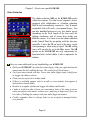
Turning the Camera on
The main On/Off switch is located on the top right side of
the camera when holding it in shooting position. You can
try to sweet talk to it or stroke its top gently, but I doubt it
will turn your camera on! It’s better just to turn the switch
to the ON position.
☻ Don’t be too concerned if you forget to turn the camera off. It will turn itself off after 1 minute (default setting)
or the shut-off time you program in the Set-up menu. It can
be set between1 and 30 minutes. However, it will not turn
off automatically in Live View, Slide show playback or
when the camera is connected to a computer via a USB cable.
Focusing
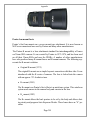
You can focus manually or let the camera focus automatically. The focus mode lever is used to set the focus mode. The choices are
AF-S (Autofocus single), AF-C (Autofocus continuous), and MF (Manual Focus). If the installed
lens is a manual focus lens, the setting is naturally
MF. If the lens installed is an Autofocus lens, you
can set the AF to single or continuous. In AF-S,
while pressing the shutter release halfway, focus
on your subject. Once in focus, it is locked in that
position as long as you keep the shutter release pressed halfway. In AF-C, while
pressing the shutter release halfway, focus on your subject. As the subject moves,
the focus changes accordingly. With the K-50/K-500, the Auto-Focus can be programmed to have Focus-priority or Release priority. In Focus priority, the shutter
cannot be released until the subject is in focus. In Release priority, the shutter can be
released even if the subject in not in focus.
☻ Focus priority is great if you are following a moving subject. Release priority is
more practical when focusing on a stationary subject with all kind of movements
around the subject.
Page 62