1
3 Description
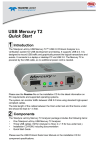
The front panel has the following indicators and connectors:
Power LED (green if on)
Status LED (blue if system successfully initializes)
(red while booting. If red for more than a minute, hardware failure)
(green while initializing)
Analyzer Port A (downstream) Connects to Device Under Test.
Analyzer Port B (upstream)
Connects to Host Under Test.
Analyzer LEDs
Rec - Recording (red if recording enabled)
Trig - Trigger
(green if triggering)
2.0 - USB 2.0
(yellow for Low and Full Speed)
(green for Hi Speed)
3.0 - USB 3.0
(green if link is up; flashes green while data transfers;
yellow if polling)
The rear panel has the following indicators and connectors:
USB
Type B connector for connection to host machine
Sync/Data:
Micro DB-25 (25-pin) external interface connector
(cable sold separately)
Power Connector:
12V, 3A DC
Power Switch (0/1)
Warning:
Do not open the enclosure. No operator serviceable parts
are inside. Refer servicing to Teledyne LeCroy customer
care.
4 Installing the Software
Note: You must install the software before connecting the Analyzer to the host
machine for the first time.
1. Insert the Installation CD into the CD drive on the host machine.
2. Select Install Software from the Installation CD and follow the on-screen
installation instructions to install the application on the host machine’s hard
disk.