1
13-16
MC9000-G with Windows® Mobile 2003 Software for Pocket PCs PRG
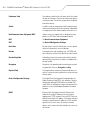
Cable Adapter Module
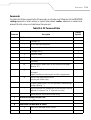
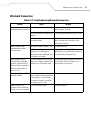
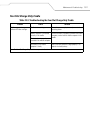
Table 13-7. Troubleshooting The Cable Adapter Module
Symptom
Possible Cause
Action
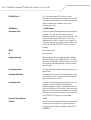
Mobile computer
Mobile computer was removed
Ensure CAM is receiving power. Ensure mobile computer
battery is not charging. from CAM or CAM was unplugged is attached correctly. Confirm main battery is charging
from AC power too soon.
under Start - Settings - System - Power. If a mobile
computer battery is fully depleted, it can take up to four
hours to fully recharge a battery (if the mobile computer is
off and longer if the mobile computer is operating).
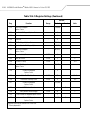
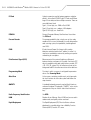
During data
communications, no
data was transmitted,
or transmitted data was
incomplete.
Battery is faulty.
Verify that other batteries charge properly. If so, replace
the faulty battery.
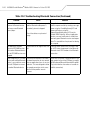
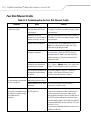
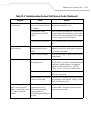
The mobile computer is not fully
attached to the CAM.
Detach and re-attach the CAM to the mobile computer,
ensuring it is firmly connected.
Mobile computer detached from
CAM during communications.
Re-attach mobile computer to CAM and retransmit.
Incorrect cable configuration.
See the System Administrator.
Communications software is not
installed or configured properly.
Perform setup as described in Chapter 4, Communications.
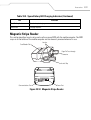
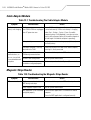
Magnetic Stripe Reader
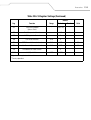
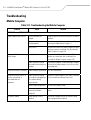
Table 13-8. Troubleshooting the Magnetic Stripe Reader
Symptom
MSR cannot read card.
Possible Cause
Action
Mobile computer detached from
MSR during card swipe.
Re-attach mobile computer to MSR and reswipe the card.
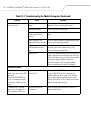
Faulty magnetic stripe on card.
See the System Administrator.
MSR application is not installed or Ensure the MSR application is installed on the mobile
configured properly.
computer.
Ensure the MSR application is configured correctly.