1
Basic Operation
SWITCHING POWER ON AND OFF
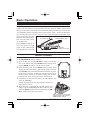
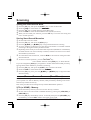
c Be sure the battery pack is installed.
d Connect the antenna to the top panel ANTENNA jack.
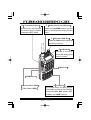
e Switch on the transceiver by rotating the VOL control
clockwise out of the click-stop (a momentary beep will
sound).
ADJUSTING THE VOLUME LEVEL
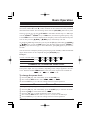
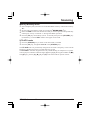
Rotate the VOL control (immediately to the right of the Antenna) to set the desired audio
level. Clockwise rotation increases the volume level.
SQUELCH SETUP
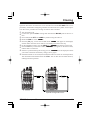
Set the SQL control fully counterclockwise, rotate the VOL
control out of the click-stop and adjust for a comfortable
volume on the noise or received signal. The BUSY/TX
indicator LED should glow green. If a signal is present,
rotate the DIAL selector on the top panel to a channel where
only noise is heard.
Adjust the SQL control just to the point where the noise is
silenced and the LED is extinguished. If the SQL control is set further clockwise, sensitivity to weak signals will be reduced. Now, whenever a signal reaches the receiver that is
strong enough to open the squelch, the indicator will glow green.
TRANSMITTING
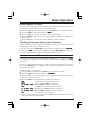
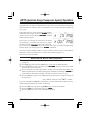
When you wish to transmit, wait until the channel is clear (BUSY/TX lamp off), and
squeeze the PTT switch. During transmission the BUSY/TX indicator glows red, and
relative transmitter power output is indicated graphically along the bottom of the display.
Release the PTT switch to receive.
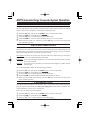
If using a “B” version (in Europe), press the
T-CALL switch (just below the PTT switch)
to transmit a 1750 Hz tone to access repeaters that require it.
6
TX
RX
T-CALL
FT-250R OPERATING MANUAL