1
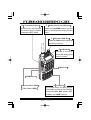
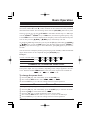
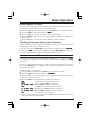
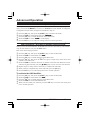
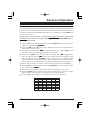
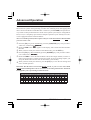
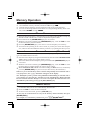
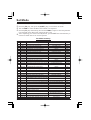
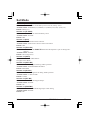
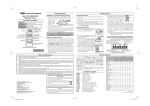
KEY OVERVIEW
Press Key
Frequency entry digit “1.”
Press [F/L] + Key
Activates the CTCSS or DCS Operation.
Frequency entry digit “2.”
Frequency entry digit “7.”
Selects the CTCSS tone or DCS code
number.
Selects the desired transmit power output level.
Selects the direction of the uplink frequency shift during repeater operation.
Selects the CTCSS/DCS Bell ringer repetitions.
Toggles the display indication between
“frequency” and the channel’s “Alpha/
Numeric Tag”.
Activates the ARTS feature.
Frequency entry digit “8.”
Activates the Smart Search feature.
Frequency entry digit “9.”
Selects the DTMF Mode.
Frequency entry digit “0.”
Engages the Set (Menu) Mode.
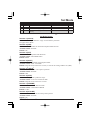
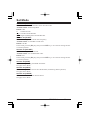
Sets the frequency control to the
Memory Recall mode.
Activates the “Memory “Tune” mode
while in the Memory Recall mode.
Sets frequency control to the VFO mode.
Toggles the VFO between “VFO A” and
“VFO B” while in the VFO mode.
Increasser the VFO frequency by one
step or moves the memory channel to the
next-highest channel.
Decreases the VFO frequency by one
step or moves the memory channel to the
next-lowest channel.
Reverses the transmit and receive frequencies while working through a repeater.
Activates the “Alternate” key function.
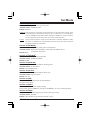
Selects the Memory Scan “Skip” channel-selection mode.
Frequency entry digit “3.”
Frequency entry digit “4.”
Frequency entry digit “5.”
Frequency entry digit “6.”
Activates the Priority (Dual Watch) function.
Tunes the VFO frequency upward in 1
MHz steps.
Tunes the VFO frequency downward in
1 MHz steps.
Switches to the “Home” (favorite frequency) Channel.
Disables the “Alternate” key function.
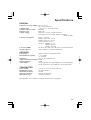
Press & Hold Key
Activates the Key Lockout feature.