1
S1000
Quick Start Guide to Navigation
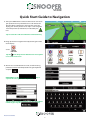
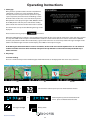
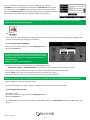
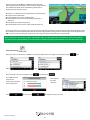
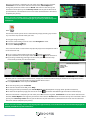
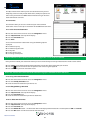
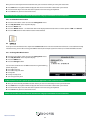
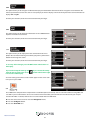
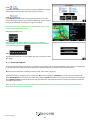
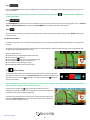
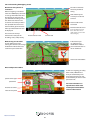
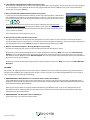
1. Take your S1000 outside so that the GPS receiver can locate
your position. This may take between 15 - 50 minutes the
first time. When satellite lock is achieved, the screen will
display your current position on its map in a ‘3D’ navigation
view. Your position (and direction) is indicated by the
icon.
Tip: To reduce the ‘cold start’ GPS time remain stationary
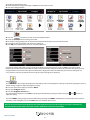
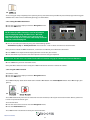
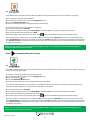
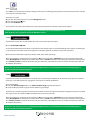
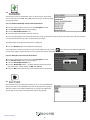
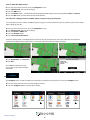
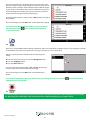
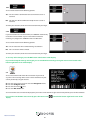
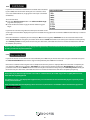
2. Bring up the main navigation menu by touching the centre
of the display.
Select
Tip: The
icon always means that there are more options
to see on the next screen
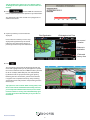
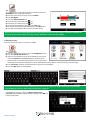
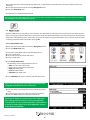
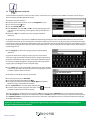
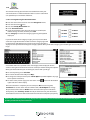
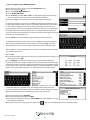
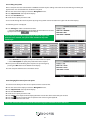
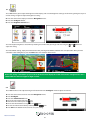
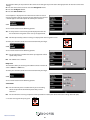
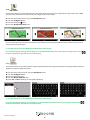
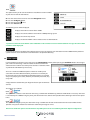
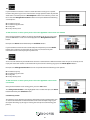
3. You will see a standard browser screen, used for entering
postcodes. Enter the full UK postcode using the keyboard
and press
IMPORTANT: Use the
separate the two segments of the postcode.
key to
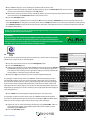
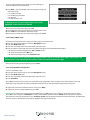
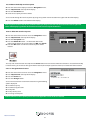
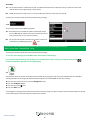
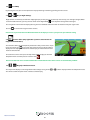
Tip: For a more accurate navigation, you can enter a House
number by pressing the
key.
Return to contents
7