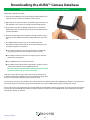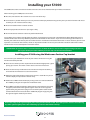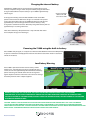
1
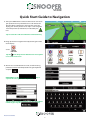
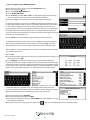
Tip: The default route options are set to Quickest Route.
To change the route options refer to section 6 in this user
manual.
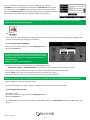
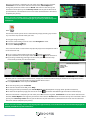
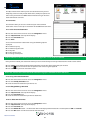
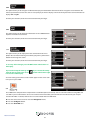
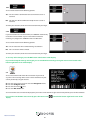
and the S1000 will calculate the
4. Press
fastest route from your current position to your destination.
This should only take a few seconds and a progress bar is
shown on the screen.
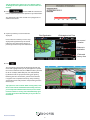
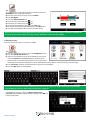
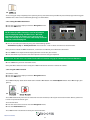
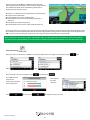
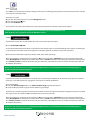
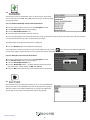
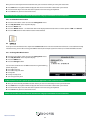
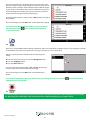
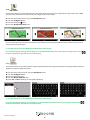
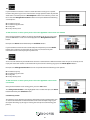
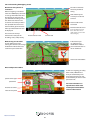
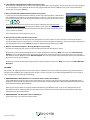
5. A journey summary screen will then be
displayed
Final Destination
Please note: The summary screen is only
displayed for approximately 10 seconds
before the unit automatically begins to
provide you with turn-by-turn instructions.
Estimated arrival Time
Your current
location
Distance to
destination
Estimated
journey time
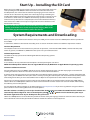
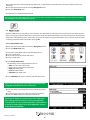
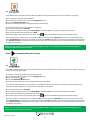
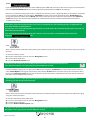
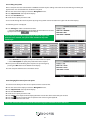
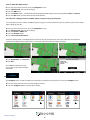
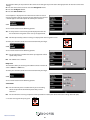
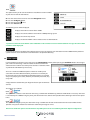
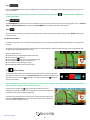
6. Press
The navigation view will now be displayed, but with the
route now highlighted for you. As you approach a specific
turn in the calculated route, the S1000 will advise you what
to do. For example, “After 200 yards, turn left”, followed
by “Now turn left”. As you proceed along your journey,
following the voice instructions, you will notice that the
navigation view is updated constantly, always showing
approaching roads and junctions and presenting the best
route to you.
Tip: If you miss a turn or drive down a wrong road, a new
fastest route will be calculated automatically, based on
your new position and direction of travel, a tone will be
heard to confirm re-routing. The S1000 will always give
you clear instructions that will take you to your chosen
destination.
Return to contents
8