1
More than
10 0 million
users
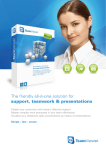
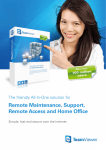
The friendly All-In-One solution for
accessing PCs using the Internet
Remote
Support
Delight your customers with
instant, effective support.
Simple – fast – secure.
Remote Access /
Remote Office
Access all your computers
and servers remotely 24/7.
Meetings /
Presentations
Master complex work
processes effortlessly with
your team.
TeamViewer – the perfect solution
for simple desktop sharing
With TeamViewer, you can establish a connection to
any computer via the Internet and control it remotely or
simply present your own desktop – all without worrying
about firewalls, IP addresses or NAT.
The All-In-One solution for any application
See for yourself why
100 million users
worldwide rely on
TeamViewer
and its flexibility.
Spontaneous support
Remote maintenance of
unattendedco mputers
(servers)
While most competitors offer different packages for spontaneous support,
remote maintenance, presentation, online training, team collaboration and
VPN (and also charge for them), TeamViewer combines all of these modules
in a single, extremely affordable application.
Smooth operation – even behind firewalls
The biggest problems in using remote maintenance software are generally
caused by firewalls, disabled ports and NAT routers for local IP addresses.
When you use TeamViewer, these problems no longer exist: TeamViewer finds
your partner even through firewalls.
Onlinepres entations
e.g. in sales
Highest security standards
Online training
TeamViewer is a very secure solution for remote maintenance. Your connections utilize completely secured data channels featuring 1024-bit RSA key
exchange and 256-bit AES session encoding.
Teamwork
Home office
File transfer
via Internet
VPN
Much more than competitively priced
TeamViewer's pricing is unbeatable. It is sold as an inclusive standalone package. There are no monthly or hidden costs, such as service contracts.
Simple to install and use
Neither an installation nor administrator rights are required by the customer;
your customer merely runs a small program and you are ready to go.
2
TeamViewer – Spontaneous Support
You simply want to provide support? We show you how.
What you have to do
1
Download TeamViewer to your computer.
The full version is required to be able to
control remote computers. You install it by
following the instructions of the installation
routine and subsequently starting
TeamViewer.
What your partner has to do
2
3
Ask your partner at the remote computer to download
TeamViewer QuickSupport and to start it:
http://www.teamviewer.com/download/TeamViewerQS.exe
TeamViewer QuickSupport does not have to be installed and
can be executed even without Windows administrator rights.
Establishing a connection
Ask your partner for the TeamViewer ID (see image on right). Enter it
in the "ID" field. Click on "Connect to partner" and enter the partner's
password in the next dialog to establish the connection.
Control the remote computer as if you were sitting directly
in front of it. This includes the dialogs from the user
accounts control of Windows 7®, Vista and Server 2008.
Spontaneously change the direction at any time if you
want to present your local PC to your customers.
Conveniently transfer files from or to the remote computer.
Use TeamViewer Manager as the basis for billing your
services. The time and duration of all connections are
automatically logged.
Show your corporate design! Offer your own TeamViewer
module on your website – together with your company
logo.
You spend a lot of time on the road? Use TeamViewer
Portable or the web-based version of TeamViewer to help
your customers!
3
Server Administration and Remote Office
Access your computers at any time!
Want to access remote computers 24 hours a day? For example, to administer
servers or to remotely work on one of your own computers? TeamViewer is
perfectly suited for this type of application.
Save 100 % with every additional host!
Customary in the market: If you
install hosts on remote computers that you
want to reach on a permanent basis, additional costs are generally incurred.
4
TeamViewer: If you licensed TeamViewer, you can install any number of hosts and
connect with them – without additional
costs!
Windows system service: Install TeamViewer as a Windows® system service and access remote computers directly
after starting Windows and before the Windows login.
Online status: Manage computers in the TeamViewer
partner list so that you can see at any time which ones of your
computers are online.
Remote reboot: Restart computers remotely – even in safe
mode.
Black screen: Deactivate the monitor display and control on
the remote computer during your TeamViewer session, e.g.
when using remote office.
MSI packet: Operating a larger network? Then you can
distribute TeamViewer Host in your domains using our MSI
packet.
Windows® authentication: Use Windows logins as an
alternative to log into the remote computer.
Presentation, M eeting, Training
Visualize your ideas!
Advise your customers over the phone? Want to conduct meetings or training sessions online to save travel
expenses? Want to discuss your latest ideas on the go
with a colleague?
Video: Simplify the communication in
Voice over IP: Use Voice over IP to
meetings and create a relationship with
customers via the video function.
communicate with one another.
Application selection: Select the apConference call: Want to present
your ideas and call several participants
at different locations at the same
time? TeamViewer offers an easy and
inexpensive solution.
plication you want to demonstrate to your
presentation participants. This reduces
your message to the essential information
and no confidential information (e.g. your
e-mail software) is being transmitted.
Partner list: In the TeamViewer partner
QuickConnect: Quickly start a Team-
list, you can always see which one of your
partners is accessible at any given time –
one click with the mouse and you are
connected. Extensive Instant Messaging
on a business level rounds off the team
package.
Viewer connection directly from within
the software with which you are currently
working to present its image.
5
Trust TeamViewer –
for maximum security
Particularly when used over the Internet, you should
place great importance on your data not falling into the
wrong hands. At TeamViewer, the security and protection of your data is of the utmost importance.
International top companies
trust our solution. See for
yourself…
Secure!
TeamViewer offers you the best possible quality – namely online banking quality. RSA
Public/Private Key Exchange and AES-256 Session Encoding ensure that absolutely no
one can view your session data. With every start of TeamViewer, a new dynamic session
password is being generated which prevents any permanent access for the application
Spontaneous Support.
Certified!
The Federal Association of IT Experts and Consultants (BISG, registered society) awarded
TeamViewer the maximum point score. Besides that, all TeamViewer downloads are signed
with Code Signing by VeriSign. This guarantees that they are genuine and protects against
virus infections, for example.
Qualitäts-Siegel
Bundesverband der
IT-Sachverständigen
und Gutachter e.V.
Fantastic speed coupled with absolute availability!
In many cases, the intelligent connection implements direct and fast point-to-point connections. Just compare!
Worldwide distributed routing servers in combination with intelligent routing via local
servers make TeamViewer very fast in international use.
Our redundant high-availability network with 24/7 monitoring ensures very high reliability.
6
Excellence for your business
at absolutely fair prices
TeamViewer is unbeatably inexpensive. All prices are
single procurement costs; no further costs arise whatsoever. You can support as many computers as you like
with just one license, and if you don’t like TeamViewer,
you have a full 7-day money-back guarantee!
Lifetime license
one-time payment without recurring fees
Business
Premium
Corporate
Lifetime license
Lifetime license
Lifetime license
See www.teamviewer.com for the current pricing.
All-In-One: Support, teamwork, presentations, training sessions and sales combined in one
solution
Remote maintenance of unattended PCs / servers without additional host license costs (incl.
the ability of remote reboot and reconnect)
Trouble-free use behind firewalls and routers
File transfer, chat and real VPN channel
VoIP (audio) and video
For Windows, Mac OS X, Linux and iPhone / iPad, incl. cross-platform connections
Installation on server operating systems
Customer module does not require installation and can be customized with your logo and
individual welcoming note free of charge.
Number of supporter workstations on which the software can be installed (the number of
customers is unlimited)
Number of workplaces from which sessions can be executed simultaneously (channels)
Maximum number of participants in a session
1 Installation
(expandable)
unlimited
unlimited
1
1
3 Channels
(expandable)
1:3
1 : 10
1 : 15
High performance due to multi-channel routing
Includes TeamViewer Manager
Includes TeamViewer Web Connector
Includes TeamViewer Portable
Includes TeamViewer MSI packet
Priority support (12 months)
7
TeamViewer overview
Scope of performance
Just compare and see for yourself TeamViewer’s range of functions and performance. We have summarized all of the facts for you clearly on the following pages. We look forward to your call at any time if you should still have any
questions abou t TeamViewer!
FUNCTIONS
• All-in-one solution for every case
• Remote maintenance, presentations, access
to remote servers: hence use of the same
software for support, sales and training
purposes.
• For Windows, Mac OS X, Linux and iPhone
/ iPad, incl. cross-platform connections
• Includes genuine VPN channel (Virtual
Private Network) in addition to pure desktop sharing
• Operates without configuration, even
through firewalls and proxy servers
• Support of UAC (Windows Vista /
Windows 7)
• Multi-monitor support – transmit or
display the monitor of your choice
• Installation as Windows system service
possible at no extra cost so that 24/7 access
to target computer is possible (example:
remote server maintenance)
• Direct LAN connection via TCP/IP possible;
software is also suitable for use in LAN
without an Internet connection
• Recording of remote maintenance sessions
as video for verification purposes
• Whiteboard for spontaneous drawings during presentations, including several shapes,
pens, markers and speech balloons, and the
option to save screenshots
• Import and export of settings for simple
distribution
• Configurable invitation mail with which
you can invite your connection partner
8
• Black screen function: turn the monitor
screen of the remote computer black during the session, e.g. when you don’t want
anybody to inadvertently watch when you
access your office PC
• Comprehensive file manager for transferring files to and from remote computers;
including resume function following an
interruption of the connection
• Change of direction – simply reverse the
viewing direction during the ongoing session
• Restart of the remote computer and subsequent restoration of the connection – even
in safe mode
• Integrated update function allows remote
update of releases on remote systems and
servers
• Communicate with your partner directly
via VoIP (Voice over IP) – without any additional costs
• The video function allows a direct webcam
transmission
• Integrated conference call solution if no
headset is available
• Chat function as an alternative communication option with connection partners
• Display system information of the remote
computer
MODULES
• Customer module can be executed without
installation
• Free scaling of the remote maintenance
window
• Customer module can be executed without
administrator rights
• Restriction of the screen transmission to
single applications
• Visual design of customer module possible – Simply create a customer module
that matches your corporate design
• A local monitor displays what your partners
can actually see during presentations
• Simple management of your connection
partners via partner list and simple 1-click
connection
• The online connections of the partner list
shows which partners/servers are currently
online and accessible
• Instant Messaging functionality in the partner list, including group chat and offline
messages
• Viewing presentations / training sessions
in the browser without installing software
(pure HTML and Flash) – with several
participants
• Web Connector – Do you need to be able
to carry out critical tasks in an emergency
when you are on the road (e.g., on a holiday
from the hotel or an Internet café)? Simply
control remote computers via the web
browser without an installation (pure
HTML and Flash)
• Portable version – Take your personal
configured TeamViewer with you and start
it, e.g., directly from your USB stick
• Permanent access to unattended computers/servers with TeamViewer Host
• TeamViewer Manager – the database application offers extensive options for partner
management and session logging, e.g., for
your billing
SECURITY
COSTS / LICENSING MODEL
• Dynamic session password enables secure
single access
• MSI packet – as administrator, you configure TeamViewer centrally and conveniently
roll out the software on the network
• Security as in online banking (SSL):
RSA Public/Private Key Exchange and
AES-256-bit Session Encoding
• Spontaneous support, remote server
maintenance, product presentation and
teamwork combined in one product
• Security-conscious company, certified to the
DIN EN ISO 9001 QM standard
USABILITY
• Direct start without configuration
• Automatic proxy configuration
• Very compact application (customer
module approximately 2 MB) makes it also
suitable for ISDN and modem
• You establish the connection to the customer; in the event of a temporary network
failure (e.g. DSL disconnection), you do not
need to call your customer again
• Permanent unambiguous Partner IDs
instead of Session IDs (because telephone
numbers also don’t change at each call…)
• Optional QuickConnect button in all
windows to release them for spontaneous
presentations and teamwork
• Uncluttered GUI, simple and fast operation
• Self-explanatory screen thanks to direct
help texts
• Quality seal of the Bundesverband der
IT-Sachverständigen und Gutachter e.V.
(Federal Association of IT Experts and
Consultants, registered society) (maximum
points)
• Unambiguous identification of the software
by means of code signing with Code Signing by VeriSign
• TeamViewer has been released for use in
online banking based on the security-based
inspection by Fiducia IT AG
AVAILABILITY
• Redundant high-availability network
• In the case of several million installations,
even problems that occur only in rare cases
stand out immediately
SECURITY OF INVESTMENT
PERFORMANCE
• Security fund guarantees service for at least
10 years from the date of purchase
• Intelligent connection establishment implements point-to-point connections in many
cases directly and very quickly
• Supplier is certified to the DIN EN ISO 9001
quality management standard
• Worldwide distributed routing servers
make TeamViewer very fast in international
use
• Test version directly available on the website. No registration and no call necessary!
• Adjustable depth of color with intelligent
automatic mode
• With one license (Corporate) your employees can work simultaneously from 3 different computers (the license can be expanded
at random)
• With one license you can support as many
servers (computers with a permanent connection) as you like; the hosts do not incur
any costs
• A single payment – no running costs
• Fair update prices for major release
changes with no obligation to upgrade to
the new version
• No hidden costs
• Payment by credit card, PayPal or on
account; in all cases the license code is
delivered directly by e-mail.
FRIENDLINESS
• Top references speak in our favor
• Intelligent routing via the nearest server
• With one license (Premium/Corporate) you
can install the software on as many "support computers" as you like and then work
alternatively from different computers
• 24/7 monitoring of all critical components
• User manual and online help
• Multilingual installation package: the software is available in 19 different languages
• You can support as many partners as you
like with one license
• 7-day full money-back guarantee
• We take a "keep it simple" approach in
respect to both the software and the licensing model
• Fair pricing model including money-back
guarantee
• Free version for private users - use the
software free of charge for private purposes
at home
• No aggressive sales
• No obligation to register or call – test the
free software
• International use possible thanks to wide
range of languages supported
• Much more than competitively priced
9
USA / Canada
+1 800 951 4573
UK
+44 (0) 2080 997 265
Germany
Tel +49 (0) 7161 6069 250
Fax +49 (0) 7161 6069 279
Spain
+34 931 842 346
France
+33 (0)9 75 18 01 38
Italy
+39 02 89 03 86 48
E-mail
[email protected]
team will be
Our qualified
er all your
happy to answ
out licensing
questions ab
issues.
and technical
Call us!
Our software thrives on the
feedback from our users
Personal contact is very, very
important to us. That’s why
we don’t have a call center –
your call will be answered
directly by our friendly, competent team.
Experience TeamViewer live
It only takes 2 minutes
The fastest way to experience TeamViewer in action:
call us and we will establish a connection to you
immediately – in 2 minutes you will know what
TeamViewer can do for you!
Demo Hotline +1 800 951 4573
TeamViewer GmbH
Kuhnbergstr. 16
73037 Göppingen
Germany
Tel +49 (0) 7161 6069 250
Fax +49 (0) 7161 6069 279
10
Or order TeamViewer from our website on account with
full 7-day money-back guarantee
www.teamviewer.com