1
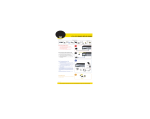
control unit operation
7
2
3
4
5
6
1
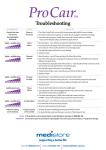
Five different alarm signals are identified by five
different Pressure Setting illumination sequences:
V is u al alarm
A u d i b le A larm
F A U LT
Power or
Fuse issue
Initial
failure
Pressure
too low
1 Power button
Press and hold for two (2) or more seconds to turn
on or off. Always turn off before unplugging unit
2 Mute
Alarm will continue to sound until fault is corrected.
Refer to trouble shooting guide to diagnose fault
3 Comfort controls
Increase or decrease based on patient weight.
Refer to comfort guide for correct settings
4 Mode selections
Press to switch between static or alternating mode.
Automatically returns to alternating after 20
minutes on static setting
5 Max inflate
Press for auto-set-up / rapid inflate to maximum
pressure
6 Lockout
Press and hold for five (5) seconds until beep is
heard to lock or unlock
7 Alarm indicator
Red light flashes and alarm sounds, to alert when
control unit or mattress fails.
Pressure
too high
Power
failure
Alternation mode
failure
Refer to Trouble Shooting Guide or User Manual for
further information on addressing faults
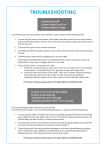
Transport Function
Press Mode button (4) to select static mode. Wait at
least 5 minutes for system to reach maximum
pressure. When fully inflated, turn off Control Unit (1);
switch off mains supply and unplug cord.
Remove the CPR handle from the Control Unit
and quickly seal using the attached handle cap.
Make sure all four connectors are fitted firmly.
The length of time air is retained depends on
weight / height of the individual patient.
T h e r ap e u ti c d e v i c e s h o u l d o n ly b e u s e d i n ac co r da n c e w it h m a n u fac t u r e r s i n st r u c tio n s & u n d e r t h e co n s e n t, s u p e r v isio n & m a n ag e m e n t
of a s u ita b ly q ua l ifi e d h e a lt h p r of e ssio n a l .
freecall 1300 882 194
freefax 1300 882 197
www.medistore.com.au
May15
less pressure, more support