1
Table of Contents
Table of Contents
sections
1
2
3
4
5
6
7
8
9
10
1 Introduction���������������������������������������������������������������������������������������� 1
Advantages of a Wireless Network
1
Placement of your N Wireless Router
2
8 Recommended Web Browser Settings���������������������������������������� 73
2 Product Overview ���������������������������������������������������������������������������� 5
Product Features
5
10 Information�������������������������������������������������������������������������������������� 87
3 Knowing your Router ������������������������������������������������������������������������ 7
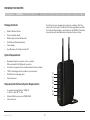
Package Contents
7
System Requirements
7
Setup Assistant Software System Requirements
7
4 Connecting and Configuring your Router ���������������������������������� 11
5 Alternate Setup Method������������������������������������������������������������������ 25
6 Using the Web-Based Advanced User Interface������������������������ 36
Changing LAN Settings
36
Viewing the DHCP Client List Page
38
Configuring the Wireless Network Settings
39
Setting WPA/WPA2-Personal (PSK)
45
Setting WEP Encryption 46
Using the Access Point Mode 47
Setting MAC Address Control 48
Configuring the Firewall 49
Using Dynamic DNS
53
Utilities
54
Restarting the Router
55
Updating the Firmware
61
7 Manually Configuring Network Settings�������������������������������������� 68
N Wireless Router
9 Troubleshooting ������������������������������������������������������������������������������ 75