1
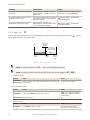
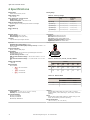
Q3X Laser Contrast Sensor
ON
Output
OFF
D
OFF Delay
D
ON Delay
D
D
1-Shot
D
D
Time
(D = 1ms - 90.0s)
Figure 6. Output Timing Delays
When either
set the timer(s):
•
•
•
or
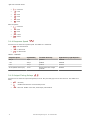
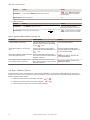
is chosen, the sensor returns to the Setup menu and additional options become available to
—On delay
—Off delay
—Delay timer
NOTE: For the one-shot timer:
• LO = On pulse when a target is detected in the light state
• DO = On pulse when a target is detected in the dark state
Delay Timer
,
,
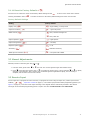
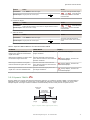
Use these menus to set the delay timers. These menus are only available if an output timing delay is selected.
• 1 to 9 ms in 1 ms increments
• 10 to 90 ms in 10 ms increments
• 100 to 900 ms in 100 ms increments
• 1.0 to 90.0 s in 1.0 s increments
For
and
For
•
•
, the default is 0.
, the default is:
1 ms when the response speed is either 250 µs or 1 ms
10 ms when the response speed is 5 ms
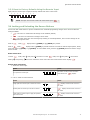
Use
or
to scroll through the values. Millisecond values do not include the decimal point; seconds values include the
decimal point.
3.1.6 Input Wire Function
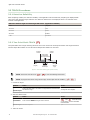
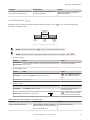
Use this menu to select the input wire function. The default is off.
•
•
•
•
—Ignore all pulses
—Laser off when pulled low
—Remote TEACH input
—Master sync line output for two-sensor cross-talk avoidance
www.bannerengineering.com - Tel: 763.544.3164
11













![iVu Plus BCR Gen2 Instruction Manual (Online Only) [ 179047 ]](http://vs1.manualzilla.com/store/data/005859145_1-6c6bbc2cdc90a8f85e92b64ee4999fc2-150x150.png)