1
Q3X Laser Contrast Sensor
Contents
1 Product Description
........................................................................................................ 3
1.1 Models
....................................................................................................................................3
1.2 Overview
................................................................................................................................ 3
1.3 Features
................................................................................................................................. 4
1.3.1 Display and Indicators
......................................................................................................4
1.3.2 Buttons
......................................................................................................................... 5
1.4 Laser Description and Safety Information
.................................................................................... 5
2 Installation
2.1
2.2
2.3
2.4
2.5
2.6
..................................................................................................................... 7
Install the Safety Label
............................................................................................................. 7
Sensor Orientation
................................................................................................................... 7
Sensor-to-Background Position
.................................................................................................. 7
Sensor Mounting
...................................................................................................................... 7
Wiring Diagram
........................................................................................................................8
Cleaning and Maintenance
.........................................................................................................8
3 Sensor Programming
..................................................................................................... 9
3.1 Setup Mode
.............................................................................................................................9
3.1.1 Output Operation
........................................................................................................... 9
3.1.2 TEACH Menu
..................................................................................................................9
3.1.3 Offset Percentage
........................................................................................................... 9
3.1.4 Response Speed
........................................................................................................... 10
3.1.5 Output Timing Delays
....................................................................................................10
3.1.6 Input Wire Function
...................................................................................................... 11
3.1.7 Sensitivity
................................................................................................................... 12
3.1.8 Cut-Off Operation
......................................................................................................... 12
3.1.9 Display View
................................................................................................................ 12
3.1.10 Exit the Top Menu
....................................................................................................... 12
3.1.11 Reset to Factory Defaults
............................................................................................. 13
3.2 Manual Adjustments
............................................................................................................... 13
3.3 Remote Input
........................................................................................................................ 13
3.3.1 Select the TEACH mode using the Remote Input
............................................................... 14
3.3.2 Reset to Factory Defaults Using the Remote Input
.............................................................15
3.4 Locking and Unlocking the Sensor Buttons
.................................................................................. 15
3.5 TEACH Procedures
.................................................................................................................. 16
3.5.1 Detection Reliability
...................................................................................................... 16
3.5.2 Two-Point Static TEACH
................................................................................................. 16
3.5.3 Dynamic TEACH
............................................................................................................17
3.5.4 Window Set
................................................................................................................. 19
3.5.5 Light Set
..................................................................................................................... 20
3.5.6 Dark Set
......................................................................................................................21
3.6 Sync Master/Slave
..................................................................................................................22
3.7 Sensor Menu Map
....................................................................................................................23
4 Specifications
.............................................................................................................. 24
4.1 Performance Curves
............................................................................................................... 25
4.2 Dimensions
........................................................................................................................... 26
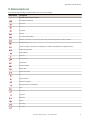
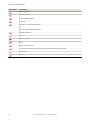
5 Abbreviations
.............................................................................................................. 27
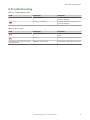
6 Troubleshooting
...........................................................................................................29
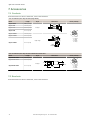
7 Accessories
...................................................................................................................30
7.1 Cordsets
7.2 Brackets
............................................................................................................................... 30
............................................................................................................................... 30
8 Contact Us
................................................................................................................... 32
9 Banner Engineering Corp Limited Warranty
................................................................. 33















![iVu Plus BCR Gen2 Instruction Manual (Online Only) [ 179047 ]](http://vs1.manualzilla.com/store/data/005859145_1-6c6bbc2cdc90a8f85e92b64ee4999fc2-150x150.png)