1
SOAF PC Manual.qxd
4/15/02
6:38 PM
Page 8
Minimum Specifications
Training Menu
During installation, THE SUM OF ALL FEARS will automatically scan your system for any
available sound and 3-D graphic accelerator cards.
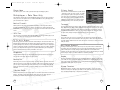
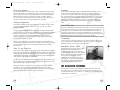
The Training Menu provides you with a list of missions where you can hone your
skills before starting a campaign. At the left of the screen is a list of training missions,
numbered 1 through 7. Each also indicates which particular skill set it tests. The
individual missions in the list can be selected by clicking on them with the mouse.
In order to play THE SUM OF ALL FEARS on your computer, your system must meet the
following criteria:
Computer:
Pentium® II with 450 MHz processor, AMD K6 III 500, or
the equivalent
Memory:
128 MB of RAM
Operating System:
Windows® 98/ME/2000/XP
DirectX:
DirectX 8.0 or higher (included on CD)
Video Card:
16 MB DirectX 8 compatible 3D card (Voodoo cards are not
supported)
Drive Space:
1 GB minimum hard drive space
CD-ROM:
4X or better
Sound Card:
DirectX 8.0 compatible sound card
Internet/Network Play: 56K modem for TCP/IP Internet or IP connection
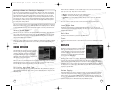
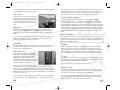
Main Menu
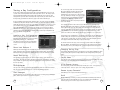
When you first start THE SUM OF ALL FEARS, you are
presented with the Main Menu, which gives you
the following 8 options:
• Training – This button takes you to the
Training Menu, which allows you to
practice the skills you’ll need to play the
game.
• Campaign – This button takes you to the
single-player game and allows you to start, resume or delete a campaign.
• Quick Mission – This button takes you to the Quick Mission Menu, which allows
you to play a single mission on any difficulty level without starting a new
campaign. You must unlock some of these missions in a campaign first, but once
unlocked they are available thereafter. Others are available from the time you first
start to play.
• Multiplayer – This button takes you to the Multiplayer Menu, which lets you set up
or join multiplayer games.
• Replays – This button takes you to the Replays Menu, which allows you to view
saved video replays of games. This is greyed out when you first start the game.
• Options – This button takes you to the Options Menu, where you can set
gameplay, input, multiplayer, graphics, mods, and sound options.
• Credits – This button shows you the credits of everyone who worked on the game.
• Quit – This button allows you to quit the game.
8
To the right is a window showing the selected mission. You can switch missions as
much as you like while you are in the Training Menu.
At the bottom of the screen are two buttons: Start and Main Menu. Selecting Main
Menu takes you back to the Main Menu without starting a training mission. Selecting
Start begins the currently selected training mission and sends you to the action
screen for the actual training.
Playing the Training Missions
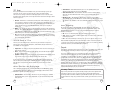
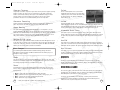
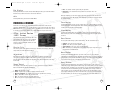
When you enter a training mission, you will see
red lines on the ground of the training area.
These are your paths, laying out what you’re
supposed to do and where you’re supposed to go
during each mission. In addition, you’ll hear voice
cues as you move through training. These will tell
you what you’re supposed to be learning at each
site, and how you’re supposed to perform
important tasks in the game.
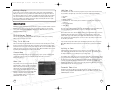
At certain points in the training missions, you’ll see squares outlined in red on the
ground. In other spots, you’ll see yellow-and-black hazard markings. These are
places where you’re supposed to stop and partake in particular training exercises.
During training, you will have unlimited ammunition. Individual magazines will run out,
and individual weapons will need to be reloaded, but you have an infinite number of
magazines with which to practice.
Do-Over
If you decide you’d like to repeat a training session, just step back out of the training
area and then re-enter it. This will reload your ammunition, restock your kit, and reset
all of the targets.
The entire set of training courses takes place in a single mission space. When you
finish one training mission, you can go forward to the next one without exiting the
Action Screen. You can also follow the red line back to a previous training station and
repeat that one as well. And as you have infinite ammunition in the training mission,
you can repeat the scenarios as often as you’d like for as long as you’d like.
9