1
User Manual
ELVA-1
www.elva-1.com, E-mail: [email protected]
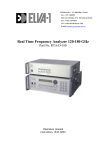
SGMW-xxx Millimetre Wave Oscillator
(With external BWO Modules)
Operation manual
(3rd edition, 09.2012)
SGMW-xxx Millimetre Wave Oscillator
1
User Manual
ELVA-1
SGMW-xxx Millimeter Wave Generator.
(With external BWO Modules)
User Manual.
Contains.
1. GENERAL REMARKS .............................................................................................. 3
2. EXPLOITATION ........................................................................................................ 3
3. PARAMETERS............................................................................................................ 3
4. RELIABILITY ............................................................................................................. 4
5. CONSTRUCTIVE PARAMETERS .......................................................................... 4
6. PRINCIPLE OF OPERATION .................................................................................. 5
7. OPERATION MANUAL ............................................................................................ 8
8. HOW TO TURN ON THE GENERATOR ............................................................... 8
9. PURSUANCE OF MEASUREMENTS ..................................................................... 9
10. GPIB INTERFACE ................................................................................................. 13
Supplements ..................................................................................................................... 15
1. Front panel of the Generator ........................................................................................ 15
2. Rear panel of the Generator ......................................................................................... 16
3. Disposition of controls of BWO module ..................................................................... 17
4. The diagram of the Control Voltage and strobes. ........................................................ 18
5. Output power versus frequency………………………………………………….….19
6. Frequency versus Control voltage, Frequency versus High voltage monitor………...20
7. Electrical Scheme of BWO Tube…………………………………………………….30
SGMW-xxx Millimetre Wave Oscillator
2
User Manual
ELVA-1
1. GENERAL REMARKS
1.1. Microwave generator SGMW-xxx series is intended to be used as a signal
source in the millimetre range of wavelengths for tuning and adjustment of the
radio-electronic device.
1.2. The Generator may be used in laboratory conditions.
2. EXPLOITATION
Conditions:
operations temperature:
relative air humidity :
primary power:
atmospheric pressure:
5°-40° C°
up to 95% at the temperature 30° C°
AC(220±10)V/(50±0.5)Hz
84-112 kPa.
Some abbreviation, used hereinafter:
BWO - Backward Wave Oscillator
VSWR - Voltage Standing Wave Ratio
CW - Continuous Wave
OA - Operating Amplifier
LCD - Liquid Crystal Display
3. PARAMETERS
3.1. The SGMW-X series, hereinafter called Generator, is fully packaged
sweeper series. The sweeper consists of external module with BWO-X series
and power supply. The device contains all the electronic circuitry and power
supplies required to provide the operation of BWO. PC compatible
microcomputer integrated into the device provides operating control of the
system. The sweeper self-tests at turn-on. BWO tube is fully protected against
improper voltage connections. High voltage monitor is built-in. There is input for
control of frequency by means of an external voltage. Phase locking possibility is
provided. One power supply can be used with different BWO.
Frequency range is determined by BWO Modules. Device has a reserve more
then 1% at the edges of the range. Specification of BWO modules is presented
in Table No.1.
Table No.1
BWO-Q
BWO-U
BWO-V
BWO-E
BWO-W
BWO-F
BWO-D
MODEL NUMBER
Frequency Range, GHz
37-54
40-60
Output waveguide size, mm 5.69x2.84 4.8x2.4
WR22
WR19
Wavequide Flange
UGUG383/U
383/U-M
Minimum CW power, mW
50
100
Typical peak power, mW
150
200
50-75
3.8x1.9
WR15
UG385/U
25
80
60-90
3.1x1.5
WR12
UG387/U
25
80
75-110
2.54x1.2
7 WR10
UG387/U-M
25
90
90-140
2.03x1.0
2 WR8
UG387/U-M
35
110
110-170
1.7x0.83
WR6
UG387/U-M
25
80
3.2 Full one band sweep time: less then 200 microseconds with external
frequency control, 10 milliseconds with internal frequency control.
3.3. Admissible variation of the frequency of unmodulated oscillation, if primary
power voltage changes up to ±10% for AC 50Hz, is no more than ±0.05%.
SGMW-xxx Millimetre Wave Oscillator
3
User Manual
ELVA-1
3.4. Relative variation of frequency of the output signal is no more than 10-4, if
the load VSWR changes from 1.1 to 1.3 at the output power 1mW. Output power
should be installed using an external attenuator.
3.5. Limit of instability of the frequency of unmodulated oscillations at the
unchanged primary power voltage during any 15 min of work is 0.01% (the warmup time after adjustment from one frequency to another must be no less than 5
min).
3.6. 50 Hz deviation of the frequency of the CW output signal is no more than
0.002% in the mode with the frequency control by means of an external voltage.
3.7. Guaranteed power level of unmodulated oscillations at the load VSWR no
larger than 1.3 within - see Table No1.
3.8. The limit of instability of the output power level of unmodulated oscillation at
the unchanged environment and primary power voltage during any 15 min of
work is ±0.3dB (the warm-up time after adjustment from one frequency to
another must be no less than 5 min).
3.9. Admissible variation of output power level of unmodulated oscillation at slow
10% variation of primary power voltage for AC 50Hz, is no more than ±0.5dB.
3.10. 50 Hz AM level of output CW signal is no larger than 1%.
3.11. VSWR of output of the Generator is no more than 1.5:1 at the 1 mW output
power.
3.12. Output waveguide and flanges - see Table No1.
3.13. Internal square-wave modulation frequency, kHz 1…100.
3.14. External square-wave modulation frequency, kHz 1-100.
3.15. External Power Control Voltage, V 0…+10.
3.16. External Frequency Control Voltage – see calibration files.
3.17. Operating modes CW: Remote frequency and power regulation by an
analogue voltage, frequency and power regulation from front panel and GPIB
interface.
3.18. Electrical resistance between primary power line and the cabinet is no less
than 100 MOhm; at high humidity – no less than 3 MOhm; at high temperature –
no less than 5 MOhm.
3.19. All parameters mentioned above are valid after 30-min warming-up period.
3.20. Power consumption is no more than 400 VA.
4. RELIABILITY
4.1. Main time to failure for power supply, no less than 2000 h.
4.2. 90% life time for BWO tube, no less than 500 h.
5. CONSTRUCTIVE PARAMETERS
5.1. Dimensions of the generator 490x240x270 mm.
5.2. Dimensions of BWO Module 190x150x200 mm.
5.3. Weight of power supply, no more than 25 kg.
5.4. Weight of BWO Module, no more than 4 kg.
SGMW-xxx Millimetre Wave Oscillator
4
User Manual
ELVA-1
6. PRINCIPLE OF OPERATION
Generator consists of the power supply and BWO module. BWO module
is made up of BWO, witch is placed into protection box with high voltage
connector and cooling fans.
The power supply is based on PC microcomputer. It is used together with
digital to analogue converter as internal voltage control oscillator, for digital
remote control of generator from front panel or by means GPIB bus.
Power supply unit includes the following parts. Controlled high voltage
source for accelerating electrode of BWO (-500…-3000V). Controlled 5…230 V
DC voltage intended to feed BWO control electrode (greed). DC 1.2 V voltage
source intended to feed the BWO heater. Heater and greed voltage sources are
connected with accelerating electrode of BWO and keep under high voltage. DC
+12 and –12 V voltage sources intended to feed OA’s. DC +5 V voltage source
intended to feed computer and relays. BWO current overload protection circuit
intended to switch off the high voltage transformer, if load current of decelerator
power supply is larger than 50 mA. Control voltage overload protection circuit is
intended to switch off the BWO control electrode voltage, if deceleration voltage
is lower than 300 V. This circuit allows also the BWO control electrode voltage to
be supplied, if only the deceleration voltage higher than 300 V is presented on
BWO’s deceleration electrode, when the Generator is being turning on. BWO
heater current overload protection circuit intended to limit the BWO heater
current at the current spikes in the moment of Generator turning on. High voltage
indication “READY” (7) circuit is intended for signalling if decelerating voltage
source is switched on.
On the front panel of generator are installed the following controls (see
Supplement 1):
• Button “Power” (1) to turn on the generator and indicator “Power” (6) to
•
•
•
•
•
•
•
•
•
•
•
indicate condition of generator.
Button “Reset” restarts built-in microcomputer (2).
Liquid Crystal Display for indication of various regimes of Generator (3).
Two buttons for fine setting of frequency or power (4).
Tuning knob for frequency and power setting (5).
Indication “READY” (7)
Control indicators (8). "+5V" and "+12V" signal that, DC +5V and +12V are
presented. Red indicators provide condition of protection circuits. If one of
them is glow, it means this protection circuit comes into action.
Digital Keyboard (9).
“AM Strobe output”, output plug (TTL) (10), synchronised with Internal AM
mode;
“FM Strobe output”, output plug (TTL) (11), synchronised with Internal
frequency sweep;
“HV monitor output”, output plug (0…+10V) (12), corresponds to HV
deceleration voltage (0…-3000V);
Button “Frequency Control” (13) switches External or Internal Frequency
Control modes. If LED on the button is glow it means that External Frequency
SGMW-xxx Millimetre Wave Oscillator
5
User Manual
•
•
•
•
ELVA-1
Control mode is switched on. In External Frequency Control mode positive
control voltage (see 91.2.) should be applied to the corresponding socket
“Input” (14) for a remote electrical manipulation of output BWO’s frequency.
In Internal Frequency Control mode the frequency is controlled by
microcomputer using DAC.
Button “Menu” (15) calls operation menu to LCD (3).
Button “Power Control”(19) switches External or Internal Power Control
modes. If LED on the button is glow it means that External Power Control
mode is switched on. In External Power Control mode 0…+10VDC control
voltage should be applied to the corresponding socket “Power Control” (18)
for a remote electrical manipulation of output BWO’s power. In Internal Power
Control mode the power is controlled by microcomputer using DAC.
Buttons “Amplitude Modulation” (16) switch on different modes of amplitude
modulation: CW (“OFF” button), Internal 1…100 kHz Amplitude Modulation
(“Internal” button), Amplitude Modulation with External Triggering (“External”
button). TTL signal from an external pulse generator should be applied to
corresponding plug (17) for the triggering of External Amplitude Modulation
mode.
"PLL Input" (20).
On the rear panel of generator the following controls are installed (see
Supplement 2):
• "Keyboard", connector for external keyboard (21).
• "SVGA", connector for external PC monitor (22).
• "COM", RS-232 port (23).
• “GPIB” for connecting the Generator to GPIB bus (24).
• Ground socked (25).
• “Power Plug” AC 220V with fuse 3A (26).
• Fan (27).
• HV connector to BWO module (28).
Disposition of controls of BWO module is presented in Supplement 3.
•
•
•
•
•
Power indicator (29).
RF output (30).
Time operating counter (31).
HV connector to power supply (32).
Cooling fan (33).
BWO is a heart of the Generator. Electrical Scheme of BWO is presented
in Supplement 7. The Generator is functioning properly, if the following
conditions are met:
• When turning on the power, the current spikes must be restricted;
• BWO control electrode voltage should appear if only deceleration
voltage is present, and must be switched off in the opposite case;
• BWO control electrode voltage must not be higher than 237V.
SGMW-xxx Millimetre Wave Oscillator
6
User Manual
ELVA-1
BWO is a source of UHF oscillations, which a voltage of the decelerating
system (Cathode Voltage) controls frequency, and output power is controlled by
a voltage applied to the control electrode.
BWO is connected in a grounded-anode circuit. In this case the output
waveguide of the BWO, as well as its cabinet, is grounded.
Setting the proper voltage on the BWO decelerating system provides the
setting of the Generator’s frequency. For this purpose the circuit is used which
consists of the next parts:
• commutator;
• control unit;
• controlled high voltage source;
• BWO decelerating system.
Commutator provides a connection between control input of the High
voltage power supply and external broadband frequency tune input (14), if
“External Frequency Control” (13) is switched on.
Commutator provides a connection between control input of the High
voltage power supply and control unit output, if “External Frequency Control” (13)
is switched off.
Control unit provides:
- Linear control voltage with different full band Sweep Times ( from
0.01 to 99.99 sec with step 0.01 sec) in sweep frequency mode
(see Supplement 4);
- Fixed DC voltage in fixed frequency mode.
There are two possibilities of the Control unit programming:
Manual control, using front panel controls;
Remote control, using GPIB bus.
Built-in microcomputer serves an indication of Initial and Final frequencies
on the LCD display (3). The computer calculates corresponding frequency from
the code of DAC that serves frequency control, using a base files
“frequen_x.dat”. This file contains 4096 lines. Each line presents frequency at
maximum output power corresponding digital to analogue converter code from 0
till 4095. At smaller output power the operation frequency is shifted a bit from the
position corresponded to the maximum output power. Frequency shift between
values at maximal and minimal power is about 1 GHz. Frequency shift is
calculated by formula and used by microcomputer for indication of actual
frequency. For example, initial and final frequencies of the sweep indicated on
LCD are calculated this way.
Operating regime of the Generator is defined by BWO control electrode
voltage (grid). In the CW regime this voltage is constant. In the Internal or
External Amplitude Modulation regimes, this voltage is also symmetric
rectangular pulse sequence with amplitude equal to the constant voltage in CW
regime. In the External Power Control regime the voltage is user defined. In all
regimes voltage applied to BWO control electrode must not exceed 237V.
The operating regime of the Generator is defined by a joint functioning of
the next parts of the device:
• Operating regime switch;
• Modulator;
• 5-237 V controlled voltage source;
• BWO control electrode.
SGMW-xxx Millimetre Wave Oscillator
7
User Manual
ELVA-1
The BWO current overload protection circuit receives the signal
proportional to the decelerating system current. When this current is larger than
50 mA, the circuit comes into action and disconnect the high-voltage transformer
and glow control indicator on the front panel (8). In order to switch the high
voltage source again, it is necessary to turn off and then turn on the power
switch. The high incidence of activation of this circuit testifies that Generator is
out of order.
The BWO control voltage overload protection circuit receives the signal
proportional to the BWO decelerating system voltage. This circuit is a part of the
modulator circuit. When BWO decelerating voltage falls down bellow 300 V, the
BWO control electrode voltage is switched off. In particular, this circuit comes
into action when high voltage transformer is switched off.
The BWO heater overload protection circuit is a part of heat stabiliser
circuit. It provides the limitation of BWO heater current during the transition
process at the turning on the Generator.
7. OPERATION MANUAL
ATTENTION! Before turning on the Generator, ensure that device is
properly grounded using the corresponding contact “⊥”.
When using the Generator connected with other electrical devices, the
potentials of Generator and other devices must be equalised before the power is
turned on. Mentioned actions are not needed if you sure, that the device is
grounded in primary power plug.
It is prohibited to turn on the Generator unless a waveguide with a load is
attached to the output waveguide of the Generator!
8. HOW TO TURN ON THE GENERATOR
Install BWO Module. Connect BWO Module (32) with power supply (28) by
supplied special cable;
- Ground the Generator;
- Ensure that fuses are present;
- Attach a load to the output of BWO;
- Turn on the power. The “Power ON” indicator (6) must glow and in
approximately 20s “READY “ indicator (7) must glow as well. On LCD (3) a
current time will be indicated and after about 4s the main menu will be
activated;
All settings are stored automatically in flash memory of microcomputer.
Generator loads automatically last settings after switch on or restart. Every time
the “10%” power level will be installed after the tuning on the Generator to avoid
possible problems with high power output. User should to install the higher
power level, if it is needed in the experiment. Warm-up time is approximately 30
min.
All BWO Modules have electronic key, witch allows the generator to detect what
BWO is installed. After switching on, the generator recognises type of BWO
automatically and uses corresponded base file (frequen_x.dat) for operation.
-
SGMW-xxx Millimetre Wave Oscillator
8
User Manual
ELVA-1
9. PURSUANCE OF MEASUREMENTS.
There are two operating menus witch are controlled by “Menu” button (15):
- Main Menu.
- Sweep Menu.
“Main Menu” consists of:
1 Freq _______ GHz
2 Power______ %
3 Fr Step_____GHz
4 AM _______ kHz
5 GPIB adr ______
6 Save program
7 Load program
“Sweep Menu” consists of:
1 Sfreq
______ GHz
2 Efreq
______ GHz
3 Time
______ s
4 Sweep Start
5 0:Up 1:Rev _____
9.1 Frequency control
There are two modes of frequency control: Internal and External
Frequency Control modes.
Turn on the Generator as directed in part 8.
9.1.1 Set Internal Frequency control mode.
One should check LED “External” on the button “Frequency Control” (13).
If LED doesn’t glow, it means that the device is installed in Internal Frequency
Control mode. If LED glows, one should press button “Frequency Control” to
switch off LED on the button (13).
A. Fixed frequency mode.
At this mode the operation frequency is fixed.
• Turn on the Generator as directed in part 8.
• Set Internal Frequency control as described in par. 9.1.1.
• Press button “Menu”(15) to active the “Main Menu”.
• Set frequency step using command "3 Fr Step_____GHz" from Main menu,
for that press "3" on digital keyboard (9) enter frequency step for tuning in
GHz from keyboard and press "Enter".
• Using buttons “Step” “<-“ or “->” (4) or Rotate Tuning Knob (5) install marker
opposite line “1. Freq _____ GHz” of “Main Menu” and press key “Enter” on
keyboard (9) for put in the setting regime of frequency. One can press key “1”
to active of this line directly.
To enter the desired frequency one has three possibilities:
• Rotate Tuning Knob (5) and then press key “Menu” (13). Output operation
frequency changes synchronously with value indicated on the display;
SGMW-xxx Millimetre Wave Oscillator
9
User Manual
ELVA-1
• Press buttons “Step” “<-“ or “->” (4) and then press key “Menu” (15). This way
is useful if it is necessary to provide precision tuning. One button realising
leads to the change of the frequency on the set frequency step determined by
"Fr step" menu. Output operation frequency changes synchronously with
value indicated on the display;
• Enter frequency from Digital Keyboard (9). A marker will appear on the
display just after the realising of one of the keys (9). One can use buttons
“Step” “<-“ or “->” (4) to change the marker position. That allows edit the
frequency on the display. Press key “Enter” to finish editing and change the
output operation frequency. If one will try to enter a wrong frequency, out of
operating frequency range, max or min one available will be installed
correspondingly.
• One can combine these three cases.
B. Frequency sweep mode.
In this mode Generator provides frequency sweep from the initial
frequency to final one. User would program both frequencies, power and time of
sweep. The sweep can be provided in two forms (see Supplement 4). During one
sweep Control Unit provides linear increasing of output frequency and then fast
decreasing during approximately 5 ms time (reg. "0") and over one - linear
increasing and the decreasing of output frequency (reg. "1").
• Set the desired sweep time, initial and final frequency.
• Turn on the Generator as directed in part 8. Set Internal Frequency control as
described in par. 9.1.1. Press button “Menu”(15) to activate the “Sweep
Menu”.
• There are the following commands in this local menu:
"1 SFreq______ GHz" – set Initial Frequency;
"2 EFreq______ GHz" – set Final Frequency;
"3 Time_______ s" – set sweep time;
"4 Sweep Start"
"5 0:Up 1:Rev ___" - set sweep type.
• To enter desired value of sweep time, Initial and Final frequencies to use
method described in par. 9.1.1A.
• Sweep Time could be installed from 0.01 to 99.99 sec with step 0.01s using
digital keyboard and 1 sec by buttons “Step” “<-“ or “->” (4) or Rotate Tuning
Knob (5).
• To start sweep press key “4” on Digital Keyboard (9). Generator indicates
initial and final frequencies of sweep and starts sweeping. At the beginning of
each sweep Generator produces TTL strobe pulses. Use Strobe Signal
output plug (11) for the triggering of external devices at the moment of the
sweep beginning (see Supplement 4).
• To stop sweep press key “Menu”.
SGMW-xxx Millimetre Wave Oscillator
10
User Manual
ELVA-1
9.1.2. Set External Frequency control mode.
In this mode an external positive voltage controls output frequency of
Generator. One should be very careful and applies voltage according calibration
table (if do not allow this table one can break BWO tube):
BWO Module
33 - 50 GHz
50 – 75 GHz
75 – 110 GHz
110 – 170 GHz
External Control Voltage
+1.05 – +7.9 V
One should check LED “External” on the button “Frequency Control” (13).
If LED glows, it means that the device is installed in External Frequency mode. If
LED doesn’t glow, one press button “Frequency Control” to switch on LED on the
button (13).
In this mode an external positive voltage controls output frequency of
Generator. Feed the positive (see table) voltage into the plug “Input” (14)
“External Frequency Control”. The applied voltage corresponds to output
frequency according to calibration table (see Supplement 6).
9.2. Power control.
There are two modes of Power control: Internal and External Power
Control modes.
Turn on the Generator as directed in part 8.
9.2.1 Set Internal Power control mode.
One should check LED “External” on the button “Power Control” (18). If LED
doesn’t glow, it means that the device is installed in Internal Frequency Control
mode. If LED glows, one should press button “Frequency Control” to switch off
LED on the button (18).
• To enter desired value of Output Power to press button “Menu”(15) to
activate the “Main Menu”. Using buttons “Step” “<-“ or “->” (4) or Rotate
Tuning Knob (5) to install marker opposite point “2 Power _____ %” of “Main
Menu” and press key “Enter” on keyboard (9) for put in the setting regime of
Output Power. One can press key “2” to active of this regime directly.
To enter the desired Output Power one has three possibilities:
• Rotate Tuning Knob (5) and then press key “Menu” (15). Output Power
changes synchronously with value indicated on the display;
• Press buttons “Step” “<-“ or “->” (4) and then press key “Menu” (15). This way
is useful if it is necessary to provide precision tuning. One button realising
leads to the change of the frequency on the smallest available step. Output
Power changes synchronously with value indicated on the display;
• Enter Output Power from Digital Keyboard (9). A marker will appear on the
display just after the realising of one of the keys (9). One can use buttons
“Step” “<-“ or “->” (4) to change the marker position. That allows edit the
power on the display. Press key “Enter” to finish editing and change the
SGMW-xxx Millimetre Wave Oscillator
11
User Manual
ELVA-1
output power. If one will try to enter a wrong power, out of 0-100% range,
max or min one available will be installed correspondingly.
• One can combine these three cases.
• In the case setting of Power Level, the grid is defined in percents of voltage
applied to Control Electrode of BWO tube. In Supplement 5 dependencies of
output power versus frequency for different voltage applied to control
electrode (in percents) are presented. Control Unit indicates Output Power
also in percents of control voltage applied, not in percents of real output
power.
9.2.2 Set External Power control mode.
One should check LED “External” on the button “Frequency Control” (19).
If LED glows, it means that the device is installed in External Frequency mode. If
LED doesn’t glow, one press button “Frequency Control” to switch on LED on the
button (19).
In this mode an external positive voltage 0…+10 VDC controls output
power of Generator. Feed the positive 0…+10 VDC voltage into the plug “Input”
(18) “External Power Control”. The higher voltage corresponds to the higher
output power.
9.3 Amplitude Modulation.
There three mode:
- CW (AM OFF);
- Internal;
- External.
One should check LED on “Amplitude Modulation” group of buttons (16). If LED
glows, it means that the device is installed in indicated mode.
9.3.1 Set CW mode (Amplitude Modulation is OFF).
Press button “OFF” in “Amplitude Modulation” group of buttons (16).
9.3.2 Set Internal Modulation Mode.
Press button “Internal” in “Amplitude Modulation” group of buttons (16)
and square wave 100% amplitude modulation with frequency 1-100 kHz is
provided to output. Use Strobe Signal output plug (11) for the triggering of
external devices.
• Turn on the Generator as directed in par. 8.
• To enter desired value of frequency modulation to press button “Menu”(15) to
activate the “Main Menu”. Using buttons “Step” “<-“ or “->” (4) or Rotate
Tuning Knob (5) to install marker opposite point “3. AM _____ kHz” of “Main
Menu” and press key “Enter” on keyboard (9) for put in the setting regime of
Output Power. One can press key “3” to active of this regime directly.
After activate "Internal AM" mode to enter the desired AM frequency one has
three possibilities:
• Rotate Tuning Knob (5) and then press key “Menu” (15). AM frequency
changes synchronously with value indicated on the display;
SGMW-xxx Millimetre Wave Oscillator
12
User Manual
ELVA-1
• Press buttons “Step” “<-“ or “->” (4) and then press key “Menu” (15). This way
is useful if it is necessary to provide precision tuning. One button realising
leads to the change of the AM frequency on the smallest available step. AM
frequency changes synchronously with value indicated on the display;
• Enter AM frequency from Digital Keyboard (9). A marker will appear on the
display just after the realising of one of the keys (9). One can use buttons
“Step” “<-“ or “->” (4) to change the marker position. That allows edit the AM
frequency on the display. Press key “Enter” to finish editing and change the
AM frequency. If one will try to enter a wrong frequency, out of operating
frequency range, max or min one available will be installed correspondingly.
• In the case of AM, only fixed values could be installed. PC main board
counter (2MHz/x) provides these values. If one try to enter a value that isn’t
fitted to the grid exactly, the fitting will be produced automatically.
9.3.3 Set External Amplitude Modulation.
Press button “External” in “Amplitude Modulation” group of buttons (16)
and square wave 100% amplitude modulation with frequency of an external
triggering source is provided in this mode. Feed the 5 V (TTL) positive pulses
with a frequency in the range 1-100 kHz and duty ratio 2 (square wave) into the
"AM Input" (17). After that Generator will provide amplitude modulation with
frequency of the triggering signal.
9.4 Save and load operation set-up.
Generator automatically saves all settings from par. 9.1 - 9.4 just after one
changes these. Current set-up is stored in memory and loaded after restart.
There are 10 user defined operation set-ups stored in flash memory. Each set-up
consists of the following settings:
Initial frequency;
Final frequency;
Fixed frequency;
Output power level;
Sweep time;
Sweep type;
External of Internal Frequency control mode;
External of Internal Power control mode;
External, Internal or OFF amplitude modulation mode
GPIB address.
• Save current settings in flash memory.
Only last settings are stored and then loaded in the device automatically. If one
would like to store some special set-up, he should to install desire settings as
described in par. 9.1-9.4. Then one should enter to main menu. Press the button
“Menu” (15), if it is needed.
Press key “6” on Digital Keyboard (9) to activate command “Save Program”
from main menu. Choose number of program from “0” to “9” pressing the
corresponding key on Digital Keyboard (9). The current set-up will be stored.
• Load set-up from flash memory.
If one would like to load set-up saved in flash memory, he should enter to main
menu. Press the button “Menu” (15), if it is needed. Press key “7” on Digital
SGMW-xxx Millimetre Wave Oscillator
13
User Manual
ELVA-1
Keyboard (9) to activate command “Load Program” from main menu. Choose
number of set-up from “0” to “9” pressing the corresponding key on Digital
Keyboard.
9.5 Test parameters of BWO tube.
This mode allows measure actual operating voltages and currents for
BWO tube:
"HV
=" – High voltage monitor;
“Ug BWO
=” – Control voltage for grid of BWO;
“Iheat
=” – Heating Current;
“Ugrid
=” – Grid voltage of vacuum tube;
“Ianode
=” – HV current;
Pwr control – setting Power control Mode;
Amp Modulat – setting AM Mode;
Frq control – setting Frequency Control Mode.
Press key “.” on Digital Keyboard (9) to active “Additional Menu”.
On LCD screen appears information about operating current and voltage for
BWO tube and generator.
10. GPIB INTERFACE
10.1 Set device address on GPIB bus.
GPIB interface card integrated into Controller is initialised automatically in
device (slave) mode. One can set Generator’s address on GPIB bus from 01 till
20. Generator saves GPIB address in flash memory and installs it automatically
after restart.
Set new GPIB address for example 12, assuming that present address is 19.
Press button “Menu” to activate “Main menu” of GPIB address setting. Press key
“4” and then press keys "1","2" to enter new address 12. After press “Enter” new
address will be installed. If one would like to install address 1 he should enter “0”
“1” in series.
10.2 GPIB commands.
All commands and settings would be controlled through GPIB interface.
Connect the generator to GPIB bus (plug 24 on the rear panel) using special
cable.
Turn on the generator as directed in chap. 9 par.
To control of Generator one should send ASCII symbols corresponded to the
following table:
Name of Command
Fixed Output Frequency
Initial Frequency
Final Frequency
AM Frequency
Internal Frequency Control
External Frequency Control
SGMW-xxx Millimetre Wave Oscillator
Symbols in GPIB port
“F3xxx.xxx”
“F1xxx.xxx”
“F2xxx.xxx”
“F4xx”
“Fi”
“Fe”
14
User Manual
ELVA-1
Output Power Level
Internal Power Control
External Power Control
Amplitude Modulation External
Amplitude Modulation Internal
Amplitude Modulation Off
Sweep Time
Start Sweep
Sweep type
Stop Sweep
“_” - symbol is blank.
“P_xx”*
“Pi”
“Pe”
“Ae”
“Ai”
“Ao”
“T_xxxx”*
“G”
“R_0” or "R_1"*
“S”
The current the Generator settings may be read via GPIB bus in form of "Status
String"=“Name_F3_F2_F1_F4_PowerLevel_SweepTime_Sweeptype_HVmonitor
_Iheat_Ianode_Ug__Ugrid_Condition”. The "Status String" dimension is variable
and depends on the current status of the Generator.
The "Name" string occupies first six bytes, from 1st to 4th. For the Generator this
string is fixed: "Name"="SGMW".
The "Condition" occupies 4 bytes. Correspondence between values of each
"Condition" bit and the Generator settings are shown in the next table:
Regime
Power “Internal Control”
Power “External Control”
Amplitude modulation “External”
Amplitude modulation “Internal”
Amplitude modulation “OFF”
Frequency “Internal Control”
Frequency “External Control”
Sweep OFF
Sweep ON
SGMW-xxx Millimetre Wave Oscillator
Position
Value
1
1
2
2
2
3
3
4
4
0
1
2
1
0
0
1
0
1
15
User Manual
ELVA-1
SUPPLEMENT 1
Front panel of the Generator
1
20
2
19
18
17
3
4
16
5
6
15
7
14
8
13
9
12
11
Disposition of the plugs and knobs on the front panel of the power supply.
1.
2.
3.
4.
5.
6.
7.
8.
9.
10.
11.
12.
13.
14.
15.
16.
17.
18.
19.
20.
“Power” switch.
“Reset” button
Liquid Crystal Display.
“Step” knobs.
Tuning knob.
“Power” indicator.
“Ready” indicator.
Control Indicators.
Digital keyboard.
"AM Strobe output”, output plug (TTL) (BNC connector).
“FM Strobe output”, output plug (TTL) (BNC connector).
“HV monitor output”, output plug (0…+10V) (BNC connector).
“Frequency Control”, external frequency control switch.
"Freq input", external frequency control input (BNC connector).
“Menu” button.
Amplitude modulation mode switches.
"AM Input", input plug (TTL) (BNC connector).
"Power input", input plug (0…+10V) (BNC connector).
"Power control", external power control switch.
Input for PLL system (BNC connector).
SGMW-xxx Millimetre Wave Oscillator
16
10
User Manual
ELVA-1
SUPPLEMENT 2
Front panel of the Generator Rear .
21
22
23
24
25
26
27
28
Disposition of the plugs on the rear panel of the Power Supply.
29. “Keyboard”, connector for external keyboard.
30. "SVGA", connector for external PC monitor.
31. "COM", RS-232 port.
32. "GPIB" interface plug.
33. "GROUND" connector.
34. "Power Plug" AC 220V input with fuse 3A.
35. Fan
36. HV connector to BWO module.
SGMW-xxx Millimetre Wave Oscillator
17
User Manual
ELVA-1
SUPPLEMENT 3
Disposition of controls of BWO module.
29
30
31
32
33
29. Power indicator
30. RF output.
31. Time operating counter.
32. HV connector to power supply
33. Cooling fan.
SGMW-xxx Millimetre Wave Oscillator
18
User Manual
ELVA-1
SUPPLEMENT 4
The diagram of the Control Voltage and strobes.
Regime R0
Fout
1.
t
Ustrob
2.
T
t
S
Regime R1
Fout
3.
t
Ustrob
4.
T
T
t
1,3 - The diagram of the internal triangle wave control voltage on plug (12).
2,4 - The diagram of TTL output strobe signal on plug (11).
T – sweep time, set by Digital Keyboard (8) or by GPIB bus command.
S – strobe time, duration about 0.005 sec.
4. Block diagram of the control unit
SGMW-xxx Millimetre Wave Oscillator
19
User Manual
ELVA-1
SUPPLEMENT 5
Plot 1. Dependence of Output Power versus frequency by various Power Levels
for U band BWO.
Power Level
100%
75%
50%
62
61
60
59
58
57
56
55
54
53
52
51
50
49
48
47
46
45
44
43
42
41
40
39
38
35%
37
Output Power, mW
Output Power vs Frequency
200
190
180
170
160
150
140
130
120
110
100
90
80
70
60
50
40
30
20
10
0
Frequency, GHz
The structure of the calibration data.
The data in the calibration files are placed in ten columns divided by the tabs:
Uinp
2.6
2.605
HVm
1.88
1.885
P35
22.2
22.2
F35
38.096
38.1
P50
28.3
28.3
F50
38.008
38.017
P75
40.8
40.8
F75
37.863
37.873
P100
53.2
53.2
F100
37.724
37.739
• The first column (Uinp) is a control voltage in V, applying to the external
broadband frequency input (10), see supplement 1;
• The second column (HVm) is a voltage in V, measured on the HV Monitor
output plug (27), see supplement 2, corresponding to the data placed in the
first column.
• The third column (P35) is measured output power of Generator in mW at 35 %
power level, corresponding to the data placed in the first column;
• The forth column (F35) is a Generator frequency in GHz at 35 % power level,
corresponding to the data placed in the first columns;
• The fifth column (P50) is measured output power of Generator in mW at 50 %
power level, corresponding to the data placed in the first column;
• The sixth column (F50) is a Generator frequency in GHz at 50 % power level,
corresponding to the data placed in the first columns;
• The seventh and eighth columns (P75 and F75) correspond output power and
frequency at 75% power level, corresponding to the data placed in the first
columns;
• The ninth and tenth columns (P100 and F100) correspond output power and
frequency at 100% power level, corresponding to the data placed in the first
columns;
SGMW-xxx Millimetre Wave Oscillator
20
User Manual
ELVA-1
SUPPLEMENT 6
Frequency, GHz
Plot 2. Dependence of voltage on the HV monitor output versus frequency at
maximum level of output power.
Frequency vs output voltage
of High Voltage Monitor
at 100 % Power Level
62
60
58
56
54
52
50
48
46
44
42
40
38
36
2
3
4
5
6
7
High Voltage Monitor, V
Plot 3. Dependence of frequency versus control voltage applied to the external
broadband frequency tune input (10) at maximum level of output power.
Frequency, GHz
Frequency vs Input Control Voltage
62
60
58
56
54
52
50
48
46
44
42
40
38
36
2
3
4
5
6
7
8
9
Input Control Voltage, V
SGMW-xxx Millimetre Wave Oscillator
21
User Manual
ELVA-1
SUPPLEMENT 7
Plot 4. Dependence of Output Power versus frequency by various Power Levels
for V band BWO.
Output Power vs Frequency
Power Level
140
130
100%
120
110
Output Power, mW
100
90
80
75%
70
60
50
40
50%
30
20
10
25%
78
77
76
75
74
73
72
71
70
69
68
67
66
65
64
63
62
61
60
59
58
57
56
55
54
53
52
51
50
49
48
0
Frequency, GHz
The structure of the calibration data.
The data in the calibration files are placed in ten columns divided by the tabs:
Uinp
1.3
1.304
HVm
1.53
1.533
P40
2.2
2.2
F40
49.596
49.597
P50
20.3
20.3
F50
49.199
49.202
P75
29.1
29.1
F75
48.993
48.997
P100
25.9
25.6
F100
48.793
48.8
• The first column (Uinp) is a control voltage in V, applying to the external
broadband frequency input (10), see supplement 1;
• The second column (HVm) is a voltage in V, measured on the HV Monitor
output plug (27), see supplement 2, corresponding to the data placed in the
first column.
• The third column (P25) is measured output power of Generator in mW at 25 %
power level, corresponding to the data placed in the first column;
• The forth column (F25) is a Generator frequency in GHz at 25 % power level,
corresponding to the data placed in the first columns;
• The fifth column (P50) is measured output power of Generator in mW at 50 %
power level, corresponding to the data placed in the first column;
• The sixth column (F50) is a Generator frequency in GHz at 50 % power level,
corresponding to the data placed in the first columns;
• The seventh and eighth columns (P75 and F75) correspond output power and
frequency at 75% power level, corresponding to the data placed in the first
columns;
• The ninth and tenth columns (P100 and F100) correspond output power and
frequency at 100% power level, corresponding to the data placed in the first
columns;
SGMW-xxx Millimetre Wave Oscillator
22
User Manual
ELVA-1
SUPPLEMENT 8
4.4
4.2
4.0
3.8
3.6
3.4
3.2
3.0
2.8
2.6
2.4
2.0
1.8
1.6
78
76
74
72
70
68
66
64
62
60
58
56
54
52
50
48
2.2
Frequency vs output voltage
of High Voltage Monitor
at 100 % Power Level
1.4
Frequency, GHz
Plot 5. Dependence of voltage on the HV monitor output versus frequency at
maximum level of output power for V band BWO.
High Voltage Monitor, V
Plot 6. Dependence of frequency versus control voltage applied to the external
broadband frequency tune input (10) at maximum level of output power.
4
3.8
3.6
3.4
3.2
3
2.8
2.6
2.4
2.2
2
1.8
1.6
1.4
78
76
74
72
70
68
66
64
62
60
58
56
54
52
50
48
1.2
Frequency, GHz
Frequency vs Input Control Voltage
Input Control Voltage, V
SGMW-xxx Millimetre Wave Oscillator
23
User Manual
ELVA-1
SUPPLEMENT 9
Plot 7. Dependence of Output Power versus frequency by various Power Levels.
for W band BWO
Output Power vs Frequency
140
Power Level
130
120
100%
110
Output Power, mW
100
90
80
70
60
50
75%
40
30
20
50%
10
112
110
108
106
104
102
100
98
96
94
92
90
88
86
84
82
80
78
76
74
72
0
Frequency, GHz
The structure of the calibration data
The data in the calibration files are placed in ten columns divided by the tabs:
Uinp
3.101
3.105
HVm
1.772
1.777
P33
5.2
5.2
F33
74.255
74.306
P50
10.5
10.5
F50
73.884
73.932
P75
15.6
15.6
F75
73.582
73.633
P100
21.5
21.5
F100
73.272
73.324
• The first column (Uinp) is a control voltage in V, applying to the external
broadband frequency input (10), see supplement 1;
• The second column (HVm) is a voltage in V, measured on the HV Monitor
output plug (27), see supplement 2, corresponding to the data placed in the
first column.
• The third column (P33) is measured output power of Generator in mW at 33 %
power level, corresponding to the data placed in the first column;
• The forth column (F33) is a Generator frequency in GHz at 33 % power level,
corresponding to the data placed in the first columns;
• The fifth column (P50) is measured output power of Generator in mW at 50 %
power level, corresponding to the data placed in the first column;
• The sixth column (F50) is a Generator frequency in GHz at 50 % power level,
corresponding to the data placed in the first columns;
• The seventh and eighth columns (P75 and F75) correspond output power and
frequency at 75% power level, corresponding to the data placed in the first
columns;
• The ninth and tenth columns (P100 and F100) correspond output power and
frequency at 100% power level, corresponding to the data placed in the first
columns;
SGMW-xxx Millimetre Wave Oscillator
24
33%
User Manual
ELVA-1
SUPPLEMENT 10
Plot 8. Dependence of voltage on the HV monitor output versus frequency at
maximum level of output power.
Frequency vs output voltage
of High Voltage Monitor
at 100 % Power Level
115
Frequency, GHz
110
105
100
95
90
85
80
75
70
2.0
2.5
3.0
3.5
4.0
4.5
5.0
High Voltage Monitor, V
Plot 9. Dependence of frequency versus control voltage applied to the external
broadband frequency tune input (10) at maximum level of output power.
Frequency vs Input Control Voltage
115
110
Frequency, GHz
105
100
95
90
85
80
75
70
3
4
5
6
7
8
9
Input Control Voltage, V
SGMW-xxx Millimetre Wave Oscillator
25
User Manual
ELVA-1
SUPPLEMENT 11
Plot 10. Dependence of Output Power versus frequency by various Power levels.
for F band BWO
Output Power vs Frequency
150
140
130
120
Output Power, mW
110
100
Power Level
90
80
100%
70
60
50
75%
40
30
50%
20
10
40%
144
142
140
138
136
134
132
130
128
126
124
122
120
118
116
114
112
110
108
106
104
102
98
100
96
94
92
90
88
0
Frequency, GHz
The structure of the calibration data.
The data in the calibration files are placed in ten columns divided by the tabs:
Uinp
2.3
2.305
HVm
2.560
2.565
P40
9.8
9.8
F40
88.095
88.142
P50
14.9
15
F50
87.935
87.973
P75
38.1
38
F75
87.522
87.58
P100
66.4
66.4
F100
87.384
87.419
• The first column (Uinp) is a control voltage in V, applying to the external
broadband frequency input (10), see supplement 1;
• The second column (HVm) is a voltage in V, measured on the HV Monitor
output plug (27), see supplement 2, corresponding to the data placed in the
first column.
• The third column (P40) is measured output power of Generator in mW at 40 %
power level, corresponding to the data placed in the first column;
• The forth column (F40) is a Generator frequency in GHz at 40 % power level,
corresponding to the data placed in the first columns;
• The fifth column (P50) is measured output power of Generator in mW at 50 %
power level, corresponding to the data placed in the first column;
• The sixth column (F50) is a Generator frequency in GHz at 50 % power level,
corresponding to the data placed in the first columns;
• The seventh and eighth columns (P75 and F75) correspond output power and
frequency at 75% power level, corresponding to the data placed in the first
columns;
• The ninth and tenth columns (P100 and F100) correspond output power and
frequency at 100% power level, corresponding to the data placed in the first
columns;
SGMW-xxx Millimetre Wave Oscillator
26
User Manual
ELVA-1
SUPPLEMENT 12
Plot 11. Dependence of voltage on the HV monitor output versus frequency at
maximum level of output power.
Frequency vs output voltage
of High Voltage Monitor
at 100 % Power Level
150
Frequency, GHz
140
130
120
110
100
90
80
2
3
4
5
6
7
8
9
10
High Voltage Monitor, V
Plot 12. Dependence of frequency versus control voltage applied to the external
broadband frequency tune input (10) at maximum level of output power.
Frequency vs Input Control Voltage
150
Frequency, GHz
140
130
120
110
100
90
80
2
3
4
5
6
7
8
9
Input Control Voltage, V
SGMW-xxx Millimetre Wave Oscillator
27
User Manual
ELVA-1
SUPPLEMENT 13
Plot 1. Dependence of Output Power versus frequency by various
Power Levels for D band BWO.
Output Power vs Frequency
Power Level
130.0
120.0
110.0
100%
Output Power, mW
100.0
90.0
80.0
70.0
75%
60.0
50.0
40.0
30.0
50%
20.0
10.0
0.0
105
35%
110
115
120
125
130
135
140
145
150
155
160
165
170
175
Frequency, GHz
The structure of the calibration data.
The data in the calibration files are placed in ten columns divided by the tabs:
Uinp
1.050
1.055
HVm
2.773
2.778
P35
13.2
13.3
F35
107.894
107.951
P50
21.2
21.2
F50
107.604
107.772
P75
32.8
33.1
F75
107.367
107.388
P100
38.8
38.8
F100
107.165
107.174
• The first column (Uinp) is a control voltage in V, applying to the external
broadband frequency input (14), see supplement 1;
• The second column (HVm) is a voltage in V, measured on the HV Monitor
output plug (12), see supplement 1, corresponding to the data placed in the
first column.
• The third column (P35) is measured output power of Generator in mW at 35 %
power level, corresponding to the data placed in the first column;
• The forth column (F35) is a Generator frequency in GHz at 35 % power level,
corresponding to the data placed in the first columns;
• The fifth column (P50) is measured output power of Generator in mW at 50 %
power level, corresponding to the data placed in the first column;
• The sixth column (F50) is a Generator frequency in GHz at 50 % power level,
corresponding to the data placed in the first columns;
• The seventh and eighth columns (P75 and F75) correspond output power and
frequency at 75% power level, corresponding to the data placed in the first
columns;
• The ninth and tenth columns (P100 and F100) correspond output power and
frequency at 100% power level, corresponding to the data placed in the first
columns.
SGMW-xxx Millimetre Wave Oscillator
28
User Manual
ELVA-1
SUPPLEMENT 14
Plot 1. Dependence of voltage on the HV monitor output versus frequency at
maximum level of output power for D band BWO.
Frequency vs output voltage
of High Voltage Monitor
at 100 % Power Level
180
Frequency, GHz
170
160
150
140
130
120
110
100
2
3
4
5
6
7
8
9
10
High Voltage Monitor, V
Plot 2. Dependence of frequency versus control voltage applied to the external
broadband frequency tune input (10) at maximum level of output power.
Frequency vs Input Control Voltage
180
Frequency, GHz
170
160
150
140
130
120
110
100
1
2
3
4
5
6
7
8
Input Control Voltage, V
SGMW-xxx Millimetre Wave Oscillator
29
User Manual
ELVA-1
SUPPLEMENT 15
Electrical Scheme of BWO Tube
Uheater
Cathode
Ucontrol
RF output
Decelerate Voltage
Grounded Anode
Ucathode = -500…-3000VDC (Decelerate Voltage).
Ucontrol =+5…+230VDC (from cathode level).
Uheating =+1.0…+1.2VDC (from cathode level).
SGMW-xxx Millimetre Wave Oscillator
30