1
FEMA ELECTRÓNICA . Series K . K40-R
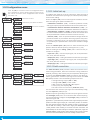
1.10 Configuration menu (cont.)
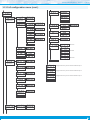
Tools
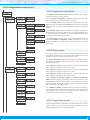
1.10.11 Factory reset
Factory reset
At the ‘Factory reset’ (‘FAct’) menu, select ‘yes’ to load the default
factory configuration for the instrument (see section 1.15).
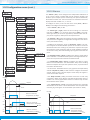
Version
Minimum
1.10.12 Firmware version
The ‘Version’ (‘VEr’) menu informs of the current firmware version
installed in the module.
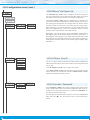
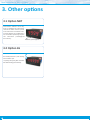
Brightness
Standard
1.10.13 Brightness
Maximum
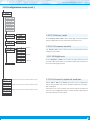
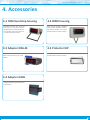
Configuration menu for the module installed at Opt.1
Option 1
Configuration menu for the module installed at Opt.2
Option 2
Configuration menu for the module installed at Opt.3
Option 3
At the ‘Brightness’ (‘LIGh’) menu select the light intensity for the
front leds. With this function it is possible to adapt the instrument to
the environment light intensity.
1.10.14 Access to optional modules
Menus ‘OPt.1’, ‘OPt.2’ and ‘OPt.3’ give access to the ‘configuration
menus’ of the output and control modules installed at slots Opt.1,
Opt.2 and Opt.3.
See section 2 for a list of output and control modules available for
each slot. The ‘configuration menu’ of each module is described at
the User’s Manual of each module.
11