1
Networks Global Hotline Infomation
Frequently Asked Questions (FAQs)
Notices
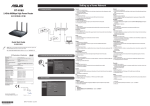
The client cannot establish a wireless connection with the router.
REACH
Region
Out of Range:
Complying with the REACH (Registration, Evaluation, Authorisation, and Restriction of Chemicals) regulatory
framework, we published the chemical substances in our products at ASUS REACH website at http://csr.asus.com/
english/REACH.htm.
•
Put the router closer to the wireless client.
Federal Communications Commission Statement
•
Try to change the channel settings.
•
Use wired connection to connect to the router.
•
Check the wireless security settings.
•
Press the Reset button at the rear panel for more than five seconds.
Cannot find the router:
•
Press the Reset button at the rear panel for more than five seconds.
•
Check the setting in the wireless adapter such as SSID and encryption settings.
Cannot access the Internet via wireless LAN adapter.
• Move the router closer to the wireless client.
This equipment generates, uses and can radiate radio frequency energy and, if not installed and used in accordance
with the instructions, may cause harmful interference to radio communications. However, there is no guarantee that
interference will not occur in a particular installation. If this equipment does cause harmful interference to radio or
television reception, which can be determined by turning the equipment off and on, the user is encouraged to try to
correct the interference by one or more of the following measures:
• Reorient or relocate the receiving antenna.
• Increase the separation between the equipment and receiver.
• Connect the equipment into an outlet on a circuit different from that to which the receiver is connected.
• Consult the dealer or an experienced radio/TV technician for help.
Europe
WARNING! Any changes or modifications not expressly approved by the party responsible for compliance could void the
user’s authority to operate the equipment.
• Check whether the wireless adapter is connected to the correct wireless router.
• Check whether the wireless channel in use conforms to the channels available in your country/area.
Prohibition of Co-location
• Check the encryption settings.
This device and its antenna(s) must not be co-located or operating in conjunction with any other antenna or
transmitter.
• Check if the ADSL or Cable connection is correct.
Safety Information
• Retry using another Ethernet cable.
To maintain compliance with FCC’s RF exposure guidelines, this equipment should be installed and operated with
minimum distance 20cm between the radiator and your body. Use on the supplied antenna.
If the ADSL “LINK” light blinks continuously or stays off, Internet access is
not possible - the Router is unable to establish a connection with the ADSL Declaration of Conformity for R&TTE directive 1999/5/EC
network.
Essential requirements – Article 3
Hotline Number
800-92491
France
Hungary
0033-170949400
0049-1805010920
0049-1805010923
( component support )
0049-2102959911 ( Fax )
0036-15054561
Italy
199-400089
Greece
00800-44142044
Austria
Netherlands/
Luxembourg
Belgium
Norway
Sweden
Finland
Denmark
Poland
Spain
Portugal
Slovak Republic
Czech Republic
Switzerland-German
Switzerland-French
Switzerland-Italian
United Kingdom
Ireland
Russia and CIS
Ukraine
Australia
0043-820240513
09:00-17:30 Mon-Fri
09:00-13:00 ;
14:00-18:00 Mon-Fri
09:00-13:00 ;
14:00-18:00 Mon-Fri
09:00-18:00 Mon-Fri
0031-591570290
09:00-17:00 Mon-Fri
0032-78150231
0047-2316-2682
0046-858769407
00358-969379690
0045-38322943
0048-225718040
0034-902889688
00351-707500310
00421-232162621
00420-596766888
0041-848111010
0041-848111014
0041-848111012
0044-8448008340
0035-31890719918
008-800-100-ASUS
0038-0445457727
1300-278788
09:00-17:00 Mon-Fri
09:00-18:00 Mon-Fri
09:00-18:00 Mon-Fri
10:00-19:00 Mon-Fri
09:00-18:00 Mon-Fri
08:30-17:30 Mon-Fri
09:00-18:00 Mon-Fri
09:00-18:00 Mon-Fri
08:00-17:00 Mon-Fri
08:00-17:00 Mon-Fri
09:00-18:00 Mon-Fri
09:00-18:00 Mon-Fri
09:00-18:00 Mon-Fri
09:00-17:00 Mon-Fri
09:00-17:00 Mon-Fri
09:00-18:00 Mon-Fri
09:00-18:00
09:00-18:00 Mon-Fri
Mon-Fri
New Zealand
Japan
0800-278788
09:00-18:00 Mon-Fri
09:00-18:00 Mon-Fri
09:00-17:00 Sat-Sun
09:00-18:00 Mon-Fri
09:00-17:00 Sat-Sun
09:30-17:00 Mon-Fri
09:00-18:00 Mon-Fri
0800-1232787
0081-473905630
• Ensure that all your cables are all properly connected .
Protection requirements for health and safety – Article 3.1a
• Disconnect the power cord from the ADSL or cable modem, wait a few minutes, then reconnect the cord.
Testing for electric safety according to EN 60950-1 has been conducted. These are considered relevant and sufficient.
• If the ADSL light continues to blink or stays OFF, contact your ADSL service provider.
Protection requirements for electromagnetic compatibility – Article 3.1b
Network name or encryption keys are forgotten.
Testing for electromagnetic compatibility according to EN 301 489-1 and EN 301 489-17 has been conducted. These
are considered relevant and sufficient.
Service Hours
09:00-13:00 ;
14:00-18:00 Mon-Fri
09:00-18:00 Mon-Fri
Cyprus
Germany
This device complies with Part 15 of the FCC Rules. Operation is subject to the following two conditions:
• This device may not cause harmful interference.
• This device must accept any interference received, including interference that may cause undesired operation.
This equipment has been tested and found to comply with the limits for a class B digital device, pursuant to part 15 of
the FCC Rules. These limits are designed to provide reasonable protection against harmful interference in a residential
installation.
Authentication:
Country
Korea
Thailand
10:00-17:00 Mon-Fri
• Press the Reset button of the wireless router for more than five seconds.
Effective use of the radio spectrum – Article 3.2
• Factory default settings:
Testing for radio test suites according to EN 300 328- 2 has been conducted. These are considered relevant and
sufficient.
Malaysia
Philippine
India
India(WL/NW)
Indonesia
CE Mark Warning
Vietnam
1900-555581
Hong Kong
USA
Canada
Mexico
00852-35824770
Egypt
Saudi Arabia
UAE
Turkey
South Africa
Israel
800-2787349
800-1212787
00971-42958941
0090-2165243000
0861-278772
*6557/00972-39142800
*9770/00972-35598555
0040-213301786
11:00-19:00 Mon-Fri
11:00-19:00 Mon-Fri
11:00-13:00 Sat
10:00-19:00 Mon-Fri
09:00-18:00 Mon-Fri
09:00-18:00 Mon-Sat
09:00-21:00 Mon-Sun
09:30-17:00 Mon-Fri
9:30 – 12:00 Sat
08:00-12:00
13:30-17:30 Mon-Sat
10:00-19:00 Mon-Sat
8:30-12:00 EST Mon-Fri
9:00-18:00 EST Sat-Sun
08:00-20:00 CST Mon-Fri
08:00-15:00 CST Sat
09:00-18:00 Sun-Thu
09:00-18:00 Sat-Wed
09:00-18:00 Sun-Thu
09:00-18:00 Mon-Fri
08:00-17:00 Mon-Fri
08:00-17:00 Sun-Thu
08:30-17:30 Sun-Thu
09:00-18:30 Mon-Fri
00387-33773163
09:00-17:00 Mon-Fri
00359-70014411
00359-29889170
00385-16401111
00382-20608251
00381-112070677
00368-59045400
00368-59045401
00372-6671796
00371-67408838
00370-37329000
00370-522101160
09:30-18:30 Mon-Fri
09:30-18:00 Mon-Fri
09:00-17:00 Mon-Fri
09:00-17:00 Mon-Fri
09:00-17:00 Mon-Fri
Asia-Pacific
• Try setting up the wired connection and configuring the wireless encryption again.
User name / Password:
admin / admin
IP address:
192.168.1.1
SSID:
ASUS
Where can I find more information about the wireless router?
• User Manual in the support CD
• Online FAQ site: http://support.asus.com/faq
• Technical Support site: http://support.asus.com
This is a Class B product, in a domestic environment, this product may cause radio interference, in which case the user
may be required to take adequate measures.
Operation Channels: Ch1~11 for N. America, Ch1~14 Japan, Ch1~13 Europe (ETSI)
Americas
NCC Warning
Middle East +
Africa
• Customer Hotline: Refer to the Support Hotline in this Quick Start Guide
Singapore
( Non-Toll Free )
0082-215666868
0066-24011717
1800-8525201
0065-64157917
0065-67203835
(Repair Status Only )
0060-320535077
1800-18550163
09:00-18:00 Mon-Fri
Romania
Bosnia
Herzegovina
Bulgaria
電子信息產品污染控制標示:圖中之數字為產品之環保使用期限。僅指電子信息產品中含有的有毒有害物質或元素不致發生
外洩或突變從而對環境造成污染或對人身、財產造成嚴重損害的期限。
部件名稱
印刷電路板及其電子組件
外殼
電源適配器
外部信號連接頭及線材
中央處理器與內存
鉛 (Pb)
汞 (Hg)
×
×
×
×
×
○
○
○
○
○
有害物質或元素
六價鉻 多溴聯苯
(Cr(VI))
(PBB)
○
○
○
○
○
○
○
○
○
○
○
○
○
○
○
鎘 (Cd)
多溴二苯醚
(PBDE)
○
○
○
○
○
○:表示該有毒有害物質在該部件所有均質材料中的含量均在 SJ/T 11363-2006 標准規定的限量要求以下。
×:表 示該有毒有害物質至少在該部件的某一均質材料中的含量超出 SJ/T 11363-2006 標准規定的限量要求,然該部件仍符合歐盟指令
2002/95/EC 的規范。
Balkan Countries
Croatia
Montenegro
Serbia
Slovenia
Estonia
Latvia
Lithuania-Kaunas
Lithuania-Vilnius
1800-2090365
0062-2129495000
500128 (Local Only)
1-812-282-2787
001-8008367847
08:00-16:00 Mon-Fri
09:00-18:00 Mon-Fri
09:00-18:00 Mon-Fri
09:00-18:00 Mon-Fri
09:00-18:00 Mon-Fri
Manufacturer:
Visit ASUS website for more information: http://support.asus.com
備註:此產品所標示之環保使用期限,係指在一般正常使用狀況下。
ASUSTeK Computer Inc.
Tel:
+886-2-2894-3447
Address:
No. 150, LI-TE RD., PEITOU, TAIPEI 112, TAIWAN
Authorised representative in
Europe:
ASUS Computer GmbH
Authorised distributors in
Turkey:
BOGAZICI BIL GISAYAR SAN. VE TIC. A.S.
Address:
HARKORT STR. 21-23, 40880 RATINGEN, GERMANY
Tel:
+90 212 3311000
Address:
AYAZAGA MAH. KEMERBURGAZ CAD. NO.10 AYAZAGA/ISTANBUL
CIZGI Elektronik San. Tic. Ltd. Sti.
AEEE Yönetmeliğine Uygundur.
Tel:
+90 212 3567070
Address:
CEMAL SURURI CD. HALIM MERIC IS MERKEZI
No: 15/C D:5-6 34394 MECIDIYEKOY/ISTANBUL