1
INDEX
1.0 About This Manual .....................................................................................1
1.1 Document Objectives.................................................................................1
1.2 Product Overview ......................................................................................1
1.3 Product Description....................................................................................1
2.0 Specification...............................................................................................2
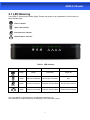
2.1 LED Meaning .............................................................................................3
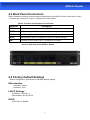
2.2 Back Panel Connectors .............................................................................4
2.3 Factory Default Settings.............................................................................4
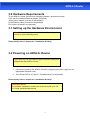
3.0 Hardware Requirements ............................................................................5
3.1 Setting up the Hardware Environment .......................................................5
3.2 Powering on ADSL2+ Router .....................................................................5
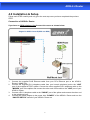
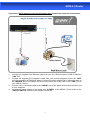
4.0 Installation & Setup ....................................................................................6
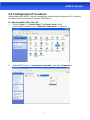
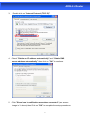
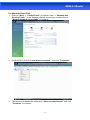
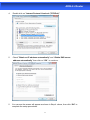
5.0 Configuration Procedures ..........................................................................8
6.0 ADSL2+ Router Configuration.................................................................. 12
7.0 Technology Glossary................................................................................ 14
8.1 Web Configuration Overview ................................................................... 17
8.2 Accessing ADSL2+ Router Web Configuration ........................................ 17
9.0 Universal Plug-and-Play (UPnP).............................................................. 41
9.1 Universal Plug and Play Overview ........................................................... 41
9.2 How do I know if I'm using UPnP? ........................................................... 41
9.3 NAT Traversal .......................................................................................... 41
9.4 Cautions with UPnP ................................................................................. 41
9.5 Configuring UPnP .................................................................................... 42
9.6 Installing UPnP in Windows Example ...................................................... 43
9.7 Installing UPnP in Windows Me ............................................................... 43
9.8 Installing UPnP in Windows XP ............................................................... 44
9.9 Using UPnP in Windows XP Example ..................................................... 45
9.10 Auto-discover Your UPnP-enabled Network Device............................... 45
10.0 Web Configuration Easy Access ............................................................ 47
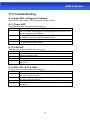
11.0 Troubleshooting...................................................................................... 49
A.1 Using LEDs to Diagnose Problems ................................................ 49
A.1.1 Power LED .................................................................................. 49
A.1.2 LAN LED ..................................................................................... 49
A.1.3 DSL LED ( ACT & LINK) .............................................................. 49
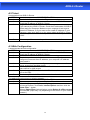
A.2 Telnet .............................................................................................. 50
A.3 Web Configuration.......................................................................... 50
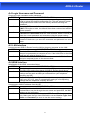
A.4 Login Username and Password...................................................... 51
A.5 LAN Interface.................................................................................. 51
A.6 WAN Interface ................................................................................ 51
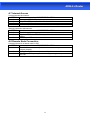
A.7 Internet Access ............................................................................... 52
A.8 Remote Node Connection .............................................................. 52