1
Appendix
P2
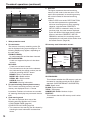
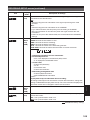
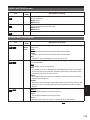
If clip metadata has
been read in
Uploaded data
When a P2 card with a memory capacity of 8
GB or more is used in this unit and a one-time
continuous recording exceeds the prescribed
duration (approx. 5 minutes for DVCPRO HD,
approx. 10 minutes for DVCPRO50 or approx. 20
minutes for DVCPRO or DV) or when a one-time
recording extends over more than one P2 card,
the recording concerned will automatically be
undertaken as a separate clip.
At this time, each clip will be provided with its own
COUNT value.
If no clip metadata has
been read in or if the
setting for recording
clip metadata has been
turned off
Same as GLOBAL CLIP
ID (UMID data)
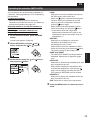
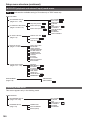
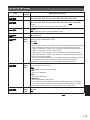
Example of recording (DVCPRO50) a clip on
one P2 card:
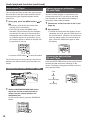
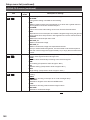
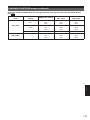
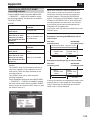
Press the MENU button and select META DATA
→ PROPERTY → USER CLIP NAME to select
the recording method. Two options are available:
TYPE1and TYPE2.
●TYPE1
USER CLIP NAME to be
recorded
REC start
(recording start)
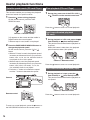
●TYPE2
USER CLIP NAME to be
recorded
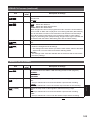
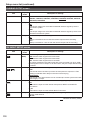
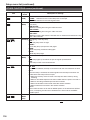
If clip metadata has
been read in
Uploaded data + COUNT
value∗
If no clip metadata has
been read in or if the
setting for recording
clip metadata has been
turned off
Same as CLIP NAME
∗ The COUNT value is indicated as a four-digit
number.
The COUNT value is incremented each time a
new clip is captured if clip metadata has been
read in and TYPE2 has been selected as the
recording method.
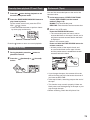
The COUNT value can be reset using the
following procedure.
Press the MENU button and select META DATA
→ PROPERTY → USER CLIP NAME to display
the menu shown below. Select “COUNT RESET”
with the cursor and press the SET button to reset
the COUNT value to 1.
REC/PAUSE
(recording pause)
Recording duration = Approx. 15 min.
Clip 1
COUNT value
= 0001
Clip 2
COUNT value
= 0002
10 min.
5 min.
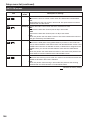
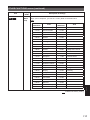
Example of recording a clip on two P2 cards:
REC start
(recording start)
Clip 1
COUNT value
= 0003
1st card
REC/PAUSE
(recording pause)
Clip 2
COUNT value
= 0004
2nd card
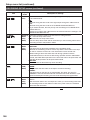
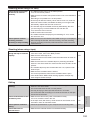
If the clip thumbnails are displayed as shown in the
example above or their properties are indicated
using a P2 device, the thumbnail and COUNT
value of clip 1 will be displayed.
Reference
Selecting the USER CLIP NAME
recording method
133