1
SolarStrap
When You Need The Energy Most
A
User Guide
SS-W203
c
1
9
8
7
D
1
c
2
8
2
3
7
4
B
c
3
7
8
6
5
c
4
8
7
50 °C
0 °C
Suntrica Oy
Verstaankatu 2 C
FI-33100 Tampere, Finland
SSUG-20005-100
www.suntrica.com
Descriptions for the numbers:
1.
2.
3.
4.
5.
EN
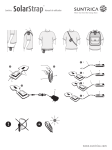
Battery pack
Hook-and-loop tape
Input/output connector
Green and red lights
SolarStrap™ in folded position
Suntrica SolarStrap™
Congratulations on your purchase of Suntrica SolarStrap™,
a solar powered charging device. Suntrica SolarStrap™
provides charging power to most devices having a charging
voltage of 5 V DC, for example mobile phones, MP3 players,
GPS devices, and digital cameras. The charging necessitates a
device specific charging adapter, which can be purchased from
your local distributor.
Before using SolarStrap™, carefully read this user guide and all
instructions and cautionary markings on SolarStrap™, the
device to be charged, and the mains adapter for charging
SolarStrap™.
This guide contains important safety and operating
instructions.
Contents of the box
6.
7.
8.
9.
Solar panel
Charging cable
Target device to be charged
Mains adapter (available as accessory)
Suntrica
How to charge with SolarStrap™
1 Connect the charging cable to the target device
2 Connect the other end of the charging cable to
SolarStrap™
3 Charging begins, this is indicated with two pulses of red light blinked at few seconds intervals
4 After the target device is fully charged or the internal
battery is empty (please, see charging level indication), remove the charging cable from both devices
Full SolarStrap™ can fully charge a typical mobile phone. The
charging time is approximately similar with the mobile phone’s
own charging device. The charging feature is disabled, if the
internal battery is empty. Plugging of the charging cable to the
SolarStrap™ increases the power consumption of the
electronics. Therefore, unplug the charging cable from
SolarStrap™ when not in use.
Available accessories
∙SolarStrap™ solar charger • Charging cables
• Charging cable
• Mains adapter
• User Guide
• Target device specific adapters
• Cigarette lighter adapter
Important safety instructions
• Read and observe all warnings on Suntrica SolarStrap™ and in this user guide
• Power consumption of the connected device must not exceed 5.5 V DC, 800 mA
• Do not expose SolarStrap™ under water
• Do not place inflammable, explosive or hazardous objects near SolarStrap™
• Do not place any heavy objects on SolarStrap™
• Do not bend solar panel heavily
• Only use Suntrica charging cables and accessories with SolarStrap™
Charging of the SolarStrap™ from 12 V DC with a cigarette lighter cable other than approved by Suntrica Ltd.
is strictly prohibited. Use of any non-approved cable
may damage the SolarStrap™ permanently
Only use SolarStrap™ in an environment with
the proper temperature (+0...+50 °C).
Allow a sufficient amount of free space all around
SolarStrap™ and ensure adequate ventilation
• Do not use SolarStrap™ if it has been subjected to damage
• Unplug SolarStrap™ from the mains power adapter when cleaning and when the battery is fully charged.
• Unplug the charging cable from SolarStrap™ when not in use
• SolarStrap™ should not be disposed by burning or with other household wastes
!
Blinks Description
Charging of a target device in process.
Charging cable connected and Solar Charger ready to charge a target device.
The back side of SolarStrap™ contains a hook-and-loop
fastener tape for locking SolarStrap™ in a folded position, and
also for allowing easy attachment to various surfaces, e.g. to
clothes and back bags.
Figure C :
SolarStrap™ provides charging power to most devices with a
charging voltage of 5 V DC.
Figure D :
SolarStrap™ can be fast charged using a mains adapter
available as an accessory.
Troubleshooting
Problem: SolarStrap™ does not charge a connected device
Possible cause:
Solution:
The internal battery is
empty
Charge SolarStrap™ in sunlight or by a mains
adapter until the green light blinks
SolarStrap™ or the
charging adapter is not
compatible with the
connected device
Contact your local distributor for confirming
the compatibility and for selecting a suitable
charging adapter for your device
The current consumption
of the device exceeds
the rated output of
SolarStrap™
Indication: The red light blinks five times.
Refer to the user manual of the device
Improper connection
between device and
SolarStrap™
Make sure that the charging cable is properly
inserted into the device and SolarStrap™
Damaged charging cable
Replace the charging cable
Problems with the
electrical circuits of
SolarStrap™
Suntrica products have been tested in
factory. If you suspect that the SolarStrap™
has been defected, please contact your local
distributor
Problem: A mains adapter does not charge SolarStrap™
Possible cause:
Solution:
The internal battery is full
Indication: The green light blinks slowly
four times after plugging the charger.
Check the charging level of the battery
Blinks The service voltage of the
mains adapter does not
correspond with that of
SolarStrap™
For ensuring that the product works properly
and the guarantee is not void, use only
original Suntrica mains adapter and
accessories
Improper connection
between mains adapter
and SolarStrap™
Make sure that the charging cable is properly
inserted into SolarStrap™
Damaged mains adapter
Replace the mains adapter
Problems with the
electrical circuits of
SolarStrap™
Suntrica products have been tested in
factory. If you suspect that the SolarStrap™
has been defected, please contact your local
distributor
The green and red lights indicate the approximate charging
level of an internal battery by regular blinks. The approximate
charging level is interpreted as follows:
Charging level
Battery status
Full
Nearly full
Half full
Nearly empty
Empty
Maintenance
Solar powered charging
Energy gathering from the light begins instantly, when
SolarStrap™ is placed in light. Optimal charging performance
is achieved outdoors in direct sunlight. Clouds and shadowing
reduce the charging performance notably. The approximate
performance of solar powered charging is presented in the
following figure.
Charging time
1 hour
4 hours
8 hours
Talk time
0.25 hours
1.0 hours
2.0 hours
Standby time
10 hours
39 hours
78 hours
Optimal solar charging position
In order to achieve the best possible charging performance
SolarStrap™ should be positioned toward the sun.
Charging using a mains adapter
When needed, the internal battery of SolarStrap™ can be fast
charged by a mains adapter (accessory). First, plug a mains
adapter to an AC wall outlet, and then plug the charging plug
to SolarStrap™. Continuously pulsing red light indicates that
the fast-charging is in process. The red light turns off, when
the charging is finished. The charging time is typically two
hours.
•
•
•
Use a soft cloth to clean SolarStrap™ exterior
Do not use harsh chemicals, cleaning solvents or strong detergents
Do not disassemble SolarStrap™
Technical specification
Rated input (mains adapter)
Rated output
Battery capacity
Operation temperature
Size(unfolded)
(folded)
Weight
5.0 V DC, 500 mA
5.5 V DC, 800 mA
5.5 Wh, 1.5 Ah
+0...+50 °C
290 x 96 x 21 mm
164 x 96 x 27 mm
65 g
Correct disposal of the product
The marking shown on the product or its literature, indicates
that it should not be disposed with other household wastes
at the end of its working life. This product should be disposed
similarly with any other product having batteries and electrical
components. This product should not be mixed with other
wastes for disposal.
DECLARATION OF CONFORMITY
Hereby, Suntrica Ltd. declares that this SolarStrap™ SS-W203
product is in compliance with the essential requirements and
other relevant provisions of Directive 2004/108/EC.
A copy of the Declaration of Conformity can be found at
http://www.suntrica.com/DC-2010203001.pdf
© 2010 Suntrica. All rights reserved. Suntrica® and
Suntrica SolarStrap™ are trademarks or registered trademarks
of Suntrica Ltd. Suntrica Ltd. reserves all rights to any changes
to this User Guide and/or product specifications without a
prior notice.
Your local distributor
WARRANTY
User Guide
Charging level indication
Functional overview
Figure A and B :
Suntrica SolarStrap™ gathers solar energy by the high
efficiency solar panel and stores the energy into a light-weight
battery. Green and red lights indicate the charging level of
the internal battery, and the status of a charging circuitry. The
Input/output connector is used for:
• charging a target device
• fast-charging the internal battery
SolarStrap
If you believe that you are entitled to a repair or replacement of your SUNTRICA product based on your statutory
rights under the applicable national laws relating to the sale of consumer products or warranty given by the retailer
who has sold the SUNTRICA product to you, please contact your retailer.