1
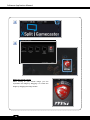
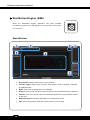
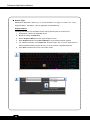
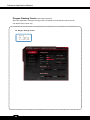
Preface 1-3 About This Manual This Software Application Manual provides instructions and illustrations on installing and using the software applications which are exclusively designed by MSI. This manual will give users more on how your notebook can be more efficient, convenient, and enjoyable with the help of these software applications. The software applications selected here may be optionally supported for particular models. Contact the local dealer for further information if necessary. Dragon Gaming Center (DGC) (for Gaming Series only)......................... 6 Dragon Gaming Center (DGC) is a handy application for integration of games installed and gaming software interface. Providing easy access to real-time system performance monitor and gaming environment setting, DGC empowers users to facilitate tweaking process without occupying system resources. XSplit Gamecaster (for Gaming Series only) .......................................... 16 XSplit Gamecaster is a one-of-a-kind live streaming and recording application designed for both casual and hardcore gamers. It allows every gamer to live stream or record their gameplay without complicated setup and configuration. SteelSeries Engine (SSE) (for Gaming Series only) .............................. 30 SteelSeries Engine is the Apps to combine all frequent functions for gamers in order to easily customize every individual key and functions to personalize every gamer's play style, including KLM, multiple devices management (for example, headset, mouse, and keyboard), keypress macros, and text macros. Shortcut Manager (for Workstation Series only) ....................................... 45 Shortcut Manager, exclusively designed by MSI, is a software application for users to define and manage the personally and frequently used keyboard hot keys. With the hot keys set in Shortcut Manager, users will be able to get a smooth and efficient experience in operating this notebook. Keyboard LED Manager (KLM) (for Workstation Series only) ................. 60 For the gaming notebook equipped with colorful keyboard LEDs, users control the color variation of the LEDs underneath the keyboard by using the Keyboard LED Manager (KLM) application. These colorful keyboard LEDs are designed to give users more visual entertainment while using the gaming notebook. 3