1
BoneScalpel™ with SonicOne® Technology
Instructions For Use
6.2.
Menu Functions
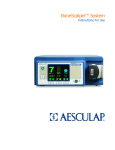
The standard screen is the Main Screen. Additional screens are the Options and the Help Screen. Both the
Options and Help screens can be accessed by pressing the menu button to toggle through the three main
screens; Main Menu, Options and Help.
Main Screen
The Main Screen allows control of the main system functions such as Amplitude, Pulse, and Flow .
1
A-F
Figure 6.3
Menu Button
Custom Buttons
Main screen
Amplitude Control
The amplitude can be set between 0 and 10. Press A to increase and B to decrease the amplitude. The
default setting for amplitude is 7. Refer to section 1.1 for further details on the Amplitude feature.
Pulse Control
The pulse can be set between 50% and 100%. Press C to increase and D to decrease the pulse. The
default setting for pulse is 100%. Refer to section 6.3 for further details on the Pulse feature.
Flow Control
The flow can be set between 20% and 100%. Press E to increase and F to decrease the flow. The
default setting is 70%. Refer to section 6.3 for further details on the Flow feature.
Ultrasound Timer
The ultrasound timer records the elapsed time, in which the ultrasound was activated with the
footswitch. The timer can be re-set to zero via the secondary screen.
In the event of error, such as a Mechanical Limit or an Electrical Fault, the main screen is replaced by alert
screens. Refer to section 6.4 for a description of these warnings.
BCM-UM Rev H
Page 23