1
6.4 Generate Order Tracking Data (Advanced Module only)
This option allows the users to generate the Order Tracking (OT) signal of an input data.
The Order Tracking (OT) method is based on a referenced key-phasor signal to achieve
time domain frequency normalization with respect to RPM so that the number of data
point within each revolution will maintain absolute constant.
Procedure for Generate Envelop Data:
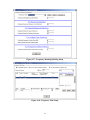
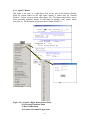
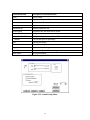
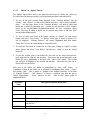
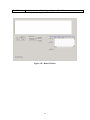
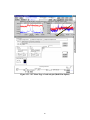
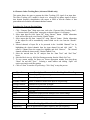
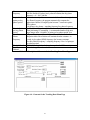
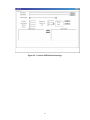
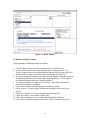
1. Click “Generate Data” Main menu item, and select “Generate Order Tracking Data”,
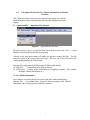
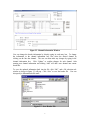
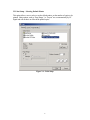
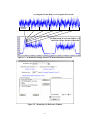
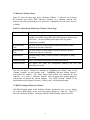
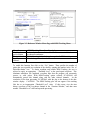
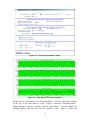
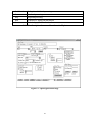
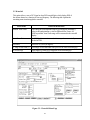
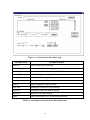
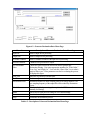
a “Generate Order Tracking Data” menu page as shown in figure 6-4 will popup.
2. Select input data file from “Input File” using “Browse” button. Header information
of the selected file can be view from the “Header” button.
3. Select output data file from “output File” using “Browse” button. Header information
of the output file will be automatically created which can be view from the “Header”
button.
4. Selected channels of input file to be processed in the “Available Channels” box by
highlighting the desired channels from the input channel list and click “Add.” To
remove a channel from the output list, highlight and click “Remove.” The selected
channels will then be shown on the “Chosen Channels” box.
5. Select the star/end time for OT analysis from the “Start Time” and “End Time”
boxes.
6. Select the block size (e.g. 4096) for filtering processing from the “Block Size” box.
7. To save current settings for future use, choose appropriate number from drop-down
“Menu” list and click “Save.” Selecting a menu number and clicking “Open” will
retrieve previously saved filter settings.
8. Click on “Start” to start the OT processing. Click “Stop” to stop the process.
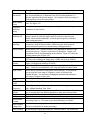
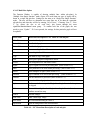
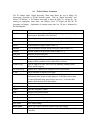
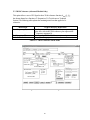
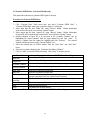
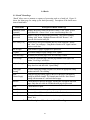
Menu Item
Input File
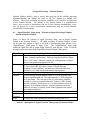
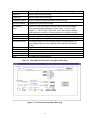
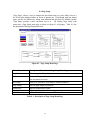
Description of Generate Order Tracking Data Menu Page
Name of input file for processing
Output File
Name of output file for processing.
Available Channels
Name of channels available in the input file for processing..
Selected Channels
Start Time
End Time
Block Size
Menu
Start
Stop
Channels to be processed for output.
Start time to generate envelope data.
End time to generate envelope data.
FFT size.
Allows user to open previous settings or save current settings.
Start the envelope process.
Terminates the envelope process.
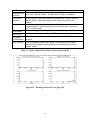
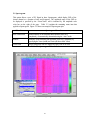
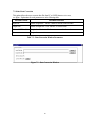
Menu Item
Original Key
Order Tracking Signal Menu Item \Description
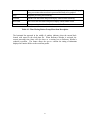
Enter an approximate key-phase frequency (not Sync frequency)
54