1
123 Flash Chat Server Software User Manual
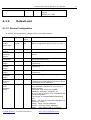
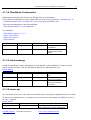
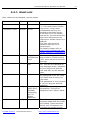
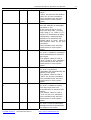
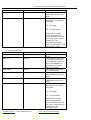
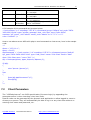
allow-access-from-ip
127.0.0.1
27
by the chat server and will be
effective.
Only command from this IP is
legitimate.
If set to " *", then commands
from all IP address are valid.
which is insecure.
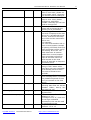
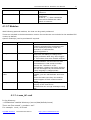
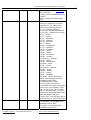
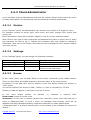
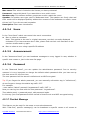
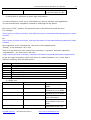
4.1.2.7 Modules
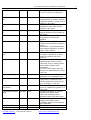
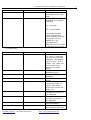
With following optional modules, the chat can be greatly enhanced.
These are included in the demonstration version for test but are not included in the standard full
version by default.
Specific module(s) can be purchased if required.
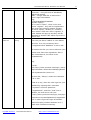
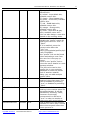
Module name
moderated-chat
Default Value
On
change-nick
On
invisible-admin
On
flashcom-audiovideo
off
encrypt-message
off
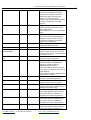
Introduction
With the moderated-chat module enabled,
questions submitted by participants will
not be displayed publicly unless the
Moderator or Administrator
approves/passes it.
With the change-nick module enabled,
users have the ability to change their
display nickname after they have logged
in. This makes chat more flexible and fun.
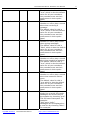
With the invisible-admin module enabled,
the administrator can monitor the chat
conversations in chat rooms invisibly.
Without the "existence" of the
administrator, chatters can freely talk but
can also be stopped by the administrator
if their language is inappropriate..
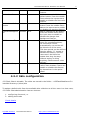
With flashcom-audio-video module
enabled, you can add webcam and voice
chat.
Unlike the basic text chat, this module
needs support of flash communication
server.
Message being encrypted will ensure the
security of the chat server.
123flashchat can encrypt messages using
RSA.
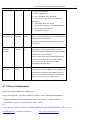
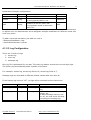
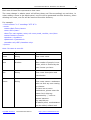
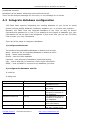
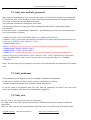
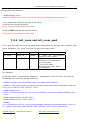
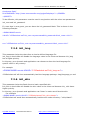
4.1.3 <room_id>.xml
In the directory:
<123flashchat installed directory>/server/data/default/rooms/
There are files named “<number>.xml”.
For example: 1.xml, 1032.xml
TopCMM Software
123 Flash Chat Server
http://www.123flashchat.com