1
en
fr
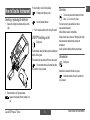
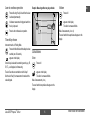
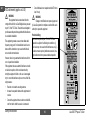
Reference setting
Press until desired reference setting appears.
it
es
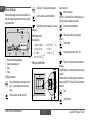
Measuring from corners
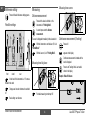
Measuring
Distance measurement
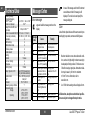
Press and the laser is switched on, the
instrument is in"Pointing Mode".
Possible settings
pt
A second press starts the distance
measurement.
nl
The result is displayed immediately in the selected unit.
da
With the instrument on and the laser off, it is in
"Normal Mode".
)
)
sv
no
fi
ko
pl
hr
hu
ru
cz
el
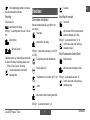
Continuous measurement is started and the
result is displayed.
Press to end Tracking Mode. Last result is
shown in the display.
D5-Z4
front
)
)
)
stand
Press until
appears on the display.
With the laser on, it is in "Pointing Mode".
Measuring from flat planes
jp
zh
D5-Z6
Continuous measurement (Tracking)
rear
Example: Stake off distance
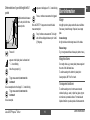
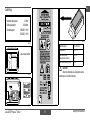
At the back of the instrument is a 1/4" camera
thread for the stand.
Changes are lost when instrument is switched
off.
Basic setting: rear reference
How to Use the Instrument
D5-Z5
)
For stable measuring turn bumper 90°.
D5-Z7
4
Leica DISTO™ special5 1.0.0 en