1
Adjusting Child Lock Settings (continued)
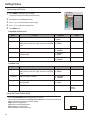
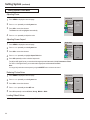
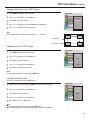
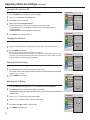
Turning Child Lock On or Off
1
2
3
4
5
Press the MENU button to display the menu main page.;
Press 5or6 repeatedly to select Setup item;
Press OK to access the submenu;
Enter password with the number buttons.
The default password is 1234, you can change the password by yourself.
The unit allows you to access the Child Lock menu if you input the right password, or
you will be denied.
The Block On/Off item will be highlighted automatically.
Press OK to turn on or off the Child Lock.
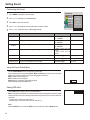
Changing the Password
1
From the password menu page, press 5or6 repeatedly to select New Password item.
2
Input a new 4-digit password. For example, you may set "0000" as your new password.
3
Press the MENU button to exit.
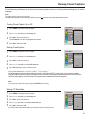
Be sure to write down your password and retain it for future use.
The unit provides a master password “8888”. If you forget your password and can’t access Child
Lock menu, you may input the master password to access Child Lock menu. Please set a new
password and make sure to remember your password.
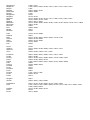
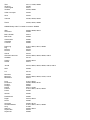
Picture
Sound
System
OSD
TVPC
Setup
Block On/Off
MPAA
TV Rating
CA EngRateSys
CA FrnRateSys
New Password
On
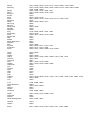
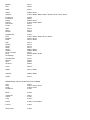
MAIN MENU
Picture
Sound
System
OSD
TVPC
Setup
Block On/Off
MPAA
TV Rating
CA EngRateSys
CA FrnRateSys
New Password
0000
[0-9]
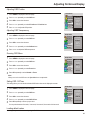
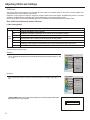
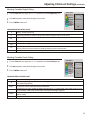
Adjusting the Movie Rating
1
2
MAIN MENU
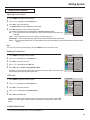
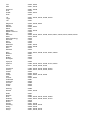
From the Child Lock menu page, press 5or6 repeatedly to select MPAA item.
MAIN MENU
Picture
Sound
System
OSD
TVPC
Setup
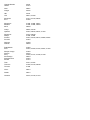
Press OK repeatedly to select a desired rating you want to block.
Block On/Off
MPAA
TV Rating
CA EngRateSys
CA FrnRateSys
New Password
PG-13
For example, “PG-13” in the age-based rating is selected, this will automatically block the higher
ratings “R”, “NC-17”, “X” also.
3
MAIN MENU
Press the MENU button to exit.
Picture
Sound
System
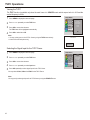
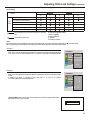
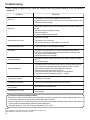
Adjusting the TV Rating
1
2
33
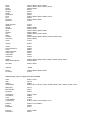
From the Child Lock menu page, press 5or6 repeatedly to select TV Rating item.
OSD
TVPC
Setup
Press OK repeatedly to select a desired rating you want to block.
This will automatically block the higher age-based ratings. You may set the individual content-based
ratings as follow.
3
4
Press 3or4 if you want to set content-based ratings.
5
Press OK to block ( ) or unblock (
6
Press MENU repeatedly to exit.
Press 5or6 repeatedly to select a desired content rating.
) this rating.
Block On/Off
MPAA
TV Rating
CA EngRateSys
CA FrnRateSys
New Password
TV-PG
MAIN MENU
Picture
Sound
System
OSD
TVPC
Setup
TV-PG:
V
S
L
D
:View
:Block