1
Table of Contents
1
1 Introduction . . . . . . . . . . . . . . . . . . . . . . . . . . . . . . . . . . . . . . . . . . . .1
2
Advantages of a Wireless Network . . . . . . . . . . . . . . . . . . . . . . . . . .1
3
2 Product Overview . . . . . . . . . . . . . . . . . . . . . . . . . . . . . . . . . . . . . . .6
4
3 Knowing your Router . . . . . . . . . . . . . . . . . . . . . . . . . . . . . . . . . . . .9
5
System Requirements . . . . . . . . . . . . . . . . . . . . . . . . . . . . . . . . . . . .9
6
4 Connecting and Configuring your Router . . . . . . . . . . . . . . . . . .14
7
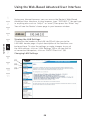
6 Using the Web-Based Advanced User Interface . . . . . . . . . . . .38
8
9
10
11
Benefits of a Home Network . . . . . . . . . . . . . . . . . . . . . . . . . . . . . . .1
Placement of your Wireless G Router . . . . . . . . . . . . . . . . . . . . . . . .2
Product Features . . . . . . . . . . . . . . . . . . . . . . . . . . . . . . . . . . . . . . . .6
Package Contents . . . . . . . . . . . . . . . . . . . . . . . . . . . . . . . . . . . . . . .9
Easy Install Wizard Software System Requirements. . . . . . . . . . . . . .9
5 Alternate Setup Method . . . . . . . . . . . . . . . . . . . . . . . . . . . . . . . .22
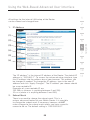
Changing LAN Settings . . . . . . . . . . . . . . . . . . . . . . . . . . . . . . . . . .39
Viewing the DHCP Client List Page . . . . . . . . . . . . . . . . . . . . . . . . 41
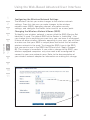
Configuring the Wireless Network Settings . . . . . . . . . . . . . . . . . . 42
Securing your Wi-Fi Network . . . . . . . . . . . . . . . . . . . . . . . . . . . . . .47
WEP Setup . . . . . . . . . . . . . . . . . . . . . . . . . . . . . . . . . . . . . . . . .52
WPA Setup . . . . . . . . . . . . . . . . . . . . . . . . . . . . . . . . . . . . . . . . .54
Using the Access Point Mode . . . . . . . . . . . . . . . . . . . . . . . . . . . . .62
Wireless Range Extension and Bridging. . . . . . . . . . . . . . . . . . . . . 63
Configuring the Firewall . . . . . . . . . . . . . . . . . . . . . . . . . . . . . . . . . 67
Setting MAC Address Filtering . . . . . . . . . . . . . . . . . . . . . . . . . . . . .70
Enabling the DMZ . . . . . . . . . . . . . . . . . . . . . . . . . . . . . . . . . . . . . 71
Utilities Tab . . . . . . . . . . . . . . . . . . . . . . . . . . . . . . . . . . . . . . . . . . 73
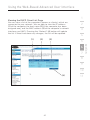
Restarting the Router . . . . . . . . . . . . . . . . . . . . . . . . . . . . . . . . 74
Updating the Firmware . . . . . . . . . . . . . . . . . . . . . . . . . . . . . . . 79
7 Manually Configuring Computer Network Settings . . . . . . . . .87
8 Recommended Web Browser Settings . . . . . . . . . . . . . . . . . . . .93
9 Using your Router with AOL Broadband . . . . . . . . . . . . . . . . . . .95
10 Troubleshooting . . . . . . . . . . . . . . . . . . . . . . . . . . . . . . . . . . . . . 106
11 Information . . . . . . . . . . . . . . . . . . . . . . . . . . . . . . . . . . . . . . . . . 126