1
CAT
data is sent to the controller of the active robot via UNIX-message communications, after
each rendering cycle . An interface program (user generated) is necessary to pick up the
position data from the message queue and to perform the data-distribution to the robot control-hardware. The default state is "OFF".
13.2.2
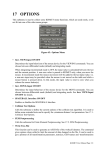
Camera Simulation & Control
This subpanel is used for control of simulated CAMERA-views and for ONLINE-Control of
"real" workcell cameras during teleoperation.
• Select
This function is used to select the active CAMERA from the CAMERA-menu, which is
automatically generated during model startup. It includes the logical names of all CAMERAs in the application model-database. The active CAMERA has the input focus for all
other commands in the "Camera Simulation & Control" submenu.
• Pointing
Can be used to specify a new 3D-lookpoint (in "top + side view" display mode) for the
"active camera". A single CAMERA motion is carried out.
• View PYRAMID ON/OFF
Enable/disable the overlay of the CAMERA viewing pyramid. The tip of the pyramid is
located at the CAMERA view-location. The base of the pyramid shows the current focal
plane of the CAMERA. The default state is "OFF".
• Tracking ON/OFF
Enable/disable CAMERA-Tracking mode for the active CAMERA (use the "Select
CAMERA"-function to activate a camera). KISMET allows automatic tracking for simulated cameras. The CAMERA must be part of a ROBOT to let this functionality work. It is,
not the CAMERA is moved, but the ROBOT, i.e. the CAMERA motion mechanism. FRAMEs are used as a tracking target. The FRAME to be tracked is PICKed after selection of
this function. Additionally, KISMET calculates the distance (Dist) to the tracking target.
The distance value can be used to implement a model-based autofocus feature (see the command "Send DATA"). The default state is "OFF".
This option can be enabled simultaneously for all CAMERAs in the simulation model. This
is, each camera can be put in TRACKING-mode independant from the other cameras.
• Send DATA ON/OFF
Enable/disable the CAMERA command interface to the camera controller. For monitoring
applications, KISMET can be used to provide high-level kinematic control for the camera
actuators in the real workcell.
A special UNIX-process (communications server) must exist on the workstation to handle
the communications between KISMET and the real controller(s). The default state is
"OFF".
• Dist+Fovy
This valuator function is used for the CAMERA-overlay view to change the two parameters
DIST (focal distance of the real camera) and FOVY (field-of-view angle). When the
CAMERA is in ONLINE-mode, the current parameters are sent to the camera controller.
KISMET User Manual Page 71