1
2-14
Detailed Drive Operation
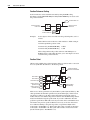
Example to read a floating point Datalink:
Parameter 303 [Motor Torque Ref] displays the torque output to the motor.
Parameter 303 is a Real (floating point) parameter scaled in per unit (a value of
1.000 is equivalent to 100% motor torque).
1. Link parameter 660 [DPI Data Out A1] to parameter 303 [Motor Torque Ref].
2. Set parameter 659 [DPI Out DataType] bit 0 "DPI A1 Real" = 1.
3. Verify that the Datalink is enabled in the 20-COMM module.
4. In RSLogix5000, create a tag "PF700S_P303_MotorTorqueRef" of type
"REAL".
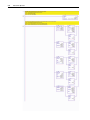
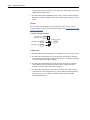
5. Use the COP instruction to copy the DINT input tag for Datalink A1
(PF700S:I.UserDefinedData(0) in this example) to the tag
"PF700S_P303_MotorTorqueRef".
6. The tag "PF700S_P303_MotorTorqueRef" contains the value of parameter 303.
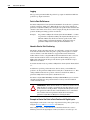
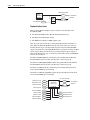
Explicit Messaging:
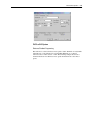
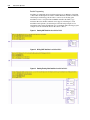
When using explicit messaging on DeviceNet, ControlNet, or Ethernet in the
ControlLogix® system, the message type CIP Generic is used. The data is
transferred over ControlNet in the same data type as the parameter in the
PowerFlex® 700S. Make sure that the data type for the Source and Destination tags
in your ControlLogix message instruction matches the data type for the parameter
in the PowerFlex 700S. Also, the Source Length in the ControlLogix message
instruction must match the size of the Source data. For example, to send an explicit
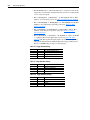
message to write to parameter 12 [Speed Ref 2], which is a floating point:
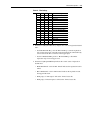
1. The Source Element tag would be of type REAL.
2. The Source Length would be 4 bytes since a REAL data type takes up 4 bytes of
data.