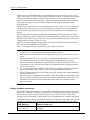
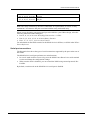
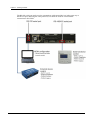
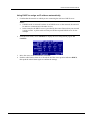
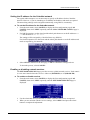
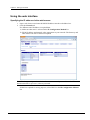
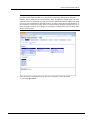
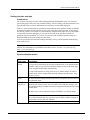
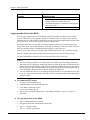
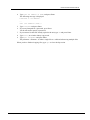
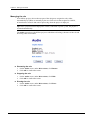
1
NION CobraNet Hardware Manual Version 1.7.2.0 March 27, 2015 Copyright notice The information contained in this manual is subject to change without notice. Peavey Electronics is not liable for improper installation or configuration. The information contained herein is intended only as an aid to qualified personnel in the design, installation and maintenance of engineered audio systems. The installing contractor or end user is ultimately responsible for the successful implementation of these systems. All creative content in this manual, including the layout, art design, content, photography, drawings, specifications and all other intellectual property is Copyright © 2015 Peavey Electronics Corporation. All Rights Reserved. Features & specifications subject to change without notice. All other registered trademarks or trademarks are the property of their respective owners. The ratc-server component is based in part on the work of the libwebsockets project: http://libwebsockets.org. Prepared by Peavey Digital Research, 6 Elm Place, Eynsham, Oxford, OX29 4BD, UK. Email:[email protected] (mailto:[email protected]). Scope This guide describes how to physically install a NION and configure it with basic settings. Once you have completed the installation, we recommend that you refer to the NWare User Guide to see how to design an audio solution and download settings to the NION. ii Version 1.7.2.0 March 27, 2015 Contents Chapter 1 Important safety instructions................................................................ 1 Safety warnings ........................................................................................................................................2 Chapter 2 Before you start ..................................................................................... 5 Important network considerations ............................................................................................................6 Power outage and surge protection .........................................................................................................6 Thank You! ...............................................................................................................................................6 Warranty Registration ...............................................................................................................................6 What's in the box? ....................................................................................................................................6 Chapter 3 Introduction to NION ............................................................................ 7 Description ................................................................................................................................................8 Features....................................................................................................................................................8 Applications ..............................................................................................................................................9 Cards ......................................................................................................................................................10 Front Panel .............................................................................................................................................12 Rear panel ..............................................................................................................................................13 Network services ....................................................................................................................................14 Chapter 4 Installing the NION ..............................................................................15 Introduction .............................................................................................................................................16 What you will need .................................................................................................................................16 Test configuration ...................................................................................................................................17 Configuring your PC for connecting to a NION nE .................................................................................17 Connections ............................................................................................................................................18 Chapter 5 Setting up the NION ............................................................................23 Configuration steps .................................................................................................................................24 Using the front panel ..............................................................................................................................25 Using the web interface ..........................................................................................................................34 Updating the firmware ............................................................................................................................48 Using XDAB to share DSP resources ....................................................................................................48 What to do next ......................................................................................................................................49 Appendix A Troubleshooting ...............................................................................51 Cannot access NION using IP address or IP address is unknown ........................................................52 Front panel LED indicators .....................................................................................................................54 Including debug messages in the log .....................................................................................................56 HF2 errors...............................................................................................................................................56 Low voltage warning ...............................................................................................................................60 NION locking up or rebooting spuriously ................................................................................................61 Appendix B Connector ports ............................................................................... 63 GPIO overview .......................................................................................................................................64 Serial communications ...........................................................................................................................68 March 27, 2015 Version 1.7.2.0 iii Appendix C Technical specifications ................................................................. 73 Rear panel connections ..........................................................................................................................74 Digital audio performance.......................................................................................................................75 AES card DIP switches ...........................................................................................................................76 XDAB performance (NION n3, NION n6) ...............................................................................................77 CobraNet performance ...........................................................................................................................78 GPIO .......................................................................................................................................................78 Mechanical specifications .......................................................................................................................78 Appendix D Reference Information ....................................................................79 Architect's and engineer's specifications ................................................................................................80 Technical Support ...................................................................................................................................81 Warranty statement .................................................................................................83 iv Version 1.7.2.0 March 27, 2015 Chapter 1 Important safety instructions In This Chapter Safety warnings................................................................................................. 2 March 27, 2015 Version 1.7.2.0 1 Chapter 1 - Important safety instructions . Safety warnings Warning: When using electrical products, basic cautions should always be followed, including the following: 1. 2. 3. 4. 5. 6. 7. 8. 9. 10. 11. 12. 13. 14. 15. 16. 17. 18. 2 Read these instructions. Keep these instructions. Heed all warnings. Follow all instructions. Do not use this apparatus near water. Clean only with a dry cloth. Do not block any of the ventilation openings. Install in accordance with manufacturer’s instructions. Do not install near any heat sources such as radiators, heat registers, stoves or other apparatus (including amplifiers) that produce heat. Do not defeat the safety purpose of the polarized or grounding-type plug. A polarized plug has two blades with one wider than the other. A grounding type plug has two blades and a third grounding plug. The wide blade or third prong is provided for your safety. If the provided plug does not fit into your outlet, consult an electrician for replacement of the obsolete outlet. Protect the power cord from being walked on or pinched, particularly at plugs, convenience receptacles, and the point they exit from the apparatus. Only use attachments/accessories provided by the manufacturer. Use only with a cart, stand, tripod, bracket, or table specified by the manufacturer, or sold with the apparatus. When a cart is used, use caution when moving the cart/apparatus combination to avoid injury from tip-over. Unplug this apparatus during lightning storms or when unused for long periods of time. Refer all servicing to qualified service personnel. Servicing is required when the apparatus has been damaged in any way, such as power-supply cord or plug is damaged, liquid has been spilled or objects have fallen into the apparatus, the apparatus has been exposed to rain or moisture, does not operate normally, or has been dropped. Never break off the ground pin. Write for our free booklet Shock Hazard and Grounding. Connect only to a power supply of the type marked on the unit adjacent to the power supply cord. If this product is to be mounted in an equipment rack, rear support should be provided. Control panel devices, including the xControl range, D series and nTouch 60, are designed for mounting in NEMA metal enclosures. Grounding to the front plate is required. Note for UK only: If the colors of the wires in the mains lead of this unit do not correspond with the terminals in your plug‚ proceed as follows: a) The wire that is colored green and yellow must be connected to the terminal that is marked by the letter E‚ the earth symbol‚ b) colored green or colored green and yellow. c) The wire that is colored blue must be connected to the terminal that is marked with the letter N or the color black. Version 1.7.2.0 March 27, 2015 NION CobraNet Hardware Manual d) The wire that is colored brown must be connected to the terminal that is marked with the letter L or the color red. 19. This electrical apparatus should not be exposed to dripping or splashing and care should be taken not to place objects containing liquids, such as vases, upon the apparatus. 20. The on/off switch in this unit does not break both sides of the primary mains. Hazardous energy can be present inside the chassis when the on/off switch is in the off position. The mains plug or appliance coupler is used as the disconnect device, the disconnect device shall remain readily operable. 21. Exposure to extremely high noise levels may cause a permanent hearing loss. Individuals vary considerably in susceptibility to noise-induced hearing loss, but nearly everyone will lose some hearing if exposed to sufficiently intense noise for a sufficient time. The U.S. Government’s Occupational Safety and Health Administration (OSHA) has specified the following permissible noise level exposures: Duration Per Day in Hours Sound Level dBA, Slow Response 8 90 6 92 4 95 3 97 2 100 1½ 102 1 105 ½ 110 ¼ or less 115 According to OSHA, any exposure in excess of the above permissible limits could result in some hearing loss. Ear plugs or protectors to the ear canals or over the ears must be worn when operating this amplification system in order to prevent a permanent hearing loss, if exposure is in excess of the limits as set forth above. To ensure against potentially dangerous exposure to high sound pressure levels, it is recommended that all persons exposed to equipment capable of producing high sound pressure levels such as this amplification system be protected by hearing protectors while this unit is in operation. SAVE THESE INSTRUCTIONS! March 27, 2015 Version 1.7.2.0 3 Chapter 2 Before you start In This Chapter Important network considerations ..................................................................... 6 Power outage and surge protection ................................................................... 6 Thank You! ....................................................................................................... 6 Warranty Registration ....................................................................................... 6 What's in the box? ............................................................................................. 6 March 27, 2015 Version 1.7.2.0 5 Chapter 2 - Before you start . Important network considerations This product is designed to operate on a network backbone or infrastructure. The design, implementation and maintenance of this infrastructure is critical to correct operation and performance of the product. Peavey Electronics Corp does not support nor service network cabling, hubs, switches, patch bays, wall plates, connector panels or any other type of network interconnect device. Please ensure that these components and their associated installation techniques have been properly designed and installed for audio and network applications. Power outage and surge protection We make the following recommendations for the power source: Use an uninterruptable power supply (UPS) to protect against power outages. Use a power surge protection device, such as a Surge-X (http://www.surgex.com). This provides protection from destructive spikes, surges and inductive transients. Thank You! Thank you for purchasing this MediaMatrix product. It is designed to provide years of trouble-free operation and high quality performance. We are confident that you will find this product and other MediaMatrix products to be of the highest quality. Warranty Registration Please take a few minutes and fill out the warranty registration card. Although your warranty is valid without the registration, the information you provide with the form is crucial to our support group. It enables us to provide better service and customer support, and to keep you informed of new product updates. Tip: Refer to the warranty statement at the rear of this manual for details of what your warranty includes and what the limitations are. What's in the box? NION series products are packaged in a single container. This container includes the following items: NION n6, NION n3, NION nX or NION nE Network Input/Output Node IEC removable power supply cable (120 VAC domestic) Shielded CAT 6 cable, 1’ Software installation CD User manual/literature package. If any of these items are missing, please contact your Authorized Peavey MediaMatrix contractor/dealer. 6 Version 1.7.2.0 March 27, 2015 Chapter 3 Introduction to NION In This Chapter Description ........................................................................................................ 8 Features ............................................................................................................. 8 Applications ...................................................................................................... 9 Cards ................................................................................................................. 10 Front Panel ........................................................................................................ 12 Rear panel ......................................................................................................... 13 Network services ............................................................................................... 14 March 27, 2015 Version 1.7.2.0 7 Chapter 3 - Introduction to NION . Description NION is a programmable digital audio processing node designed for professional and commercial audio and communications applications. The product features an internal processing core supported by a wide range of features, including a scalable I/O architecture. A range of plug-in cards is available that allow audio input and output, plus advanced features like echo cancellation. Audio network connectivity is provided by the integrated CobraNet CM-1 or CM-2 module. NIONs are managed centrally using NWare. You can also specify configuration settings using the web interface or front panel interface (fitted to all models apart from the nE). Additional control interfacing is provided by both RS-232 and RS-422/485 ports, while a configurable GPIO system allows interfacing with hard contacts and logic systems. Note: If you are intending to use a NION to host a Kiosk2Go project, it is important that the compact flash (CF) memory card is of sufficient capacity. If the NION is fitted with a 256MB card, you may find problems with the display of more complex Kiosk2Go projects in the browser. We recommend that the compact flash card is replaced with a higher capacity version. To check the capacity of the CF memory card, navigate to the NION web interface, then click Hardware. The capacity is displayed under Memory, as CFA: xxx meg. For more information, contact MediaMatrix Technical Support (mailto:[email protected]). Features 8 Floating point DSP Engine with 6 DSP chips (NION n6) or 3 DSP chips (NION n3, NION nX and NION nE) Front panel interface with intuitive user input controls (n3, n6 and nX models only) World-famous MediaMatrix audio algorithms Robust Linux embedded system controller 64 channels of audio I/O via integrated CobraNet interface. Integrated flash-based storage 32 channels of audio I/O via 8 four channel cards. 32 bit processing engine Supports optional hard-disk storage systems Windows configuration and control client 24 bit conversion Full support for SNMP network management tools XDAB bus (NION n3, NION n6) supports up to 448 bi-directional audio channels Universal industrial-grade power supply Low latency audio performance Software support for large-scale multi-node systems Network-centric architecture Advanced DSP compiler Supports centralized, distributed or hybrid processing Configurable GPIO with DIN rail package Integrated serial support Transparent control grouping across Version 1.7.2.0 March 27, 2015 NION CobraNet Hardware Manual physical nodes Supports sample rates of 48 kHz and 96 kHz Standalone or combined operation Supports redundant, self-healing configurations Cruise ships Teleconferencing Distance learning Large-scale paging Multi-purpose facilities Retail Restaurants & bars Gaming Institutional paging Communications Correctional facilities Professional complexes Residential. Applications March 27, 2015 Stadiums Auditoriums Arenas Civic centers Performing arts centers Theaters Courts of law Houses of worship Campus buildings Theme parks Hotel meeting rooms Conference centers Schools Version 1.7.2.0 9 Chapter 3 - Introduction to NION . Cards All the different types of cards can be installed in any of the available expansion slots at the rear of the NION. NIO-4x4 Four analog mic/line level audio input channels Four analog line level audio output channels 24 bit A/D (inputs), 24 bit D/A (outputs) 48 or 96 kHz audio sampling rate supported High reliability DIN connector to backplane, using slide rail for alignment Mini-Euro connectors for easy input connection. NIO-8ml II Eight analog mic/line level audio input channels 24 bit A/D (inputs) 48 or 96 kHz audio sampling rate supported High reliability DIN connector to backplane, using slide rail for alignment Mini-Euro connectors for easy input connection. Eight analog line level audio input channels 24 bit A/D (inputs) 48 or 96 kHz audio sampling rate supported High reliability DIN connector to backplane, using slide rail for alignment Mini-Euro connectors for easy input connection. Eight analog line level audio output channels 24 bit A/D (outputs) 48 or 96 kHz audio sampling rate supported High reliability DIN connector to backplane, using slide rail for alignment Mini-Euro connectors for easy input connection. NIO-8i NIO-8o NIO-AEC 10 Eight analog mic/line-level audio input channels with 24 bit A/D Eight channels of wideband acoustic echo cancellation Acoustic echo cancellation can be applied to mic input or internal audio input channels (from NION) 48 or 96 kHz audio sampling rate supported Version 1.7.2.0 March 27, 2015 NION CobraNet Hardware Manual High reliability DIN connector to backplane, using slide rail for alignment Mini-Euro connectors for easy input connection. NIO-AES March 27, 2015 Eight channel pairs of AES3 input or output audio channels Input or output channel pairs may be selected individually in software S/PDIF supported and enabled with onboard dip switches Sample rate converters defeatable in the NWare control software 48 or 96 kHz audio sampling rate supported High reliability DIN connector to backplane, using slide rail for alignment Mini-Euro connectors for easy input connection. Version 1.7.2.0 11 Chapter 3 - Introduction to NION . Front Panel 1. IDE Single-color LED indicates data transmission to or from the internal IDE storage media. 2. CobraNet Single-color LED indicates activity to/from the internal CobraNet audio transport. 3. LAN Single-color LED indicates data transmission to or from the Ethernet network interface. 4. XDAB Single-color LED indicates data transmission to or from the XDAB audio expansion bus (NION n3 and n6 only). 5. Mute/Fault Single-color LED indicates muted audio condition. When lit, the fault relay is activated. For more information, see Fault relay (on page 64). 6. LCD Display Backlit graphical display provides access to system hardware monitoring, configuration and status functionality. (NION n3, n6 and nX only). 7. Air Vent Air intake vent provides fresh air flow to internal cooling system. Do not block or obstruct this vent. Proper airflow must be maintained for proper operation. 8. ATTN Button includes a red LED that flashes when user response is required. When pressed, the LCD screen will update to show details of the error (NION n3, n6 and nX only). 9. Power Button will start the boot up process when in standby mode. When the unit is running, the button will cause the LCD screen to jump directly to the Power menu, where you can choose to Power Down or Reboot. Note: There is an intentional delay after powering off and before the Power button will turn on the unit. This is meant to protect the circuitry by allowing voltages to fully discharge. The integrated LED will not illuminate. 10. Soft Buttons (4). Momentary buttons used in conjunction with the LCD display allow user input and navigation of hardware functionality. The function of each button is indicated on the display text of the LCD display graphic nearest the corresponding button. The integrated LEDs will not illuminate (NION n3, n6 and nX only). 12 Version 1.7.2.0 March 27, 2015 NION CobraNet Hardware Manual 11. Data Wheel Continuous action rotary encoder and embedded push-button provide navigation and data entry functionality in conjunction with the LCD display. The function of these controls is dependent on the active function of the LCD display (NION n3, n6 and nX only). Rear panel 1. Serial Port Female DB-9 panel connector, which provides RS-232 communications for external control protocols. Note: On earlier units, this connector is on the front panel. 2. Power Receptacle Flush-mount IEC power receptacle for connecting a compatible IEC power cable (included). Use only the supplied cable or an equivalent international version. 3. Module Bays Housing bays for NION series expansion cards. Up to 4 Nio series I/O cards can be installed. 4. Power Supply Industrial ATX format power supply with exhaust fan. 5. 6. 7. 8. March 27, 2015 Additional air flow is provided on the side panel opposite the power supply. Install with at least 2” of free clearance on sides of unit. Do not block any air intake or exhaust vent. XDAB In/Out RJ-45 connectors accept shielded CAT6 data cables for proprietary NION interconnect system. GPIO Female DB-25 panel connector provides access to the internal GPIO control functionality. LAN RJ-45 panel connector accepts a CAT5 data cable for data transport to/from the internal network interface. This connection is required on all units for system configuration and inter-unit communications. RS-485/422 Female DB-9 panel connector accepts a standard DB-9 connector (not included) to provide access to the external RS-485 or RS-422 external control protocols. Version 1.7.2.0 13 Chapter 3 - Introduction to NION 9. CobraNet network I/O ports Two RJ-45 connectors providing a primary and secondary interface to the CobraNet network. One connection is required to pass audio to or from the device. The second connection provides redundancy. Note: The secondary port does not provide additional network capacity and only becomes active in the event that the network connected to the primary port becomes inoperative. Network services Web Each NION includes a built-in web server that provides access to several key hardware functions from any web browser. Telnet Telnet is a communications protocol that provides access to the Linux system kernel on the NION. Note: For security reasons, you should only enable the Telnet function when asked to by MediaMatrix Technical Support. Once you have finished communicating with the NION, you should disable the Telnet function. Telnet is not required for communications with the NWare software or for using RATC. SNMP Simple Network Management Protocol is a network protocol that provides robust monitoring and control of system parameters across the network. Using SNMP, you can utilize a host of standard software tools and third-party systems to extend the control and monitoring power of the NION for a wide variety of applications. FTP File Transfer Protocol. A standard network protocol used for transferring files over a TCP network. Each NION, nControl and nTouch 180 has a built-in FTP server. 14 Version 1.7.2.0 March 27, 2015 Chapter 4 Installing the NION In This Chapter Introduction ....................................................................................................... 16 What you will need ........................................................................................... 16 Test configuration ............................................................................................. 17 Configuring your PC for connecting to a NION nE ......................................... 17 Connections....................................................................................................... 18 March 27, 2015 Version 1.7.2.0 15 Chapter 4 - Installing the NION . Introduction The NION is designed to mount in a standard EIA electronic equipment rack. Because the NION includes forced air cooling, rack mounted vent panels are not required for most installations. However, vent panels may be required in large installations where multiple units are mounted in a single rack. It is generally accepted that a ratio of 2:1 usually provides adequate performance. In installations where adverse conditions exist, and room temperatures are likely to rise, additional vents should be installed. This product should be installed so that its mounting position does not interfere with proper ventilation. Do not block air intake or exhaust vents. The power switch in this unit does not break both sides of the primary mains. Hazardous energy can be present inside the chassis when the power switch is in the off position. The mains plug or appliance coupler is used as the disconnect device, the disconnect device shall remain readily operable. What you will need A MediaMatrix NION with CobraNet interface. The latest NWare software. (Updates can be downloaded from the MediaMatrix website (http://www.peaveycommercialaudio.com/products.cfm/Software/NWare-Software/NWar e-Software).) A computer running Microsoft Windows, with monitor, mouse and keyboard. An assortment of CAT 5e or CAT 6 cables. At least one NIO series analog audio input card. At least one NIO series analog audio output card. Tip: The NIO-4x4 card supports both analog audio inputs and outputs on the same card. This card can be used in place of an input card and an output card. An audio source, cables, power amplifier and loudspeaker. A small Phillips screwdriver. A small flat-blade screwdriver. A network switch connected to the CobraNet network. Note: The selection of a proper network switch is critical for a successful implementation. Although CobraNet is an Ethernet protocol, there are performance issues that must be considered when selecting this switch for use in CobraNet audio systems. 16 Version 1.7.2.0 March 27, 2015 NION CobraNet Hardware Manual Test configuration The remainder of this chapter explains in detail the different types of connections used with the NION, but for the purposes of testing and establishing basic operation, you can configure the NION as a stand-alone processor without a connection to the audio network. An example set up is shown below. Configuring your PC for connecting to a NION nE Each NION nE is configured with network settings in the factory. The IP address is printed on a sticker on the rear of the unit. The network settings may not be compatible with your PC network configuration. In this case, you must reconfigure your PC to use the same scheme as the NION nE before you can connect to the unit and change its settings. Tip: If you are using a different NION model, you do not need to complete this procedure, as the NION network settings can be changed using the front panel. To configure your PC for connecting to a NION nE 1. Open the Windows network settings. For Windows 7: a) On the Start menu, click Computer. b) Right-click Network, and then click Properties. c) Click Change Adapter Settings and then select the network you wish to edit. a) For Windows XP: a) On the Start menu, click My Network Places. March 27, 2015 Version 1.7.2.0 17 Chapter 4 - Installing the NION b) Click View Network Connections. 1. Configure the PC with an IP address in the same subnet as is printed on the while sticker on the back of the NION nE. For example, if the sticker shows 10.7.5.75, then your computer's IP address will be 10.7.5.x where x is any value below 75, such as 10.7.5.66. 2. Set the subnet mask to 255.255.255.0. Connections CobraNet network connection The first priority is the CobraNet™ network connection. The RJ-45 connectors on the CobraNet interface are designed to connect with standard, off-the-shelf Category 5, 5e or 6 cable for use with standard Ethernet network switches. Notes: The network must be properly designed for each system. If you lack experience in networking, we suggest that you partner with someone with networking experience. Gigabit switches are recommended. CAT 5e or CAT6 cables are recommended. A typical CobraNet system includes a CAT 6 cable from each NION CM-1 card to a network switch. Further CAT 6 cables connect the other MediaMatrix devices (CABs, for example) to switches in the same way. Audio connections Each audio connection on the CAB and NION products is a single, three-wire, balanced analog circuit. The connections are identical for both microphone, line input and line output connections. We recommend that audio connections are made with high quality shielded wire. Notes: As with any electronic connection, care should be taken to ensure that the termination is solid. There should be no stray wire strands, kinks or nicks in the wire jacket for a proper termination. 18 Version 1.7.2.0 March 27, 2015 NION CobraNet Hardware Manual Stranded wires should not be soldered. Solder will cold flow under the pressure of the screw terminal, causing a loose connection to develop over time. If you want to connect an unbalanced audio source to the CAB or NION, make the connections as shown in the table below. Unbalanced input cable CAB or NION input connector Positive (+) Positive (+) GND GND and negative (-) CAT 5e and CAT 6 connections Category 5e and category 6 cables (commonly known as CAT 5e and CAT 6) are two wiring standards recommended for use with CobraNet networks. Both cable types use a UTP (Unshielded Twisted Pair) configuration. CAT 5e cables typically use 24–26 AWG wire. CAT 6 cable tends to have slightly more copper in each cable, with standard gauges of 22–24 AWG. The cable is coupled to in-line RJ-45 connectors. As the conductor sizes are generally the same, CAT 6 jacks may also be used with CAT 5e cable. Special crimping tools are required to make the termination; these are widely available, as are the connectors. Note: A ratcheting type crimping tool is highly recommended. The use of non-ratcheting crimping tools, while occasionally adequate, typically results in considerably higher failure rates for field terminated connections. There are stranded and solid varieties of CAT 5e and CAT 6 cable. The stranded form is more flexible and withstands more bending without breaking and is suited for reliable connections with insulation piercing connectors, but makes less reliable connections in insulation-displacement connectors (IDCs). The solid form is less expensive and makes reliable connections into insulation displacement connectors, but makes less reliable connections in insulation piercing connectors. March 27, 2015 Version 1.7.2.0 19 Chapter 4 - Installing the NION When used for 10/100/1000BASE-T, the maximum allowed length of a CAT 5e or CAT 6 cable is 100 meters or 328 feet. This consists of 90 meters (300 ft) of solid horizontal cabling between the patch panel and the wall jack, plus 10 meters (33 ft) of stranded patch cable between each jack and the attached device. Since stranded cable has higher attenuation than solid cable, exceeding 10 metres of patch cabling will reduce the permissible length of horizontal cable. Different types of connectors are used with either type of wire. There is a bent tine connector intended for use with solid core wire, and an aligned tine connector for use with stranded cable. The bent tine connector will generally work on stranded wire, but not the other way around. All cable types must be properly installed and terminated to meet specifications. The cable must not be kinked or bent too tightly (the bend radius should be at least four times the outer diameter of the cable). The wire pairs must not be untwisted and the outer jacket must not be stripped back more than 1/2 inch (1.27 cm). There are two main standards for termination: T568A and T568B. For more information on the wiring for these standards, see Wikipedia (http://en.wikipedia.org/wiki/T568A#T568A_and_T568B_termination). Notes: A single CAT 5e or CAT6 cable run must not exceed 100 meters. Make sure your connector matches your cable type. If you are not sure, use the bent tine variety. When terminating CAT 5e or CAT6 cable, it is important that the natural twist of each pair is carried through as close as possible to the point of termination at the connector. We recommend that you familiarize yourself with the wiring color schemes so they are second nature to you. An error in the cabling of an Ethernet network is often the primary cause of system errors. It is very important that you build the cable with all pairs properly terminated. This will prevent any confusion later, and give your cable a solid mechanical connection. The use of pre-made and pre-tested cabling can greatly simplify and expedite installation for wiring within a rack. There are two main standards for termination: T568A and T568B. It is important that both ends of a cable are terminated in line with one of these standards and you do not use one standard for one end of the cable and the other for the other end. The cable will not function normally. Rotary encoder connection NION and CAB products include a versatile GPIO (General Purpose Input Output) system at the rear for terminating external logic, controls, relays and other external systems. This port is used when you want to connect a rotary encoder device to the NION. Up to eight rotary encoders can be connected to a single NION. They are supported by all variants of the NION. Connect the rotary encoder to the GPIO port on the rear of the NION using three pins. Several GPIO pins perform the same function, so you can choose from a number of pins for each. 20 NION GPIO pin Rotary encoder pin 10, 11, 22, or 23 Common Version 1.7.2.0 March 27, 2015 NION CobraNet Hardware Manual 2, 4, 6, 8, 14, 16, 18, or 20 2nd pin 3, 5, 7, 9, 15, 17, 19, or 21 3rd pin Note: The rotary encoder may also have connections for a push button, as well as a rotary mechanism. You must use the pins associated with the rotary mechanism only. When you are designing your project and you add a NION to your NWare design, select the following functions for the GPIO pins: Pin 10, 11, 22, or 23 set as HCO (High Current Out) +12VDC. Pins 2, 4, 6, 8, 14, 16, 18, or 20 set as Rotary Encoder. Pin 3, 5, 7, 9, 15, 17, 19, or 21 set as Unused. For information on the GPIO controls for the NION device in NWare, see GPIO in the NWare Device Reference. Serial port connections The diagram below shows the types of serial connections supported by the ports at the rear of the NION. The NION RS-232 serial port performs two main functions: In console mode it allows a user to log on to the NION Linux Kernel via a serial terminal session and change the configuration settings. When console mode is disabled, you can control the NION using external protocols like PASHA. By default, console mode on the NION RS-232 serial port is disabled. March 27, 2015 Version 1.7.2.0 21 Chapter 4 - Installing the NION The RS-485 serial port can be used to communicate with external devices in the same way as the RS-232 port, and using the same protocols, but cannot be used for serial terminal connections to the NION. 22 Version 1.7.2.0 March 27, 2015 Chapter 5 Setting up the NION In This Chapter Configuration steps ........................................................................................... 24 Using the front panel ......................................................................................... 25 Using the web interface .................................................................................... 34 Updating the firmware ...................................................................................... 48 Using XDAB to share DSP resources ............................................................... 48 What to do next ................................................................................................. 49 March 27, 2015 Version 1.7.2.0 23 Chapter 5 - Setting up the NION . Configuration steps Once you have physically installed and connected the NION (as described in Installing the NION (on page 15)), follow the procedures below to configure it with the most important settings. If the NION has a front panel, you can use this to specify the settings. If the NION is not fitted with a front panel (it is a NION nE), you will need to connect to it using the IP address printed on a sticker on the rear of the unit. To configure a NION with a front panel 1. Specify a name for the NION (on page 26). 2. Specify an IP address for the control network (on page 26). 3. Check that the interfaces you want to use are enabled (on page 29). 4. Open a web browser, connect to the NION on the control network, then set the time and date (on page 37). To configure a NION without a front panel 1. Open a web browser, connect to the NION using its IP address, then configure the network settings (on page 34). 2. Specify a name for the NION (on page 36). 3. Check that the interfaces you want to use are enabled (on page 45). 4. Set the time and date (on page 37). 24 Version 1.7.2.0 March 27, 2015 NION CobraNet Hardware Manual . Using the front panel The front panel interface The front panel interface includes an LCD display, four context-sensitive soft buttons, two fixed function buttons and a data wheel with integrated push button. Basic navigation is accomplished with the soft buttons and the wheel, while the wheel’s push button is used to select and confirm settings. Each page in the NION interface is accessible in sequence, controlled by the PREV and NEXT soft buttons. To confirm a setting, use the OK soft button. To cancel an operation, use the CANCEL soft button. The cursor type indicates the action and position. An outlined cursor indicates the current cursor position. A solid filled cursor indicates a selection. Once a cursor position is selected, the wheel allows you to change a value at the current position. Pressing the wheel button confirms the setting. The sections that follow describe how to change settings in the CONFIG menu. This menu is available from the Home page. Tip: If you are viewing a different screen, you can select the HOME option to return to the home page. Note: If security has been enabled, you will need to specify a password before you can change any of the settings. March 27, 2015 Version 1.7.2.0 25 Chapter 5 - Setting up the NION Specifying a name Each NION has a name that is displayed in the web interface and on the front panel (if fitted). In the factory, an identical name is given to every NION. Therefore, in order to identify individual units by their names, you must assign a unique name to each unit. To specify a name 1. From the main menu, select CONFIG to display the first configuration page, LAN CONFIG. 2. Turn the data wheel clockwise. The first letter of the NION name will be highlighted. 3. Use the data wheel to specify a unique name for the NION. 4. Press OK. The POWER screen is displayed. 5. In the ACTION list, select POWER DOWN. 6. Wait 30 seconds and then power up the NION. This delay allows time for entries in the ARP cache to time out, so the new name you have specified will be used. Setting the IP address for the control network It is important to assign an IP address to each NION to allow communications on the control network. When an IP address has been assigned, the NION will be displayed in NWare on the Remote Log tab, and will be available for hosting projects. DHCP versus static IP Notes: Care should be taken when choosing to use Dynamic Host Configuration Protocol (DHCP), rather than a static IP address. DHCP mode is provided as a convenience when using units in informal settings or for test purposes. A static IP address should always be used when units are deployed in end-user installations. DHCP-obtained IP addresses depend on a lease to be maintained by the DHCP server in order to keep an assigned IP address. If the IP address lease is allowed to expire, there is a chance that the IP address assigned to one or more units could be lost, changed or reassigned, resulting in the loss of control or audio from a project. The network administrator should be able to give you a range of static (or fixed) IP addresses to use for your project. When requesting these IP addresses, be sure to obtain enough to cover each unit. 26 Version 1.7.2.0 March 27, 2015 NION CobraNet Hardware Manual Using DHCP to assign an IP address automatically 1. Confirm that the network to which you are connecting the unit has a DHCP server. Notes: If DHCP mode is selected, but there is no DHCP server on the network, the unit will be unable to communicate with other devices. In this example, the DHCP server is provided by the router. Ensure that your network is using a router. A plain switch will not provide the required DHCP server for the example. 2. From the main menu, select CONFIG to display the first configuration page, LAN CONFIG. 3. Move the cursor to the second line, next to IP. 4. Push the wheel button, then move the wheel until the cursor position indicates DHCP, then push the wheel button again to confirm the settings. March 27, 2015 Version 1.7.2.0 27 Chapter 5 - Setting up the NION Tips: Since DHCP is being used, there is no need to specify an IP address, subnet mask or gateway - they are automatically assigned by the DHCP process. If a DNS is set up on the network and DHCP has been configured to contact the DNS, the DNS field will be populated automatically with the IP address of the DNS. NION uses the DNS to resolve the domain names of time servers. For more information, see Setting up a NION as a master. 5. Select NEXT to advance to the next page, or OK to confirm the settings and exit. To abort the process, select CANCEL. Using a static IP address 1. From the main menu, select CONFIG to display the first configuration page, LAN CONFIG. 2. Move the cursor to the second line, next to IP. 3. Push the wheel button, then move the wheel until the cursor position indicates STATIC IP, then push the wheel button again to confirm the settings. 4. Use the wheel and wheel button to specify an IP address. Note: The IP address must be unique on the network to avoid conflicts. 5. Set MASK to the network mask for your network. 6. If your subnet is connected to a router and this NioNode will be connecting to devices across the router, set GATEWAY to the router's IP address. If you have no router, set GATEWAY to 0.0.0.0. Tip: The DNS field is used for contacting a DNS on the network, which in turn is used to resolve domain names of time servers. For more information, see Setting the time and date. 7. Select NEXT to advance to the next page, or OK to confirm the settings and exit. To abort the process, select CANCEL. 28 Version 1.7.2.0 March 27, 2015 NION CobraNet Hardware Manual Setting the IP address for the CobraNet network For typical audio transport, it is not necessary to specify an IP address for the CobraNet network. However, if you are intending to use SNMP, an IP address and mask are required. The networking settings can be assigned automatically, using DHCP, or manually. To set the IP address for the CobraNet network 1. From the main menu, select CONFIG to display the first configuration page, LAN CONFIG, then select NEXT repeatedly until the CM-1 NETWORK CONFIG page is displayed. 2. For DHCP operation, use the wheel and the wheel push button to set the IP address to 0 0 0 0 and the mask to 255 255 255 0. The settings will be assigned by CobraNet Discovery (DISCO). For fixed IP operation, use the wheel and the wheel push button to set the IP address and mask as required by your network. 3. Select NEXT to advance to the next page, or OK to confirm the settings and exit. To abort the process, select CANCEL. Enabling or disabling network services The NETWORK SERVICES page provides access to global network services. Each control is a two-state control where the service is either on (ENABLED) or off (DISABLED). To enable or disable services 1. From the main menu, select CONFIG to display the first configuration page, LAN CONFIG, then select NEXT repeatedly until the NETWORK SERVICES page is displayed. 2. Use the wheel and wheel push button to enable or disable each service as required. 3. When you are satisfied with the services settings, select APPLY and press the wheel button to complete the adjustment. March 27, 2015 Version 1.7.2.0 29 Chapter 5 - Setting up the NION Configuring security You can prevent users from controlling the NION via the front panel by enabling security and then selecting the LOCK option from the main menu. When security is enabled, the user must enter a four digit numeric password (called a combination) before they can access any settings. Caution: The FRONT PANEL COMBO feature will secure the NION from front panel access. A lost combination cannot be retrieved and there is no back door. If the combination is lost, the NION must be reset to a virgin state, thereby discarding any resident audio configuration files. Use the FRONT PANEL COMBO and LOCK features with care. Enabling security 1. From the main menu, select CONFIG to display the first configuration page, LAN CONFIG, then select NEXT repeatedly until the FRONTPANEL COMBO page is displayed. 2. Using the wheel and the wheel push button, move the cursor to each NEW COMBO field and select a number to specify the new combination. 3. Move the selection to APPLY and press the wheel push button. Locking the front panel 1. From the main menu, move the cursor to the LOCK icon and use the wheel push button to enter the LOCK screen. 30 Version 1.7.2.0 March 27, 2015 NION CobraNet Hardware Manual 2. Use the wheel and the wheel push button to enter the combination. 3. Move the cursor to LOCK and push the wheel’s push button to engage security, or select CANCEL to abort the process. Caution: Once the front panel is locked, it will not be possible to use the functions of the NION until the correct combination has been entered. There is no back door. Disabling security 1. From the main menu, select CONFIG to display the first configuration page, LAN CONFIG, then select NEXT repeatedly until the FRONTPANEL COMBO page is displayed. 2. Using the wheel and the wheel push button, move the cursor to each OLD COMBO field and select a number to specify the current combination. 3. Move the cursor to each NEW COMBO field and select 0 0 0 0 as the new combination. 4. Move the selection to APPLY and press the wheel push button. 5. Select HOME to return to the main page. Changing the security combination 1. From the main menu, select CONFIG to display the first configuration page, LAN CONFIG, then select NEXT repeatedly until the FRONTPANEL COMBO page is displayed. 2. Using the wheel and the wheel push button, move the cursor to each OLD COMBO field and select a number to specify the current combination. March 27, 2015 Version 1.7.2.0 31 Chapter 5 - Setting up the NION 3. Move the cursor to each NEW COMBO field and select a number to specify the new combination. 4. Move the selection to APPLY and press the wheel push button. Understanding the system status page on the front panel The system status page on the NION front panel shows information about the CPU load during set periods of time. The information is based on the output from the Linux Top command, /proc/loadavg file and the uptime command. LOAD The average of the number of tasks running during the period of time since the page was last refreshed. 5M Average CPU load over the last 5 minutes. 15M Average CPU load over the last 15 minutes. CPU Current percentage utilization of the CPU. For more information on the Top command, see http://linux.die.net/man/1/top (http://linux.die.net/man/1/top). For more information on the /proc/loadavg file and the uptime command, see to www.luci.org (http://www.luci.org/luci-discuss/200210/msg00055.html). Adjusting the LCD backlight intensity and viewing angle The LCD CONFIG page allows you to adjust the LCD backlight intensity and the viewing angle. The perceived contrast is dependent on the viewing position. For example, a setting that provides high contrast when viewing the display from the front, may provide an inverted view when looking at the display from above. Adjust for the best view at the common working angle. To adjust the LCD backlight intensity and viewing angle 1. From the main menu, select CONFIG to display the first configuration page, LAN CONFIG, then select NEXT repeatedly until the LCD CONFIG page is displayed. 32 Version 1.7.2.0 March 27, 2015 NION CobraNet Hardware Manual 2. Use the wheel and push button to select LCD BACKLIGHT. 3. Use the wheel’s rotary control to select the desired value. The range is 0 (least intense) to 15 (most intense). 4. Use the wheel and push button to select VIEWING ANGLE. 5. Use the wheel’s rotary control to select the desired value. The range is 10 to 40 with the 20 position providing the highest contrast and color when viewing the display head on or directly in front. 6. When you are satisfied with the display settings, select NEXT to advance or HOME to complete the adjustment. Viewing the audio meters for input and output cards You can view the input levels and output levels for the different channels on each of the cards installed in the NION. Note: The audio meters do not display input and output levels for NIO-AES cards. To view the audio meters for input and output cards 1. From the main menu, select METERS. The meters for the card in slot 1 are shown first. A plot is shown for each audio channel. Inputs are prefixed with I, and outputs are prefixed with O. Here is an example showing a NIO-4x4 card in slot 2. 2. If you want to view the meters for another card, turn the data wheel on the front panel. March 27, 2015 Version 1.7.2.0 33 Chapter 5 - Setting up the NION . Using the web interface Specifying the IP address via the web browser 1. Open a web browser and enter the NION IP address into the web address bar. 2. Click the Network tab. If a different static IP address is required then: a) Make sure that static is selected in the IP Configuration Method list. b) Fill in IP address and netmask value appropriate to your network. The Gateway and DNS entries can also be entered if required. Note: To change settings on the web interface a user name and password is needed. The default username is superuser; it has no password. If DHCP is required for set-up purposes, select DHCP in the IP Configuration Method list. 34 Version 1.7.2.0 March 27, 2015 NION CobraNet Hardware Manual Note: Care should be taken when choosing DHCP rather than static. DHCP mode is provided on the NION machine as a convenience when using NioNodes in informal settings, such as when you are experimenting. Static IP addresses should always be used when NioNodes are deployed in production systems. DHCP-obtained IP addresses depend on a lease to be maintained by the DHCP server in order to keep an assigned IP address. If the IP address is allowed to expire there is a chance that the IP address assigned to one or mode NioNodes could be lost, changes or reassigned, resulting in the lost of control audio from a NION project. 3. Once the network configuration page has been completed, reboot the NION: a) Click the Special tab. March 27, 2015 Version 1.7.2.0 35 Chapter 5 - Setting up the NION b) In the action list , click reboot and then click do it. 4. Once the NION has rebooted, enter the new IP address into the web browser. Specifying a name Each NION has a name that is displayed in the web interface and on the front panel (if fitted). In the factory, an identical name is given to every NION. Therefore, in order to identify individual units by their names, you must assign a unique name to each unit. To specify a name 1. Navigate to the Network screen. 2. Under Host Name Configuration in the Host Name box, type a unique name for the NION. 3. Click Set to confirm the action. You will be asked to log on. 4. Specify your username and password. The default username is superuser; it has no password. 5. Navigate to the Special screen. 6. Under Unit Shutdown, in the action box, click power down. 7. Click Do it. 8. Wait 30 seconds and then power up the NION. This delay allows time for entries in the ARP cache to time out, so the new name you have specified will be used. 36 Version 1.7.2.0 March 27, 2015 NION CobraNet Hardware Manual Setting the time and date Introduction For accurate reporting of events when running different MediaMatrix units, it is critical to specify the proper time zone, time, and date settings. Correct settings will ensure that the event logs and other time sensitive information are accurately recorded and displayed. There is a time synchronization system that ensures that the time and date settings on NIONs, nControl units and nTouch 180 units are the same across the control network. If you change the date on a NION, for example, it is automatically changed on the other devices. This feature is especially useful for debugging. If you look at an event in the log that occurred at a particular time on one NION, you can be sure that an event with the same timestamp on a different NION occurred at exactly the same time. You can specify the time and date settings manually, or they can be obtained automatically from a time server. Tip: A time server can be set up on your local network, or you can connect to one via the internet. For information on available internet time servers, see http://www.pool.ntp.org (http://www.pool.ntp.org). Synchronization modes Mode name Description Normal If you specify Normal mode for all units on the network, so no Master node is available, when you specify time and date settings on any of the units, they will be assigned to the others automatically. If a unit on the network is using Time Server or Master mode, all units in Normal mode will be assigned time and date settings from that unit – they will act as slaves. Master The time and date settings from this unit will be assigned to all units that are using Normal mode. Time Server This node will contact a time server to retrieve time and date settings. The time and date settings from this unit will be assigned to all units that are using Normal mode. The time server can be contacted using its IP address or a domain name. Note: When you use a domain name, it must be resolved to an IP address. This is done automatically, but you must specify DNS or DHCP settings on the Network screen in the web interface. March 27, 2015 Version 1.7.2.0 37 Chapter 5 - Setting up the NION Setting up synchronization Scenario Actions to take You want to be able to set the time and date on any MediaMatrix node on the network manually, and for the settings to then be automatically assigned to the others. On all MediaMatrix nodes: 1. Navigate to the Time and Timezone tab. 2. Clear the Time Server box. 3. In the Authority list, click normal. 4. Click Set. If you want to adjust the time and date, perform these steps on any MediaMatrix node: 1. In the Time (24hr) box, type the new time in the format HH:MM:SS. 2. In the Date (mm/dd/yy) box, type the new date in the format mm/dd/yy. 3. Under the Date (mm/dd/yy) box, click Set. 4. If you are using a NION, under Timezone, specify a continent and country. 5. If the country has more than one time zone, in the Zone list, click the time zone. Tip: Where a country has only one time zone, you do not need to make a selection. 6. Under the Zone box, click Set. You want the time and date for all nodes on the network to be obtained automatically from a single, master unit. On the master node: 1. Navigate to the Time and Timezone tab. 2. Clear the Time Server box. 3. In the Authority list, click Master. You do not want anyone to be able to 4. Click Set. assign times and dates to the other units by accessing them directly. You will specify the time manually. If you want to adjust the time and date, perform these steps on the master node: 1. In the Time (24hr) box, type the new time in the format HH:MM:SS. 2. In the Date (mm/dd/yy) box, type the new date in the format mm/dd/yy. 3. Under the Date (mm/dd/yy) box, click Set. 4. If you are using a NION, under Timezone, specify a continent and country. 5. If the country has more than one time zone, in the 38 Version 1.7.2.0 March 27, 2015 NION CobraNet Hardware Manual Scenario Actions to take Zone list, click the time zone. Tip: Where a country has only one time zone, you do not need to make a selection. 6. Under the Zone box, click Set. On the other (slave) nodes: 1. Navigate to the Time and Timezone tab. 2. Clear the Time Server box. 3. In the Authority list, click normal. 4. Click Set. Note: If you try to change the time and date settings on the slave nodes, they will automatically change to match the settings on the master node. a) You want the time and date for all nodes on the network to be obtained automatically from a time server. On the master (time server) node: 1. Navigate to the Time and Timezone tab. 2. In the Time Server box, type IP address or domain name of a time server. Note: If you are using a domain name to contact the time server, a DNS must be present on the network. If a DHCP server is not available on the network, you must specify the IP address of the DNS on the Network page for the local area connection you are using. 3. In the Authority list, click time server. 4. Click Set. Note: Once you select time server mode, you will not be able to change the time or date settings. On the other (slave) nodes: 1. Navigate to the Time and Timezone tab. 2. Clear the Time Server box. 3. In the Authority list, click normal. 4. Click Set. March 27, 2015 Version 1.7.2.0 39 Chapter 5 - Setting up the NION Scenario Actions to take Note: If you try to change the time and date settings on the slave nodes, they will automatically change to match the settings on the time server node. Copying media files to the NION You can copy media files over to the NION using FTP and then use them in your NWare projects. This allows you to quickly change the available media in a project. You can also minimize the size of the NWare project file by storing your media on the NION and not in the project file itself. You can use any FTP client to copy the files. In order to allow files to be copied, you need to enable the FTP server on the node you are using. This is done via the web interface. Once FTP is enabled, you can use an FTP client (or the FTP command from a Command Prompt window) to copy files over. Files on an nControl unit can be played using a Media Player device in your NWare design. Files on a NION can be played using a Wave File Player device in your NWare design. For more information on these devices, refer to the NWare Device Reference. Notes: It is not currently possible to view the amount of available space for storing media files. When the project is deployed, media files must be located on the same node that hosts the NWare device playing the files. If the files are located on a different node, you will not be able to play them. We recommend that you manually assign the device playing the files to a role and deploy that role to the node that will host the media files. You can disable the FTP server by clearing the FTP check box (see procedure below), but if you are using an nControl unit or nTouch 180 unit, you must restart it before the change will take effect. To enable the FTP server 1. Navigate to the Network screen. 2. Under Services, select the FTP check box. 3. Click Set to confirm the action. You will be asked to log on. 4. Specify your username and password. The default username is superuser; it has no password. To copy media files to the NION 1. Open a Command Prompt window. 2. Navigate to the folder containing the media files. 3. Type FTP and press Enter. The ftp> prompt is displayed. 40 Version 1.7.2.0 March 27, 2015 NION CobraNet Hardware Manual 4. Type open <IP address of NION> and press Enter. The following message is displayed. Connected to <IP address>. ... User (<IP address>:(none)): 5. Type anonymous and press Enter. 6. If you are prompted for a password, press Enter. You do not need to specify a password. 7. If you want to list the files already copied to the unit, type ls and press Enter. 8. Type binary to switch to binary copy mode. 9. Type mput <filename> and press Enter. The parameter <filename> is either a single file or a wildcard referencing multiple files. When you have finished copying files, type quit to close the ftp session. March 27, 2015 Version 1.7.2.0 41 Chapter 5 - Setting up the NION . Managing users Introduction Users are created via the web interface, and assigned privileges to allow them to perform certain operations, as listed below. Privilege What it controls Deploy Determines whether the user can deploy a role to this node. Update Firmware Determines whether the user can update the firmware on this node. Debug Menu Access Determines whether the user can access the debug menu of this node using the Pandebug application. User Administration Determines whether the user can create, edit and remove user accounts on this node. NioNode Administration Access Determines whether the user can change settings such as network configuration and time and date. Log Access Determines whether the user can view or clear the log. Tip: For more information on viewing the log within NWare, see Remote Log in the NWare User Guide. There are two default users: superuser and defaultuser, which cannot be deleted. You can add your own users as necessary. superuser Has all privileges enabled. None of its settings can be changed, apart from the password, which is blank by default. defaultuser Has all privileges enabled, apart from User Administration and NioNode Administration Access. In NWare, when you perform an action that involves the node, such as deploying a role or updating firmware, NWare logs on to the node using a particular username. The node matches this username with the username of the same name stored on the unit. The privileges of the username on the node determine whether the action may be carried out. Tip: Users often log on to nodes with the username defaultuser. If the settings for this username on the node show the Deploy privilege set to Disallow, it will not be possible to deploy a role to the node even when they are logged on. Adding a new user 1. Navigate to the User Management screen in your web browser. 2. Click Add new user. The Edit User screen is displayed. 42 Version 1.7.2.0 March 27, 2015 NION CobraNet Hardware Manual 3. In the user name box, type the name of the new user. 4. If you want to specify a password for the user, which must be specified when the user logs on, type the password in the Password box, and then type the password again in the Confirm box. Note: We recommend that you always specify a password for users to ensure unauthorized persons do not gain access to the node. 5. Specify the user privileges. Privilege What it controls Deploy Determines whether the user can deploy a role to this node. Update Firmware Determines whether the user can update the firmware on this node. Debug Menu Access Determines whether the user can access the debug menu of this node using the Pandebug application. User Administration Determines whether the user can create, edit and remove user accounts on this node. NioNode Administration Access Determines whether the user can change settings such as network configuration and time and date. Log Access Determines whether the user can view or clear the log. Tip: For more information on viewing the log within NWare, see Remote Log in the NWare User Guide. 6. Click Apply. Deleting a user You can delete users from a node when they are no longer required. Note: You cannot delete defaultuser or superuser. To delete a user 1. Navigate to the User Management screen in your web browser. 2. Click the Delete button next to the user you want to delete. You will be asked to confirm the delete operation. 3. Click Yes. March 27, 2015 Version 1.7.2.0 43 Chapter 5 - Setting up the NION Managing the role In an NWare project, devices that are part of the design are assigned to roles, either automatically by NWare or manually by the user. Each role is then assigned to a NION, nControl unit or nTouch 180 unit for processing when the project is deployed. Tip: Once a project has been deployed to a node, if the node is power cycled, the project is restarted automatically. The Audio screen shows the NWare project to which the role belongs, the name of the role and how long it has been loaded. Restarting the role 1. On the Audio screen, under Role Actions, click Restart. 2. Click OK to confirm the action. Stopping the role 1. On the Audio screen, under Role Actions, click Halt. 2. Click OK to confirm the action. Erasing the role 1. On the Audio screen, under Role Actions, click Erase. 2. Click OK to confirm the action. 44 Version 1.7.2.0 March 27, 2015 NION CobraNet Hardware Manual . Enabling or disabling network services 1. Navigate to the Network screen. 2. Under Services, select or clear a check box to enable or disable a network service. Specifying the function of the RS-232 serial port The NION RS-232 serial port performs two main functions: In console mode it allows a user to log on to the NION Linux Kernel via a serial terminal session and change the configuration settings. When console mode is disabled, you can control the NION using external protocols like PASHA. By default, console mode on the NION RS-232 serial port is disabled. To specify the function of the RS-232 serial port 1. Open a browser window. 2. Type the IP address of the NION in the Address bar, and then press Enter. March 27, 2015 Version 1.7.2.0 45 Chapter 5 - Setting up the NION The Audio screen is displayed. 3. Click Special. 4. Click Advanced. 46 Version 1.7.2.0 March 27, 2015 NION CobraNet Hardware Manual The Advanced and Debug screen is displayed. 5. Under RS232 serial port, select or clear the Console enabled check box. 6. Click Set. You will be asked to log on. 7. Type the username and password for the superuser. By default, the username is superuser and the password is blank. 8. Reboot the NION, so the changes take effect. Specifying the default page for the front panel You can specify which page will be displayed on the front panel when the NION starts up. To specify the default page for the front panel 1. Navigate to the Hardware screen. 2. Under Frontpanel default page, in the Page list, click the name of the page you want to display. March 27, 2015 Version 1.7.2.0 47 Chapter 5 - Setting up the NION Updating the firmware Firmware on NIONs is managed centrally using NWare. For information on updating firmware, see Updating firmware on MediaMatrix devices in the NWare User Guide. Using XDAB to share DSP resources Clusters of NIONs can be interconnected in an XDAB ring, allowing up to 512 channels of redundant, low-latency audio to be exchanged. Wiring devices together in this way allows available DSP processing capacity to be shared between the group. Note: The maximum channel count scales proportionally to the chosen sample rate. At a 48KHz sampling rate, 448 channels of audio can be exchanged. Each NION has two XDAB ports, marked IN and OUT, which are used to physically wire them together in a ring using shielded CAT-6 cabling. The order of the NIONs in the ring is not important, since it is determined, and adjusted for, when the associated NWare project is deployed. However, NIONs that are specified as members of the same XDAB ring must be physically connected, otherwise each unit will indicate that a fault has occurred. For information on XDAB performance, see XDAB performance (NION n3, NION n6) (on page 77). For information on using XDAB with VLANs, see Using XDAB clusters with VLANs and CobraNet in the CobraNet Networking Guide. To connect the NIONs together Use CAT 6 cables to connect the NIONs together using the XDAB IN and OUT ports at the rear. We recommend you use a configuration like the one shown below. This will give optimum performance and reliability. 48 Version 1.7.2.0 March 27, 2015 NION CobraNet Hardware Manual What to do next NIONs are designed to be used in conjunction with an NWare project. Refer to the section Adding a NioNode to your design in the NWare User Guide for more information. March 27, 2015 Version 1.7.2.0 49 Appendix A Troubleshooting In This Appendix Cannot access NION using IP address or IP address is unknown .................... 52 Front panel LED indicators ............................................................................... 54 Including debug messages in the log ................................................................ 56 HF2 errors ......................................................................................................... 56 Low voltage warning ........................................................................................ 60 NION locking up or rebooting spuriously ........................................................ 61 March 27, 2015 Version 1.7.2.0 51 Appendix A - Troubleshooting . Cannot access NION using IP address or IP address is unknown There are two main solutions to this problem: Use NDP to discover the NION on the network and assign an IP address (see Using NDP to discover network devices and assign network settings in the NWare User Guide). Use a serial cable to connect directly to the NION and assign and IP address (on page 52). Using a direct serial connection to assign an IP address This section explains how to connect to a NION directly via the serial port and change the IP address settings. This is only necessary under the following circumstances: The NION does not appear on the Remote Log tab in NWare and Pandad is functioning (i.e. other NIONs on the same network are listed). If you need to check to see if Pandad has stopped working, see Determining if Pandad has stopped functioning. The NION is listed on the Remote Log tab, but when you right-click it and then click Launch Web Interface, the web interface is not displayed. You need to access a NION using its IP address, but the address is unknown and you are unable to run NWare to discover all the NIONs on the network. Caution: It is very important that you only complete the steps in this section when under instruction from MediaMatrix Technical Support. It is possible to lose data stored on the NION or to stop it from booting if you specify settings incorrectly. Note: The first procedure below assumes that the key used to stop the NION boot sequence is ESC, which is the default setting. This is specified by the bootstopkey environment variable. If you do not know the appropriate key and are unable to stop the boot sequence, contact MediaMatrix Technical Support. Tips: If the NION is fitted with a front panel, you can change the IP address using the front panel interface. For more information, see Setting the IP address (on page 26). If the NION has been assigned correct IP settings, but you are still unable to start the web interface, this may be because the IP address of your PC is not compatible with the IP address of the NION. Consider changing the IP address of your PC so that it can communicate with the NION. The format of the NION IP address will be shown in the URL used when attempting to start the web interface. To connect to the NION via the serial port 1. Connect a serial cable between the PC serial port and the serial port on the MediaMatrix node. 2. Start a terminal emulator program, then specify connection settings to match those already specified on the MediaMatrix node. For example: baud rate 57600 52 Version 1.7.2.0 March 27, 2015 NION CobraNet Hardware Manual 8 bit data no parity 1 stop bit no flow control. 3. Power cycle the NION. 4. As soon as the NION starts to boot up (and the fans can be heard), continuously press the ESC key. A command prompt like this => will be displayed in the console window. 5. Press Enter. To specify a static IP address 1. 2. 3. 4. Type setenv dhcp no and press Enter. Type setenv ipaddr <IP address> and press Enter. Type setenv netmask <subnet mask> and press Enter. If you want the settings to be saved and used each time the NION boots, type saveenv and press Enter. If you omit this step, the settings will only be used for the current session. 5. Type boot and press Enter. To specify an IP address automatically using DHCP 1. Type setenv dhcp yes and press Enter. 2. If you want the settings to be saved and used each time the NION boots, type saveenv and press Enter. If you omit this step, the settings will only be used for the current session. 3. Type boot and press Enter. Some examples Scenario Command to use The NION is configured with a static IP address, but you want to assign a new address that is temporary. setenv ipaddr 10.1.10.100 You want to use DHCP for this session and each time the NION boots. setenv dhcp yes setenv netmask 255.255.0.0 boot saveenv boot You want to use a static IP address for this session and each time the NION boots. setenv dhcp no setenv ipaddr 10.1.10.100 setenv netmask 255.255.0.0 saveenv boot March 27, 2015 Version 1.7.2.0 53 Appendix A - Troubleshooting Front panel LED indicators There are several LEDs on the NION front panel that help indicate unit status. Fault RED Audio not working. OFF Audio working. The Fault LED tracks the state of the fault relay. (The fault relay signals appear on pins of the GPIO connector.) Note: The RED state does not necessarily indicate a problem, but that audio is not actively being processed and passed. This state occurs normally when the unit is rebooting or has not yet been configured to run a Project. It also occurs when the unit has encountered a problem and can no longer process and pass audio. X-DAB GREEN Primary and backup rings are operational. YELLOW OR GREEN BLINKING Running in backup with single cable missing - all audio present. YELLOW/RED OR RED BLINKING Running in backup mode with multiple cables/nodes missing - some audio gone. RED Failure - some or all audio gone. Not running in backup mode. OFF XDAB is not in use (in the current Project/Role for this NioNode). Note: The XDAB LED is updated only when XDAB is used by the NioNode in the current Project and the NioNode is up and passing audio. LAN 54 GREEN Ethernet link. OFF No Ethernet Link. Version 1.7.2.0 March 27, 2015 NION CobraNet Hardware Manual CobraNET GREEN Ethernet link. GREEN BLINKING Ethernet link and NioNode is CobraNet Conductor. RED No link or CM-1 missing or malfunctioning, and NION is configured to use CM-1. OFF No link or CM-1 missing or malfunctioning, and NION is not configured to use CM-1. Note: Even if the NION has not been configured to use its CM-1 (in the project design), link and Conductor status are still reported and the unit will be visible as a CobraNet node on the network it is attached to. You will only a red CobraNET LED if the NION has been configured to use its CM-1 and there is a problem with the link or the CM-1 module. IDE GREEN Mass storage (CompactFlash) read or write activity. OFF No activity. Tip: The IDE LED indicator is remarkably similar to the disk status LED you may have on the front of your PC or on the bezel of your laptop. Attn RED BLINKING Indicates there is an error or warning condition of interest. OFF No status change of interest. Tip: This indicator is paired with a button. When the LED blinks, the button can be pressed to cause the LCD to navigate to a page displaying the source of the condition. Attn OFF March 27, 2015 Unit is off. Version 1.7.2.0 55 Appendix A - Troubleshooting ORANGE Unit is booting up or down. GREEN Unit has booted up. Including debug messages in the log By default, the NION log contains messages generated for a number of different events, including: users logging on and off roles starting and restarting muting and unmuting time synchronization. If you are troubleshooting a problem on a NioNode and you want to view debug messages in the log (and not just the default messages), you must enable the logging of each type of message using the web interface. Tip: Entries are added to the log until 2MB of storage has been used (and approximately 22,000 lines have been stored). 1MB of the oldest log data is then deleted automatically, making room available for new entries. The available space is the same, regardless of the amount of compact flash memory fitted to the NION. To include debug messages in the log 1. In NWare, click the Remote Log tab at the bottom window. 2. In the Targets Found pane, right-click on the NioNode and then click Launch Web Interface. A browser will be opened displaying the home page of the selected NioNode. 3. In the browser, click Special at the top of the page. 4. At the bottom of page, Click advanced. 5. Under Debug Logging, select check boxes next to the types of debug messages you want to include in the NION log. If you want to include all types of debug messages, scroll to the bottom of the window, and then click set all. 6. Click apply. 7. Specify your username and password. The default username is superuser; it has no password. HF2 errors HF2 is the generic term for a class of errors that are caused by a communication failure between the NION processor and CobraNet CM-1 module. This type of error may appear as one of the following in a NION error log: cm1 not detected : /dev/pion/cm10: timeout waiting for HF2 to go high peek aborted after 5 tries: /dev/pion/cm10: timeout waiting for HF2 to go high 56 Version 1.7.2.0 March 27, 2015 NION CobraNet Hardware Manual poke/peek driver exception : /dev/pion/cm10: timeout waiting for HF2 to go high A hardware handshake line between the NION and CM-1 has failed to operate correctly, i.e. the CM-1 has become unresponsive. The causes of HF2 errors HF2 related errors could have two basic causes: A hardware error. The physical hardware is at fault. The firmware running on the CM-1 has malfunctioned and cannot respond to the NION. Case 1 - Hardware error In this case the interface between the CM-1 and NION has failed due to a chronic hardware problem. This condition can be identified by persistence of the error through multiple power cycles of the NION. A hardware fault can only be remedied by repair or replacement of the failed component. Please consult your dealer for further information regarding repair or replacement of hardware. A hardware error can also be caused by a NION operating at elevated temperature. Address cooling and ventilation issues when this cause is suspected. Case 2 - Firmware malfunction Firmware malfunction is the primary focus of this troubleshooting section. This cause of failure is characterized by proper operation of the NION followed by occurrence of an HF2 error. Subsequent power cycling of the NION can return the device to proper operation. Although the root cause is a firmware problem, there are network related issues that can stimulate the problem and steps that can be taken to mitigate it. The CM-1 firmware, up to and including version 2.9.16, contains a bug. This bug will allow a stack overflow to occur during times of excessive network traffic that will render the CM-1 inoperative. This problem can occur in any CM-1 module installed in a NION, CAB or Mainframe. Upgrading the firmware will fix this problem. If you are using a revision F or earlier CM-1 card, upgrade to 2.9.16.3 or later. If you are using a revision J CM-1 card, upgrade to 2.21.17 or later. For information, see Supported CobraNet firmware in the NION CobraNet Hardware Manual. Note: The CAB 4n is available with both CM-1 and CM-2 modules. Only CM-1 modules are affected. Verification of the problem - all conditions will be present The CM-1 will initially work properly. The CM-1 will become unresponsive. This can be indicated by an inability to change bundles. An HF2 related error will be logged. All audio bundles in and out of the CM-1 will stop. The CobraNet interface will not show active in CobraNet Discovery. The LED indicators on the CobraNet RJ-45 Ethernet connectors will most likely be static and in a random state. They will not be blinking in the normal pattern that indicates CobraNet activity. In some cases, the lights will blink in a repeatable pattern of 7,6,2. A hardware reset will correct the problem. March 27, 2015 Version 1.7.2.0 57 Appendix A - Troubleshooting The causes of firmware malfunction Presence of excessive network traffic, also known as a data storm, can cause a stack overflow to occur. A data storm can be caused by the presence of a loop in the network. Loop problems can be more acute in larger networks and in networks that contain gigabit Ethernet links. A data storm can also be caused by malfunctioning equipment in rare cases. Some devices will transmit multicast data in normal operation. In a large network, if many or all devices on the net do so by coincidence at the same time, a condition similar to a data storm can occur and have similar consequences for a brief instant. To put it in audio terms, a network loop is analogous to an audio feedback loop. The screech one hears in audio feedback is due to continuous positive reinforcement of the signal. A network loop causes a similar positive reinforcement of the data. Data packets are replicated and increase in quantity with each hop through a switch until all available network bandwidth is consumed. Many Ethernet switches contain some variant of the Spanning Tree Protocol (STP, RSTP or MSTP) that detects and logically removes loops. Standard STP should not allow a connection to be made until it is sure that the connection will not cause a loop. MSTP and RSTP can behave a little differently. If a new connection is made through a port that the protocol previously considered to be an edge port. (i.e. it cannot be connected to another switch), then the port will be immediately enabled. If this connection is such that it can create a loop, then a data storm can occur. Explicitly setting ports within an RSTP/MSTP managed switch to be edge or bridge ports, per their usage, may alleviate this problem. Commonly used fault tolerant techniques for CobraNet networks Intentional creation of a loop, with reliance on STP to remove it, in order to create a spare connection that will be automatically activated when a link in the network goes down. 58 Version 1.7.2.0 March 27, 2015 NION CobraNet Hardware Manual Use of the primary and secondary Ethernet connections on a CobraNet interface along with redundant and interconnected switches. Proper use of CobraNet DualLink with redundant networks will intentionally create a loop that is automatically removed or restored by STP. Loop scenarios A loop is present on the network. A number of scenarios can be seen: The switches are powered up and stable. STP has logically removed all loops. CobraNet devices are then powered up. No loop effects will be seen. CobraNet devices are powered up and stable. One or more switches are powered up (or powered down then up). A momentary data storm may occur long enough to cause CM-1 failures. A network topology, such as either of the examples in the Commonly used fault tolerant techniques for CobraNet networks (on page 58) section, is in use and functioning properly with redundant links having been removed by STP. A link between switches is then broken. STP creates a new path and the network continues to work properly. Later, the bad link is repaired. When the link is reestablished, a loop is momentarily created until STP removes it. Rapid Spanning Tree (RSTP) is a newer variant of Spanning Tree (STP) in which management of the links is accomplished an order of magnitude faster than standard Spanning Tree. The net effect of this operating characteristic is that a network using RSTP can experience data storm like events in the course of its normal operation while resolving loops. What we know CobraNet modules can crash in the presence of excessive network traffic (data storms). Excessive traffic is almost always caused by the presence of a loop but can, in some cases, be a consequence of normal operation. Loops, in conjunction with the use of Spanning Tree or an analogous feature such as RSTP, MSTP or Meshing (a proprietary HP protocol), can be intentionally used to create fault tolerant network topologies. Different topologies can cause loop effects. Loops and use of Spanning Tree will typically only apply to networks that use more than one switch. Use of more than one switch is common. Mitigation Do not use topologies that intentionally employ loops when their use can be avoided. Check for the presence of, and remove any, unintended loops. Do not use Rapid Spanning Tree (RSTP or MSTP). Use STP. March 27, 2015 Version 1.7.2.0 59 Appendix A - Troubleshooting Use switches that allow port based bandwidth throttling or data storm control. The configuration of a throttling feature will be switch vendor specific. Configure each port directly connected to a CobraNet device to limit the amount of traffic allowed to go from the port to the CobraNet device. Data storm control often consists of severely limiting or stopping multicast data. Be sure that this feature is not configured to prevent the passage of normally occurring multicast CobraNet data which includes beat packets, reservation packets and multicast bundles. A good rule is to limit traffic going to a CobraNet device to 50 megabits. Less traffic may be acceptable and safe depending on the number of bundles and channels received by a device. More than 50 Mbit of bandwidth will seldom be required when using CM-1 modules. The specific bandwidth to allow should be the amount of received data plus approximately 10 to 15 megabits A CM-1, when fully configured to receive 32 channels of 48 kHz sample rate audio data at standard latency, will receive approximately 32 Mbit of audio data + beat packets + SNMP + serial or packet bridge. The additional 10~15 Mbit is intended to accommodate data other than audio bundles. Additional requirements for bandwidth will be created by the use of: Lower latencies – approx +10% per decrease in latency 96 kHz sample rate - doubles the required bandwidth per channel Packet bridge – use dependant Serial bridge – use dependant SNMP – use dependant. Best practices Explicitly set the CobraNet Conductor priority and XDAB master priority in all devices to ensure they are set correctly. Locate the CobraNet Conductor outside an XDAB cluster when possible. Set all Conductor priorities to 0 in all devices except those that should be allowed to be Conductors. For those devices that should be Conductors, make their priorities the same. Devices with CM-1 modules are preferred as Conductors over devices that have CM-2 modules. Low voltage warning When using phantom power for high current draw condenser mics on NIONs, and when all four I/O slots are populated with ML II cards, the +/-24V power voltage may drop a little. This is because on some NIONs, the 24V power supply current limit is slightly low. This voltage drop is sometimes sufficient to trigger the voltage warning: the Attn button on the front of the NION will flash red, and pressing it will bring up the voltage monitoring screen, with the +/-24V measurements highlighted. Under most conditions, the voltage drop will not have any effect on the functioning of the NION, because the full 24V is actually substantially more than the cards require. The 24V supplies feed local regulators on the cards which generate a substantially lower voltage for the analogue i/o circuits - this decouples the analogue circuitry from variations in the 24V supply. The problem can be worked around by using less power hungry microphones or by removing one of the ML II cards from the unit. If you cannot do this, contact your local NION service agent. 60 Version 1.7.2.0 March 27, 2015 NION CobraNet Hardware Manual NION locking up or rebooting spuriously If you load a role onto a NION and find that the unit has locked up, or keeps rebooting spuriously, it may not be possible to erase the role via the front panel or the web interface using the normal methods. The NION includes a service menu, accessible at boot time, which will allow you to boot the unit, but not load the role. It can then be erased. Caution: It is very important that you follow the instructions in this section carefully. Do not experiment with other options in the service menu. You could make the NION inoperable. To stop the role from loading automatically at boot time 1. Switch off the NION by pressing the Power button, and then selecting OK. 2. Hold down the two buttons indicated below. 3. While holding down the buttons, press the Power button to switch the NION back on. This menu will be displayed. OPTIONS: > WHEEL TO EDIT > ATTN TO BOOT UPDATE MEDIA 4. 5. 6. 7. Turn the wheel clockwise until BOOT MODE is displayed. Push the wheel button. Turn the wheel to select QUIET, then push the wheel button to select the option. Press Attn. The NION will boot. You will then be able to erase the role without running it. 8. Reboot the NION. The NION will start in NORMAL boot mode. March 27, 2015 Version 1.7.2.0 61 Appendix B Connector ports In This Appendix GPIO overview ................................................................................................. 64 Serial communications ...................................................................................... 68 March 27, 2015 Version 1.7.2.0 63 Appendix B - Connector ports . GPIO overview NION and CAB products include a versatile GPIO (General Purpose Input Output) system at the rear for terminating external logic, controls, relays and other external systems. Each control pin is supported by NWare for configuration, control and monitoring. Any combination of control pins may be used simultaneously, regardless of the configuration. Caution: The pin assignments for the GPIO ports on the NION and CAB devices are not the same. Please be sure to check the documentation carefully when connecting devices to the ports. Configurable general purpose ports (16 control pins) These ports represent the bulk of the GPIO functionality. Each of these ports can be configured as follows: Digital In (3.0V TTL logic - Low: 0 VDC - 0.8 VDC; High: 2.0 VDC - 24 VDC) Digital Out (3.0V TTL logic - Low: 0V DC - 0.4 VDC; High: 2.4 VDC - 3.3 VDC) Analog In 1K, 12V (using external 12 VDC power source) Analog In 10K, 12V (using external 12 VDC power source) Analog In 10K, 24V (using external 24 VDC power source) Analog In 1K, self powered (pin feeds required voltage through pot or switch to common) Analog In 10K, self powered (pin feeds required voltage through pot or switch to common) Rotary Encoder (requires 2 pins and a common) Raw (all modes available, software configurable) Clock signals on pins 6-8. High current output ports (4 ports) Each high current port provides 11.5VDC at 0.5A. High current outputs can be configured for straight logic (on/off) or PWM (Pulse Width Modulation) operation. Fault relay A single system relay is configured for supervising project faults. This Form C relay provides 1A contacts and is activated when the front panel fault LED is illuminated, which indicates a muted condition. Muted conditions could indicate many things, including the following: A firmware/Role mismatch A voltage rail malfunction XDAB Fault Policy exceeded Network or Network Synchronization lost. The behavior of the fault relay is summarized below. 64 Event Fault relay action taken Role running Pin 25 is connected to pin 12 Role stopped Pin 25 is connected to pin 13 Unit or system muted Pin 25 is connected to pin 13 Version 1.7.2.0 March 27, 2015 NION CobraNet Hardware Manual Event Fault relay action taken Project halted Pin 25 is connected to pin 13 Project erased / no project loaded Pin 25 is connected to pin 13 Power off Pin 25 is connected to pin 13 Connection A 25-pin DSub connector (DB-25) is used for accessing the GPIO functions. Although you can terminate GPIO functions directly to the DB-25 connector, we recommend that you use the optional breakout accessory (GPIO-25: Peavey Part# 00510490). The GPIO-25 is a convenient way to access each pin and facilitates easy rack wiring and troubleshooting. The GPIO-25 is a DIN rail package and includes removable Euro connectors for terminating the pins. A single DB-25 male/female cable connects the GPIO-25 to the NION or CAB 4n. March 27, 2015 Version 1.7.2.0 65 Appendix B - Connector ports GPIO pin assignment The illustration below shows the pin assignments for the GPIO system. If you are using the GPIO-25, use the screened pin numbers to identify the functions available for the associated captive wire terminal. 66 Version 1.7.2.0 March 27, 2015 NION CobraNet Hardware Manual . Pin Function Pin Function 1 Ground 14 Configurable GPIO 2 Configurable GPIO 15 Configurable GPIO 3 Configurable GPIO 16 Configurable GPIO 4 Configurable GPIO 17 Configurable GPIO 5 Configurable GPIO 18 Configurable GPIO 6 Configurable GPIO 19 Configurable GPIO 7 Configurable GPIO 20 Configurable GPIO 8 Configurable GPIO 21 Configurable GPIO 9 Configurable GPIO 22 High current output 3 10 High current output 1 23 High current output 4 11 High current output 2 24 Ground 12 Fault Relay (1=Running) 25 Fault Relay Common 13 Fault Relay (1=Stopped/Muted) State 1 indicates continuity with pin 25. March 27, 2015 Version 1.7.2.0 67 Appendix B - Connector ports . Serial communications NION supports serial communications via two female DB-9 connectors on the rear of the unit. The first connector supports RS-232 and the second supports both RS-422 full duplex and RS-485 half-duplex. Follow the pinout drawings and charts below for terminating the different protocols. Note: Only one protocol can be used on a particular port at any one time. RS-232 serial port Pin Function 1 Not used 2 TX data 3 RX data 4 Not used 5 Ground 6 Not used 7 CTS 8 RTS 9 Not used Notes: Transmit (TX) and Receive (RX) are from the point of view of the MediaMatrix device. Connect them to the opposite port of the remote unit. Pins 7 and 8 are not required for normal operation. 68 Version 1.7.2.0 March 27, 2015 NION CobraNet Hardware Manual RS-422/485 serial port in RS-422 mode Four RS-422 separate data pairs are provided for transmit (TX) and receive (RX). Additionally, there is a 120 Ohm terminating resistor provided for each data pair for applications that require an EOL termination. The termination is optional and is accessible by connecting the terminating pin for each data transport pair. To enable termination for the transmit pair, connect the terminating resistor pin (TX Terminator) to the positive data transmit (TX+) pin. To enable termination for the receive pair, connect the terminating resistor pin (RX Terminator) to the positive data receive (RX+) pin. Power (+12VDC) is provided on pin 4 and is referenced to ground, pin 5. The power pin is protected by a self-resetting fuse and is limited to 0.5A, max. Note: Transmit (TX) and Receive (RX) are from the point of view of the NioNode. Connect them to the opposite port of the remote unit. March 27, 2015 Pin Function Pin Function 1 TX Data + 6 TX 120 ohm terminating resistor 2 TX Data - 7 RX Data + 3 RX 120 ohm terminating resistor 8 RX Data - 4 +12 VDC (0.5A) 9 Reserved (no connection) 5 Ground Version 1.7.2.0 69 Appendix B - Connector ports RS-422/485 serial port in RS-485 mode For RS-485 applications the serial port is configured for half-duplex operation. A single data pair is provided for transmit (Data+) and receive (Data-). Additionally, there is a 120 Ohm terminating resistor provided for applications that require an EOL termination. The termination is optional and is accessible by connecting the terminating pin (TX Terminator) to the positive data (Data+) pin. Power (+12VDC) is provided on pin 4 and is referenced to ground, pin 5. The power pin is protected by a self-resetting fuse and is limited to 0.5A, max. 70 Pin Function Pin Function 1 Data + 6 TX 120 ohm terminating resistor 2 Data - 7 Not used 3 Not used 8 Not used 4 +12 VDC (0.5A) 9 Reserved (no connection) 5 Ground Version 1.7.2.0 March 27, 2015 NION CobraNet Hardware Manual . Serial control protocols You may use any of the following protocols with the NION serial ports. None/Comms processor Used when the project contains a Comms Processor device, or when you do not want to use the serial port. Note: If you select one of the other options – RATC2, for example, then try to use the Comms Processor device, it will not respond as quickly. RATC2 RATC2 is the improved version of RATC that was introduced with the NION platform, but is also supported by nControl and nTouch 180. Very similar to RATC1, RATC2 introduces shortened commands, and several extra functions. RATC1 RATC1 is the first generation protocol that was used in Classic frame-based MediaMatrix systems. RATC1 for NioNodes, nTouch 180 nodes and nControl nodes is equivalent to what was called RATC in Classic MediaMatrix. PASHA/PageMatrix Protocol used with the PageMatrix Command Center. It supports a four character control ID sent with the (T) trigger command. PASHA/XControl Provides basic S (Set) PASHA functionality with X-Net2-style trigger commands. PASHA/Legacy Designed for projects that contain legacy MediaMatrix nodes that are controlled by external programs using the classic PASHA protocol, as implemented on MainFrames and MiniFrames. When you want to replace the legacy nodes with NioNodes, select the PASHA/Legacy option and you will not need to update your external program code. This option ensures all hex values are returned from nodes in lower case instead of upper case to match the original MediaMatrix PASHA protocol. March 27, 2015 Version 1.7.2.0 71 Appendix C Technical specifications In This Appendix Rear panel connections ..................................................................................... 74 Digital audio performance ................................................................................ 75 AES card DIP switches ..................................................................................... 76 XDAB performance (NION n3, NION n6) ...................................................... 77 CobraNet performance ...................................................................................... 78 GPIO ................................................................................................................. 78 Mechanical specifications ................................................................................. 78 March 27, 2015 Version 1.7.2.0 73 Appendix C - Technical specifications . Rear panel connections 74 Mains Power 100v > 240v 50/60 Hz 300W A/C. Terminated to rear panel IEC connector. LAN Female RJ-45 - transports control and communications via Ethernet on Category 5e (CAT5e) cabling. XDAB Dual Female RJ-45 Connector - proprietary LVDS signaling via shielded Category 6 (CAT6) cable terminated with shielded male RJ- 45 jacks, max. length 10 feet (3m). NION n3, n6 only. RS-232 Serial Female DB-9 - supports general purpose RS-232 communications. RS-485/422 Serial Female DB-9 - supports bi-directional RS-485 half-duplex and RS-422 full duplex multidrop serial communications. Audio Network Module CobraNet CM-1 module with 2 female RJ-45 connectors. Transports digital audio via CobraNet audio network on CAT 5e or CAT6 cabling terminated with male RJ-45 jacks. GPIO Female DB-25 - breaks out configurable general purpose logic and status connections to external DIN terminating block (optional). I/O Bays Proprietary I/O card slots. Support for proprietary audio and interface cards, available separately. Version 1.7.2.0 March 27, 2015 NION CobraNet Hardware Manual . Digital audio performance March 27, 2015 Audio Processing 32-bit floating point audio. Processing PowerPC Host (Linux OS) with 6 (NION n6) or 3 (NION n3, NION nX, NION nE) ADI Sharc Hammerhead digital signal processors. DSP MFLOPS 2400 sustained, 3600 peak (NION n6); 1200 sustained, 1800 peak (NION n3, NION nX, NION nE). Sample Rate Configurable, 22.05KHz, 24KHz, 32KHz, 44.1KHz, 48KHz, 64KHz, 88.2KHz, 96KHz. Latency Configurable, minimum latency (analog in to analog out @ 48kHz sample rate, 8 sample vector) 1.8 msec. Total latency varies with audio configuration. Storage 2GB compact flash. Supports OS, configuration, control and .wav audio. Version 1.7.2.0 75 Appendix C - Technical specifications AES card DIP switches 76 Version 1.7.2.0 March 27, 2015 NION CobraNet Hardware Manual . XDAB performance (NION n3, NION n6) Data Format 32-bit floating point audio. Protocol Proprietary. Channels 448 channels at 48kHz, 256 channels at 96kHz. Note: It is possible to exceed the 448 channel limit, but it is not recommended. Testing has shown that using a greater number of channels can produce unexpected results. March 27, 2015 Maximum XDAB latency 3 sample vectors. Synchronization +/-20ns box-to-box word clock sync (via Ethernet). Redundancy Dual counter-rotating rings. Cable length 10 foot (3m) maximum cable length. Version 1.7.2.0 77 Appendix C - Technical specifications . CobraNet performance Data Format 16/20/24-bit audio (default = 20) Protocol Ethernet with Proprietary CobraNet protocol. Channels 64 channels at 48kHz GPIO Connections 20 ports configurable pins and a fault output via internal Form-C relay Digital input Vin < 0.8VDC = logic 0; Vin > 2.0VDC = logic 1 (1.2V hysteresis). Analog input 0.0VDC < Vin < 24.0VDC; 12-bit analog converter precision. Digital output logic 0 Vout = 0.0VDC, Isink <= 2mA; logic 1 Vout = 3.3DC, Isource <= 2mA. High current outputs 4 ports, each with a 0.5A self-resetting fuse and protection diodes for driving inductive loads. Vout = 11.5V nominal @ Isource = 0.5A. Direct short protection from ground to +36V. Relay contacts Form C contacts rated at 0.3A @ 125VAC or 110VDC, or 1A @ 30VDC. Mechanical specifications 78 Chassis Style 2RU EIA rack package Installation EIA rack mount only Dimensions 19 in. W x 16.8 in. D x 3.5 in. H Cooling Forced air, front and side panel intake, rear exhaust. Version 1.7.2.0 March 27, 2015 Appendix D Reference Information In This Appendix Architect's and engineer's specifications ........................................................... 80 Technical Support ............................................................................................. 81 March 27, 2015 Version 1.7.2.0 79 Appendix D - Reference Information . Architect's and engineer's specifications The audio processing node shall be a 2RU industrial package designed for fixed installation in engineered audio and communications systems. The unit shall include an architecture based on an integrated floating-point Digital Signal Processor (DSP) engine with at least 3 DSP chips. The DSP shall operate with a common internal digital audio bus and support at least 448 simultaneous high-speed digital audio channels. The digital audio bus shall include an external expansion port that supports an additional 448 audio channels of bus-level connectivity for connecting additional units. Note: It is possible to exceed the 448 channel limit, but it is not recommended. Testing has shown that using a greater number of channels can produce unexpected results. Separate transmit and receive ports shall be provided for the external digital audio bus. Software devices shall be included to allow the digital audio expansion ports to be easily integrated into the configuration file. The DSP shall be completely configurable via a Windows-based software utility, with additional tools for creating user interface clients and integration with third-party control systems. Customizable I/O, control and signal flow design algorithms shall be integrated within the design environment for intuitive system configuration. This software shall include an XML architecture. Support for standard Ethernet management, including, but not limited to SNMP shall be standard from an integrated, rear-panel LAN port. The audio processing node shall include an embedded Linux operating system. The operating system shall reside on non-mechanical IDE storage media. The storage system shall include support for reading/writing data from the operating system, configuration software and the front panel. Audio file support, including but not limited to .wav audio, shall be standard and shall be completely integrated with the unit’s software tools. A non-mechanical storage device of at least 256M shall be used as the primary storage media and operating system root. The audio processing node shall include a modular I/O card bay system for support of up to four expansion cards. Each expansion bay shall be capable of supporting not less than 32 inputs and 32 outputs of simultaneous audio. Cards shall be available for microphone and line level analog audio with options for digital and proprietary audio transports. The audio node shall include a CobraNet audio transport module with support for at least 64 20-bit digital audio channels. Separate software devices shall be provided for integrating CobraNet audio I/O into the configuration file. The audio processing node shall include support for serial data transport including an RS-232 and RS-485/422 port. All data transports, including Ethernet, shall be available simultaneously and shall include software devices for integration into the configuration file. The audio processing node shall include an integrated GPIO control system with at least 16 configurable low-current, low voltage ports and 4 configurable high-current ports. All GPIO ports shall include software devices for integrating their function into the configuration file. The audio processing node shall include a front panel interface with LCD display. Navigation of the display shall include a rotary data wheel with push switch and at least four context-sensitive soft buttons. Status LEDs shall be included on the front panel for monitoring network status, storage, audio faults and power conditions. The audio processing node shall be fan-cooled with a front-panel intake and shall operate with a modular universal computer-grade power supply. The audio processing node shall be the MediaMatrix NION n6, n3, nX, nE or approved equal. 80 Version 1.7.2.0 March 27, 2015 NION CobraNet Hardware Manual Technical Support When you require assistance with your product, you can get help from several sources. Apart from the online Knowledge Center, there are many technical documents, white papers and application notes on our website and on other websites on the Internet, covering subjects including Python programming, SNMP and serial control. If you cannot find the information you require, contact your dealer or distributor. If you are still unable to solve the issue, you can contact us directly using the details below. MediaMatrix has an extensive Technical Services Group that provides technical support, repair and implementation services. Peavey Electronics Corp., MediaMatrix Division, 5022 Hartley Peavey Drive, Meridian, MS 39305, USA. Phone: 601.483.9548 Phone (toll free): 866.662.8750 Fax: 601.486.1678 Website: http://mm.peavey.com (http://www.peaveycommercialaudio.com/). March 27, 2015 Version 1.7.2.0 81 Warranty statement MediaMatrix® PEAVEY ELECTRONICS CORPORATION DOMESTIC (USA) LIMITED WARRANTY Effective Date: May 1, 2005 What This Warranty Covers This Warranty covers defects in material and workmanship in Peavey MediaMatrix products purchased and serviced in the United States of America (USA). passive filter networks.) and all Accessory Products How To Get Warranty Service End Users: Take the defective product and your dated sales receipt or other proof of purchase to your Authorized MediaMatrix Systems Integrator or Authorized Peavey Service Center. System Integrators: Ship the defective product, prepaid, to Peavey Electronics Corporation, International Service Center, 412 Highway 11 & 80 East, Meridian, MS 39301, 601-483-5365. Include a detailed description of the problem, the name and location of the jobsite and a copy of your invoice as evidence of warranty coverage. Please include a complete return shipping address. What This Warranty Does Not Cover The Warranty does not cover: (1) damage caused by accident, misuse, abuse, improper installation or operation, rental, product modification or neglect; (2) damage occurring during shipment; (3) damage caused by repair or service performed by persons not authorized by Peavey; (4) products on which the serial number has been altered, defaced or removed; (5) products not purchased from an Authorized MediaMatrix Integrator. This warranty does not cover associated costs incurred from servicing equipment, including, but not limited to, travel, jobsite-related costs, fabrication, freight, loaner equipment, installation, cabling or harnessing, mounting materials or other variable costs. Who This Warranty Protects In applications where the product is sold over the counter, this Warranty protects the original retail purchaser. In applications where the product is part of an integrated system, and such system is warrantied by the integrator as a complete assembly, this Warranty protects only the system integrator. What Peavey Will Do We will repair or replace (at Peavey's discretion) products covered by warranty at no charge for labor or materials. If the product or component must be shipped to Peavey for warranty service, the consumer must pay initial shipping costs. If the repairs are covered by warranty, Peavey will pay the return shipping costs. How Long This Warranty Lasts The Warranty begins on the date of purchase by the original retail purchaser or on the date received by the system integrator. (See Who This Warranty Protects, above). The duration of the Warranty varies by product as summarized below. 5 Years MediaMatrix® DPU cards, NION™ Processing Nodes, CABs, I/O cards, Cinema Processors, Power Amplifiers, Pre-Amplifiers, Mixers, Electronic Filter Sets and Dynamics Processors. 1 Year MM Series Cardframes, MF Series Cardframes, ControlMatrix™ Host Processors, Servers and Controllers, nControl, nTouch 180, nTouch 60, xControl LCDs, nWall, VCAT, VCAT-HD, VGA-2, VSC, D4S, D1V, Remote Control Panels, Plates, Paging Stations, Ambient Sense Devices and other devices installed in user-accessible locations. 90 Days Loudspeaker Components (including speakers, baskets, drivers, diaphragm replacement kits and March 27, 2015 Version 1.7.2.0 Limitation of Implied Warranties ANY IMPLIED WARRANTIES, INCLUDING WARRANTIES OF MERCHANTABILITY AND FITNESS FOR A PARTICULAR PURPOSE, ARE LIMITED IN DURATION TO THE LENGTH OF THIS WARRANTY. Some states do not allow limitations on how long an implied warranty lasts, so the above limitation may not apply to you. Exclusions of Damages PEAVEY'S LIABILITY FOR ANY DEFECTIVE PRODUCT IS LIMITED TO THE REPAIR OR REPLACEMENT OF THE PRODUCT, AT PEAVEY'S OPTION. IF WE ELECT TO REPLACE THE PRODUCT, THE REPLACEMENT MAY BE A RECONDITIONED UNIT. PEAVEY SHALL NOT BE LIABLE FOR DAMAGES BASED ON INCONVENIENCE, LOSS OF USE, LOST PROFITS, LOST SAVINGS, DAMAGE TO ANY OTHER EQUIPMENT OR OTHER ITEMS AT THE SITE OF USE, OR ANY OTHER DAMAGES WHETHER INCIDENTAL, CONSEQUENTIAL OR OTHERWISE, EVEN IF PEAVEY HAS BEEN ADVISED OF THE POSSIBILITY OF SUCH DAMAGES. Some states do not allow the exclusion or limitation of incidental or consequential damages, so the above limitation or exclusion may not apply to you. This Warranty gives you specific legal rights, and you may also have other rights which vary from state to state. If you have any questions about this warranty or service received, or if you need assistance in locating an Authorized Service Center, please contact the Peavey International Service Center at (601) 483-5365. Features and specifications subject to change without notice. 83 MediaMatrix® A Division of Peavey Electronics Corp. 5022 Hartley Peavey Drive, Meridian Mississippi, 39305, USA Phone: 866.662.8750 http://www.peaveycommercialaudio.com/products.cfm/mm/ Features & Specifications subject to change without notice Copyright © 2015, All Rights Reserved 80307502