1
OBSERVER XT UTS
7
Performance Gap
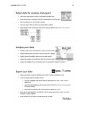
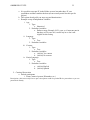
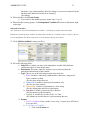
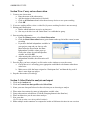
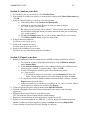
The original document was a two-page instructional handout of steps to guide the
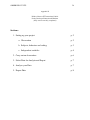
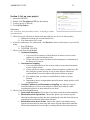
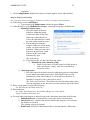
researcher on how to use the Observer XT software (Appendix A). The handout was broken into
five categories: (1) Set up your project, (2) Carry out an observation, (3) Select data for analysis
and export, (4) Analyze your data and (5) Export your data. Below each of those categories,
anywhere between four and seven steps were provided on how to execute that category. While
going through the process themselves, the instructional designers immediately saw where the
handout was lacking in clarity of instruction. In fact, there was confusion in the very first step, on
which program to open to begin a new project using the software. There was clearly a need for
further instruction and description of what the proper steps the user needs to take in successfully
testing software using the Observer XT. The consultants deemed it necessary to not only to add a
significant amount of information to the current instructional handout, but also create more
interactive learning modules. The gap that exists with the Observer XT program and its users is
that the system is a very detailed software to use that requires a great deal of instruction on how
to use it; however, that necessary instruction is lacking. Students and faculty wishing to use the
software should be able to successfully set-up, carry out, analyze and export a project with the
provided instructional materials with ease.
Data collection process
The data collection process consisted of consulting with the client/subject matter expert
(SME), gathering data from the Observer XT manual, sources from the Internet, and finally the
consultants’ use of the actual software. The project consultants originally planned to interview
with students and/or faculty that have used the software in the past, however that number is very
limited- hence the need for help and instruction. It was discovered that no one had used the UTS