1
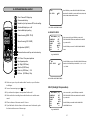
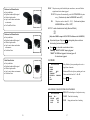
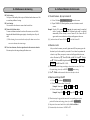
6.4 Preset positions Call, Save and Clear
6.4.1 Call
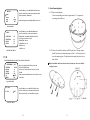
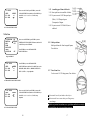
Press PRE once then input camera ID CALL PRESET: - PRE→0→2
call preset 02
6.4.2 Save
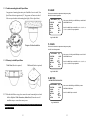
Press PRE twice then input camera ID CALL PRESET: - PRE→PRE→1→0
save preset 010
6.4.3 Clear
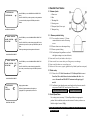
Press PRE three times then input camera ID CALL PRESET: - PRE→PRE→PRE→0→6 clear preset 06
※ Preset position input limit from 01 to 62.
6.5 Call Next Preset Position
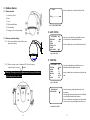
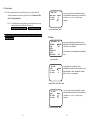
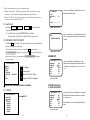
By press and release FUN key you may recall preset position 01 and see CALL
PRESET : 01 OK on the screen. And by repeating this method you may check all
preset positions. When execute FUN, the auto pan and group auto cruise will stop.
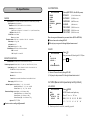
7-RS-485 Control mode
7.1 Initial Programming
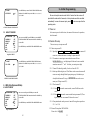
If camera needs to connect to DVR or control panel (KEY PAD) you need to setup
protocol match to DVR’s or control panel‘s protocol. Please refer to
5.4.5 PROTOCOL.
※ This device is working in standard RS-485 communication format at the bps as
set.
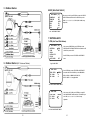
7.2 Connection
Please refer to 3 Wire Connections and the wire specification. The reference
connection diagram shows simple layout and this device is able to connect with as
many as 128 units and integrated application with other systems.
7.3 Controls
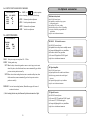
6.6 Execute Auto Pan Mode, Group Auto Cruise Mode,
(Recorded) Cruise Mode and Auto Tracking Mode
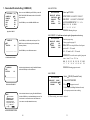
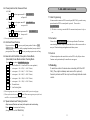
Press AUTO screen shows CALL GROUP <0 - 7> : AUTO→0:Auto Pan (Refer5.4.1.1 Auto Pan SET to set auto pan limit.)
AUTO→1: cruise preset 001 ~ 032 (01 ~ 16 M / T-Series)
AUTO→2: cruise preset 033 ~ 064 (17 ~ 32 M / T-Series)
AUTO→3: cruise preset 065 ~ 096 (33 ~ 48 M / T-Series)
AUTO→4: cruise preset 096 ~ 128 (49 ~ 62 M / T-Series)
AUTO→5: cruise preset 001 ~ 128 (01 ~ 62 M / T-Series)
AUTO→6: Recorded cruise
AUTO→7: Auto Tracking Mode
All function depends on the control device such as DVR or Key Pad you choose.
Function can be performed only if control device can support.
7.4 Protecting
To avoid lose control of camera when connecting to DVR or KEY
PAD; (They might mistakenly reset camera ID or protocol).
Camera’s protocol and ID Can only be set through infrared remote
control.
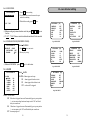
※ To execute group auto cruise, at least 2 positions shall be preset in each group.
※ Press any direction key to stop AUTO mode. When camera regains power after lost it,
need 20 sec to restart and back to previous status.
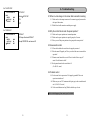
6.7 Speed activate Auto Tracking Function
Adjust camera (Direction and zoom) to the spot to start auto tracking,
Press AUTO→7 to activate Auto Tracking.
(Setup please refer to 5.4.4 TRACKING)
32
33