1
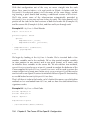
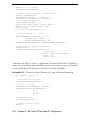
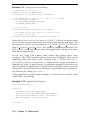
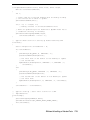
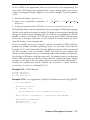
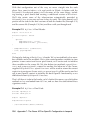
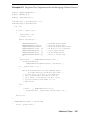
Example 11-9 Using Vertex Array Range
// Standard vertex array setup
glEnableClientState(GL_VERTEX_ARRAY);
glVertexPointer(3, GL_FLOAT, stride, vertexBuffer);
// Tell OpenGL data is mostly static so hang on to it in VRAM
glVertexArrayParameteriAPPLE(
GL_VERTEX_ARRAY_STORAGE_HINT_APPLE,
GL_STORAGE_CACHED_APPLE );
// Set up the VAR
glVertexArrayRangeApple(arrayLength, vertexBuffer);
// Tell OpenGL the data has changed so it knows it needs
// to upload it to the card
glFlushVertexArrayRangeAPPLE(arrayLength, vertexBuffer );
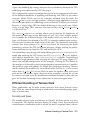
Notice that glVertexArrayParameteriAPPLE() is the key to characterizing
the vertex array memory and avoids unnecessary data transfers and copies. For
dynamic data, you can use the parameter GL STORAGE SHARED APPLE rather
than GL STORAGE CACHED APPLE. This powerful configuration instructs the
GPU to fetch vertex data directly from your application, making no intermediate copies along the way.
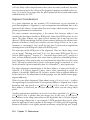
In any case, using VAR requires more smarts that regular vertex array
semantics. The VAR extension requires that you tell OpenGL when you’re
modifying data and when you’re finished with it. Unlike glFlush(),
glFlushVertexArrayRangeAPPLE() simply marks a region of memory as
modified (or “dirty” in driver-speak). To guarantee coherency of the data, you
must use either the Apple Fence extension (which will likely work its way into
the OpenGL core in the future) or a more heavy, club-handed way of guaranteeing coherency by calling glFinish().
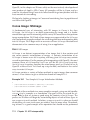
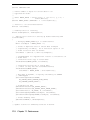
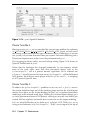
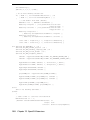
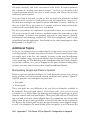
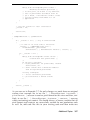
Using Apple Fence is quite simple. Example 11-10 shows the use of fences with
Apple Vertex Array Range.
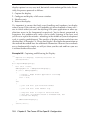
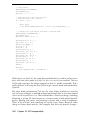
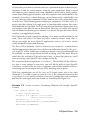
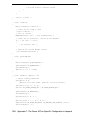
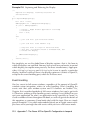
Example 11-10 Apple Fence Extension
GLuint drawCompleteFence;
void init()
{
glEnableClientState(GL_VERTEX_ARRAY);
glEnableClientState(GL_VERTEX_ARRAY_RANGE_APPLE);
glVertexArrayRangeAPPLE(allocSize, vtxCoordArray);
glGenFencesAPPLE(1, &drawCompleteFence);
}
void draw()
{
216
Chapter 11: Performance