1
Getting Started - Single Use & Reusable
Functional Check Set Up - Single Use & Reusable
If Using for the First Time Perform a Functional Check
Before you use the device for the first time, perform the following functional check
to assure that the system is working properly. Please contact your Verathon Medical
Customer Care Representative if your AVL system does not function as described below.
Single Use & Reusable
Single Use & Reusable
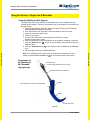
To perform a functional check of the device:
1. Fully charge the monitor battery (this will take approximately 3 hours).
2. Connect the video cable to the monitor.
3. Turn the monitor on by pressing the Power button located on the front panel of the
monitor.
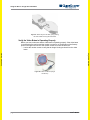
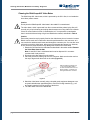
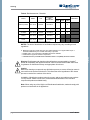
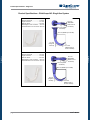
4. Look at the monitor screen to verify that the image displayed is received from the
video baton.
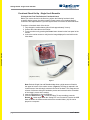
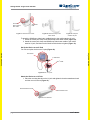
(Single Use shown)
Figure 9
Note: Both the Single Use and Resable blades show a slight amount of blade in
the upper left corner of the monitor screen. (Figure 9) The edge is captured in the
view because of the wide-angle camera lens used in the baton. This image acts as
a frame of reference during the intubation process and ensures that the orientation
of the image is correct in the monitor.
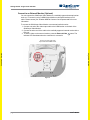
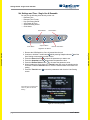
5. Insert a USB flash drive into the USB port.
to start recording. To stop recording, press the
6. Press the Record button
button again. After the ‘Saving File’ icon is turned off, remove the USB
Record
flash drive from the monitor and check that the recorded video (.avi) file can be
played on a computer.
page 25
User’s Manual