1
•
•
•
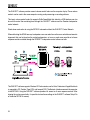
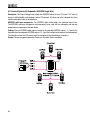
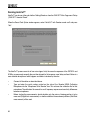
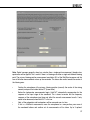
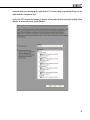
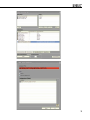
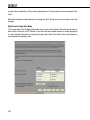
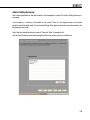
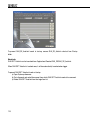
“Setup | GLM.SE™ System Setup Editor” open the System Setup Page.
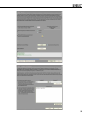
“Setup | Store Acoustic Settings to SE Subwoofer (With Full Master Level)” permanently stores
all Acoustical Settings into the subwoofer. Note that the Acoustical Settings defined in the currently
open System Setup file are used for all loudspeakers, but whenever a new System Setup file is
opened, all acoustic settings for all loudspeakers will be written according to this new System
Setup file. Any Stored Settings will be available in Stand-Alone mode if the switch on the
subwoofer connector panel is set to the position “STORED CTRLS” and the GLM.SE™ Control
Network is detached from the subwoofer.
“Setup | Store Acoustic Settings to SE Subwoofer (With Current Master Level)” saves the acoustic
settings with attenuation corresponding to the master level fader setting on the GLM.SE™
window.
•
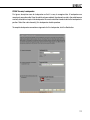
“Setup | Recall Acoustic Settings from SE Subwoofer”– this pulls all Stored Settings from the subwoofer’s
memory and loads the values into the currently running Setup. NOTE: Settings will be read over the
loaded setup file and original settings will be overwritten when save. Use “Save As” to keep the
original setup file.
69