1
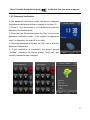
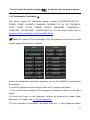
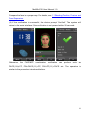
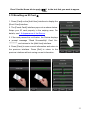
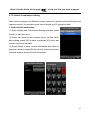
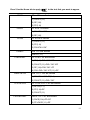
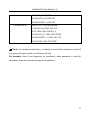
Error! Use the Home tab to apply 标题 1 to the text that you want to appear here. 1.8.5 Combination Verification ★ The device support 20 verification modes, including FACE&PIN/FP/RF/PW 、 FP&PW、FP&RF、FACE&FP、FACE&PW、FACE&RF、FP、PW、RF、FACE&PIN、 FP/RF 、 PW/RF 、 FP/PW 、 PW&RF 、 PIN&FP 、 FP&PW&RF 、 PIN&FP&PW 、 FP&RF/PIN、FACE&FP&RF、FACE&FP&PW etc. For the detail, please refer to Appendix 4 Multi-combination Authentication Mode. Note: RF means ID Card verification. Only the products with a built-in ID card module support the ID card verification. Here is the combination verification operation, we use the FACE&FP verification for an example. If you verify fingerprint first and then the face verify, operation as follows. (1) The default main interface is the fingerprint verification mode, see the figure below. (2) Press your finger on the fingerprint collector by adopting the proper finger placement. For details, see 1.3 Finger Placement. (3) If the verification is successful, the device enter the 1:1 face recognition mode. 15