1
■ chapter 1 getting to know the basics
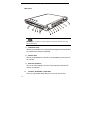
Fire-wire-ready device to this port.
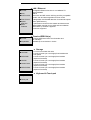
5. Ventilation Grill
The fan grill is where air is exchanged to dissipate the internal heat.
Do not block this airway completely.
6. TV (S-Video) Port
The S-Video port permits you to redirect the screen output to a
television set or any analog video playback device. This TV Port is
Macrovision-compliant; when DVD movie is played, the output is
scrambled to prevent analog recording.
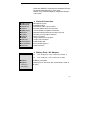
7.
Power Jack (DC-in)
The DC-out jack of the AC Adapter connects here and powers the
computer.
8.
Modem Port
This is where you plug the phone jack (RJ-11) for fax/modem
functions.
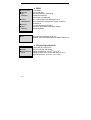
9.
Ethernet / LAN Port
The port connects to a network hub via the RJ-45 cable and also
conforms to 10/100Base-TX transmission protocol.
10. USB2.0 Port (x3)
The Universal Serial Bus (USB2.0-compliant) port allows you to
connect a wide variety of devices to your computer at a rate of up
to 480 Mbps. This port conforms to the latest USB2.0
plug-and-play standards.
11.
Stereo Headphone Jack
The stereo headphone jack (3.5-mm diameter) is where you
connect the headphones or external speakers.
12.
Microphone Jack
1-9