1
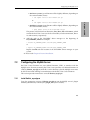
Configuring the Oracle Server
5.2.2
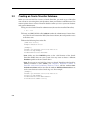
Install nddsc.dll and nddscore.dll
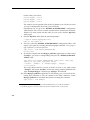
Because rtirtc_oracleq.dll uses Connext, the shared libraries nddsc.dll and nddscore.dll
must also be installed and accessible at run time by the Oracle server.
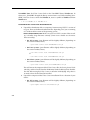
Important! Make sure your Path system environment variable1 contains the path to the
Connext libraries (<NDDSHOME>\lib\<arch>, where <arch> depends on your architecture, such as i86Win32VS2008). If <NDDSHOME>\lib\<arch> is not already in
your Path, add it now. You will need to restart your computer after you modify Path. If
you do not want to restart the computer, you can copy the libraries into a directory that
is already in the system Path, such as c:\Windows\System32.
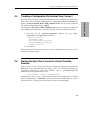
5.2.3
Create an Oracle Account
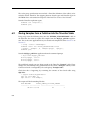
Before you can use Real-Time Connect to Oracle, you need to obtain an Oracle account
from your database administrator. If you are acting as your own database administrator,
start SQL*Plus from the command prompt on the Oracle server and log in as the system
manager:2
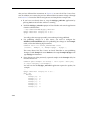
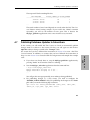
> sqlplus system/<password>@<Oracle_Service_Name>
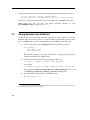
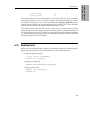
For example, to create a new Oracle account for “Student” on the Oracle database identified by the connection string “orcl” with system manager password “mypsswrd”,
enter the following:
> sqlplus system/mypsswrd@orcl
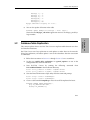
SQL> CREATE USER Student IDENTIFIED BY mypsswrd DEFAULT TABLESPACE
users;
SQL> GRANT connect, resource, create any trigger, create any
library, create any table TO Student;
SQL> COMMIT;
SQL> EXIT
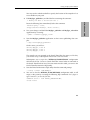
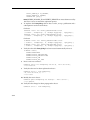
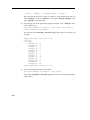
The remaining sections in this chapter assume that an Oracle user named "Student"
with the password "mypsswrd" has an account for the “orcl” database.
2. If sqlplus is not on your path, it can be found in the bin\ directory of your Oracle installation.
5-3
5. Oracle 11g on
Windows
1. To view and/or edit the Path system environment variable: from the Start button/menu, select Settings, Control Panel, System, Advanced tab, then select the Environment Variables button. View or edit the
Path in the System Variables. (The exact steps for accessing the environment variables may vary, depending
on your version of the Windows operating system.)